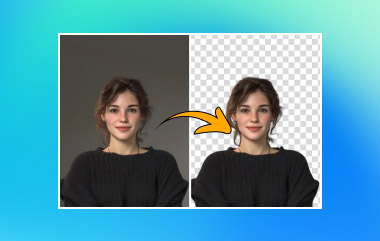
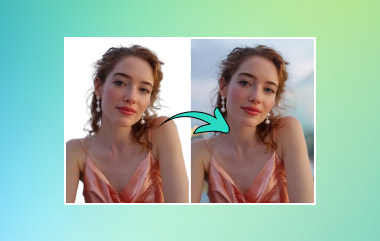
Photo editing has gotten easier today, and this is because of the continuous advancement of AI and hardware technologies. So, it should be easy to cut a picture out by using a modern photo editor. This article reviews a few tools that are considered good solutions by users. But first, let's talk about what makes a great tool for photo cutouts.
- Part 1. What Makes a Great Photo Cut-Out Tool?
- Part 2. The Top Contenders at a Glance
- Part 3. The Best Free All-Rounder - AVAide Background Eraser
- Part 4. Best by Accuracy - Remove.bg
- Part 5. Best for E-Commerce - PhotoRoom
- Part 6. Best Free No-Watermark - Pixelcut
- Part 7. Best All-in-One Design Suite - Adobe Photoshop
- Part 8. Best for Mobile - Apps for Cutting Out Photos
- Part 9. Which Tool Should You Choose
Part 1. What Makes a Great Photo Cut-Out Tool?
Indeed, you can find a lot of tools that can cut out picture backgrounds instantly. However, you should consider a better solution for better results. So, what makes a great photo cut-out tool?
First, the tool can be both easy to use and offer excellent image quality. It must be precise in handling background removal and keeping every pixel of hair and other elements intact. Second, manual fine-tuning should be an option. Not all photo editors can completely erase parts of the pictures, so a brush or eraser function should be there. Lastly, the tool's free version must showcase its overall function. Most of the time, tools only provide cheap results to the edited pictures unless you subscribe to the pro plans.
Part 2. The Top Contenders at a Glance
Before going into the details, here is a quick look at the Photo Cut Out Tools.
| Cut Out Tools | Price | Output Quality | Processing Speed |
| AVAide Background Eraser | Free | High | Fast |
| Remove.bg | Starting at $3.00 | High | Fast |
| PhotoRoom | Starting at $7.50 | Average | Fast |
| Pixelcut | Starting at $10.00 | Average | Normal |
| Adobe Photoshop | Starting at $22.99 | High | Normal |
| iPhone’s Lift Subject | Free | High | Normal |
| Android Magic Eraser | Free | Average | Normal |
Part 3. The Best Free All-Rounder - AVAide Background Eraser
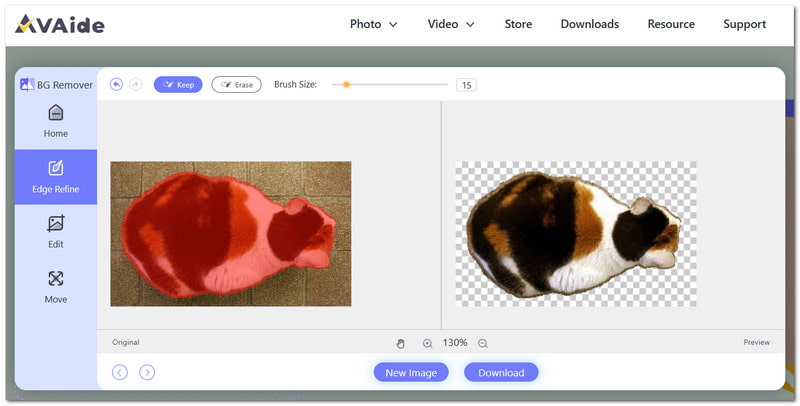
The top choice to get the best AI cut-out images is through AVAide Background Eraser. It is a web-based tool that is 100% free with no sign-up or watermarks applied. It is designed to automatically cut out the main object of your photo, with sharp edges and in overall high quality. It is also equipped with a Brush tool that allows you to highlight the things you want to remove or keep in the picture. Moreover, this is a great solution for popular image formats, including JPEG, GIF, and PNG.
Core Features:
- High-quality cutouts.
- Manual background removal.
- Built-in photo cropper.
- Free to use unlimitedly.
- Pros
- Clean from ads and popups.
- Accessible on any web browser.
- Cons
- Only supports 3 image formats.
Supported Formats: JPEG, GIF, PNG.
Part 4. Best by Accuracy - Remove.bg
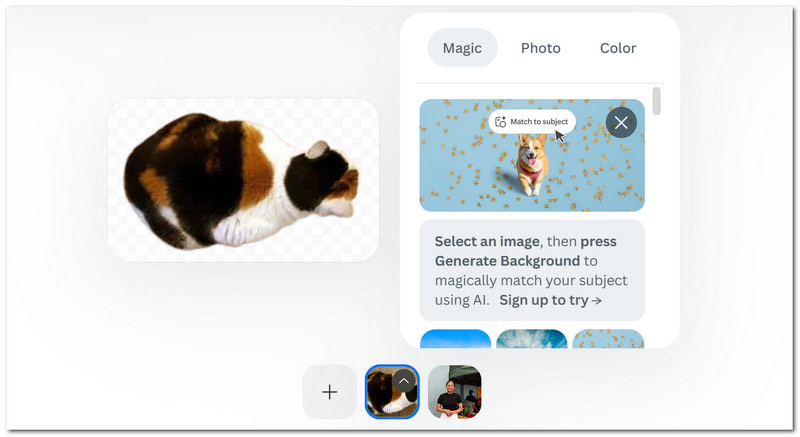
Remove.bg is a photo cut-out tool that you can access on web browsers like Google Chrome and Safari. It is used for accurate background removal, as well as clean cutouts of the main object in pictures. This alternative offers flexible subscriptions, and it is credit-based so that you can purchase as little as $3.00 for 3 credits.
Core Features:
- User-friendly interface.
- Good selection of background templates.
- Extended editing options through Canva.
- Pros
- Quick to process pictures.
- Allow previews before processing.
- Cons
- Integration with Canva, which means there will be no web-based version.
Supported Formats: JPEG, WEBP, PNG
Part 5. Best for E-Commerce - PhotoRoom
PhotoRooms is an image cut-out tool that offers auto-background removal. It is suitable for product advertisement, especially as it generates shadows on the objects after the background is removed. It also offers background replacement as part of its function.

Core Features:
- Support editing batch files.
- AI fills in backgrounds automatically.
- High-speed processing.
- Pros
- Support a wide range of formats.
- Suitable for online brand and product marketing.
- Cons
- A mandatory watermark is applied to the free version.
Supported Formats: JPEG, WEBP, PNG, BMP, HEIC
Part 6. Best Free No-Watermark - Pixelcut
Pixelcut is a photo cut-out tool that offers a watermark-free process to remove the background from pictures for free. Other than the usual features of ready-to-use templates, Pixelcut extends its function with an image upscaler and magic eraser to enhance the quality.
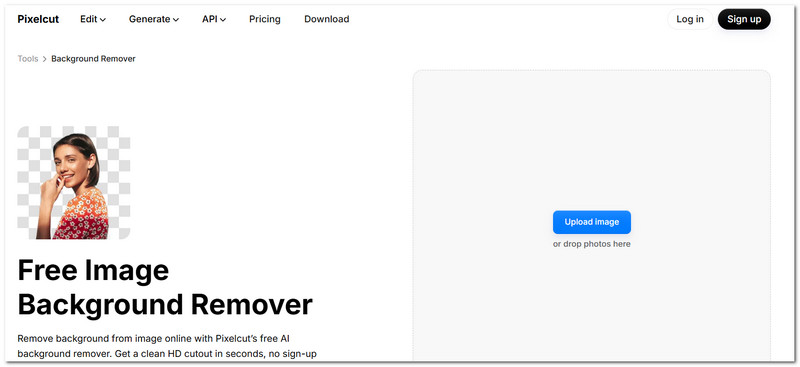
Core Features:
- The interface is easy to navigate.
- Offers multiple AI tools.
- Clean photo cutouts.
- Pros
- Available as a desktop and mobile app.
- Watermark-free in the free version.
- Cons
- The free version limits file size to 16MB.
Supported Formats: JPEG, WEBP, PNG
Part 7. Best All-in-One Design Suite - Adobe Photoshop
Adobe Photoshop is one of the most well-known tools for photo editing. With its complex interface, it is equipped with professional features that are helpful for cutting out the picture background. Moreover, Adobe is a better option for precision tools for a clean cutout.
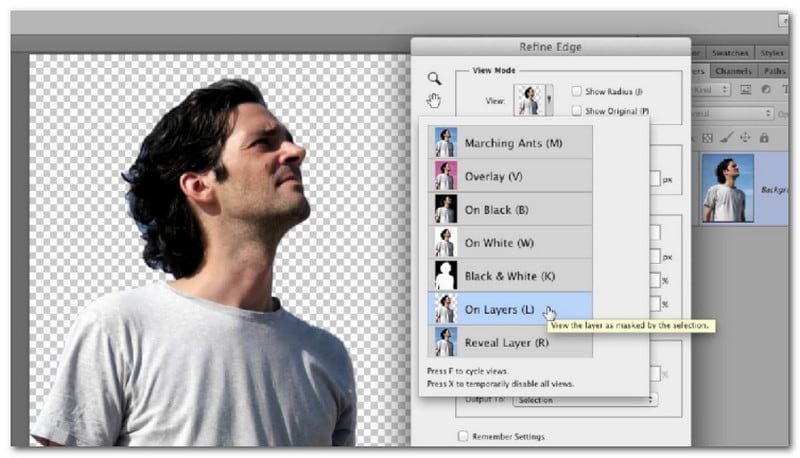
Core Features:
- Hide and remove background pixels.
- Advanced edge refinement and contrast adjustments.
- Pros
- Recommended for professional projects.
- Offer more professional editing features.
- Cons
- Complex learning curve.
- Expensive subscription.
Supported Formats: JPEG, TIFF, PNG, RAW
Part 8. Best for Mobile - Apps for Cutting Out Photos
There are also apps for cutting out photos on iPhone and Android. But rather than third-party apps, there are native tools you can find on your mobile phone.
1. For iPhone
The Lift Subject is a feature on the iPhone to cut out images for free. It can automatically isolate the object from the picture, removing the background in just one tap. Furthermore, it provides the option to save the cutouts as a separate file or copy them to your clipboard to send to your friends via group chat.
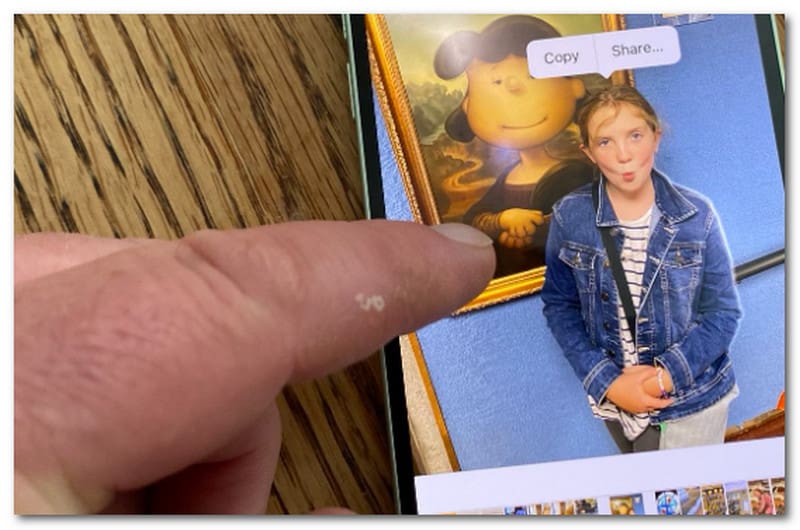
Core Features:
- Instant sticker creation.
- Isolate objects from photos and videos captured on the phone.
- Pros
- No app installation required.
- High-quality output.
- Cons
- Prone to imperfect edges.
- Only available from iOS 16.
Supported Formats: PNG
2. For Android
For Android users, you can cut an image out from the Gallery app. It has a Magic Eraser that detects distracting objects to be erased. It also refines the picture by blending the surrounding background. You can also revert the edited photo to its original state, even after it is exported.
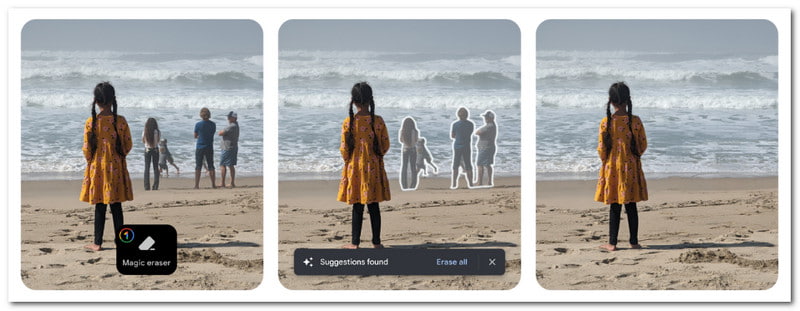
Core Features:
- Detects and suggests objects to be removed.
- Option to remove objects manually.
- Pros
- Quick and easy to use.
- Keep the original photo.
- Cons
- Blurry edges in the cutouts.
Supported Formats: JPEG, PNG
Part 9. Which Tool Should You Choose
All of the reviewed cut-out tools have one purpose, and that is to help easily create cutouts from pictures. But if you're unsure which one to use, here are our recommendations on which tool to use and when to use it.
If you need unlimited photo cutouts, you should choose AVAide Background Eraser, as it has no hidden charges and no upload limitations.
If you want accurate and quick AI background removal, Remove.bg is the best choice as it uses sophisticated AI technology.
If you want to edit products for online marketing, go for PhotoRoom, as it puts shadows automatically on objects after background removal.
If you want a free tool to cut a picture out, Pixelcut is a suitable option for its generous free version advantages.
If you want professional editing, Adobe Photoshop will be the best option for its advanced features.
Back in the days, cutting objects from photos used to be difficult. But now, there are modern image cut-out tools that may be different in terms of features, but have one purpose in photo editing. For quicker and better results, AVAide Background Eraser would be the top-notch option in terms of free and high-quality outputs.
ABOUT THE AUTHOR


Uses AI and automated background removal technology to capture complex backgrounds from JPG, JPEG, PNG, and GIF.
PROCESS NOW