Nowadays, image quality plays a vital role in how visuals are viewed, whether for creative projects, personal memories, or professional presentations. Traditional resizing might result in a blurry or pixelated result. Thankfully, there are various AI-powered tools you can access to upscale your images smoothly and effectively. These tools can help you transform low-quality images into high-definition images. If you are looking for an excellent tool that upscale your photos, you are in the right place. Read here and discover the best image upscalers for you.
Quick Comparison
Image upscaling allows low-resolution images to be enlarged without losing clarity, making them perfect for professional presentations, printing, and design work.
If you want to take a peek at the most reliable image upscalers, you can check the simple table below. You will gain more insights into their upscaling capabilities, AI models, platform, best use cases, and other parameters.
| Image Upscalers | AVAide Image Upscaler | Zoviz Image Upscaler | Nero AI Image Upscaler | Upscayl | Topaz Gigapixel |
| Upscaling Strength | Up to 8× | Up to 16× | Flexible | Up to 4× | Up to 6× |
| AI Models/Focus | General AI enhancement, noise removal, portrait sharpening | AI enhancement for portraits, landscapes, and products | Specialized models: Photo, Iris (macro), Anime, Standard; Face recovery | Open-source AI, general enhancement | Advanced generative AI, face recovery, batch processing |
| Ease of Use | Straightforward, web-based, batch upload | Easy drag-and-drop, instant results | More Complex | Simple interface | Professional-grade, standalone or plugin |
| Platform | Online | Online | Online | Windows and Mac | Windows and Mac |
| Best for | Quick fixes, casual users, batch online upscaling | E-commerce photos, large-scale enlargements | Professionals needing tailored models for different image types | Designers, photographers, open-source enthusiasts | Photographers and creatives need high-quality, detailed enlargements |
After reviewing the table above, you can see that all of them can produce the output you want. If you want a detailed explanation about the best image upscalers, check all the information below.
Top 1. AVAide Image Upscaler
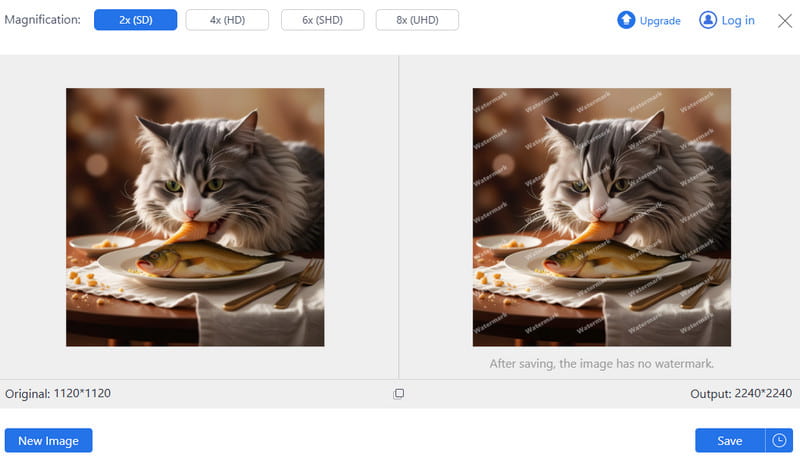
One of the best AI image upscalers you can access on your browser is AVAide Image Upscaler. When upscaling your images, this tool lets you increase their resolution to 2×, 4×, 6×, and even 8×. The best part here is the simple layout, which enables you to enhance your images without any difficulty. Plus, since the tool is powered by artificial intelligence, you can get an accurate result, making your upscaled image look natural and appealing. The best part here is that this image upscaler lets you save and download the final result without any watermark. It can even handle various formats, including PNG, JPG, BMP, WebP, and more. Lastly, you can access AVAide Image Upscaler on multiple platforms, such as Google, Safari, Edge, and more, making it the most reliable and robust photo upscaler.
Top 2. Zoviz Image Upscaler
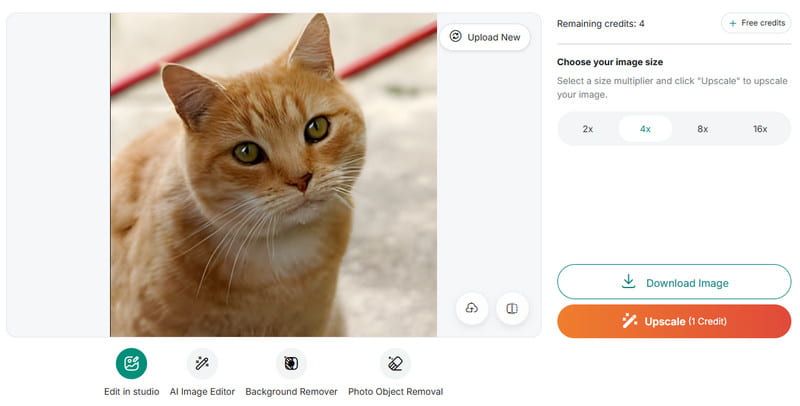
Another best and free image upscaler you can access on your browser is Zoviz Image Upscaler. This tool is ideal for non-professional users, as it has a simple layout that lets you enhance your images easily and instantly. Plus, you can upscale photos for up to 16× better than the original resolution. With that, you can ensure your photo's overall appearance is enhanced after upsizing. What's More, besides upscaling, you can also access the tools' image background remover. This feature is perfect if you want to get a transparent background on your image. Thus, if you need an ideal and reliable image enhancer, consider this exceptional tool.
Top 3. Nero AI Image Upscaler
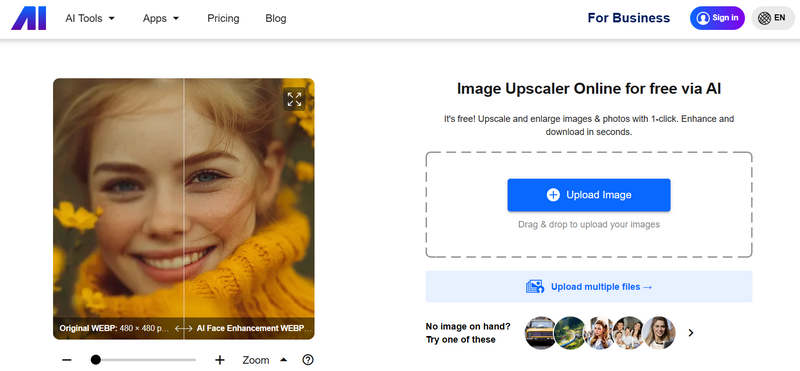
Nero AI Image Upscaler is an ideal tool if you want a smooth photo upscaling process. With its easy-to-understand interface, you can instantly improve your image in just a few seconds. What makes it unique is that you can upscale your image up to 4× on the free version and 8× on the paid version. In addition, the tool can offer various upscale models, including photo, standard, anime, and more. With that, no matter what kind of result you want to achieve, the tool will ensure to offer it to you. Lastly, after the upscaling process, Nero lets you share the image on various platforms, such as Twitter (currently X), Facebook, Discord, and more. Thus, if you need a powerful AI image upscaler, use this tool right away.
Top 4. Upscayl
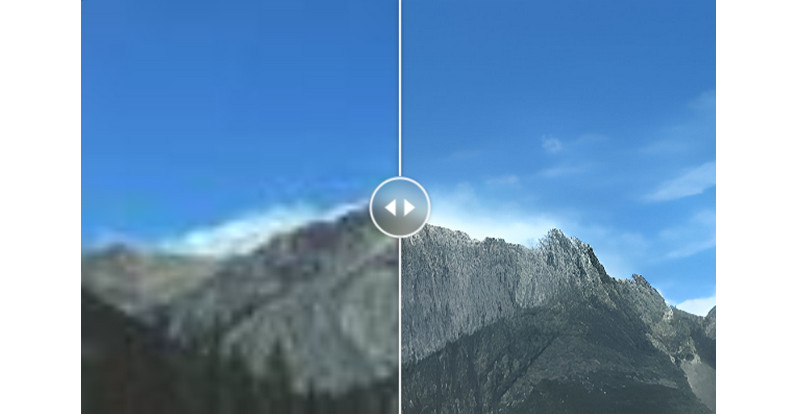
Do you need the best upscaling software? Then, you can try using Upscayl. This desktop-based photo upscaler is among the best options available. This program is designed for transforming blurry, low-resolution, and pixelated images into crisp, high-quality versions. The good thing about this upscaler is that it can help you turn your photo into 4K resolution while making the image realistic and natural. Plus, the software's core layout is simple, allowing you to access all functions smoothly. It also has a fast upscaling process, so you can get the results you want in just a few seconds. The only drawback is that you need enough storage space, since the program's file size is large.
Top 5. Topaz Gigapixel AI
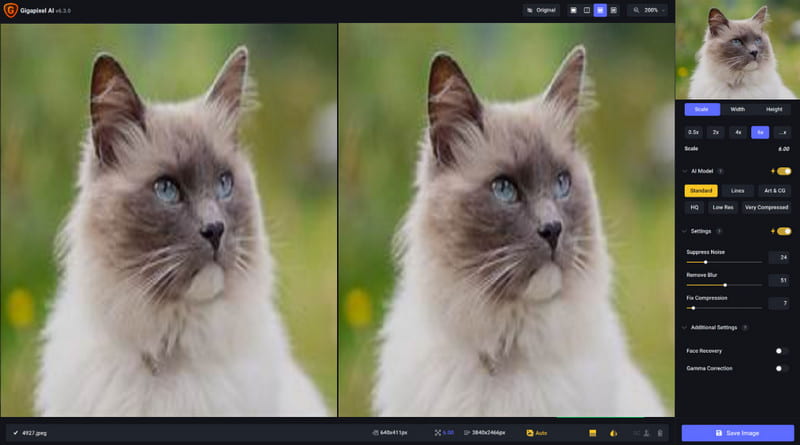
Are you looking for an advanced image upscaler that delivers the results you need? Then, we suggest using Topaz Gigapixel AI. With its AI-powered technology, there is no doubt that the program can deliver the best results after the upscaling process. You can even upscale your image up to 2×, 4×, and 6×. It can even offer various AI models, such as standard, lines, arts & cg, HQ, Low-res, and more. You can also adjust the noise level to make your photo sharper, resulting in a more satisfying viewing experience. You can also eradicate the blur from the image. The only disadvantage here is that the program is resource-intensive. Plus, you have to get the paid version to access all the features. But if you want a smooth image-upscaling process, consider using this desktop photo enhancer.
If you need an excellent photo upscaler, it's better to try all the tools we have provided in this article. This post offers the most reliable offline and online image upscalers to improve image resolution, tailored to your preferences. Plus, if you are still unsure what tool to use, we recommend using AVAide Image Upscaler. This tool is perfect because you can upscale your images by up to 8×. You can also have a fast, smooth process that delivers results in a few seconds. Feel free to use this free image upscaler in your browser.
ABOUT THE AUTHOR


Our AI technology will automatically enhance the quality of your images, remove noise and fix blurry images online.
PROCESS NOW