I dag trenger mange å ta opp dataskjermen sin av forskjellige grunner. De vil kanskje lagre et nettmøte. De vil kanskje også ta opp en veiledning eller et kurs.
An HD-skjermopptaker hjelper deg med å lagre alt i video av høy kvalitet med skarpe detaljer. Den fanger opp det du gjør på skjermen i sanntid. Den er nå et viktig verktøy for jobb, skole og innholdsproduksjon.
Så vær så snill å bli med. Vi skal utforske de beste HD-skjermopptakerne du kan bruke i dag!
Hva du skal se etter i en HD-skjermopptaker
Usikker på hva du skal se etter i en HD-skjermopptaker? I så fall kan du sjekke nedenfor.
1. Løsningsstøtte
Velg en opptaker som støtter minst 1080p Full HD. Den gir klar og skarp video. Hvis du spiller spilling eller jobber på avansert nivå, velg en som støtter 4K.
2. Bildefrekvens
Bruk 30 FPS for enkle oppgaver som veiledninger og møter. Velg 60 FPS for spilling eller rask action. Det gjør at videoen ser jevnere ut. Det er bedre hvis du kan justere FPS-en.
3. Lydopptak
Verktøyet skal ta opp systemlyd og mikrofonlyd samtidig. Det hjelper med fortellerstemme. Støyreduksjon er også nyttig. Det gjør lyden klarere.
4. Ingen vannmerke/tidsbegrensning
Velg en opptaker uten vannmerker. Det er viktig for rene og profesjonelle videoer. Unngå også å bruke verktøy med korte opptaksgrenser. Lange økter drar nytte av det.
5. Redigeringsfunksjoner
Finn enkle redigeringsverktøy. Beskjæring, klipp og trimming er nyttige. Ytterligere funksjoner for leksjoner og instruksjoner inkluderer tegnehjelp og markørutheving.
6. Systemkompatibilitet
Sørg for at det fungerer på enheten din. Det bør støtte Windows, Mac eller Linux. Det unngår feil og ytelsesproblemer.
En rask oversiktstabell over de beste HD-skjermopptakerne
| HD-skjermopptaker | Plattform | Maksimal oppløsning | Gratis versjon | Vannmerke | Best for |
| AVAide skjermopptaker | Windows og Mac. | 4K | Ja, gratisversjon tilgjengelig. | Ingen vannmerke. | Full HD-opptak med redigeringsverktøy. |
| OBS Studio | Windows, Mac og Linux. | 4K | 100% gratis skjermopptaker. | Ingen vannmerke. | Strømming og avansert opptakskontroll. |
| Snagit | Windows og Mac. | 4K | Kun gratis prøveperiode. | Ingen vannmerke. | Raskt skjermbilde og veiledninger. |
| Icecream skjermopptaker | Windows, Mac og Android. | 4K | Ja, en begrenset gratisversjon. | Vannmerke på gratisversjonen. | Enkle veiledninger og grunnleggende opptak. |
| Camtasia | Windows og Mac. | 4K | Kun gratis prøveperiode. | Vannmerke på prøve. | Profesjonell redigering og skjermvideoer. |
| Bandicam | Kun Windows. | 4K | Ja, en begrenset gratisversjon. | Vannmerke på gratisversjonen. | Spilling og opptak av høy kvalitet. |
| ScreenRec | Windows, Mac og Linux. | 4K | Ja, gratisversjon tilgjengelig. | Ingen vannmerke. | Raskt opptak og umiddelbar deling. |
Topp 1: AVAide skjermopptaker
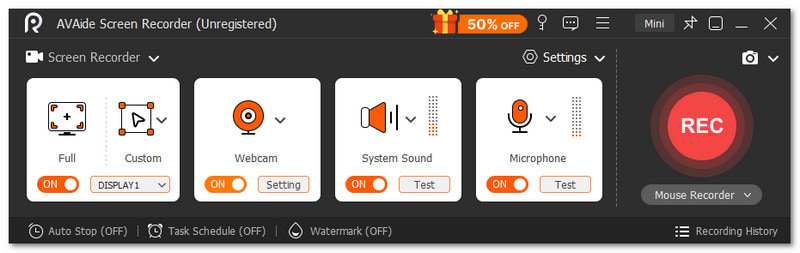
AVAide skjermopptaker vil ikke sitte på førsteplass uten grunn. Den sjekker alt du bør se etter i en HD-skjermopptaker. Den lar deg ta opp i fullskjerm eller et tilpasset område. Den støtter også webkamera, systemlyd og mikrofon samtidig.

GRATIS NEDLASTING For Windows 7 eller nyere
 Sikker nedlasting
GRATIS NEDLASTING For Mac OS X 10.13 eller nyere
Sikker nedlastingI tillegg kan du justere utgangsinnstillinger som videoformat, bildefrekvens og kvalitet. I tillegg har den ikke vannmerke og tillater lange opptakstider. Alt i alt føles den enkel, men komplett for daglig bruk.
Ting som skiller seg ut:
- Støtter videokvalitet på opptil 4K og 1080p.
- Angi planlagt start- og stopptid for opptak.
- Legg til tekst, tavle, bilder og fokusmerker.
- Ta skjermbilder med ett klikk når som helst.
- Rediger opptak med verktøy for trim, slå sammen, konverter, komprimer og lyd.
Topp 2: OBS Studio
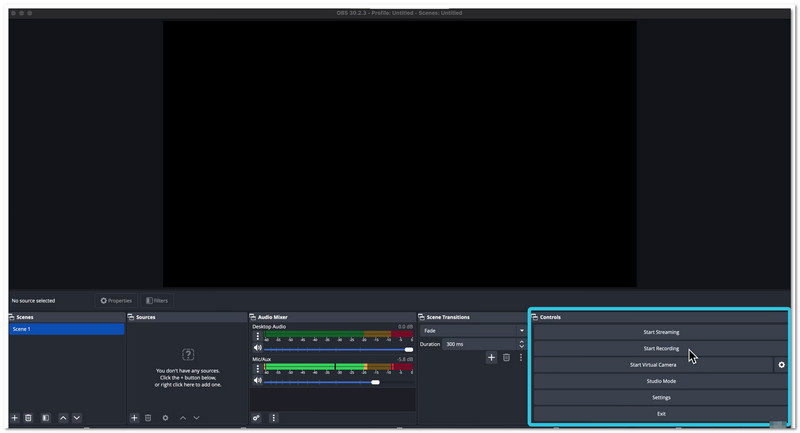
OBS Studio er et av de anbefalte gratis HD-skjermopptakerne i dag. Det tar opp og strømmer samtidig. Det fungerer bra for skapere og strømmere. Det støtter mange kilder som webkamera og en nettleser. Du kan bygge scener og bytte raskt. Det gir også god kontroll over lyd og video.
Ting som skiller seg ut:
- Støtter sanntidsopptak og -miksing av video og lyd.
- Lar deg lage og bytte mellom et ubegrenset antall scener.
- Tilbyr en avansert lydmikser med filtre og plugins.
- Inkluderer tilpassede hurtigtaster for rask kontroll.
- Støtter plugins, skript og tilpassede oppsett.
Topp 3: SnagIt
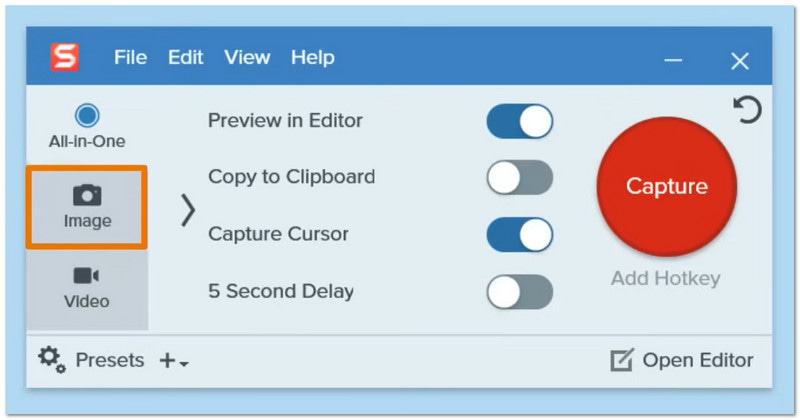
Snagit gir en annerledes måte å ta opp skjermen på. Den fokuserer på rask opptaksfunksjonalitet og klare bilder. Den hjelper deg med å gjøre enkle klipp om til guider. Den kobler seg også godt til Camtasia. Mange store selskaper stoler på denne HD-opptaksprogramvaren for daglig arbeid og deling av ideer.
Ting som skiller seg ut:
- Tar opp skjerm med bilde-i-bilde-webkameravisning.
- Tar hele sider med rullende opptak.
- Lar deg lage GIF-er fra opptak.
- Legger til bildeforklaringer, piler og merknader i visuelle elementer.
- Tillater umiddelbar deling til apper og plattformer.
Topp 4: Iskremskjermopptaker
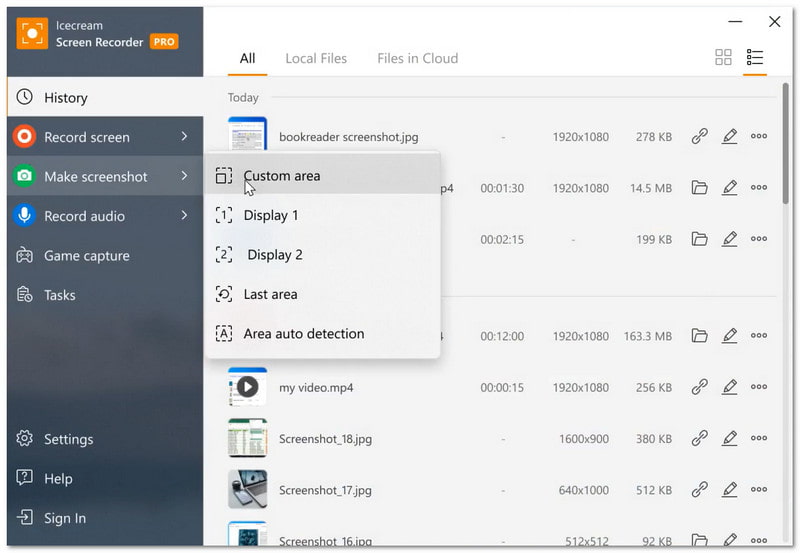
Icecream Screen Recorder anbefales hvis du vil ta opp video med lyd på Mac og Windows. Den kan ta opp hele skjermen eller bare deler av den. Den har også støtte for webkamera og lyd. Veiledninger, møter og strømming kan tas opp. I tillegg kan du planlegge opptak og dele opptak umiddelbart.
Ting som skiller seg ut:
- Tar opp skjerm med systemlyd og mikrofon.
- Støtter webkameraoverlegg under opptak.
- Tilbyr grunnleggende redigering som trim og hastighetskontroll.
- Tillater tegning og legge til tekst på skjermen.
- Inkluderer alternativ for planlagt opptak.
Topp 5: Camtasia
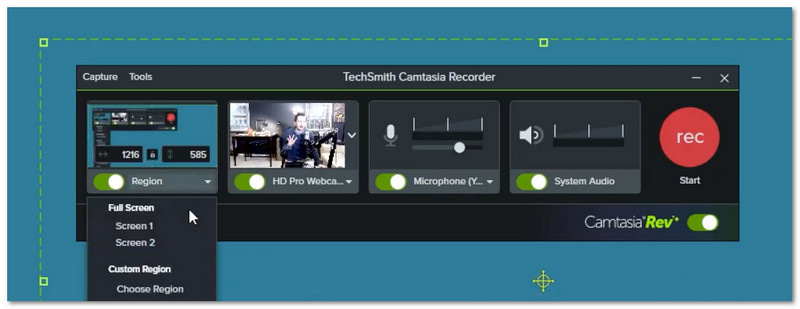
Camtasia kombinerer skjermopptak og videoredigering på ett sted som en HD-skjermopptaker for datamaskiner. Den hjelper deg med å gjøre råklipp om til polerte videoer. Den bruker AI-verktøy for å øke redigeringshastigheten. Du kan redigere en video ved å redigere tekst. For bedre resultater tillater den også maler og teksting.
Ting som skiller seg ut:
- Tar opp skjerm, kamera og lyd på separate spor.
- Tilbyr dra-og-slipp-tidslinjeredigering.
- Konverterer tale til tekst for enkel redigering.
- Legger til markøreffekter og merknader.
- Inkluderer maler og tilpassede temaer.
Topp 6: Bandicam
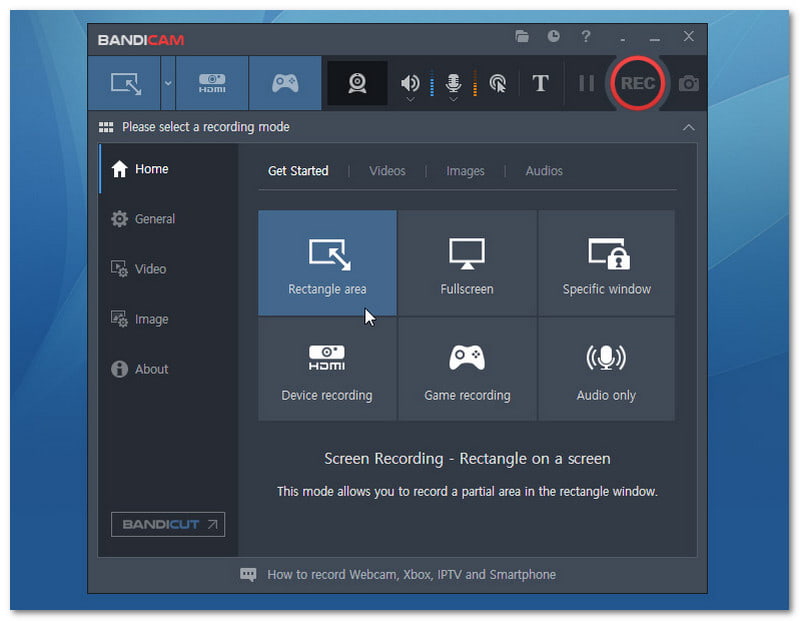
Bandicam er kjent for opptak av høy kvalitet med en liten filstørrelse. Det fungerer bra for spill og skjermopptak. Det er en kraftig 4K-skjermopptaker som kan ta opp i 4K og med svært høye bildefrekvenser. Den støtter også eksterne enheter. Dette gjør den nyttig for mange typer opptaksoppgaver.
Ting som skiller seg ut:
- Tar opp skjerm, spill og eksterne enheter.
- Støtter opptil 4K UHD og opptak med høy FPS.
- Bruker høy komprimering samtidig som kvaliteten bevares.
- Tillater tegning i sanntid under opptak.
- Legger til webkameraoverlegg og museffekter.
Topp 7: ScreenRec
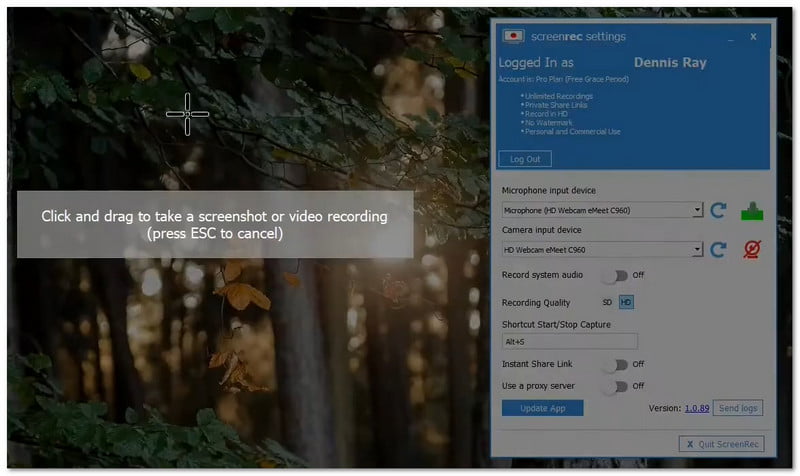
ScreenRec fokuserer på rask innspilling og deling. Den hjelper deg med å sende videomeldinger i stedet for lange tekstmeldinger. Den tar opp skjerm, lyd og webkamera med ett klikk. Den gir også en delbar lenke umiddelbart. Den er nyttig for arbeid, tilbakemeldinger og raske oppdateringer.
Ting som skiller seg ut:
- Starter og stopper opptaket med ett klikk.
- Tar opp skjermen, mikrofonen og webkameraet samtidig.
- Gir umiddelbare private delingslenker.
- Støtter kommenterte skjermbilder.
- Inkluderer innholdshåndtering og analyser.
Hvilken HD-skjermopptaker bør du velge
Hvis du ønsker et alt-i-ett-verktøy for opptak og redigering, er det anbefalte verktøyet AVAide skjermopptakerDen kan ta opp skjerm, webkamera, systemlyd og mikrofon samtidig. Den tilbyr også redigeringsverktøy du kan bruke etter opptak, som trimming og grunnleggende forbedringer. Kvaliteten går opp til 4K, slik at videoene dine ser skarpe og klare ut. Den er perfekt for veiledninger, spillvideoer, nettkurs og presentasjoner.
Håper artikkelen vår hjelper deg med å finne det beste HD-opptakerprogramvareVi ønsker at du skal få det beste valget for dine behov. Derfor anbefaler vi AVAide skjermopptakerDen fungerer på Windows og Mac. Den har en gratisversjon du kan prøve. Hvis du liker den, kan du oppgradere til den betalte versjonen og få tilgang til flere funksjoner.
OM FORFATTEREN

Ta opp skjerm, lyd, webkamera, spilling, nettmøter, samt iPhone/Android-skjerm på datamaskinen din.
Skjermopptak