Các cuộc họp trực tuyến giờ đây đã trở thành một phần của cuộc sống hàng ngày. Chúng ta sử dụng chúng cho công việc, học tập và thảo luận nhóm. Nhưng đôi khi các vấn đề về mạng, sự xao nhãng hoặc bỏ sót chi tiết có thể gây rắc rối. Điều tốt là bạn có thể lưu lại mọi thứ để xem lại sau bằng phần mềm ghi âm cuộc họp. Và... người ghi biên bản cuộc họp Các công cụ bên dưới có thể giúp bạn ghi lại mọi thứ một cách rõ ràng!
- Những điều cần lưu ý khi chọn máy ghi âm cuộc họp
- Phần 1. Trình ghi cuộc họp tích hợp sẵn trên nền tảng
- Phần 2. Phần mềm ghi âm và ghi chú cuộc họp bằng AI
- Phần 3. Trình ghi cuộc họp ChatGPT
- Phần 4. Phần mềm ghi âm cuộc họp miễn phí
- Phần 5. Phần mềm ghi âm cuộc họp trực tuyến (Không cần tải xuống)
- Phần 6. Thiết bị ghi âm cuộc họp
- Phần 7. So sánh các thiết bị ghi âm cuộc họp tốt nhất
Những điều cần lưu ý khi chọn máy ghi âm cuộc họp
Điều cần thiết là phải biết những gì cần tìm kiếm ở một thiết bị ghi âm cuộc họp trước tiên. Vì vậy, vui lòng đọc kỹ các điểm dưới đây.
- Độ chính xác của bản ghi - Nó cần chuyển đổi lời nói thành văn bản chính xác và rõ ràng, không có nhiều lỗi.
- Chất lượng tóm tắt AI - Cần lập biên bản cuộc họp ngắn gọn và rõ ràng, nêu bật các điểm chính và các việc cần làm.
- Quyền riêng tư và kiểm soát dữ liệu - Nó nên bảo vệ các bản ghi âm của bạn và cho phép bạn kiểm soát cách dữ liệu được lưu trữ hoặc chia sẻ.
- Khả năng tương thích nền tảng - Nó sẽ hoạt động tốt với các công cụ như Zoom, Teams hoặc Google Meet trên nhiều thiết bị.
- Mô hình định giá - Cần phải ghi rõ ràng đó là dịch vụ miễn phí hay trả phí và mỗi gói dịch vụ bao gồm những tính năng gì.
Phần 1. Trình ghi cuộc họp tích hợp sẵn trên nền tảng
Các cuộc họp không còn chỉ đơn thuần là các cuộc gọi. Đến năm 2026, các công cụ ghi âm cuộc họp như Zoom, Teams và Meet có thể ghi âm, viết ghi chú và tóm tắt nội dung cho bạn.
1. Phóng to
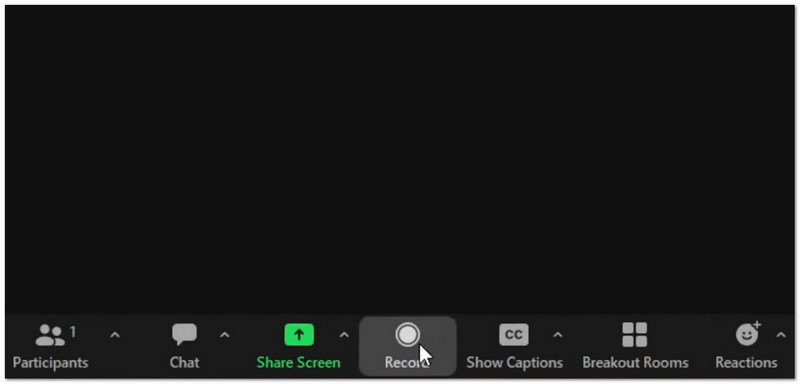
Chức năng của nó: Nó ghi lại video và âm thanh, tạo bản tóm tắt bằng AI và các chương thông minh, đồng thời có thể dịch trực tiếp bằng AI Companion, cung cấp cả tùy chọn ghi cục bộ và trên đám mây.
- Ưu điểm
- Mạnh mẽ ngay cả khi mạng internet yếu.
- Nhiều công cụ, như thăm dò ý kiến và bảng trắng.
- Ghi chú và mục hành động thông minh bằng AI
- Nhược điểm
- Các công cụ AI có giá thành cao hơn.
- Dung lượng lưu trữ đám mây có giới hạn.
Tốt nhất cho:
- Các cuộc họp lớn
- Hội thảo trực tuyến
- Các đội có kết nối internet kém
Đánh giá: ★★★★★ (5/5)
2. Các đội
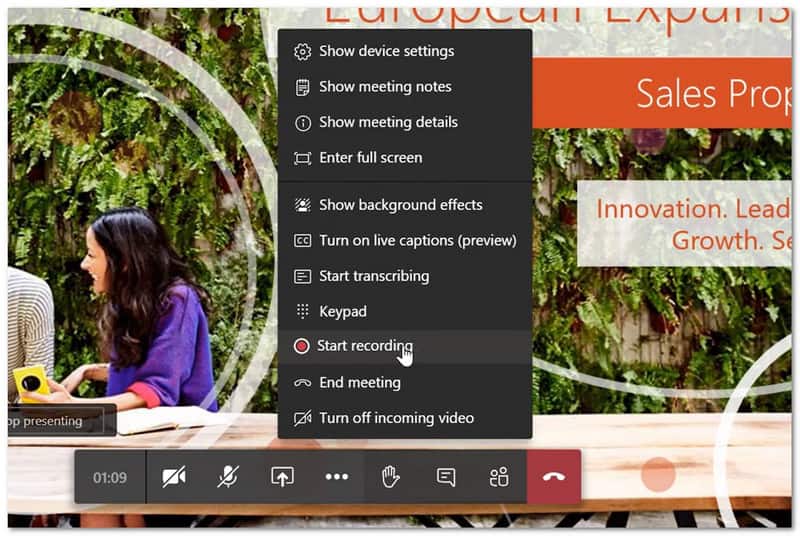
Chức năng của nó: Nó ghi âm và phiên âm các cuộc họp, đồng thời sử dụng Copilot để tạo ra các bản tóm tắt thông minh, các mục hành động và các bản tóm tắt dựa trên người thuyết trình, tất cả được tập trung tại một nơi.
- Ưu điểm
- Hoạt động tốt với Microsoft 365.
- Lưu trữ tệp và tin nhắn ở cùng một nơi.
- Khả năng khử tiếng ồn mạnh mẽ
- Nhược điểm
- Có thể cảm thấy chậm trên các thiết bị cũ.
- Thiết lập cứng cho quyền truy cập của khách
- Các bản ghi sẽ hết hạn sau 120 ngày.
Tốt nhất cho:
- Các nhóm sử dụng Microsoft 365 hàng ngày
Đánh giá: ★★★★ (4.5/5)
3. Gặp gỡ
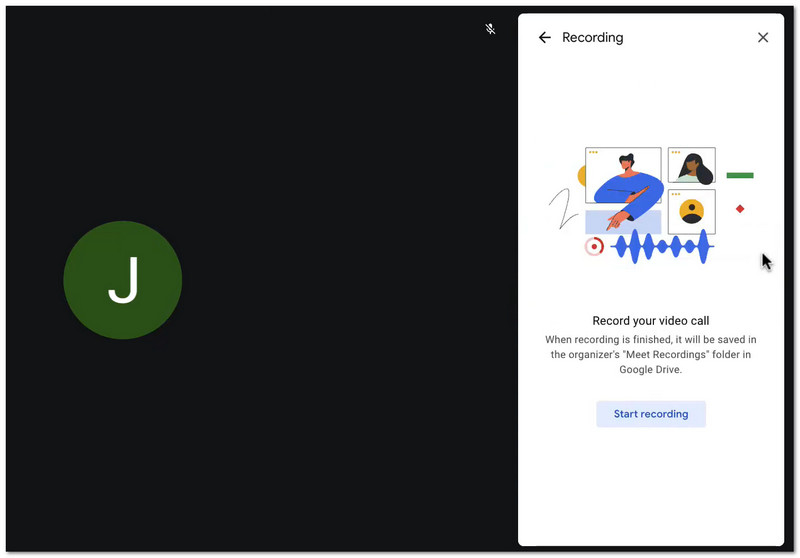
Chức năng của nó: Nó ghi lại các cuộc họp và lưu chúng vào Google Drive, đồng thời sử dụng Gemini để tạo ghi chú tự động. Ngoài ra, nó cho phép người dùng dễ dàng tham gia thông qua trình duyệt web mà không cần cài đặt ứng dụng.
- Ưu điểm
- Dễ dàng tham gia
- Thiết lập nhanh
- Lưu trữ tệp đơn giản với Drive
- Nhược điểm
- Không có trong các gói cước cơ bản
- Trí tuệ nhân tạo đơn giản hơn Zoom
Tốt nhất cho:
- Người dùng Google Workspace
- Các cuộc họp nhanh chóng và đơn giản
Đánh giá: ★★★★ (4/5)
Phần 2. Phần mềm ghi âm và ghi chú cuộc họp bằng AI
Việc ghi chép trong các cuộc họp có thể làm chậm tiến độ công việc. May mắn thay, các công cụ ghi âm cuộc họp bằng AI hiện nay đã làm thay công việc này cho bạn.
1. Độ sâu
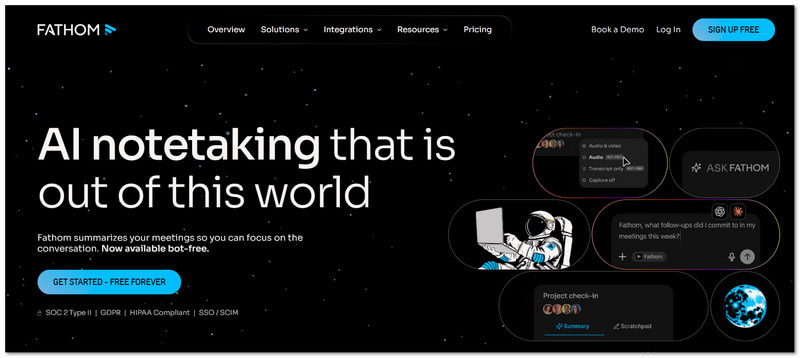
Chức năng của nó: Fathom là một công cụ AI miễn phí ghi lại và tóm tắt các cuộc gọi Zoom, Meet và Teams.
Các tính năng chính:
- Ghi âm và phiên âm không giới hạn
- Tóm tắt nhanh
- Những đoạn trích nổi bật
- Đồng bộ hóa CRM
- Ưu điểm
- Miễn phí cho mục đích sử dụng cá nhân
- Dễ sử dụng
- Kết quả nhanh chóng
- Nhược điểm
- Gói miễn phí có rất ít công cụ nâng cao.
- Sử dụng bot trong các cuộc họp
Giá cả:
- Gói miễn phí
- Mức lương khởi điểm là $19/tháng
Tốt nhất cho:
- Cá nhân
- Đội nhỏ
Đánh giá: ★★★★ (4.7/5)
2. Rái cá
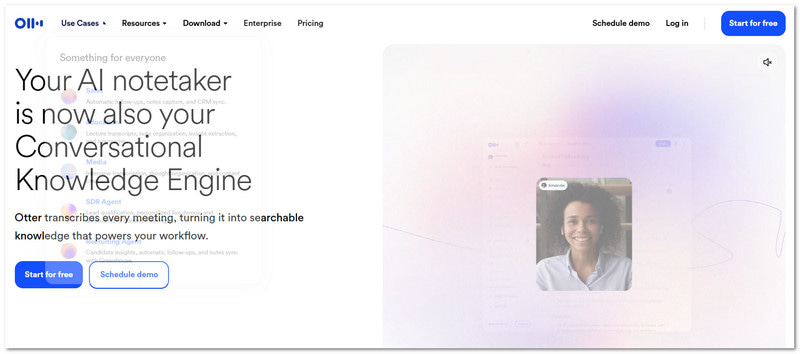
Chức năng của nó: Otter là một phần mềm ghi âm và phiên âm cuộc họp nổi tiếng, chuyên dùng để ghi chép trực tiếp và ghi chú nhóm.
Các tính năng chính:
- Phiên âm thời gian thực
- Trò chuyện nhóm
- Nhận dạng người nói
- Chụp slide
- Ưu điểm
- Tuyệt vời cho làm việc nhóm trong thời gian thực.
- Công cụ đáng tin cậy
- Nhược điểm
- Vài phút rảnh rỗi
- Cần có gói trả phí để sử dụng đầy đủ tính năng.
Giá cả:
- Gói miễn phí
- Mức lương khởi điểm là $10/tháng
Tốt nhất cho:
- Ghi chú nhóm
- Phiên dịch trực tiếp
Đánh giá: ★★★★ (4.2/5)
3. Đom đóm
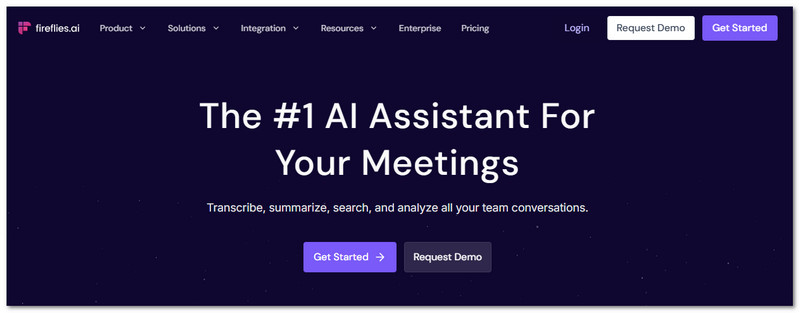
Chức năng của nó: Fireflies là một công cụ trí tuệ nhân tạo ghi lại các cuộc họp và theo dõi các cuộc trò chuyện với khả năng tích hợp sâu rộng.
Các tính năng chính:
- Ghi chú cuộc họp tự động
- Phân tích cảm xúc
- Mẫu tùy chỉnh
- Hơn 90 tích hợp
- Ưu điểm
- Nhiều tính năng
- Tìm kiếm mạnh mẽ
- Ghi nhật ký CRM tốt
- Nhược điểm
- Chi phí cao hơn
- Có thể cảm thấy phức tạp
- Chi phí tín dụng bổ sung
Giá cả:
- Gói miễn phí
- Mức lương khởi điểm là $16/tháng
Tốt nhất cho:
- Đội ngũ bán hàng
- Người dùng CRM
Đánh giá: ★★★★ (4.5/5)
Phần 3. Trình ghi cuộc họp ChatGPT
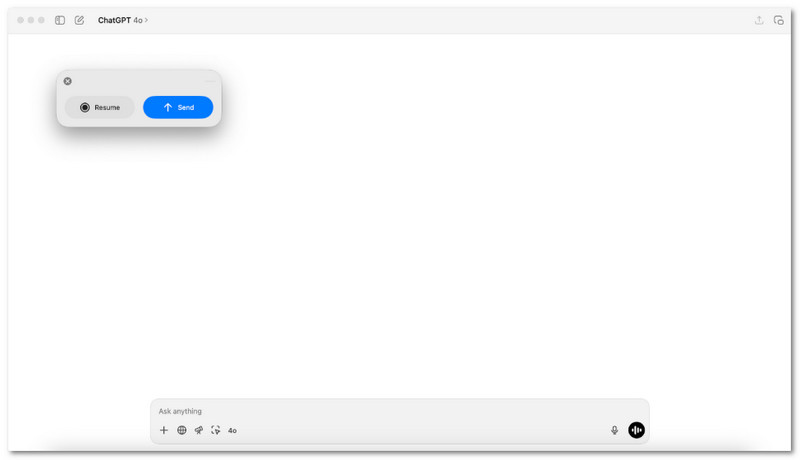
Bạn cần một cách đơn giản để chuyển những lời nói thành ghi chú hữu ích sau cuộc họp?
Trên macOS, ChatGPT Meeting Recorder thực hiện công việc đó. Nó ghi lại âm thanh, sau đó chuyển thành các bản tóm tắt rõ ràng với các bước hành động. Ứng dụng này phù hợp với những người dùng muốn xem lại nhanh chóng, đầu ra gọn gàng và không cần thêm công cụ nào khác trong các cuộc họp.
Phần 4. Phần mềm ghi âm cuộc họp miễn phí
Các cuộc họp diễn ra nhanh chóng, và các chi tiết có thể bị bỏ sót. Phần mềm ghi âm cuộc họp miễn phí sẽ âm thầm ghi lại từng lời nói để không bỏ lỡ bất cứ điều gì. Vì vậy, trong phần này, chúng tôi sẽ giới thiệu cho bạn những phần mềm được đề xuất bên dưới.
1. AVAide Screen Recorder
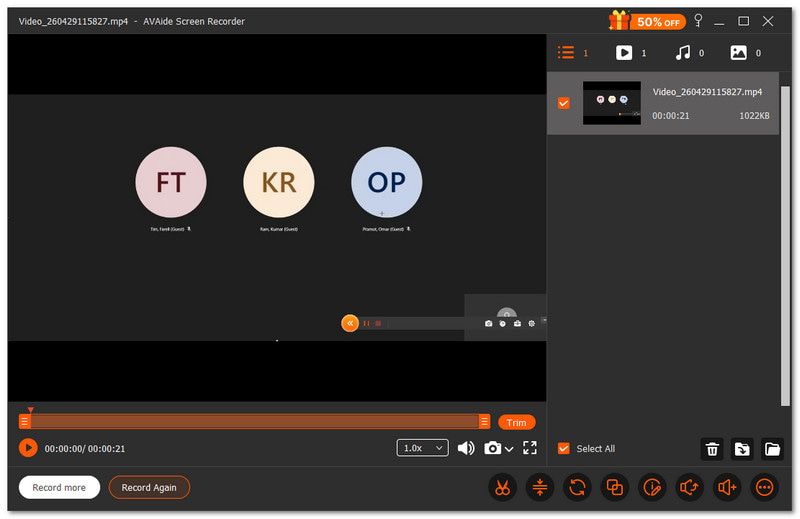
Nếu bạn cần sử dụng các công cụ chú thích như vẽ, tô sáng hoặc thêm ghi chú trong khi ghi âm cuộc họp, thì phần mềm ghi âm cuộc họp miễn phí này sẽ là lựa chọn phù hợp. AVAide Screen Recordercó thể giúp ích.
- Ghi hình với chất lượng cao lên đến độ phân giải 1080p hoặc 4K.
- Cho phép chụp ảnh màn hình trong khi đang quay màn hình.
- Bao gồm các công cụ chỉnh sửa để cắt và điều chỉnh video sau khi quay.
- Hỗ trợ ghi hình theo lịch trình với tính năng tự động bắt đầu và dừng.
- Xuất video ở nhiều định dạng khác nhau để dễ dàng chia sẻ.

 An toàn tải
Bạn có thể chụp toàn bộ màn hình hoặc chỉ phần bạn cần. Cảm giác như đang chọn "khung hình" trong cuộc họp vậy. Nó cũng thu âm thanh hệ thống và giọng nói của bạn cùng lúc. Vì vậy, không có gì bị bỏ sót.
2. Studio OBS
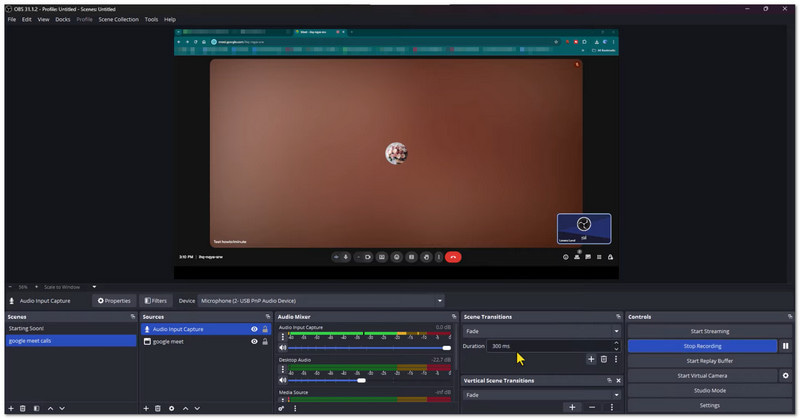
OBS Studio là phần mềm ghi hình cuộc họp mã nguồn mở miễn phí, được sử dụng để ghi lại các cuộc họp và hoạt động trên màn hình. Nó có thể ghi lại màn hình, webcam và micro cùng lúc với chất lượng cao. Phần mềm này cũng cho phép người dùng tạo và chuyển đổi giữa các cảnh tùy chỉnh trong khi ghi hình. Đây là lựa chọn tốt nhất cho những người dùng muốn có khả năng điều khiển nâng cao và kết quả chuyên nghiệp.
3. Trình phát QuickTime
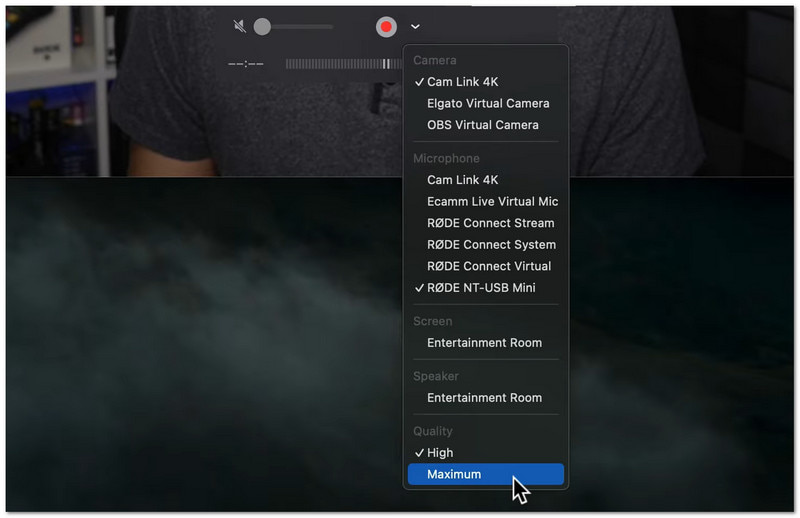
Đây là công cụ tích hợp sẵn trên máy Mac dùng để ghi lại màn hình và cuộc họp một cách đơn giản. Nó đã được cài đặt sẵn trên Mac nên không cần tải xuống. Người dùng có thể bắt đầu ghi âm từ menu Tệp chỉ trong vài giây. Công cụ này rất phù hợp cho việc ghi âm nhanh chóng, dễ dàng với khả năng chỉnh sửa cơ bản.
Phần 5. Phần mềm ghi âm cuộc họp trực tuyến (Không cần tải xuống)
Bạn không muốn tải xuống bất cứ thứ gì? Các công cụ trực tuyến bên dưới có thể giúp bạn ghi lại các cuộc họp dễ dàng ngay trên trình duyệt của mình.
1. VEED
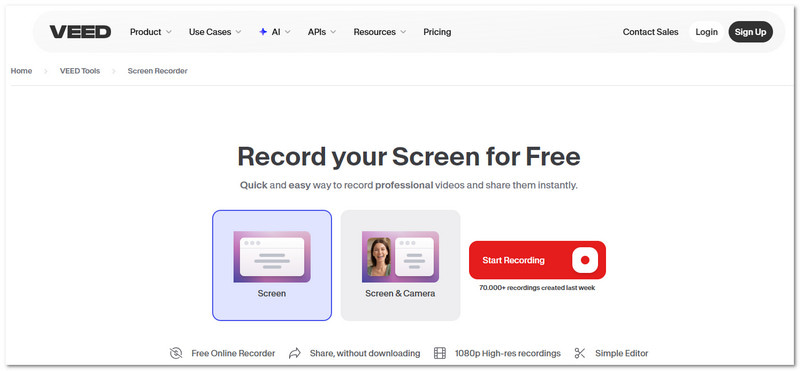
VEED là một ghi màn hình trực tuyến Bạn có thể sử dụng phần mềm này cho các cuộc họp, thuyết trình và hướng dẫn. Nó ghi lại màn hình, camera và âm thanh trong cùng một thiết bị. Phần mềm cũng bao gồm các công cụ chỉnh sửa như khử nhiễu và điều chỉnh giao tiếp bằng mắt. Nó được thiết kế dành cho những người muốn ghi lại các cuộc họp một cách chuyên nghiệp và sẵn sàng để chia sẻ hoặc trình bày.
2. Kommodo
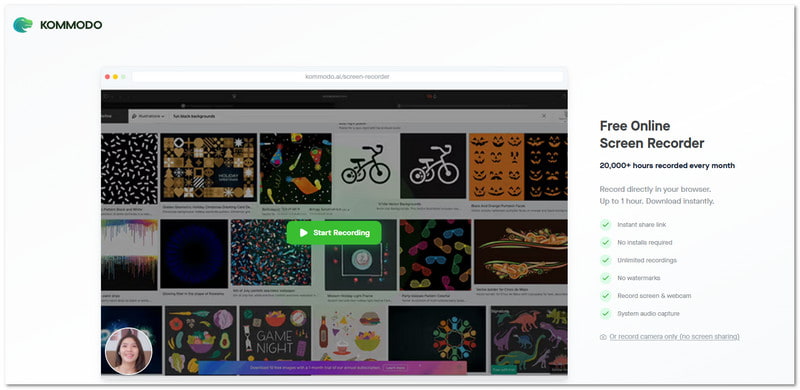
Kommodo là một phần mềm ghi âm cuộc họp nhẹ, hoạt động mà không cần cài đặt. Nó ghi lại màn hình, giọng nói hoặc webcam trực tiếp trong trình duyệt của bạn. Bạn cũng có thể chia sẻ bản ghi ngay lập tức bằng liên kết riêng tư. Phần mềm này rất phù hợp khi bạn chỉ cần ghi lại các cuộc họp và gửi chúng nhanh chóng.
Phần 6. Thiết bị ghi âm cuộc họp
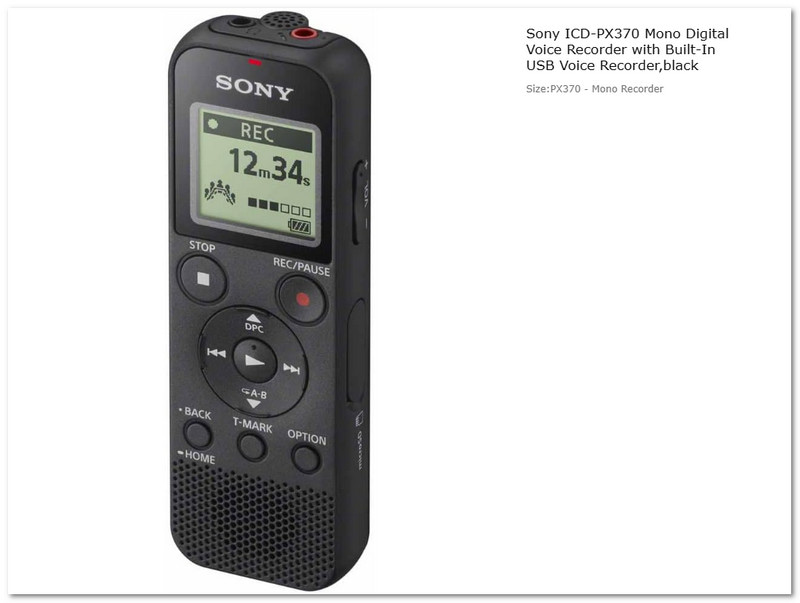
Đôi khi, bạn cần một thiết bị thực sự, chứ không phải một ứng dụng ghi âm cuộc họp. Máy ghi âm kỹ thuật số Sony ICD-PX370 là một thiết bị ghi âm nhỏ gọn được thiết kế dành cho các cuộc họp, bài giảng và phỏng vấn. Nó ghi lại âm thanh rõ ràng ở định dạng MP3 và lưu trữ được các phiên ghi âm dài. Thiết bị này đơn giản, dễ mang theo và được chế tạo để sử dụng lâu dài mà không cần internet hoặc phần mềm.
Phần 7. So sánh các thiết bị ghi âm cuộc họp tốt nhất
Phần mềm ghi âm cuộc họp có nhiều loại khác nhau. Mỗi loại đều có mục đích sử dụng riêng. Một số tập trung vào cuộc gọi video. Một số tập trung vào ghi chú. Một số hoạt động mà không cần internet. Dưới đây là bảng so sánh đơn giản giúp bạn lựa chọn:
- Công cụ ghi âm cuộc họp tích hợp sẵn trên nền tảng
Được tích hợp sẵn trong Zoom, Teams và Google Meet. Dễ sử dụng và an toàn. Phù hợp nhất cho các cuộc họp trực tuyến thường xuyên. - Phần mềm ghi âm và ghi chú cuộc họp bằng AI
Sử dụng trí tuệ nhân tạo (AI) để tạo tóm tắt và ghi chú từ các cuộc họp. Sử dụng tính năng tự động chuyển đổi giọng nói thành văn bản để tiết kiệm thời gian. Tối ưu hóa năng suất. - Biên bản cuộc họp ChatGPT
Tạo bản tóm tắt và phân công nhiệm vụ sau các cuộc họp. Tập trung vào việc xem xét và lập kế hoạch. Phù hợp nhất để sắp xếp kết quả. - Phần mềm ghi âm cuộc họp miễn phí
Đây là trình ghi màn hình miễn phí Những phần mềm này cung cấp nhiều hơn chức năng ghi hình cơ bản. Chúng bao gồm các công cụ chỉnh sửa đơn giản như cắt ghép và loại bỏ nhiễu, hỗ trợ ghi hình theo lịch trình và cho phép ghi hình trong thời gian dài, giống như AVAide Screen Recorder. Điều này làm cho chúng hữu ích cho các cuộc họp, bài giảng và hội thảo trực tuyến. - Phần mềm ghi âm cuộc họp trực tuyến (không cần tải xuống)
Làm việc trực tiếp trên trình duyệt, không cần cài đặt. Ghi hình và chia sẻ nhanh chóng. Phù hợp nhất cho các tác vụ nhanh. - Thiết bị ghi âm cuộc họp
Thiết bị vật lý để ghi âm ngoại tuyến. Không cần internet. Thích hợp nhất cho các bài giảng và phỏng vấn.
Với rất nhiều lựa chọn ở trên, chắc chắn rằng ghi âm cuộc họp Giờ đây mọi việc thật dễ dàng với bạn. Nếu bạn muốn một công cụ miễn phí với nhiều tính năng hơn, hãy thử... AVAide Screen RecorderNó xử lý tốt các cuộc họp dài và luôn cung cấp bản ghi âm mượt mà, đáng tin cậy.
GIỚI THIỆU VỀ TÁC GIẢ

Ghi lại màn hình, âm thanh, webcam, trò chơi, cuộc họp trực tuyến, cũng như màn hình iPhone / Android trên máy tính của bạn.