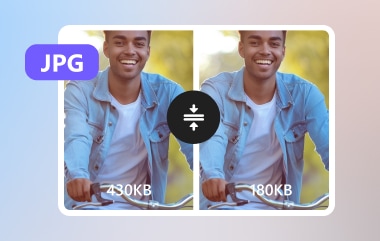
Surely, you have shared images online and noticed uploads taking too long because file sizes are large. Large images, sluggish websites and decreased user interactions on all gadgets. An image compressor is used to reduce the size of files without losing valuable information in due process. This guide is based on experience to present valid tools and selection recommendations. Then, consider five popular solutions and observe the ways each solution serves various needs of sites and content.
All 5 Image Compressors at a Glance
Finding the right free online image compressor can greatly improve site speed, reduce storage use, and simplify media workflows. These tools vary in features, supported formats, ease of use, and other characteristics, such as the applicability to particular tasks, such as batch work or uploading to a platform. This analysis will make you look swiftly and find which one suits you.
| Features | AVAide Image Compressor | TinyPNG | ShortPixel | Squoosh | Compressor.io |
| Ease of Use | Very Easy | Easy | Average | Average | Easy |
| Image Formats Supported | JPEG, PNG, GIF, and more | PNG and JPEG | JPEG, PNG, WebP, and PDF | JPEG, PNG, WebP, and AVIF | JPEG, PNG,GIF, and SVG |
| Batch Compression | Yes | Yes but Limited | Yes | No | No |
| Best Use Case | Quick, no-fuss compression online | Balanced quality and simplicity | Sites needing format variety and quality control | Precise compression and format conversion | Fast single-image size reduction |
With this comparison in mind, choosing the right image compressor software becomes easier as we now explore each top tool in detail to help you decide which one best fits your workflow and optimization needs.
Top 1: AVAide Image Compressor
When you need a reliable JPEG image compressor online, trusting AVAide Image Compressor ensures your images are optimized to smaller file sizes without degrading quality. This is a web-based application that does not need any installation and can compress images in batches, thus several images can be compressed at a given time.
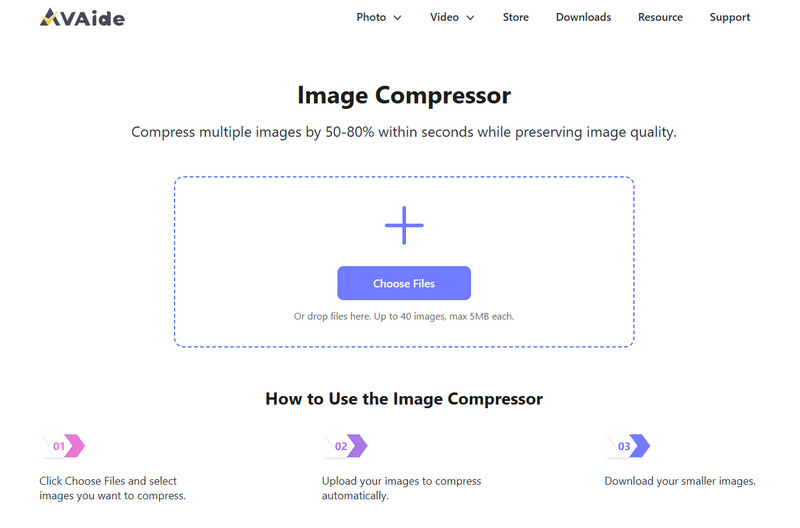
Its single-click functionality eases the working process, and automatic settings keep the clarity, which is the best to use on the web, sharing emails, and storage of emails. Users ought to remember that the speed of the internet affects performance, which should not be a problem if you have a stable connection.
- Pros
- Free to use
- No quality loss when compression is done
- Works well on any web browser you have
- Supports simultaneously compression
- Very simple steps to use when operating
- Cons
- Requires a stable internet connection
- Limited manual compression controls
- Upload limits may apply for large batches
Top 2: TinyPNG
TinyPNG is a trusted online image compressor known for its smart, format-specific optimization, which reduces PNG and JPEG files and maintains their quality without adding much. It employs smart compression algorithms to eliminate redundant data in pictures and maintain sharpness and colour, hence it is widely used by designers, programmers, and content creators. It also provides extensions and integrations with such platforms as WordPress and Adobe tools that facilitate workflow simplification.

Although the quality is uniform and the free option has been sufficient to meet most of the casual tasks, batch uploading can be done only with a paid subscription; it cannot be fully configured in terms of compression preferences, and does not support some current formats, such as WebP, in the free version.
- Pros
- Effective and high-quality compression for your PNG and JPEG
- It has a clean and easy-to-understand interface
- Drag and drop supported
- It can be integrated into WordPress and other tools
- Adjustable compression and quality retention
- Cons
- Free version limits batch upload count
- Limited advanced compression controls
- Does not support some modern formats in the free tier
- Can be slower on very large files when used at scale
Top 3: ShortPixel
ShortPixel is a universal image compressor online application that compresses files effectively without compromising visual quality, which is recommended to be deployed where websites require accelerated loading and improved performance levels. It accepts JPEG, PNG, WebP, and PDF files and provides both lossy and lossless compression, allowing users to decide between image quality and size.
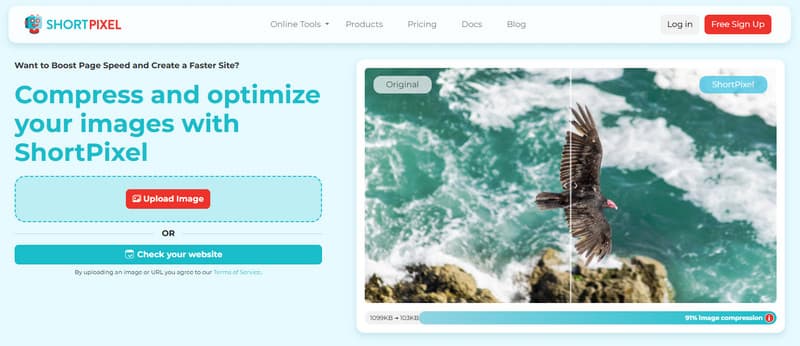
While the free plan limits monthly compression credits, the tool consistently delivers high-quality results, though beginners may need a short learning curve to understand the advanced settings.
- Pros
- It supports multiple image formats and is ready for compression
- Available support to adjust the lossy and lossless compression
- Bulk compression and integration on WordPress is available
- Maintains original image quality while the size is compressed
- Cons
- The free plan has a monthly limit on compression credits
- Advanced settings may require learning for beginners
Top 4: Squoosh
Squoosh is a powerful JPG image compressor and optimization tool developed by Google that runs entirely in your web browser, so no upload to a server is required. It provides a variety of compression presets and visual previews that allow you to view quality changes in real-time and then save smaller files. The number of parameters, such as quality level, resize size, and format conversion, can be customized by users between JPEG, PNG, WebP, and AVIF.
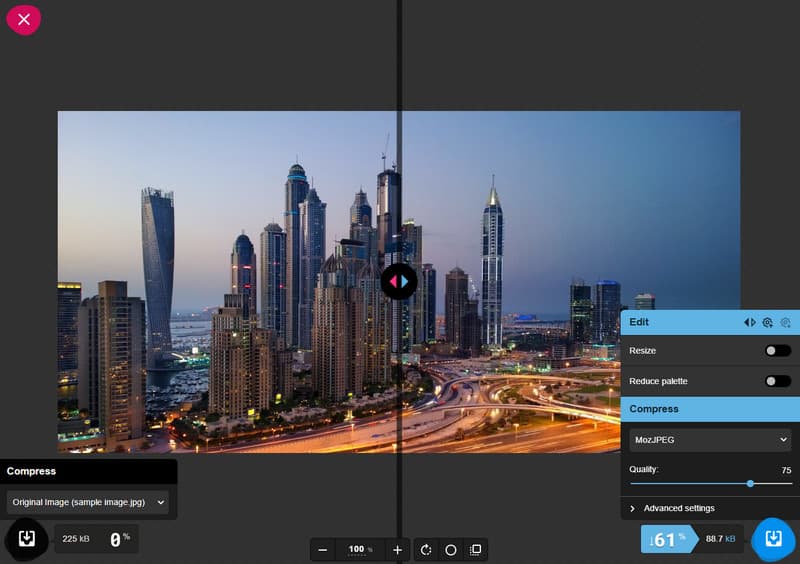
The interface is simple and user-responsive, but the numerous choices can be technical to novices. Due to the local compression, it is performance-dependent on your device speed and not on an online server.
- Pros
- Available compression on any browser you have
- Does a high-quality image compression and adjustable
- Supports multiple formats, resizing, and conversion
- Previewing with the compressed image is available
- Fine-tuning options for precision
- Cons
- Many settings can seem complex for beginners
- No automatic batch compression in the basic interface
- Results depend on device performance
Top 5: Compressor.io
Compressor.io is a straightforward image size compressor that limits huge images and converts them into lighter formats without damaging visual quality to the greatest extent. It can load major formats that include JPEG, PNG, GIF, and SVG and allows users to upload photos in the browser without any installation. Using basic lossy and lossless solutions, Compressor.io balances the size reduction and quality of websites, portfolios, and email sharing.
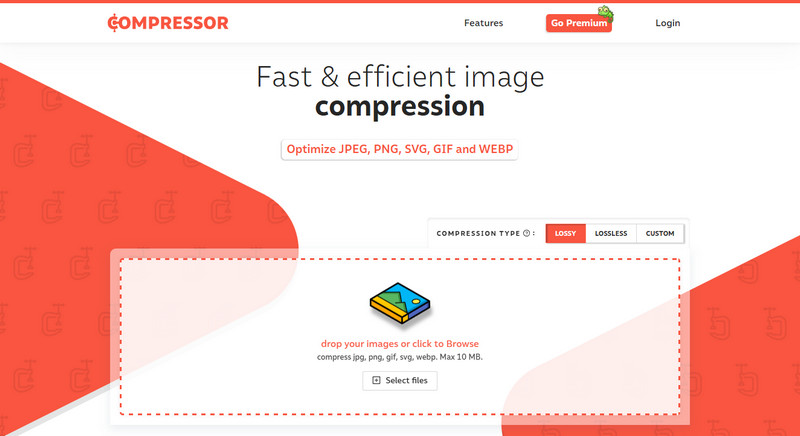
The interface remains simple and user-friendly, though not so advanced, as there is no format conversion or batch processing in the free edition. Big uploads are also slower, and the speed is based on the internet and not local processing.
- Pros
- Reduces image file size with minimal quality loss
- Supports JPEG, PNG, GIF, and SVG
- No installation needed - works in browser
- Simple and easy to use
- Cons
- No batch processing in the free version
- Limited advanced controls
- Performance depends on the internet speed
Best Qualities to Look for in an Image Compressor
Selecting the proper tool to maximize images is significant in terms of preserving the speed of the websites, storage space, and enabling the hassle-free exchange of pictures across the platforms. A good compressor must be a balance between performance, accessibility, and quality of output. The following are the most important qualities to be taken into account prior to choosing a tool to integrate into the workflow.
1. Cost Efficiency
An efficient tool is one that has good optimization without pushing the user to paid subscriptions, thus an image compressor free of charge is the best option for bloggers, students and small businesses that deal with images often.
2. Easy Accessibility
The tool must be capable of working in the browser without any need for installation, which is why most users want a free image compressor that can work easily on different devices without difficulties with installation.
3. Compression Quality
The tool must be able to minimize file size without compromising readability, as the TinyPNG image compressor balances size and visual fidelity to web pages and online materials.
4. Batch Processing Support
Handling many files at once saves time, so choosing a bulk image compressor allows website owners and content creators to optimize large image collections efficiently.
5. Platform Compatibility
Given that messaging platforms require optimized images, it is common that users require a Discord image compressor to ensure that images are uploaded at the upload size and will not require repeated manual manipulations.
6. Format Optimization for Sharing
An effective image compressor for Discord should prepare images quickly for sharing while keeping them clear and sharp across chats and community servers.
7. Quality Preservation
Most importantly, a tool should function as an image compressor without losing quality, ensuring photos remain visually appealing while improving page load speed and storage efficiency.
What to Avoid When Compressing Images?
A stable PNG image compressor can reduce the size of files without ruining the images, but improper compression options can ruin the quality and slow down the websites. Understanding the most frequent errors will allow you to create the visuals most efficiently without compromising the performance and user experience.
1. Using the Wrong Tool for the Format
Not all image compressors can be used with all types of files, and the wrong tool may result in unwanted quality loss or ineffective compression.
2. Over-Compressing JPEG Files
Applying extreme settings in a JPEG image compressor often creates visible artifacts, making images appear blurry or distorted.
3. Ignoring Web Optimization Needs
Skipping proper web settings in an online image compressor can result in images that remain too heavy and slow to load on websites.
4. Compressing Without Checking Results
When using an image compressor online, downloading files without previewing them may lead to pixelation or loss of sharpness.
5. Poor JPG Compression Settings
Incorrect configuration in a JPG image compressor can wash out colors and reduce important visual details in photos.
6. Depending Only on Free Tools Without Testing Output
An image compressor free tool can be useful, but some options may not provide consistent results for professional or high-traffic websites.
7. Forgetting to Resize Dimensions
An image size compressor may reduce file weight, but if image dimensions remain oversized or image size is changed, pages can still load slower than necessary.
An effective image compressor is not merely a file optimizer but one that can make images appear good, colors true to vision and is capable of converting one image format to another and fits in the workflow. The right free image compressor also enables websites to load at a faster rate, lessens storage pressure and increases the ease of managing enormous quantities of images without affecting quality.
With the right tool to balance both efficiency and precision, you can optimize all images with ease, knowing you will have crisp images, increased performance, and a smooth experience for your audience.

Reduce the file size of an image online within seconds while preserving the quality. We support JPG, PNG, WEBP, GIF, and more.
PROCESS NOW