Struggling to handle watermarked images? A Getty Images watermark remover can help you access clean, high-quality visuals legally and efficiently. Watermarks protect copyright, but if you have the proper usage rights, there are multiple ways to get watermark-free images. This guide walks you through safe methods, including purchasing licenses, using AI-powered online tools, editing with Photoshop, and employing trusted downloaders. Each approach ensures your images remain sharp, professional, and fully compliant with copyright laws, making it easy to create stunning projects without worrying about watermarks or losing image quality.
Part 1. Save Getty Images Without a Watermark via Purchase
Among the various stock photo libraries, Getty Images has been considered one of the best with its enormous collection of over 200 million images, illustrations, and recordings for various creative, commercial, and editorial needs. Each and every photo that is uploaded to the site has a watermark. These watermarks serve the purpose of protecting their copyright and stopping people from using the images without paying for them.
If you want a photo or video that is uploaded to the site, the only real and legitimate way to obtain one is to purchase one of the licenses that the site offers.
Why You Cannot Remove the Watermarks
The watermarks that you see on the images serve the purpose of letting everyone know that the image is copyrighted and cannot be used without paying for it. To remove, alter, or circumvent the watermark using image editing is considered a copyright violation and is illegal, as it is still copyrighted material.
Removing watermarks without authorization results in a number of consequences, including:
- Copyright infringement claims.
- Potential legal penalties or financial damages.
- DMCA takedown notices for online uses.
- Damage to professionalism or brand credibility.
Whenever you alter an image to remove the watermark without obtaining a license, you are using it unlawfully. It is advisable to obtain the appropriate requirements first before accessing the images without a watermark to protect yourself fully.
Here is the correct, safe, and copyright-compliant method:
Step 1Go to GettyImages.com and filter the collection with the search functionalities.
Step 2Preview images to see if the image is worth devoting to the detail page. Images have watermarks showing that Getty Images cannot be used without purchasing the license.
Step 3Getty Images provides two options to purchase a license:
- Royalty-Free: one-time payment, broad usage rights
- Rights-Managed: tailored usage depending on region, duration, and media type
Before checking out, confirm the license authorizes the usage you need, whether it is personal, commercial, editorial, or advertising.
Step 4After ensuring the image is worth it, purchase the image. You have the legal right to use the image.
Step 5After the payment is made, you will be able to download the image, which will no longer be a watermarked preview.
Part 2. How to Remove Getty Images Watermark Free Online
AVAide Watermark Remover is a fast and powerful online tool designed to remove logos, text, watermarks, and unwanted objects from images with high accuracy. Powered by advanced AI, it intelligently fills in removed areas to match the surrounding image naturally. Since it works fully online with no installation required, it offers a quick, convenient, and seamless solution for clean, high-quality watermark removal.
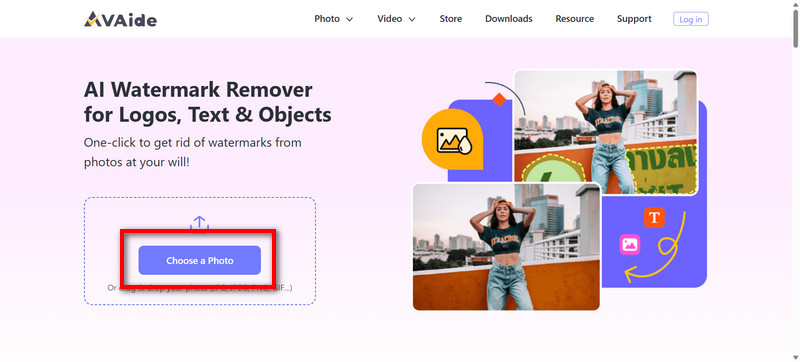
Step 1Upload Your Photo
Go to the AVAide Watermark Remover webpage. Hit Choose a Photo to upload the Getty Images photo that you want to remove the watermark from. You can also use the drag-and-drop option to upload your file more quickly.
Step 2Highlight the Watermark
Using the smart selection tool, mark the watermark, logo, or text you want to remove. Extend the selection area until the watermark is completely covered.
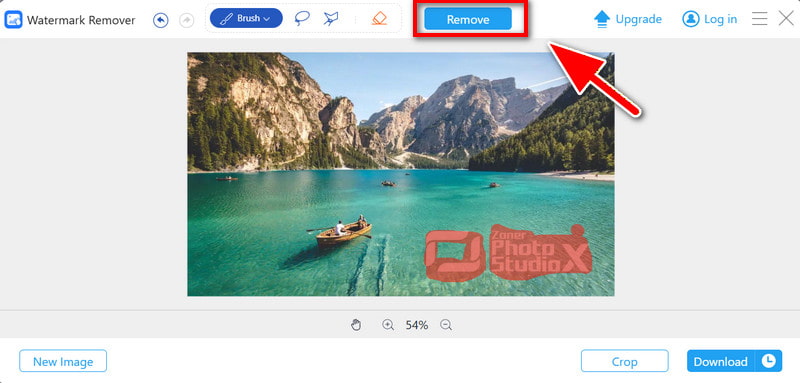
Step 3Let the AI Process the Image
After you have highlighted the area, allow its AI engine to process the cutout area by clicking on the Remove button to apply. Blending alpha computation will fill the area with surrounding pixel colors.
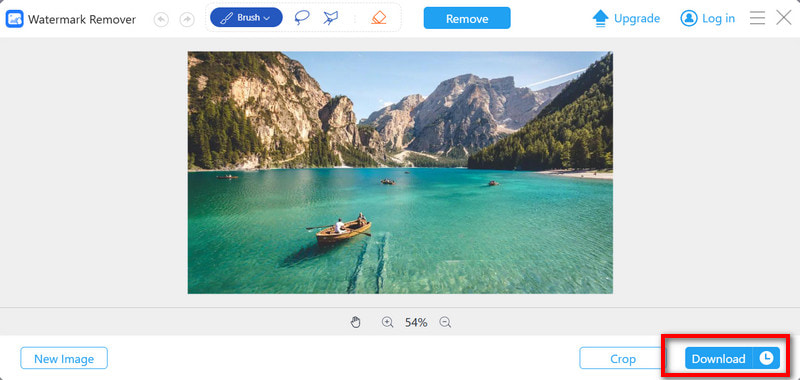
Step 4Download the Final Image
Click the Download button to save the watermark-free image in high quality.
Part 3. How to Remove Getty Images Watermark with Photoshop
If you want to control the edition process fully, you can also remove the background with pixel-perfection tools in Preservation. This will take more effort than other best watermark removers, but every pixel will be under your control.
Step 1Open the image in Preservation and use the + to zoom in on the watermark.
Step 2Using the Lasso or the Polygon Selection, select the space surrounding the watermarked pixels.
Step 3Go to Edit > Content-Aware Fill > and let Preservation AI fill it in.
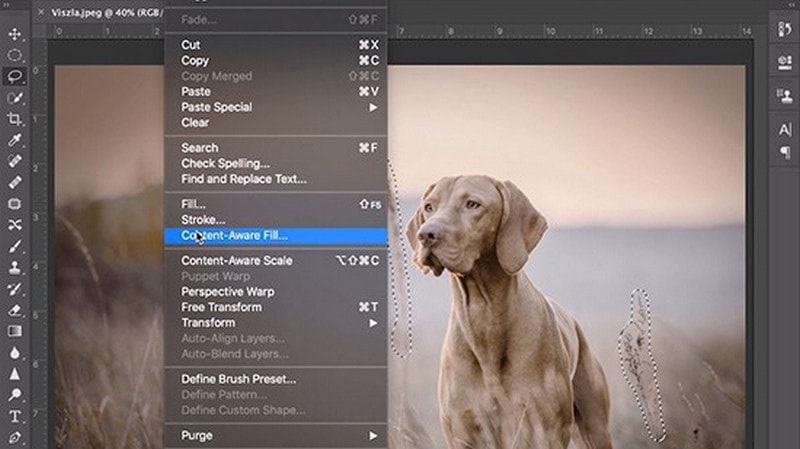
Step 4Adjust the sampling area or settings as needed, and then fill.
Step 5Finish off any leftover marks by using the Healing Brush and Clone Stamp Tool.
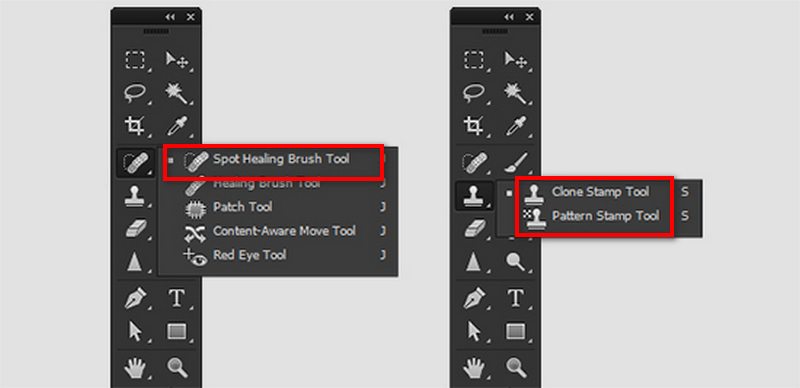
Step 6Once the area where the watermark was is flowy and natural, the edited image can be saved.
Part 4. How to Remove Getty Images Watermark with a Downloader
Suppose you legally possess the rights to a download. In that case, Image Downloader is a simple downloader that allows you to download images easily and quickly. It automates the tedious process and provides images without you needing any skill in editing to remove watermarks in GIMP.
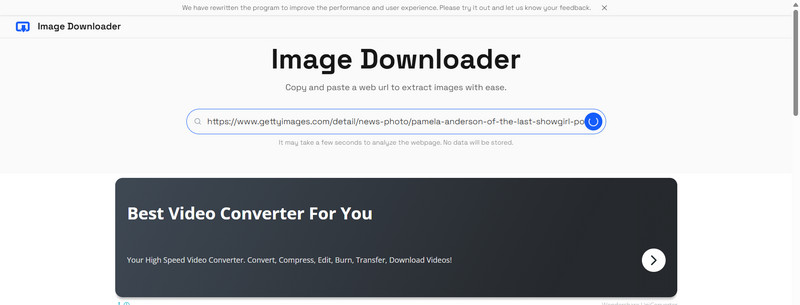
Step 1Open Image Downloader or one similar to it that allows you to use Getty Images links.
Step 2Open your browser and copy the Getty Images URL.
Step 3Paste the URL in the search box.
Step 4Initiate the download process, and the downloader will extract the image.
Step 5Choose one option from the listed resolution or format.
Step 6Locate the image you downloaded and save it on your device.
To remove the Getty Images watermark fully, you must choose the appropriate one from your preferences and your rights legally. It could be getting a license, a use of an AI tool, editing in Photoshop, or a simple downloader. All of the methods guarantee quality results. These methods will enable you to remove images safely and without any copyright violations.
ABOUT THE AUTHOR


Easily get rid of annoying watermarks and unwanted objects from your photos without quality loss.
PROCESS NOW