Bien que les appareils Android soient équipés d'enregistreurs vocaux préinstallés, ces derniers manquent souvent des fonctionnalités avancées et de la stabilité nécessaires à un usage professionnel. Pour enregistrer des interviews spontanées ou des conférences importantes, un outil fiable est indispensable ; rien ne gâche plus un enregistrement qu'un plantage soudain ou un bruit de fond excessif. Afin de vous aider à trouver le parfait équilibre entre fidélité et performance, nous avons sélectionné et testé les 10 meilleurs enregistreurs vocaux. Enregistreur vocal Android Des applications auxquelles les professionnels font confiance.
Partie 1 : Quelle est une bonne application d'enregistrement vocal pour Android ?
Choisir la bonne application d'enregistrement audio sur Android est important ; il s'agit de garantir l'intégrité des données et la précision acoustique. Pour distinguer un utilitaire professionnel d'une application générique préinstallée, vous pouvez vous baser sur les cinq critères suivants :
Un son d'une clarté cristalline : Il ne s'agit pas seulement d'enregistrement, mais aussi de clarté. Une application performante doit capturer un son haute fidélité tout en filtrant intelligemment les bruits de fond et les bruits ambiants afin de mettre en valeur la voix.
Options d'exportation flexibles : Vous ne devriez pas être limité à un seul format de fichier. Recherchez une application d'enregistrement vocal Android compatible avec plusieurs formats, comme le WAV pour une qualité optimale, ou le MP3 et l'AAC pour économiser de l'espace, afin que vos fichiers fonctionnent parfaitement sur tous les appareils.
Partage instantané : La rapidité est essentielle. Vous devriez pouvoir envoyer vos enregistrements par e-mail, vers un espace de stockage cloud ou vers les réseaux sociaux directement depuis l'application, sans aucune étape supplémentaire.
Conception intuitive : Lorsqu'une conversation s'engage à l'improviste, chaque seconde compte. L'interface doit être épurée et sans distraction, permettant de démarrer l'enregistrement d'un simple clic, sans aucune période d'apprentissage.
Transcription intelligente : La saisie manuelle de notes appartient désormais au passé. Les meilleures applications d'enregistrement vocal pour Android intègrent une IA qui convertit rapidement votre audio en texte précis, vous faisant ainsi gagner des heures de lecture.
Partie 2 : Test des 10 meilleurs enregistreurs audio pour Android
Top 1. Enregistreur vocal intelligent
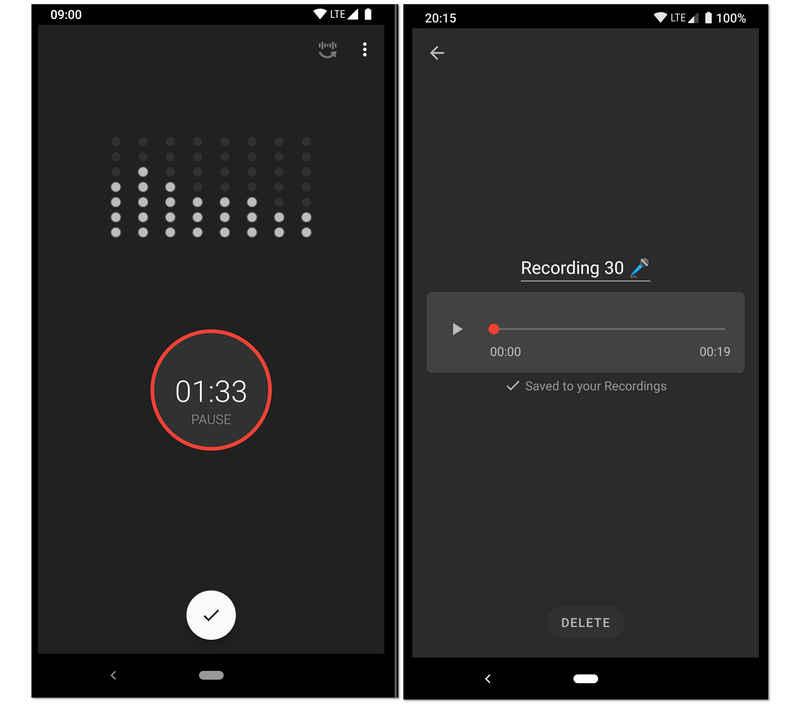
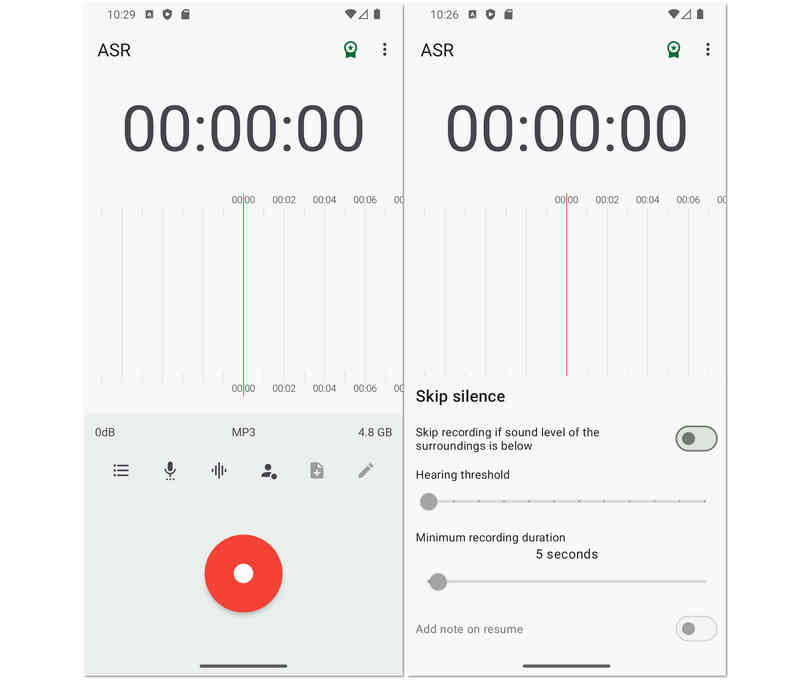
Conçu pour des enregistrements longue durée et de haute fidélité, cet enregistreur audio pour Android est plébiscité par les étudiants et les chercheurs. Sa fonction phare est le mode « Ignorer les silences », qui utilise un analyseur de sensibilité en décibels en temps réel pour interrompre automatiquement l'enregistrement lors des moments de silence. Cet enregistreur vocal Android est ainsi idéal pour enregistrer des cours universitaires, des réunions professionnelles ou même des conversations pendant le sommeil, sans avoir à supprimer manuellement des heures de silence par la suite.
- Avantages
- L'algorithme de suppression des silences permet d'économiser efficacement de l'espace de stockage et de réduire le temps de révision après l'enregistrement.
- Il est doté d'un analyseur de spectre audio en direct qui fournit un retour visuel sur les niveaux d'enregistrement.
- Les outils d'étalonnage vous permettent de régler le gain du microphone en fonction des différents environnements, des pièces calmes aux salles bruyantes.
- Les inconvénients
- Le design de l'interface manque de l'esthétique moderne et minimaliste que l'on retrouve dans les applications de productivité plus récentes.
- L'enregistrement des appels téléphoniques n'est pas pris en charge en raison des limitations du système Android.
- Le bruit de fond peut parfois déclencher la fonction de saut de silence si elle n'est pas correctement calibrée.
Top 2. Easy Voice Recorder Pro
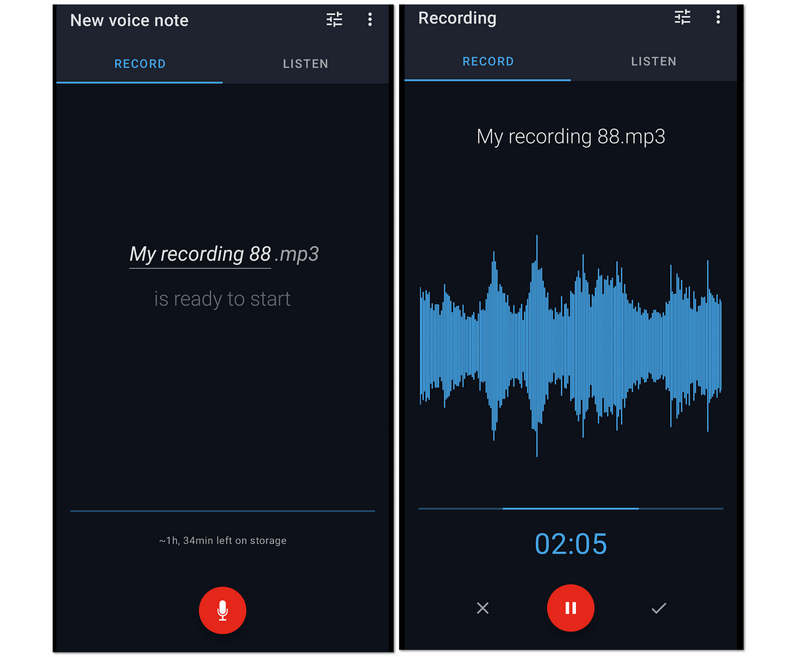
Deuxièmement, sur la liste, se trouve cet Easy Voice Recorder Pro. C'est une application d'enregistrement vocal fantastique pour Android en raison de la session d'enregistrement illimitée qu'elle offre aux utilisateurs. Pour cette raison, de longues conférences, réunions et autres longues conversations peuvent être facilement capturées tout en les compressant dans des fichiers plus petits. Malgré cela, cet Easy Voice Recorder Pro permet aux utilisateurs d'augmenter la qualité de l'enregistrement en leur permettant de connecter leur micro haut de gamme à l'enregistrement.
- Avantages
- Il permet aux utilisateurs de faire de leurs enregistrements leur sonnerie.
- Il prend en charge une large gamme de divers formats audio.
- Il permet l'enregistrement stéréo.
- Utilise une interface facile à utiliser.
- Les inconvénients
- Ses outils d'édition sont limités.
- Ce n'est pas exempt de publicités.
Top 3. Enregistreur vocal MP3 haute qualité
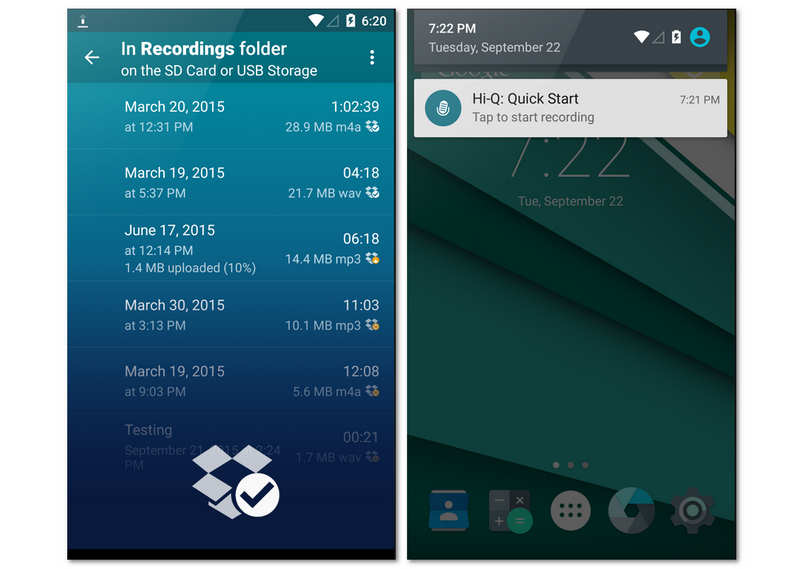
Hi-Q est conçue pour les utilisateurs exigeants qui recherchent un son de qualité studio sur mobile. Grâce à son enregistrement MP3 à 320 kbps, cette application d'enregistrement vocal pour Android allie haute fidélité et compatibilité universelle. L'une de ses fonctionnalités les plus originales est la fonction « Shuttle », qui permet de réenregistrer jusqu'à 20 secondes d'audio avant même d'appuyer sur le bouton d'enregistrement. Cette fonction peut vous réserver des surprises dans vos enregistrements vocaux.
- Avantages
- Prend en charge l'enregistrement MP3 à haut débit compatible avec la quasi-totalité des appareils et logiciels de lecture.
- Permet de basculer entre les microphones avant et arrière afin d'optimiser la capture sonore directionnelle.
- La synchronisation automatique avec Dropbox ou Google Drive garantit la sauvegarde de vos données dès que vous arrêtez l'enregistrement.
- Les inconvénients
- La version gratuite de cet enregistreur vocal Android est strictement limitée à des sessions d'enregistrement de 10 minutes, ce qui oblige à passer à une version payante pour une utilisation plus longue.
- Le filtre de réduction du bruit peut parfois donner à la voix enregistrée un son légèrement « robotique » ou trop traité.
- Il lui manque les fonctionnalités avancées de montage multipiste que l'on trouve dans les stations de travail audio plus spécialisées.
Top 4. Enregistreur audio Neutron
Neutron Audio Recorder excelle dans l'enregistrement audio tout en conservant une apparence professionnelle. Cet enregistreur vocal pour Android offre des améliorations d'enregistrement de base, des outils et des fonctionnalités puissantes telles qu'un égaliseur 60 bandes, un filtre DSP, un détecteur de silence, un éditeur de métadonnées, un filtre numérique configurable, un accès direct à l'USB, et bien plus encore. Cependant, son interface peut s'avérer déroutante pour les débutants.
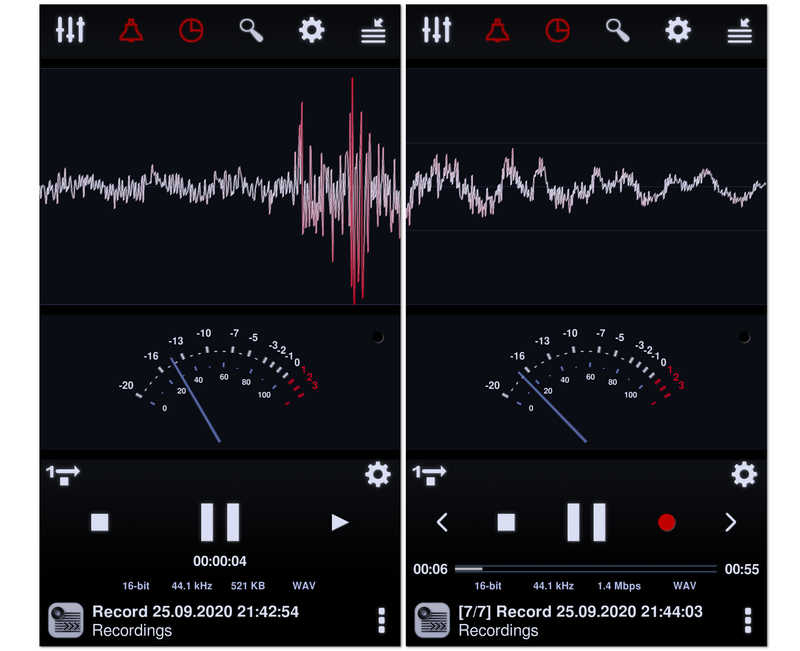
Dérivé du célèbre lecteur Neutron Music Player, ce logiciel est le choix des audiophiles pour l'enregistrement. Cet enregistreur audio pour Android utilise un moteur audio 32/64 bits sophistiqué pour un enregistrement d'une qualité exceptionnelle. Grâce à son égaliseur paramétrique 60 bandes et ses filtres professionnels, il offre un contrôle technique du profil sonore final plus précis que toute autre application de cette liste.
- Avantages
- Le moteur de qualité audiophile garantit l'absence de perte de qualité audio pendant le processus d'encodage.
- Les fonctionnalités DSP avancées telles que le contrôle automatique du gain (AGC) aident à normaliser le volume dans des environnements imprévisibles.
- Comprend une interface visuelle hautement personnalisable avec des analyseurs de spectre, de valeur RMS et de forme d'onde.
- Les inconvénients
- L'interface utilisateur est incroyablement dense et peut être intimidante pour les utilisateurs occasionnels.
- Consomme beaucoup plus de batterie et de ressources processeur que les applications d'enregistrement plus simples.
- La configuration des pilotes audio haute résolution peut s'avérer techniquement complexe pour les non-experts.
Top 5. Enregistreur vocal
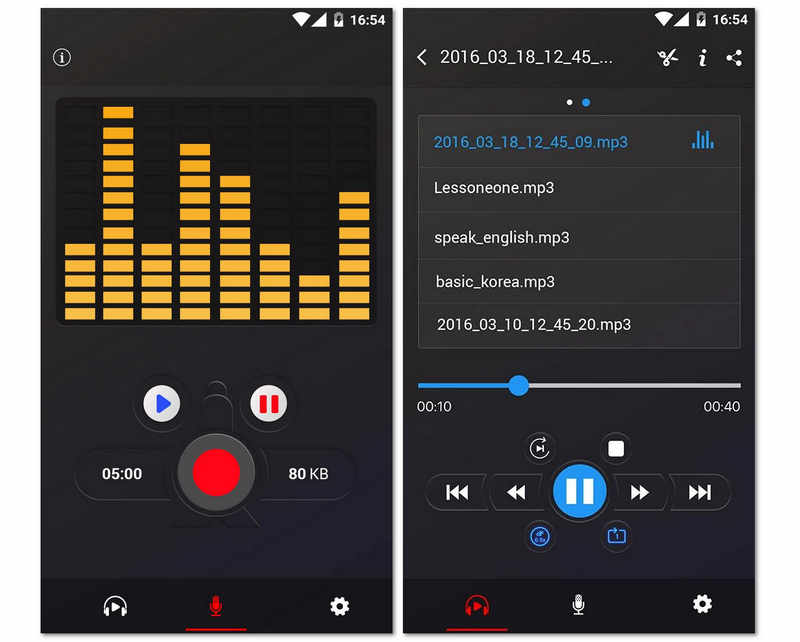
Vient ensuite cet enregistreur vocal gratuit aux performances exceptionnelles et sans aucune restriction. De plus, cette application gratuite pour Android propose un analyseur de spectre audio permettant de visualiser librement le son. Sans oublier sa capacité à préserver la batterie de votre téléphone Android en reprenant l'enregistrement même lorsque l'écran est éteint. C'est l'une des meilleures applications d'enregistrement vocal pour Android 16/15/14, certes, mais étant donné qu'il s'agit d'un outil gratuit, il est malheureusement truffé de publicités. Néanmoins, de nombreux utilisateurs restent conquis par ses fonctionnalités de partage, qui permettent d'envoyer facilement leurs enregistrements à leurs amis.
- Avantages
- Son design minimaliste le rend accessible aux utilisateurs de tous âges sans aucune courbe d'apprentissage.
- Une application de taille extrêmement réduite qui n'encombrera pas la mémoire interne de votre téléphone.
- Excellente stabilité en arrière-plan, garantissant que l'enregistrement n'est pas interrompu par le gestionnaire de tâches du système Android.
- Les inconvénients
- Ne permet pas l'exportation vers des formats professionnels sans perte comme WAV ou FLAC.
- Aucune fonction de transcription intégrée ni de fonctionnalités d'IA avancées pour faciliter l'organisation des données audio.
- La gestion basique des fichiers rend difficile le tri rapide de centaines d'enregistrements.
Top 6. Enregistreur audio RecForge II
Un autre enregistreur gratuit pour votre Android est cet enregistreur audio RecForge II. Oui, cet outil est une application gratuite qui vous permet d'enregistrer en mode stéréo ou mono en plus de vous donner accès à la connexion de différents types de micros externes. De plus, cette application d'enregistrement vocal pour Android est livrée avec des outils essentiels qui peuvent modifier le tempo, la hauteur et le taux de lecture des fichiers enregistrés. Sans parler de sa capacité à fonctionner même en utilisant d'autres applications simultanément. Cependant, comme il s'agit d'un outil gratuit, attendez-vous à ce qu'il s'exécute avec des publicités à un moment donné.
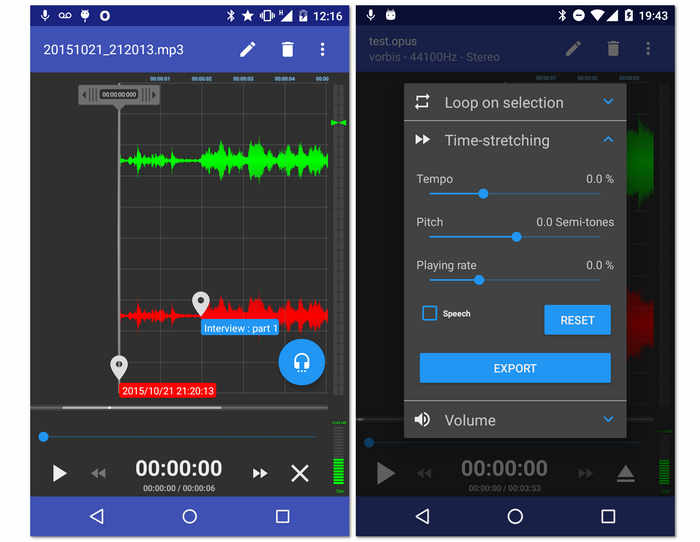
- Avantages
- Il offre des amplificateurs audio.
- Avec un large support sur différents formats audio.
- Les outils sont polyvalents.
- Il permet de partager les sorties en ligne.
- Les inconvénients
- Déroutant pour les débutants.
- Certains formats de fichiers ont une durée limitée.
- De nombreuses annonces apparaissent.
Top 7. Music Maker Jam
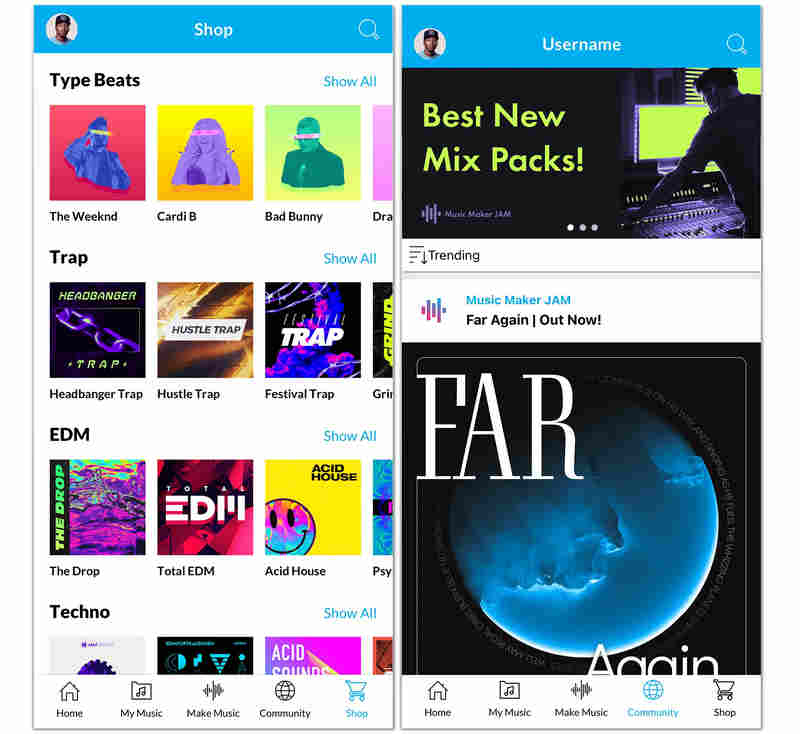
Contrairement aux enregistreurs vocaux Android classiques, Music Maker Jam est un véritable terrain de jeu créatif. Il vous permet d'enregistrer votre voix ou des instruments sur des boucles et des rythmes de qualité professionnelle. Vous pouvez mixer votre voix avec huit pistes audio différentes, appliquer des effets studio en temps réel et partager votre création avec une communauté mondiale d'artistes. C'est le choix idéal pour tous ceux qui souhaitent enregistrer bien plus que de la simple parole.
- Avantages
- Accès à une immense bibliothèque de milliers de boucles de qualité studio couvrant de nombreux genres.
- La table de mixage 8 canaux en temps réel vous permet d'équilibrer parfaitement votre voix avec la musique de fond.
- Les fonctionnalités communautaires natives facilitent la collaboration avec d'autres artistes ou l'obtention de commentaires sur votre travail.
- Les inconvénients
- L'application d'enregistrement vocal Android est très gourmande en ressources et nécessite un appareil moderne pour fonctionner correctement et sans latence.
- Ne convient pas à la dictée professionnelle ni à l'enregistrement de simples cours magistraux.
- Repose en grande partie sur un modèle freemium où de nombreux packs de sons et fonctionnalités nécessitent des achats intégrés.
Top 8. Enregistreur vocal ASR
Le prochain sur la liste est cet enregistreur vocal ASR flexible qui est riche en outils d'édition pour vos fichiers enregistrés. Si vous souhaitez découvrir comment enregistrer la voix sur Android de manière professionnelle, l'enregistreur vocal ASR peut être un bon choix. De plus, il vous permet d'éditer vos enregistrements pour contrôler leur vitesse de lecture, ignorer leur silence, leur ajouter des notes et les réorganiser davantage. De plus, il peut être connecté à des périphériques externes tels que des microphones et des casques pour une expérience plus personnelle et de meilleure qualité.
- Avantages
- Un outil gratuit avec d'excellentes options d'enregistrement.
- Prend en charge plusieurs formats de fichiers audio.
- Avec une capacité de partage facile.
- Il permet divers téléchargements à partir de différents lecteurs.
- Les inconvénients
- Ce n'est pas sans publicité.
- Il n'a pas de sélections de transcription audio.
Top 9. OtterAI transcrit les notes vocales
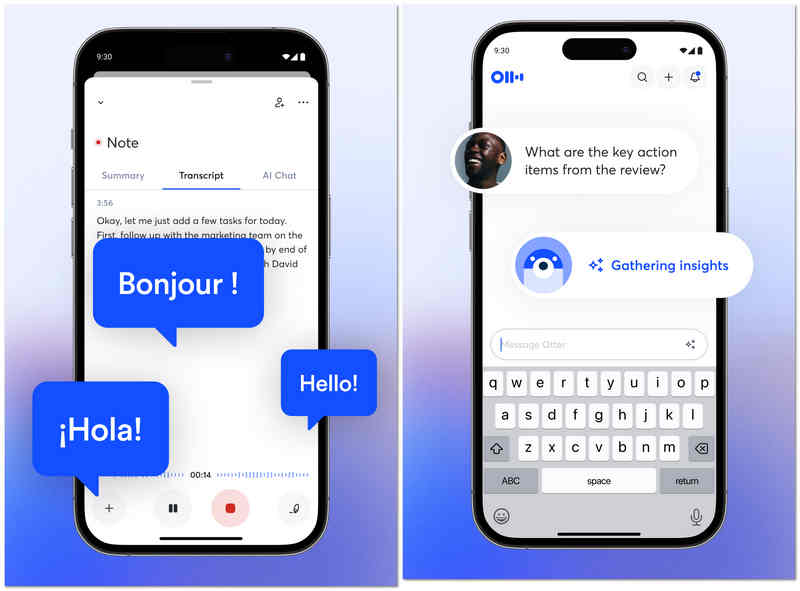
OtterAI est le leader du secteur en matière de transcription assistée par IA. Au lieu de se contenter d'enregistrer le son sur Android, cette application capture une transcription en direct que vous pouvez lire pendant que l'orateur parle. Cet enregistreur audio pour Android utilise un apprentissage automatique avancé pour distinguer les différents locuteurs et peut même générer un résumé automatique de la conversation, ce qui en fait un outil indispensable pour les journalistes et les professionnels.
- Avantages
- Transcription en temps réel très précise, capable de gérer efficacement différents accents et un vocabulaire technique riche.
- L'identification automatique des locuteurs facilite le suivi des entretiens ou des réunions à plusieurs participants.
- Les transcriptions consultables vous permettent de trouver instantanément des mots ou des sujets spécifiques dans des heures d'enregistrement audio.
- Les inconvénients
- Le niveau gratuit est assez restrictif avec des limites mensuelles de transcription.
- L'application nécessite une connexion internet permanente pour des résultats de transcription optimaux.
- Les utilisateurs soucieux de leur vie privée pourraient s'inquiéter du traitement de leurs données audio sur les serveurs d'Otter.
Top 10. Enregistreur vocal Tape-a-Talk
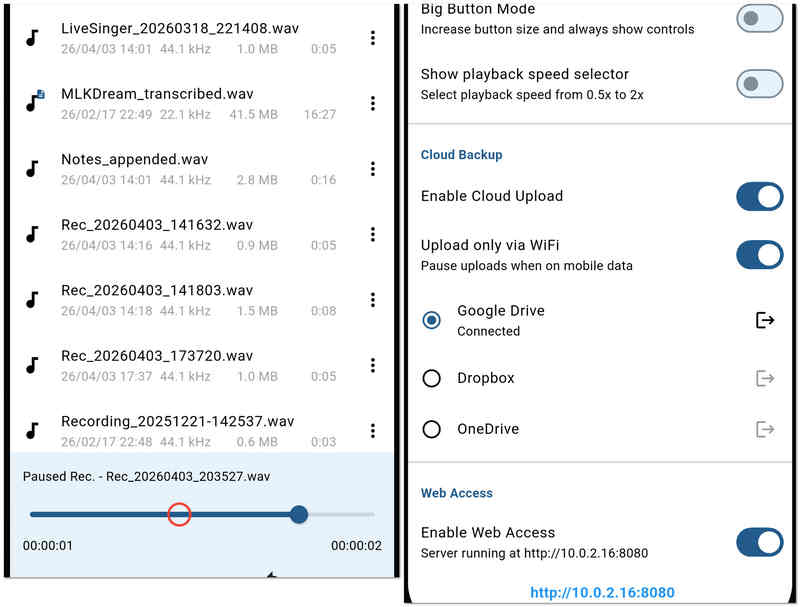
Tape-a-Talk est une application de dictaphone fiable, axée sur une grande stabilité et une simplicité d'utilisation. Elle est particulièrement adaptée au travail sur le terrain, où un enregistreur sans plantage est indispensable, et propose des widgets simples et accessibles d'un simple clic pour votre écran d'accueil. Cet enregistreur audio pour Android offre également des fonctions d'édition basiques, vous permettant de réparer ou de raccourcir vos enregistrements instantanément.
- Avantages
- Des performances d'enregistrement extrêmement stables qui tombent rarement en panne, même en cas de faible capacité de mémoire.
- Offre des widgets performants pour l'écran d'accueil permettant de démarrer et d'arrêter les enregistrements sans ouvrir l'application.
- Prend en charge l'enregistrement WAV non compressé de haute qualité à des fins d'archivage.
- Les inconvénients
- La version gratuite est fortement financée par la publicité, ce qui peut nuire à l'expérience utilisateur.
- Il lui manque les fonctionnalités d'IA « intelligentes » telles que la réduction du bruit ou la transcription automatique que l'on retrouve chez ses concurrents.
Bonus : Le meilleur réarrangement audio et d’écran pour Windows et Mac
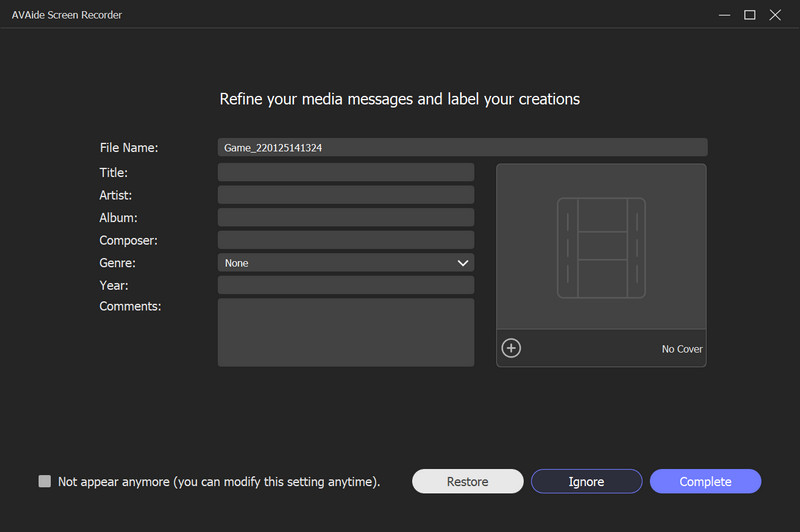
Si les applications mobiles sont idéales pour prendre des notes rapides, les projets professionnels nécessitent souvent la puissance d'une solution de bureau. Si vous devez enregistrer une vidéo de haute qualité en même temps que votre audio, AVAide Enregistreur d'écran est le choix de prédilection des utilisateurs Windows et Mac.
Pourquoi choisir AVAide Screen Recorder ?
AVAide va bien au-delà de la simple capture d'écran en proposant une suite d'outils professionnels conçus pour une clarté et une facilité d'utilisation optimales. Que vous enregistriez un webinaire crucial, un tutoriel logiciel détaillé ou une session de jeu intense, il garantit la préservation de chaque image et de chaque son avec une qualité d'image exceptionnelle.
- Choisissez d'enregistrer l'intégralité de votre écran, une fenêtre spécifique ou une zone personnalisée.
- Permet d'utiliser la superposition de webcam pour enregistrer un tutoriel ou une "vidéo de réaction".
- Ajoutez du texte, des flèches, des lignes et des formes pendant l'enregistrement pour mettre en évidence les informations importantes.
- Enregistrez des vidéos de longue durée avec une faible utilisation du processeur et sans décalage ni saccade.

 Téléchargement sécurisé
Partie 3 : Comparaison côte à côte des 10 enregistreurs vocaux Android
| Nom de l'application | Cas d'utilisation principal | Fonctionnalité clé | Formats audio | Meilleur pour |
| Enregistreur vocal intelligent | Efficacité | Désactiver le mode silencieux | WAV | Conférences et réunions longues |
| Enregistreur vocal facile Pro | Productivité quotidienne | Prise en charge de Wear OS | PCM, AAC, FLAC | Notes quotidiennes et étudiants |
| Enregistreur vocal MP3 haute qualité | Qualité audio | Haute fidélité 320 kbps | MP3, WAV, OGG | Des entretiens de haute qualité |
| Enregistreur audio Neutron | Ingénierie professionnelle | Égaliseur à 60 bandes | PCM, WAV, FLAC | Audiophiles et professionnels de la technologie |
| Enregistreur vocal | Simplicité | Enregistrement en un clic | MP3, WAV | Utilisateurs occasionnels et seniors |
| RecForge II | Édition avancée | Surveillance en temps réel | MP3, OGG, OPUS | Journalistes et podcasteurs |
| Music Maker Jam | Production créative | Table de mixage 8 canaux | Spécifique à l'application / MP3 | Musiciens et beatmakers |
| Enregistreur vocal ASR | Services généraux | Intégration au cloud | FLAC, WAV, MP4 | Utilisateurs avancés avec un budget limité |
| LoutreAI | Transcription intelligente | Texte IA en temps réel | MP3, WAV | réunions d'entreprise |
| Tape-a-Talk | Stabilité | Fiabilité du backend | WAV, OGG | Travail sur le terrain et dictée |
Partie 4 : FAQ sur l’enregistreur audio pour Android
Quel est le nom de l'enregistreur vocal intégré pour Android ?
L'enregistreur vocal intégré de votre Android est nommé Enregistreur. Si vous ne le trouvez pas dans les outils, essayez de le rechercher dans vos applications.
Quel est le meilleur enregistreur audio gratuit ?
Parmi les meilleurs enregistreurs vocaux gratuits, on trouve Audacity sur Windows et Mac, ASR Voice Recorder pour Android et Voice Record Pro pour iOS.
Puis-je enregistrer mes appels téléphoniques avec mon Android ?
Oui. La plupart des derniers téléphones Android ont un enregistreur de téléphone intégré. Vous le trouverez une fois l'appel en cours.
Voilà, les dix plus fiables Enregistreurs audio pour Android En 2026, chaque application offre un équilibre unique entre clarté, stabilité et fonctionnalités professionnelles, s'adaptant ainsi à tous les environnements d'enregistrement. Si les applications mobiles offrent une portabilité inégalée, les projets professionnels requièrent souvent la précision d'une suite logicielle de bureau. Pour ceux qui ont besoin d'une solution unifiée compatible avec Windows, Mac et même iPhone, AVAide Enregistreur d'écran Il demeure notre recommandation numéro un. De la capture audio haute fidélité du système à l'enregistrement aisé des appels FaceTime et de l'entrée microphone, c'est l'outil idéal pour les utilisateurs qui refusent tout compromis sur la qualité.
À PROPOS DE L'AUTEUR

Capturez les activités de l'écran avec de l'audio, des réunions en ligne, des vidéos de jeu, de la musique, une webcam, etc.
Examen de l'enregistreur vidéo et audio
- Examen de l'enregistreur d'écran AirShou
- Meilleur enregistreur d'écran open source
- Examen de l'enregistreur d'écran d'action
- Meilleur enregistreur d'écran gratuit
- Meilleur enregistreur d'écran pour Chrome
- Meilleur enregistreur GIF
- Meilleur enregistreur de webcam
- Meilleur enregistreur d'écran pour Windows
- Meilleurs enregistreurs d'écran pour Android
- Examen de la capture audio Chrome
- Meilleur logiciel d'enregistrement audio
- Meilleur enregistreur vocal pour Android
- Top 8 des meilleurs enregistreurs d'écran en ligne de l'année
- 7 excellents enregistreurs d'écran gratuits sans filigrane
- Une liste de 8 enregistreurs de bureau étonnants de l'année
- 12 sélections d'enregistreurs d'écran pour Mac [en ligne et hors ligne]
- 8 meilleurs enregistreurs de jeu à utiliser sur Windows et Mac
- 10 enregistreurs MP3 les plus importants sur Windows et Mac
- 5 meilleures applications d'enregistrement d'appels pour Android à utiliser
- 6 meilleures applications d'enregistrement vocal pour iPhone et Android