Aunque los dispositivos Android vienen con grabadoras de voz preinstaladas, a menudo carecen de las funciones avanzadas y la estabilidad necesarias para el uso profesional. Para capturar entrevistas espontáneas o conferencias importantes, una herramienta confiable es esencial; nada arruina más una grabación que los fallos repentinos o el ruido de fondo excesivo. Para ayudarte a encontrar el equilibrio perfecto entre fidelidad y rendimiento, hemos seleccionado y analizado las 10 mejores. Grabadora de voz para Android Aplicaciones en las que confían los profesionales.
Parte 1: ¿Qué es una buena aplicación de grabación de voz para Android?
Elegir la aplicación de grabación de sonido adecuada en Android es importante; se trata de garantizar la integridad de los datos y la precisión acústica. Para distinguir una utilidad profesional de una aplicación genérica preinstalada, puedes tener en cuenta los cinco criterios que se indican a continuación:
Audio nítido: No se trata solo de grabar; se trata de claridad. Una buena aplicación debe capturar sonido de alta fidelidad, filtrando de forma inteligente el ruido de fondo y el ruido ambiental para que la atención se centre en la voz.
Opciones de exportación flexibles: No deberías limitarte a un solo tipo de archivo. Busca una aplicación de grabación de voz para Android que admita varios formatos, como WAV para obtener la máxima calidad, o MP3 y AAC para ahorrar espacio, garantizando así que tus archivos funcionen perfectamente en cualquier dispositivo.
Compartir al instante: La velocidad importa. Deberías poder enviar tus grabaciones por correo electrónico, almacenamiento en la nube o plataformas de redes sociales directamente desde la aplicación, sin pasos adicionales.
Diseño intuitivo: Cuando surge una conversación inesperada, cada segundo cuenta. La interfaz debe ser limpia y sin distracciones, permitiéndote comenzar a grabar con un solo toque y sin necesidad de aprender a usarla.
Transcripción inteligente: Transcribir notas manualmente es cosa del pasado. Las mejores grabadoras de voz para Android ahora incluyen inteligencia artificial integrada que convierte el audio en texto preciso rápidamente, ahorrándote horas de reproducción.
Parte 2: Análisis de las 10 mejores grabadoras de audio para Android
Top 1. Grabadora de voz inteligente
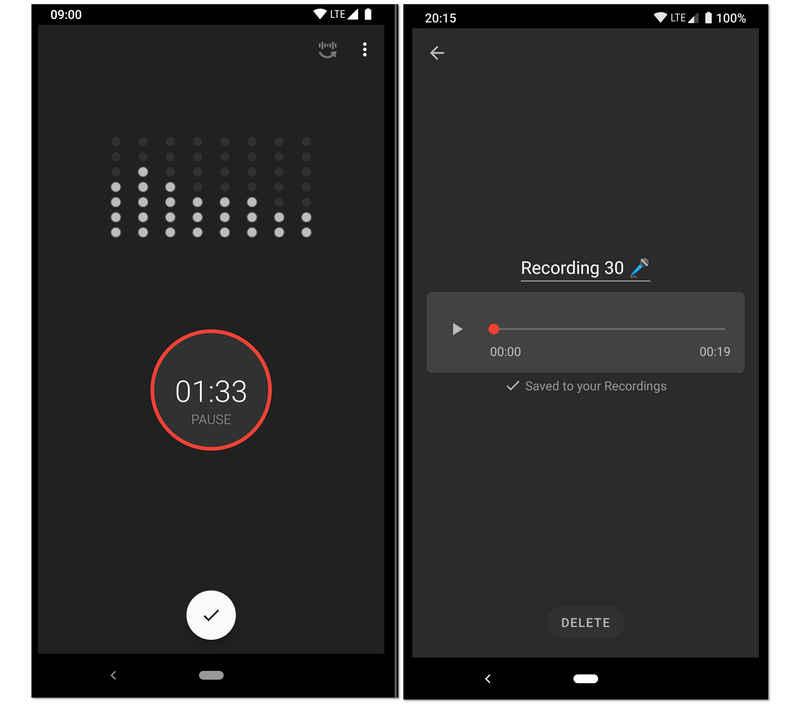
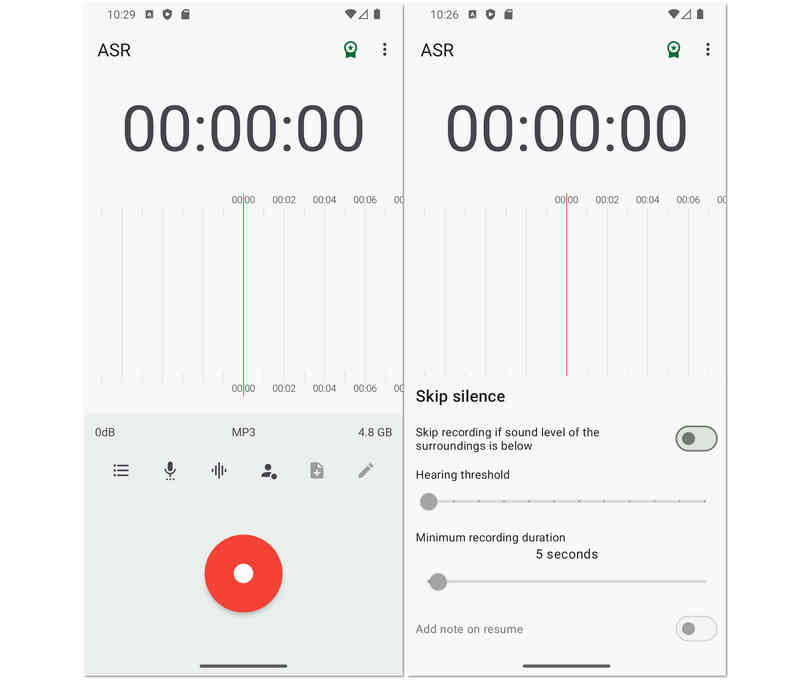
Diseñada para grabaciones de alta fidelidad y larga duración, esta grabadora de audio para Android es la favorita de estudiantes e investigadores. Su característica más destacada es el modo "Omitir silencio", que utiliza un analizador de sensibilidad de decibelios en tiempo real para pausar automáticamente la grabación durante los momentos de silencio. Esto convierte a esta grabadora de voz para Android en la opción ideal para grabar clases universitarias, reuniones de negocios o incluso registrar conversaciones durante el sueño sin tener que editar manualmente horas de silencio posteriormente.
- ventajas
- El algoritmo de omisión de silencios ahorra eficazmente espacio de almacenamiento y reduce el tiempo de revisión posterior a la grabación.
- Incluye un analizador de espectro de audio en tiempo real que proporciona información visual sobre los niveles de grabación.
- Las herramientas de calibración permiten ajustar la ganancia del micrófono para adaptarla a diferentes entornos, desde habitaciones silenciosas hasta salas ruidosas.
- Contras
- El diseño de la interfaz carece de la estética moderna y minimalista que se encuentra en las aplicaciones de productividad más recientes.
- No permite grabar llamadas telefónicas debido a limitaciones del sistema Android.
- En ocasiones, el ruido de fondo puede activar la función de omisión de silencio si no está calibrada correctamente.
Top 2. Easy Voice Recorder Pro
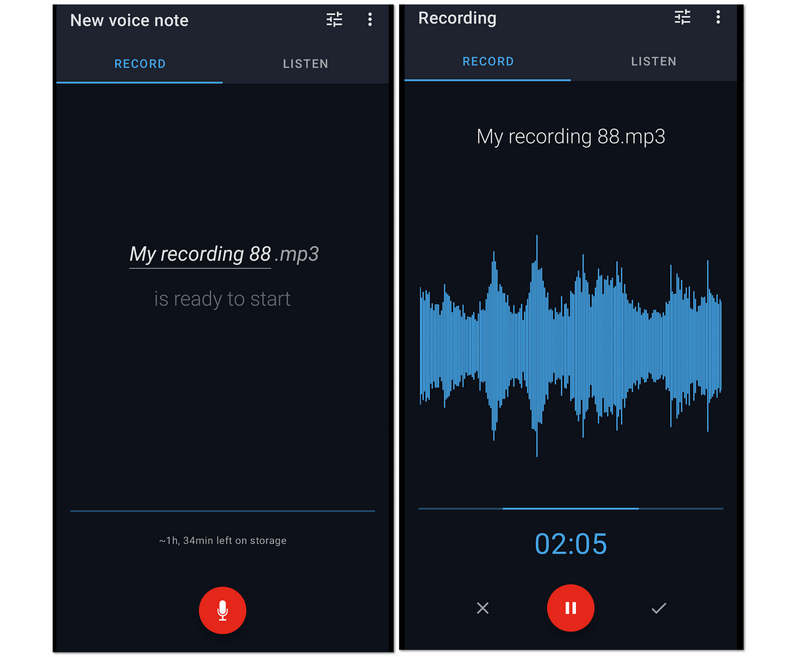
En segundo lugar, en la lista, está Easy Voice Recorder Pro. Es una aplicación de grabadora de voz fantástica para Android debido a la sesión de grabación ilimitada que ofrece a los usuarios. Por esta razón, las conferencias largas, las reuniones y otras conversaciones largas se pueden capturar fácilmente mientras se comprimen en archivos más pequeños. A pesar de eso, Easy Voice Recorder Pro permite a los usuarios aumentar la calidad de la grabación al permitirles conectar su micrófono de gama alta a la grabación.
- ventajas
- Permite a los usuarios hacer sus grabaciones como tono de llamada.
- Tiene un amplio soporte para varios formatos de audio.
- Permite la grabación estéreo.
- Utiliza una interfaz fácil de usar.
- Contras
- Sus herramientas de edición son limitadas.
- No está libre de anuncios.
Top 3. Grabadora de voz MP3 de alta calidad
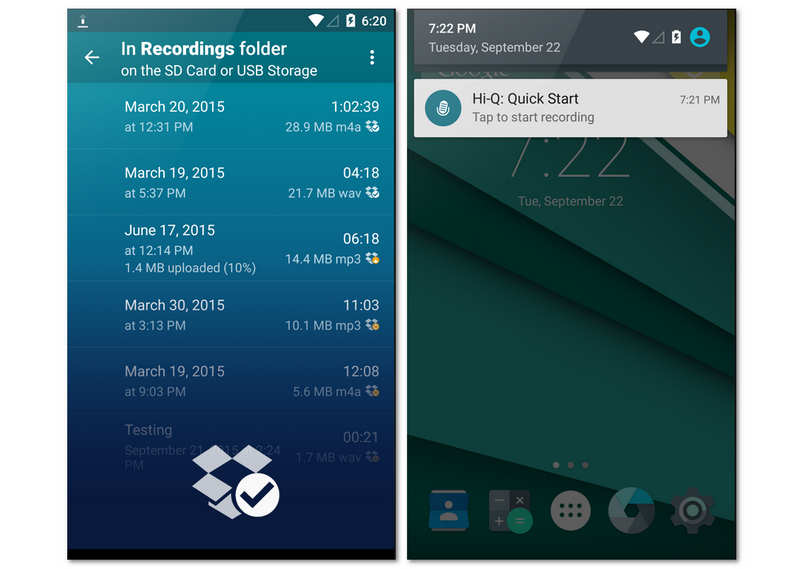
Hi-Q está diseñada para usuarios que buscan audio con calidad de estudio en formato móvil. Al grabar en MP3 de 320 kbps, esta aplicación de grabación de voz para Android combina alta fidelidad con compatibilidad universal de archivos. Una de sus funciones más exclusivas es el control "Shuttle", que permite recuperar hasta 20 segundos de audio antes incluso de pulsar el botón de grabación. Esta función te permitirá descubrir sorpresas inesperadas en tus grabaciones de voz.
- ventajas
- Admite la grabación de archivos MP3 de alta tasa de bits, compatible con prácticamente todos los dispositivos y programas de reproducción.
- Permite alternar entre los micrófonos delanteros y traseros para optimizar la captura de sonido direccional.
- La sincronización automática con Dropbox o Google Drive garantiza que tus datos se guarden automáticamente en el momento en que dejes de grabar.
- Contras
- La versión gratuita de esta grabadora de voz para Android está estrictamente limitada a sesiones de grabación de 10 minutos, lo que obliga a adquirir una versión de pago para un uso de mayor duración.
- En ocasiones, el filtro de reducción de ruido puede hacer que la voz grabada suene ligeramente "robótica" o con un procesamiento excesivo.
- Carece de las funciones avanzadas de edición multipista que se encuentran en estaciones de trabajo de audio más especializadas.
Top 4. Grabadora de audio Neutron
Neutron Audio Recorder perfecciona la grabación de audio manteniendo una estética profesional. Esta grabadora de voz para Android ofrece mejoras básicas de grabación, herramientas y potentes funciones como ecualizador de 60 bandas, filtro DSP, detector de silencio, editor de metadatos, filtro digital configurable, acceso directo a USB y más. Sin embargo, su interfaz puede resultar algo confusa para los usuarios principiantes.
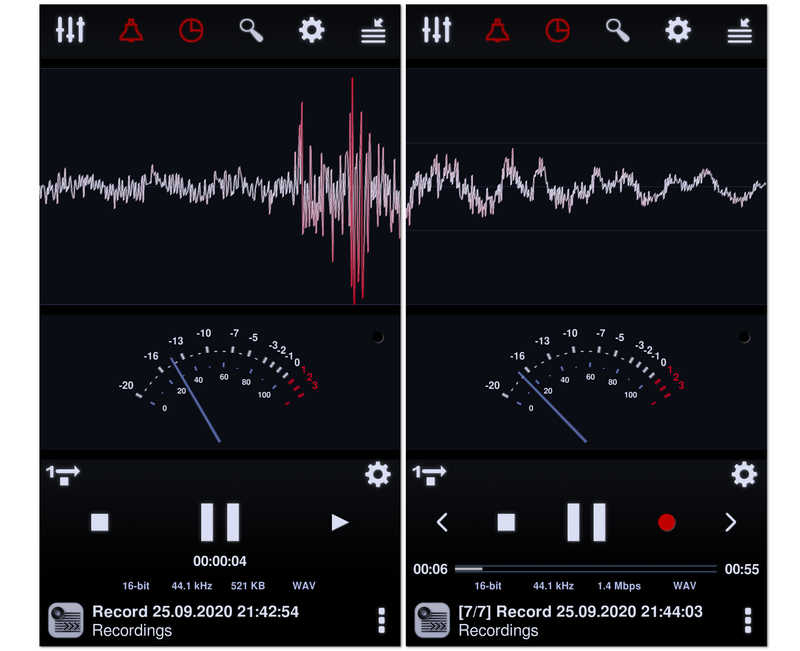
Derivada del famoso reproductor de música Neutron, esta es la opción preferida de los audiófilos para grabar audio. Esta grabadora de audio para Android utiliza un sofisticado motor de audio de 32/64 bits para ofrecer una grabación impecable. Con un potente ecualizador paramétrico de 60 bandas y filtros profesionales, te brinda un control técnico sobre el perfil de sonido final superior al de cualquier otra aplicación de esta lista.
- ventajas
- El motor de procesamiento de audio de alta fidelidad garantiza que no haya pérdida de calidad de audio durante el proceso de codificación.
- Las funciones avanzadas de procesamiento digital de señales (DSP), como el control automático de ganancia (AGC), ayudan a normalizar el volumen en entornos impredecibles.
- Incluye una interfaz visual altamente personalizable con analizadores de espectro, RMS y forma de onda.
- Contras
- La interfaz de usuario es increíblemente compleja y puede resultar intimidante para los usuarios ocasionales.
- Consume mucha más batería y recursos de CPU en comparación con aplicaciones de grabación más sencillas.
- El proceso de configuración de los controladores de audio de alta resolución puede resultar técnicamente complejo para quienes no son expertos.
Top 5. Grabadora de voz
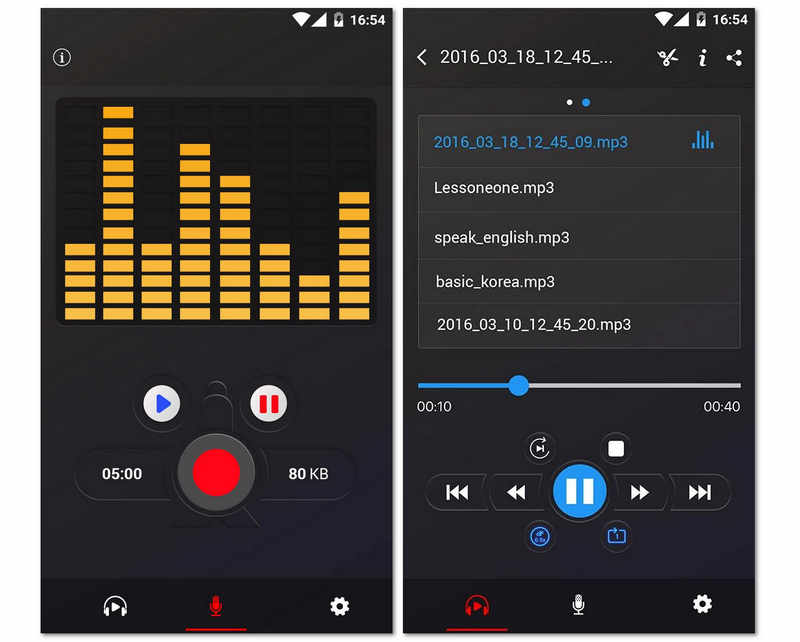
A continuación, presentamos esta grabadora de voz gratuita que funciona de maravilla sin restricciones. Además, esta aplicación gratuita para Android ofrece un analizador de espectro de audio que permite visualizar el sonido libremente. Sin mencionar su capacidad para ahorrar batería, ya que reanuda la grabación incluso con la pantalla apagada. Es una de las mejores aplicaciones de grabación de voz para Android 16/15/14, pero al ser gratuita, incluye bastantes anuncios. Sin embargo, muchos usuarios siguen encantados con ella gracias a sus funciones para compartir, que les permiten enviar fácilmente sus grabaciones a sus amigos.
- ventajas
- Su diseño minimalista lo hace accesible para usuarios de todas las edades, sin necesidad de aprender a usarlo.
- Aplicación de tamaño extremadamente reducido que no saturará el almacenamiento interno de tu teléfono.
- Excelente estabilidad en segundo plano, lo que garantiza que la grabación no sea interrumpida por el administrador de tareas del sistema Android.
- Contras
- Carece de la capacidad de exportar a formatos profesionales sin pérdida de calidad como WAV o FLAC.
- No incluye transcripción integrada ni funciones avanzadas de IA para ayudar a organizar los datos de audio.
- La gestión básica de archivos dificulta la tarea de examinar rápidamente cientos de grabaciones.
Top 6. Grabadora de audio RecForge II
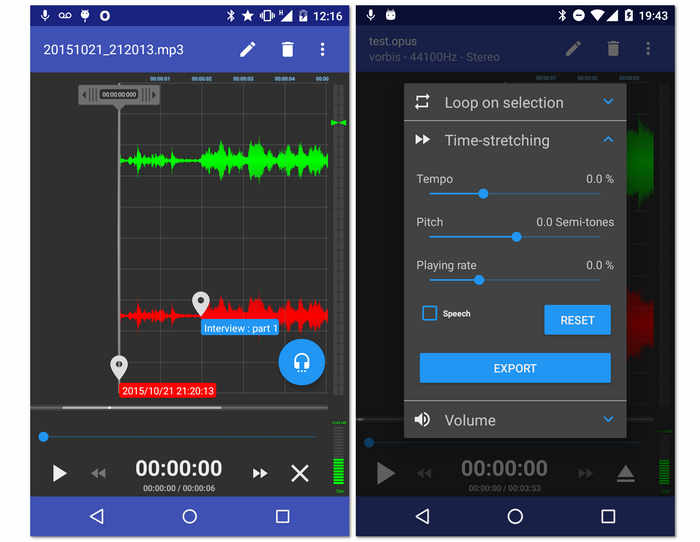
Otro grabador gratuito para tu Android es este RecForge II Audio Recorder. Sí, esta herramienta es una aplicación gratuita que te permite grabar en modo estéreo o mono además de darte acceso para conectar varios tipos de micrófonos externos. Además, esta aplicación de grabadora de voz para Android viene con herramientas esenciales que pueden editar el tempo, el tono y la velocidad de reproducción de los archivos grabados. Sin mencionar su capacidad para funcionar incluso mientras usa otras aplicaciones simultáneamente. Sin embargo, dado que es una herramienta gratuita, espere que se ejecute con anuncios en algún momento.
- ventajas
- Ofrece potenciadores de audio.
- Con amplio soporte en diferentes formatos de audio.
- Las herramientas son versátiles.
- Permite compartir las salidas en línea.
- Contras
- Confuso para los principiantes.
- Algunos formatos de archivo tienen una duración limitada.
- Muchos anuncios están apareciendo.
Top 7. Music Maker Jam
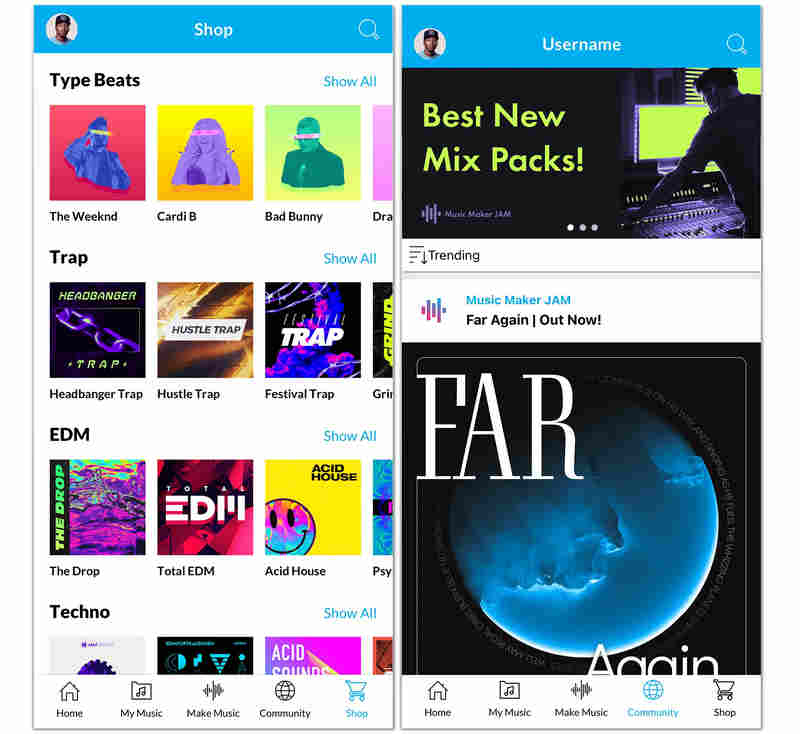
A diferencia de las grabadoras de voz tradicionales para Android, Music Maker Jam es un espacio creativo. Te permite grabar tu voz o instrumentos sobre bucles y ritmos producidos profesionalmente. Puedes mezclar tu voz con ocho canales de audio diferentes, aplicar efectos de estudio en tiempo real y compartir tu creación con una comunidad global de creadores. Es la mejor opción para quienes buscan grabar algo más que voz.
- ventajas
- Acceso a una enorme biblioteca con miles de bucles de calidad de estudio que abarcan múltiples géneros.
- La mesa de mezclas de 8 canales en tiempo real te permite equilibrar perfectamente tu voz con la música de fondo.
- Las funciones comunitarias nativas facilitan la colaboración con otros artistas y la obtención de comentarios sobre tu trabajo.
- Contras
- La aplicación de grabación de voz para Android es muy pesada y requiere un dispositivo moderno para funcionar sin problemas ni retrasos.
- No es apto para dictados comerciales profesionales ni para la grabación de simples conferencias.
- Depende en gran medida de un modelo freemium, donde muchos paquetes de sonido y funciones requieren compras dentro de la aplicación.
Top 8. Grabadora de voz ASR
El siguiente en la lista es esta grabadora de voz ASR flexible que es rica en herramientas de edición para sus archivos grabados. Si desea experimentar cómo grabar voz en Android de manera profesional, ASR Voice Recorder puede ser una buena opción. Además, le permite editar sus grabaciones para controlar su velocidad de reproducción, omitir su silencio, agregarles notas y reorganizarlas más. Además, se puede conectar a dispositivos externos como micrófonos y auriculares para una experiencia más personal y de mayor calidad.
- ventajas
- Una herramienta gratuita con excelentes opciones de grabación.
- Soporta múltiples formatos de archivos de audio.
- Con una capacidad fácil de compartir.
- Permite varias cargas desde diferentes unidades.
- Contras
- No está libre de anuncios.
- No tiene selecciones de transcripción de audio.
Top 9. OtterAI Transcribe notas de voz
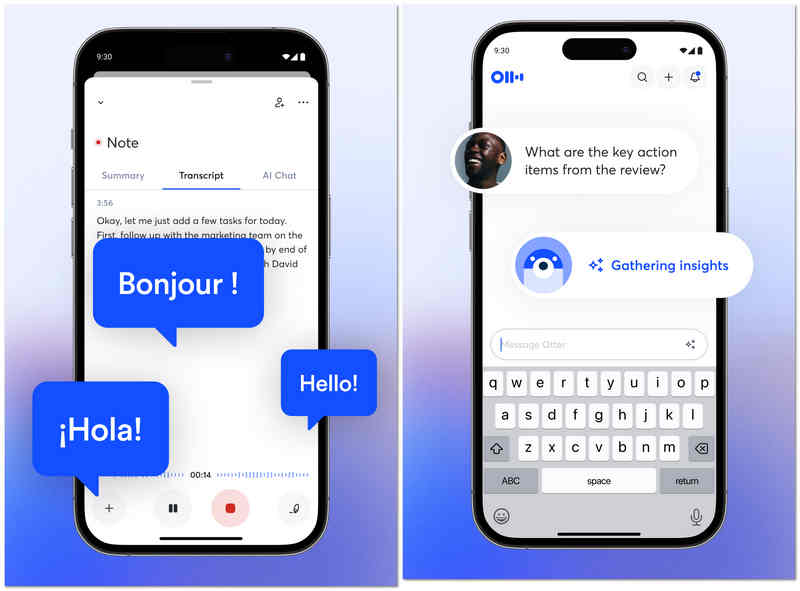
OtterAI es líder en la industria de la transcripción con inteligencia artificial. En lugar de simplemente grabar audio en Android, captura una transcripción en tiempo real que puedes leer mientras el interlocutor habla. Esta grabadora de audio para Android utiliza aprendizaje automático avanzado para distinguir entre diferentes interlocutores e incluso puede generar un resumen automático de la conversación, convirtiéndose en una herramienta indispensable para periodistas y profesionales.
- ventajas
- Transcripción en tiempo real de alta precisión que maneja bien diferentes acentos y vocabulario técnico.
- La identificación automática de los interlocutores facilita el seguimiento de entrevistas o reuniones con varias personas.
- Las transcripciones con función de búsqueda le permiten encontrar palabras o temas específicos a lo largo de horas de audio al instante.
- Contras
- El plan gratuito es bastante restrictivo, con límites de transcripción mensuales.
- La aplicación requiere una conexión constante a internet para obtener los mejores resultados de transcripción.
- Los usuarios preocupados por su privacidad pueden tener inquietudes sobre el procesamiento de su audio en los servidores de Otter.
Top 10. Grabadora de voz Tape-a-Talk
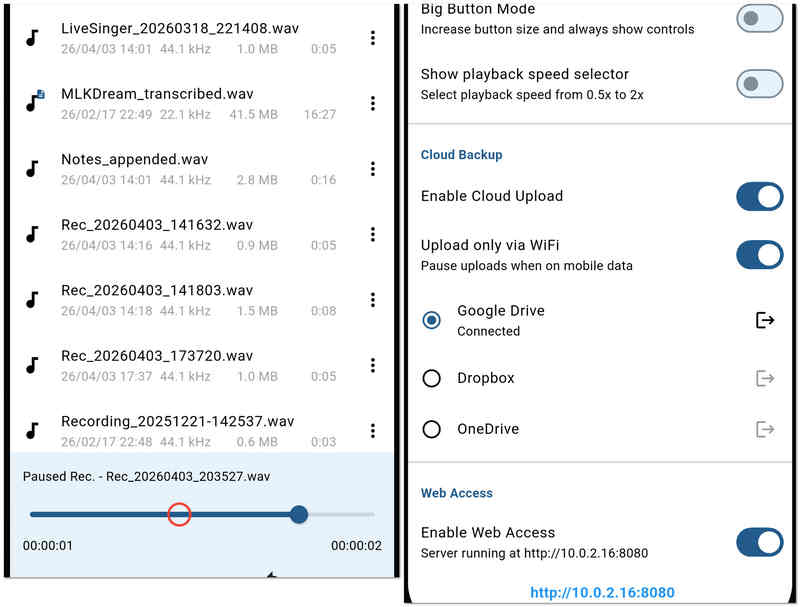
Tape-a-Talk es una aplicación de grabadora fiable que se centra en la estabilidad y la facilidad de uso. Es especialmente adecuada para el trabajo de campo, donde se necesita una grabadora que no se bloquee y ofrece widgets sencillos de un solo toque para la pantalla de inicio. Esta grabadora de audio para Android también proporciona funciones básicas de edición, lo que permite reparar o recortar grabaciones sobre la marcha.
- ventajas
- Rendimiento de grabación extremadamente estable que rara vez falla, incluso en situaciones de poca memoria.
- Proporciona potentes widgets para la pantalla de inicio que permiten iniciar y detener las grabaciones sin necesidad de abrir la aplicación.
- Admite la grabación de archivos WAV sin comprimir de alta calidad con fines de archivo.
- Contras
- La versión gratuita incluye mucha publicidad, lo que puede perjudicar la experiencia del usuario.
- Carece de las funciones de IA "inteligentes", como la cancelación de ruido o la transcripción automática, que sí tienen sus competidores.
Extra: La mejor forma de reordenar el audio y la pantalla para Windows y Mac.
Si bien las aplicaciones móviles son excelentes para notas rápidas, los proyectos profesionales a menudo requieren la potencia de una solución de escritorio. Si necesita capturar video de alta calidad junto con su audio, Grabador de pantalla AVAide Es la opción preferida tanto para usuarios de Windows como de Mac.
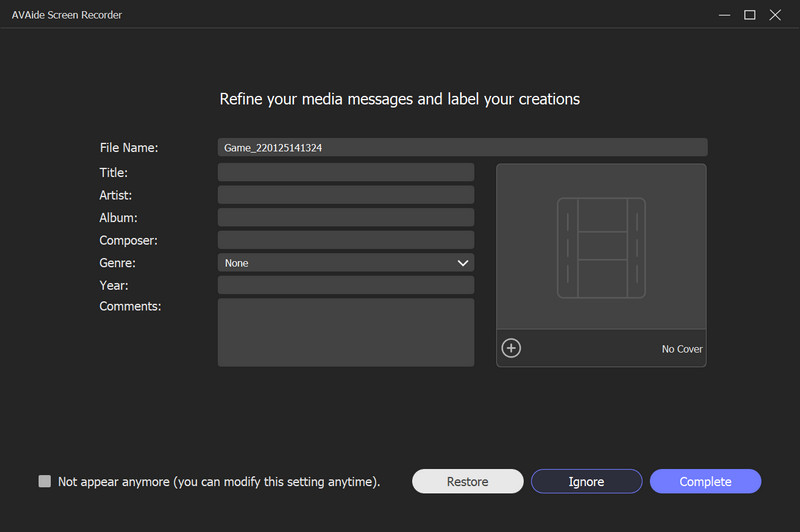
¿Por qué elegir AVAide Screen Recorder?
AVAide va más allá de la simple captura de pantalla, ofreciendo un conjunto de herramientas profesionales diseñadas para brindar claridad y facilidad de uso. Ya sea que estés grabando un seminario web importante, un tutorial detallado de software o una partida intensa, garantiza que cada fotograma y cada fragmento de audio se conserven con una calidad nítida.
- Puedes elegir grabar toda la pantalla, una ventana específica o una región seleccionada a medida.
- Te permite superponer la imagen de la cámara web para grabar un tutorial o un "video de reacción".
- Añade texto, flechas, líneas y formas mientras grabas para resaltar la información importante.
- Graba vídeos de larga duración con bajo consumo de CPU y sin retrasos ni interrupciones.

 Descarga segura
Parte 3: Comparación lado a lado de las 10 grabadoras de voz Android
| Nombre de la aplicación | Caso de uso principal | Característica clave | Formatos de audio | Mejor para |
| Grabadora de voz inteligente | Eficiencia | Saltar al modo silencio | WAV | Conferencias y reuniones largas |
| Grabadora de voz fácil Pro | Productividad diaria | Soporte para Wear OS | PCM, AAC, FLAC | Notas diarias y estudiantes |
| Grabadora de voz MP3 de alta calidad | Calidad de audio | Alta fidelidad de 320 kbps | MP3, WAV, OGG | Entrevistas de alta calidad |
| Grabadora de audio de neutrones | Ingeniería profesional | Ecualizador de 60 bandas | PCM, WAV, FLAC | Audiófilos y profesionales de la tecnología |
| Grabadora de voz | Sencillez | Grabación con un solo toque | MP3, WAV | Usuarios ocasionales y personas mayores |
| RecForge II | Edición avanzada | Monitoreo en tiempo real | MP3, OGG, OPUS | Periodistas y podcasters |
| Jam de creadores de música | Producción creativa | Mezclador de 8 canales | Aplicación específica / MP3 | Músicos y productores musicales |
| Grabadora de voz ASR | Servicios generales | Integración en la nube | FLAC, WAV, MP4 | Usuarios avanzados con presupuesto limitado |
| OtterAI | Transcripción inteligente | Texto de IA en tiempo real | MP3, WAV | reuniones corporativas |
| Grabar una charla | Estabilidad | Fiabilidad del backend | WAV, OGG | Trabajo de campo y dictado |
Parte 4: Preguntas frecuentes sobre la grabadora de audio para Android
¿Cuál es el nombre de la grabadora de voz incorporada para Android?
La grabadora de voz integrada de tu Android se llama Grabadora. Si no puede encontrarlo en las herramientas, intente buscarlo en sus aplicaciones.
¿Cuál es la mejor grabadora de audio gratuita?
Entre los mejores grabadores de voz gratuitos se incluyen Audacity para Windows y Mac, ASR Voice Recorder para Android y Voice Record Pro para iOS.
¿Puedo grabar mis llamadas telefónicas usando mi Android?
Sí. La mayoría de los teléfonos Android más recientes tienen una grabadora de teléfono incorporada. Lo encontrará una vez que la llamada esté en curso.
Ahí lo tienen, los diez más confiables grabadoras de audio para Android en 2026. Cada una ofrece un equilibrio único de claridad, estabilidad y funciones profesionales para adaptarse a cualquier entorno de grabación. Si bien las aplicaciones móviles brindan una portabilidad inigualable, los proyectos de nivel profesional a menudo requieren la precisión de una suite de escritorio. Para aquellos que necesitan una solución unificada para Windows, Mac e incluso iPhone, Grabador de pantalla AVAide Sigue siendo nuestra principal recomendación. Desde capturar audio de sistema de alta fidelidad hasta grabar llamadas de FaceTime y la entrada del micrófono con facilidad, es la herramienta definitiva para los usuarios que no quieren renunciar a la calidad.
SOBRE EL AUTOR

Capture actividades de pantalla con audio, reuniones en línea, videos de juegos, música, cámara web, etc.
Revisión de la grabadora de video y audio
- Revisión de la grabadora de pantalla AirShou
- Mejor grabador de pantalla de código abierto
- Revisión de la grabadora de pantalla de acción
- El mejor grabador de pantalla gratuito
- Mejor grabador de pantalla para Chrome
- Mejor grabador de GIF
- Mejor grabadora de cámara web
- El mejor grabador de pantalla para Windows
- Los mejores grabadores de pantalla para Android
- Reseña de Chrome Audio Capture
- El mejor software de grabación de audio
- La mejor grabadora de voz para Android
- Los 8 mejores grabadores de pantalla en línea del año
- 7 excelentes grabadores de pantalla gratuitos sin marca de agua
- Una lista de 8 asombrosas grabadoras de escritorio del año
- 12 opciones populares de grabadores de pantalla para Mac [en línea y fuera de línea]
- Las 8 mejores grabadoras de juegos para usar en Windows y Mac
- Las 10 grabadoras de MP3 más destacadas en Windows y Mac
- Las 5 mejores aplicaciones de grabación de llamadas para Android que vale la pena usar
- Las 6 mejores aplicaciones de grabadora de voz para iPhone y Android