Leder du efter den bedste gratis stemmeoptager, der kører direkte i din browser? Så er du kommet til det rette sted.
Denne guide afslører de bedst bedømte online stemmeoptagere tilgængelig i 2026. For at hjælpe dig med at finde det perfekte værktøj har vi testet snesevis af platforme baseret på fem kritiske faktorer: brugervenligt design, skarp lydkvalitet, indbyggede redigeringsfunktioner, kompatibilitet på tværs af enheder og datasikkerhed.
Uanset om du har brug for at optage en hurtig stemmenotat, en podcast eller gemme et onlinemøde, klarer disse 7 webbaserede lydoptagere opgaven med det samme. Bedst af alt kræver de ingen softwareinstallation, er helt gratis og fungerer perfekt på enhver enhed med en internetforbindelse.
Del 1: Hvad skal man kigge efter i en online stemmeoptager
Valget af den rigtige online stemmeoptager afhænger helt af dine behov. Uanset om du optager et hurtigt forretningsmøde, optager en podcast eller gemmer et foredrag, er her de 5 kritiske faktorer, du skal overveje, før du klikker på optag:
Høj lydkvalitet: Understøtter klare formater som MP3 (for lille filstørrelse) og WAV (for tabsfri kvalitet) med høje bitrater.
100% Privatliv og sikkerhed: Behandler lyd lokalt i din browser, så dine private stemmedata aldrig uploades til en cloud-server.
Ingen installationer: Fungerer øjeblikkeligt på tværs af alle browsere (Chrome, Safari, Edge) og enheder (PC, Mac, iPhone, Android) uden downloads.
Indbyggede redigeringsværktøjer: Indeholder enkle, gratis funktioner til at reducere stilhed, justere lydstyrken eller fjerne baggrundsstøj med et enkelt klik.
Ingen skjulte grænser: Tilbyder ubegrænset optagetid og gratis downloads uden at tilføje irriterende vandmærker eller lydtags.
Del 2: Oversigt over de 7 bedste online stemmeoptagere
Du kan få et kort overblik over information om de 7 fremragende online lydoptagere, vi har testet. Du kan vælge din ønskede her.
| Optager | Ren brugergrænseflade | Høj lydkvalitet | Indbygget redigering | Fuld kompatibilitet | Vigtigste højdepunkt |
| Rev Online stemmeoptager | Ja | Ja | Ingen | Ja | Premium forhåndsvisning af tale-til-tekst-transkription. |
| Vocaroo | Ja | Grundlæggende | Ingen | Ja | Øjeblikkelig deling via direkte link eller QR-kode. |
| Apowersoft Online Lydoptager | Ja | Ja | Ingen | Ja | Optager både mikrofon- og systemlyd. |
| Bjørnerekord | Ingen | Ja | Ja | Ja | Lydklipning og redigering på stedet før lagring. |
| Veed.io | Ja | Ja | Ja | Ja | Avanceret AI-redigering og transskription (betalte funktioner). |
| SpeakPipe | Ja | Ja | Ingen | Ja | Deling af widgets med et enkelt klik via link. |
| HappyScribe | Ja | Ja | Ingen | Ja | Hurtig, flersproget automatisk transkription. |
Del 3: Detaljeret gennemgang af de 7 bedste online stemmeoptagere
Lad os nu dykke ned i den dybdegående gennemgang af de 7 fremragende online lydoptagere.
Top 1: Rev Online Stemmeoptager
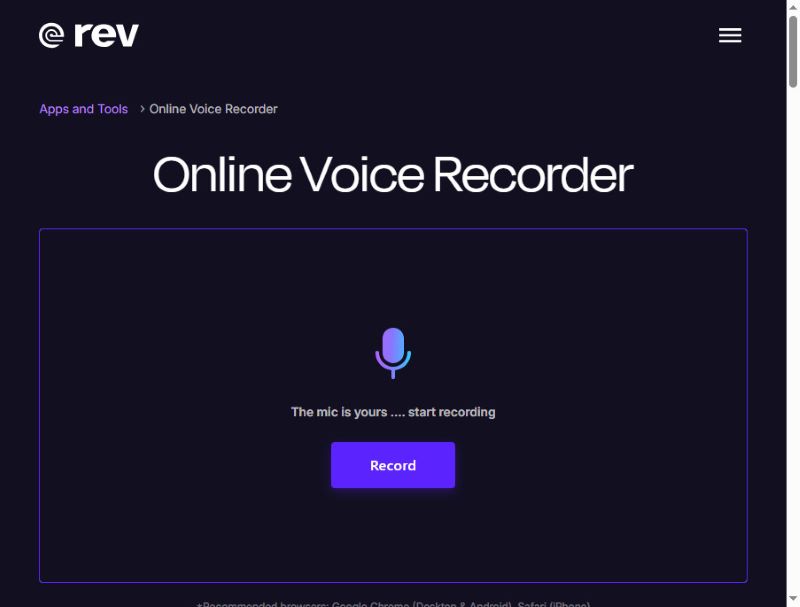
Rev Online Voice Recorder er en meget stilfuld online stemmeoptager med en moderne brugerflade i sort og violet. Den optager lyd i høj kvalitet og gemmer den som en WAV-fil. Derudover forbliver din optagelse lokal og uploades ikke til dens server.
Hvad er unikt: Rev Online Voice Recorder kan transskribere din stemme til undertekster under optagelsen – dog en betalt tjeneste. Ikke desto mindre er denne browser-lydoptager stadig velkvalificeret som en gratis stemmeoptager.
- Fordele
- Rev har en klar brugerflade med en simpel arbejdsgang.
- Du kan forhåndsvise dine stemmeoptagelser.
- Denne online lydoptager kræver ikke login for at starte optagelsen.
- Ulemper
- Lydredigeringsfunktionerne er ret begrænsede.
- Transskriptionen er ikke gratis.
Top 2: Vocaroo
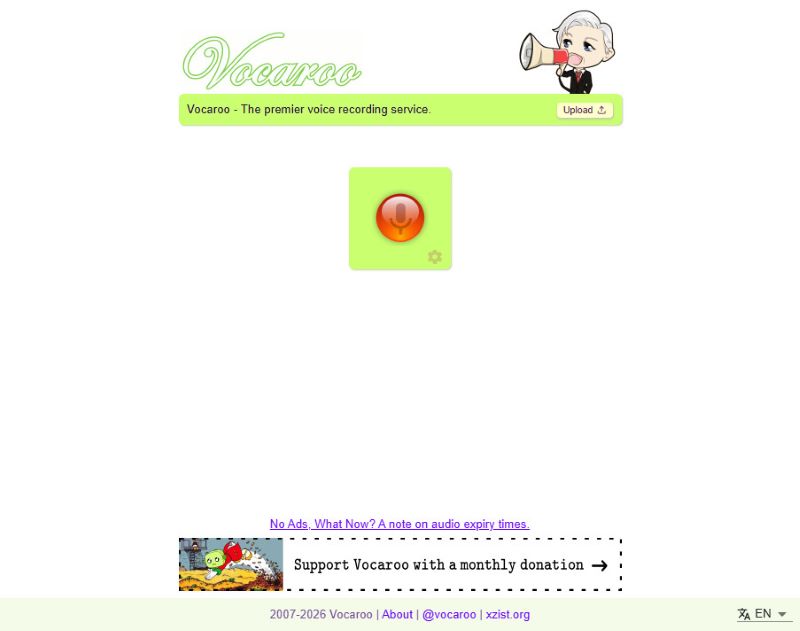
Vocaroo er en gratis online stemmeoptager kendt for sin enkelhed. Klik på den røde knap i midten og start optagelsen, og klik igen for at stoppe. Og selvfølgelig kan der være ulemper ved at være simpel, f.eks. at du ikke kan redigere på webstedet.
Hvad er unikt: Når du er færdig med optagelsen, kan du dele stemmen direkte på dine sociale medier, enten direkte eller via genererede links og QR-koder.
- Fordele
- Denne browser-lydoptager er ekstremt nem at bruge.
- Det fungerer problemfrit i de fleste browsere.
- Du kan dele dine lydoptagelser direkte.
- Den understøtter flersproget transskription.
- Ulemper
- Denne online mikrofonoptager har ingen redigeringsfunktion.
Top 3: Apowersoft Online Lydoptager
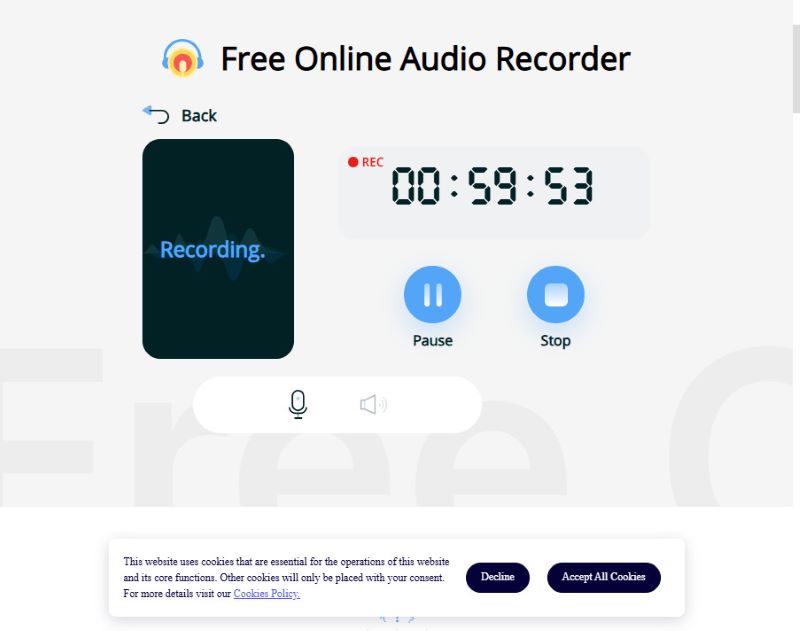
Apowersoft kan optage både din stemme og systemlyden på samme tid, hvilket er egnet til optagelse af streams eller fortælling. Men mange avancerede funktioner i denne online lydoptager er kun tilgængelige med tilmelding eller i appen. Selvom den gratis onlineversion kun kan optage i mindre end 1 time, er det nok for de fleste brugere.
Hvis den begrænsede optagetid ikke er et problem, fordi du kun har brug for en hurtig optagelse én gang, er Apowersoft noget for dig.
Hvad er unikt: Apowersoft Online Lydoptager understøtter både mikrofon- og systemlydoptagelse.
- Fordele
- Denne online lydoptager kan optage mikrofon- og systemlyd
- De outputte lydoptagelser har lyd af meget høj kvalitet.
- Den gratis onlineversion har en meget anstændig tidsbegrænsning.
- Ulemper
- Du skal oprette en konto og logge ind for at dele dine optagelser.
Top 4: BearRecord
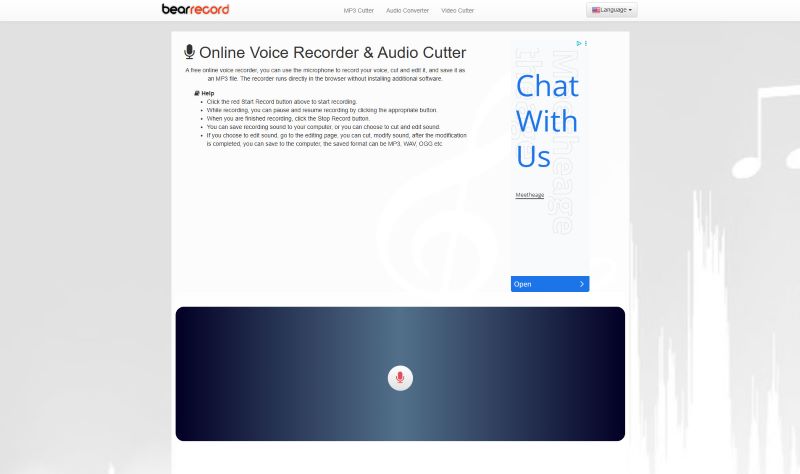
BearRecord er en gratis online stemmeoptager med browserbaserede værktøjer, der giver dig mulighed for at foretage enkle redigeringer, før du gemmer optagelsen. Den har en meget simpel brugerflade, der kan hjælpe dig med hurtigt at starte og afslutte din lydoptagelse. Der er dog en åbenlys ulempe ved denne online stemmeoptager: faste websideannoncer.
Hvad er unikt: Du kan justere tonehøjde og lydstyrke, anvende fade-in og fade-out-effekter eller ændre gemningsformatet, alt sammen på hjemmesiden uden at installere noget.
- Fordele
- Denne online lydoptager tilbyder grundlæggende redigeringsværktøjer.
- Den kan levere høj lydkvalitet som en gratis stemmeoptager.
- Det kræver ikke login.
- Ulemper
- Der er pop-up-annoncer på websiden.
Top 5: Veed.io
Veed er en gratis online stemmeoptager med en række redigeringsværktøjer i browseren, der er velegnet til både almindelig og professionel brug. Du kan genoptage lydoptagelser mange gange uden tidsbegrænsning. Du kan optage kun lyd (systemlyd eller din mikrofon) eller med din computerskærm. Overlayet er meget problemfrit uden forsinkelse. Denne online lydoptager lader dig dog ikke eksportere din lydoptagelse i lydformater som MP3 eller WAV. Du kan kun få en video med din optagede lyd og en sort skærm.
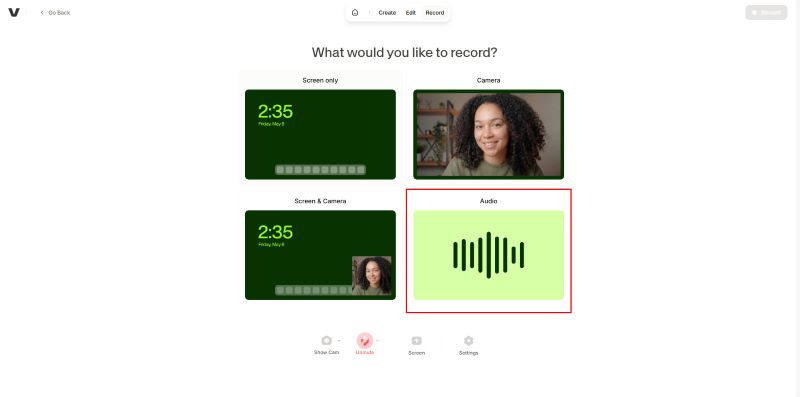
Hvad er unikt: Veeds gratis online lydoptager tilbyder en gratis prøveperiode af AI-transkription og AI-redigering. Men for at få adgang til mere avancerede funktioner skal du betale for et abonnement.
- Fordele
- Denne online lydoptager har en brugervenlig brugergrænseflade
- Den tilbyder mange indbyggede redigeringsværktøjer.
- Du kan prøve dens AI-transkriptionsfunktion.
- Ulemper
- Selvom du kun kan optage lyd, vil det tvinge dig til at eksportere som en video med en sort skærm.
- Nogle redigeringsfunktioner kræver login.
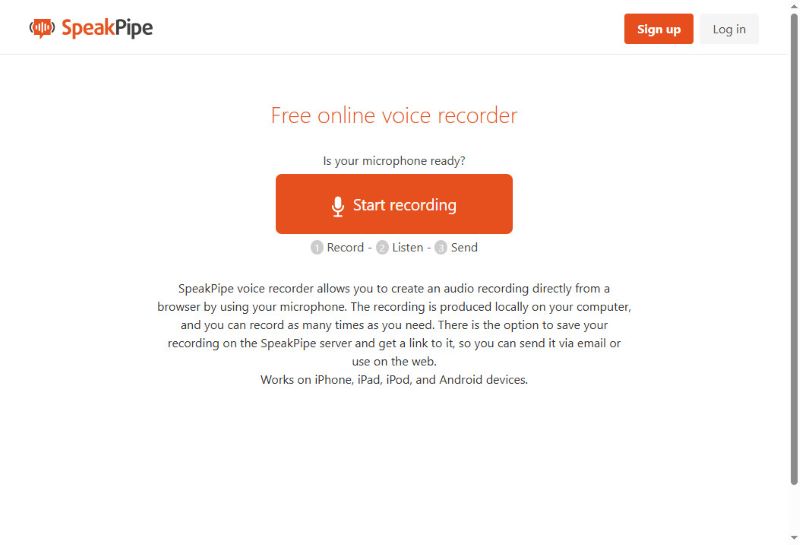
Top 6: SpeakPipe
SpeakPipe er en browserbaseret stemmeoptager designet til hurtig lydbeskeder uden begrænsninger. Denne online stemmeoptager er også rigtig god til problemfri stemmeoptagelse og øjeblikkelig deling. Du kan gemme dine lydoptagelser i cloud-lagringen eller dele dem direkte på sociale medier. Du kan endda oprette en personlig, separat landingsside, der fungerer som en offentlig telefonsvarer, hvor kunder, studerende eller lyttere kan efterlade lydbeskeder.
Hvad er unikt: Efter optagelse med denne online stemmeoptager kan du gemme lydfilen på serveren og sende den ubesværet via et genereret link. Det er et godt valg for dem, der ønsker at lave korte lydoptagelser at dele med andre.
- Fordele
- Du kan nemt dele dine lydoptagelser.
- Denne online lydoptager kan fungere på alle enheder og browsere.
- Ingen login kræves for øjeblikkelig lydoptagelse.
- Ulemper
- Den har kun meget begrænsede redigeringsfunktioner.
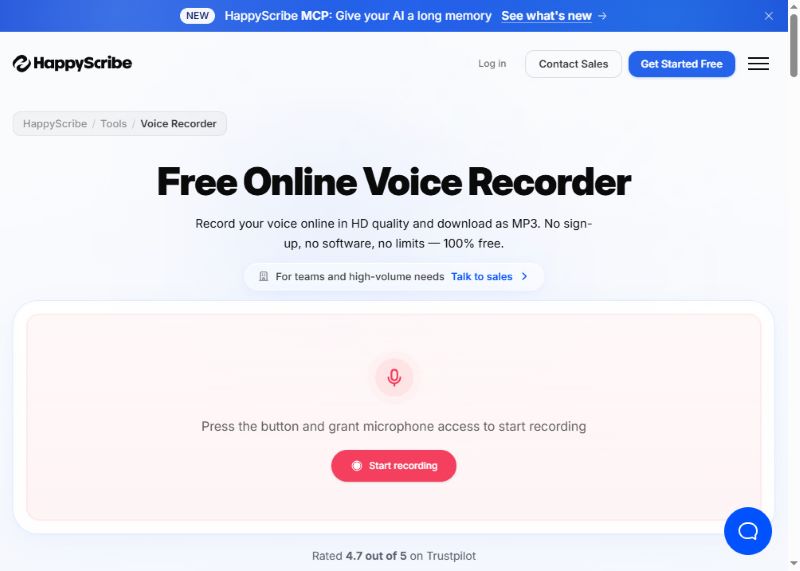
Top 7: HappyScribe
HappyScribe er nem at bruge til at optage stemme online i høj kvalitet og gemme som MP3. Den tilbyder også automatisk transskription til flere sprog. Det, der imponerer mig, er dens notefunktion. Forestil dig, at du optager dit møde, og denne online lydoptager hjælper dig med automatisk at tage en note. Derefter kan du eksportere din optagede lydfil sammen med en dokumentfil.
Hvad er unikt: Din stemme vil blive optaget i HD-kvalitet og gemt lynhurtigt. Den kan også transskribere dine lydoptagelser til tekst; det er nyttigt til at tage noter eller nedskrive hurtige tanker.
- Fordele
- Den har en simpel brugergrænseflade, men med mange kraftfulde avancerede funktioner.
- AI-transkriptionsfunktionen er meget kraftfuld og kan eksportere dokumentfiler.
- Det fungerer mere som en AI-lydoptagelsesassistent.
- Ulemper
- Mange funktioner kræver login.
Del 4: Anbefaling af de bedste offline stemmeoptagere
Selvom online-optagere er hurtige og bekvemme, har de normalt begrænsede redigeringsværktøjer og potentielle privatlivsproblemer, da de kan gemme din stemmefil på deres server. For mere sikre optagere med flere funktioner anbefales offline-optagere. Her er nogle gode offline-optagere til forskellige enheder.
1. AVAide Skærmoptager (Windows og Mac)
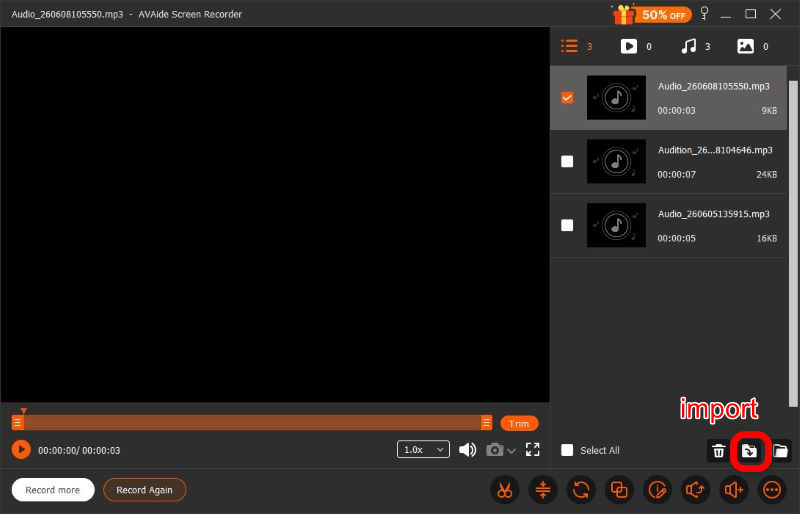
Lydoptagelsestilstanden for AVAide skærmoptager er alsidig og samtidig nem at bruge. Optageren understøtter både systemlyd og mikrofoninput og optager i langt højere kvalitet end onlineværktøjer.
Trin 1Download og installer softwaren.

GRATIS DOWNLOAD Til Windows 7 eller nyere
 Sikker download
GRATIS DOWNLOAD Til Mac OS X 10.13 eller nyere
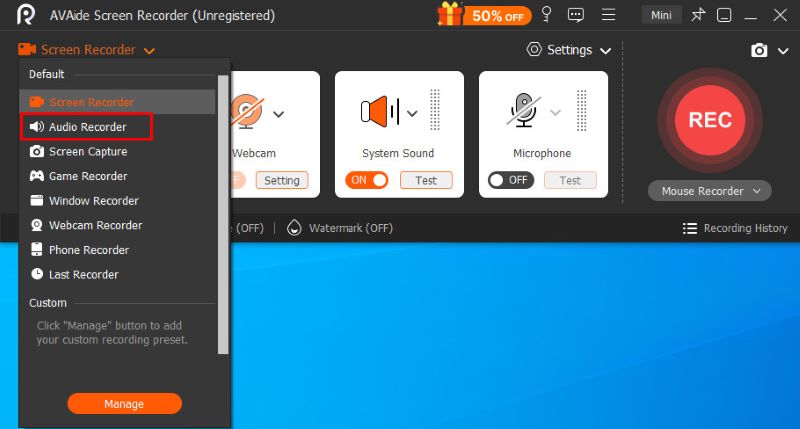
Sikker downloadFor at bruge denne tilstand skal du klikke på Skærmoptager knappen i øverste venstre hjørne og vælg Lydoptager i menuen.
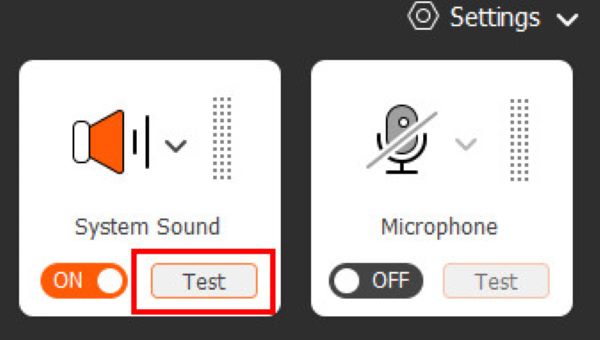
Trin 2Før du starter den egentlige optagelse, kan du klikke på de to knapper System lyd og Mikrofon til højre for at ændre lydindstillinger og se den visualiserede lydstyrke til venstre, og sørg for, at alt fungerer korrekt.
Trin 3Klik på REC knappen for at starte optagelsen. Under optagelsen kan du til enhver tid sætte den på pause eller indstille en planlagt automatisk optagelse ved hjælp af den flydende kontrolbjælke. Når du er færdig, skal du klikke på Rød firkant for at afslutte det og åbne forhåndsvisningsvinduet.
Trin 4Når du er færdig med optagelsen, kan du foretage en række justeringer i forhåndsvisningsvinduet, herunder beskæring, komprimering, fletning og redigering af stemmeoptagelsen, før du klikker Importere nederst til højre og download den i det format, du ønsker. AVAide Screen Recorder er designet til at opfylde alle dine behov. Det er et forsøg værd.
- Fordele
- Enkel og klar brugergrænseflade
- Top lydkvalitet
- Privat og sikker
- Kraftige redigeringsfunktioner
- System og mikrofon understøttet
- Ulemper
- Avanceret redigering kræver et abonnement
2. Audacity (Linux)
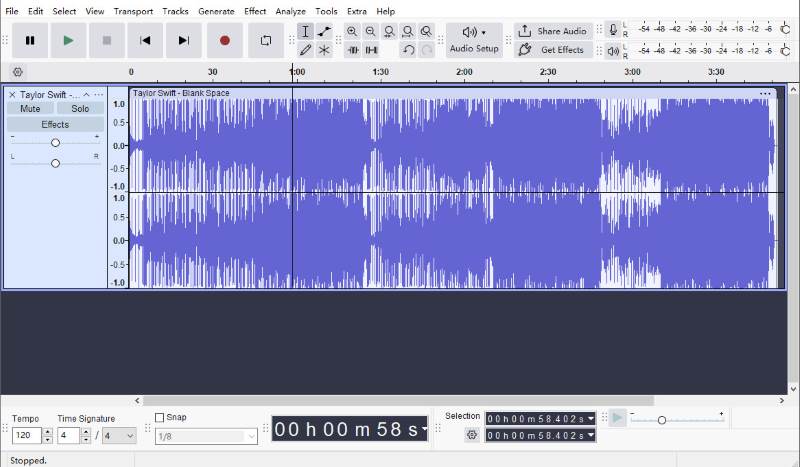
Audacity er en af de mest populære open source-lydoptagere og -editorer, der er tilgængelige til Linux. Den tilbyder langt flere optage- og redigeringsfunktioner end de fleste onlineværktøjer, samtidig med at den forbliver helt gratis.
Du kan trimme optagelser, fjern baggrundsstøj, anvende lydeffekter og gemme filer i forskellige formater. Da alt dette sker lokalt, forbliver dine optagelser private og under din kontrol. Med den nyeste version kan du hurtigt dele lyd via links.
Men med så mange funktioner er Audacitys brugergrænseflade lidt mere kompliceret end andres, hvilket betyder, at det sandsynligvis vil tage dig lidt tid at vænne dig til det.
- Fordele
- Kraftige redigeringsfunktioner
- Helt gratis
- Privat og sikker
- Nem at dele
- Ulemper
- Kompleks brugergrænseflade
3. Nem stemmeoptager (mobile enheder)
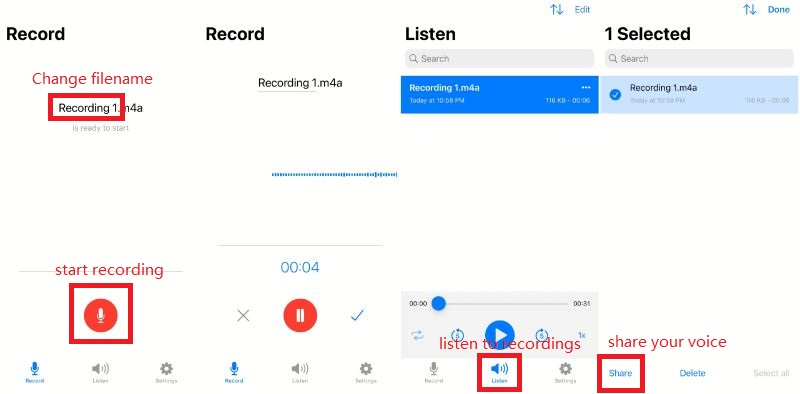
Som navnet antyder, er Easy Voice Recorder en brugervenlig stemmeoptager designet til at optage møder, personlige noter og undervisning tydeligt og uden tidsbegrænsninger i formater som AAC, PCM og AMR for at balancere lydkvalitet og filstørrelse. Den er tilgængelig på både iOS og Android.
- Fordele
- Enkel og hurtig brugergrænseflade
- Høj kvalitet
- Nem at dele
- Privat og sikker
- Ulemper
- Betalt abonnement kræves for avancerede funktioner
Blandt de 7 online stemmeoptagere, plus 3 offline-værktøjer, afhænger det af dine prioriteter at finde den rigtige: brugervenlighed, lydkvalitet, redigering og browserkompatibilitet. De ovenfor gennemgåede værktøjer er blandt de bedste muligheder i 2026, der kan hjælpe dig med at optage lyd hurtigt og uden besvær.
OM FORFATTEREN

Optag skærm, lyd, webcam, gameplay, onlinemøder, samt iPhone/Android-skærm på din computer.