If you got your hands on a Fujifilm digital camera, then you would like to take a lot of pictures. This means your photos will be in the best quality, and even better for editing and printing. However, you might need to look for RAF, the image file format used in many Fujifilm cameras. It is not widely supported, and it can be a problem for sharing. The best thing to do is convert RAF to PNG, and this article will guide you to the recommended tools for conversion.
Part 1: What Is a RAF File
For photography, taking and storing the captured images play a vital role in determining the quality. In this case, a Fujifilm camera has the RAF file format as the viable option. RAF is also known as Fujifilm RAW, a file format for storing unprocessed image data captured by the camera's sensor matrix to prepare for further editing with photo editors like Adobe Lightroom. Another thing worth mentioning is that it's developed to imitate what humans can see, providing special attention to colors and lighting. Which means RAF files are easy to optimize and edit using specialized RAW image editors.
But why convert RAF to PNG if it's overall great as an image format? Practically speaking, RAF is not widely supported because of its codec. This is already a hindrance if you want to share your files across different devices and platforms. On the other hand, converting your photos to PNG gives you an advantage with wider compatibility across OS and editing tools. Also, there will be no quality loss from compression, keeping the original details of your RAF images. Still, you will need a great converting tool to keep your pictures safe. In this case, the following parts of this article will provide you with the best recommended converters.
Part 2: The Easiest Way to Convert RAF to PNG Free Online
If you want a RAF logo PNG without losing the original quality, AVAide Image Converter should be your first choice. The online image converter is developed for powerful conversion, supporting over 100 image formats like GIF, BMP, TIFF, and more. With this tool, RAF can be easily converted not only to PNG, but also to JPG and GIF. It is also designed with a fast-speed conversion process, while protecting the original quality of the photos. Additionally, it does not require any software installation and is free to use. This also means that you can convert multiple files at once without limitations. AVAide Image Converter is a top choice, providing accessible image conversion on your preferred web browser. You can start using this amazing tool by following the steps below:
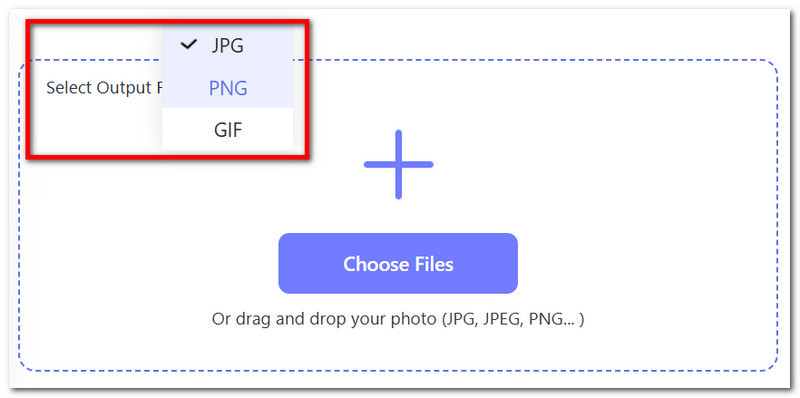
Step 1Go to AVAide Image Converter online. From the Select Output Format, choose PNG as the output image format.
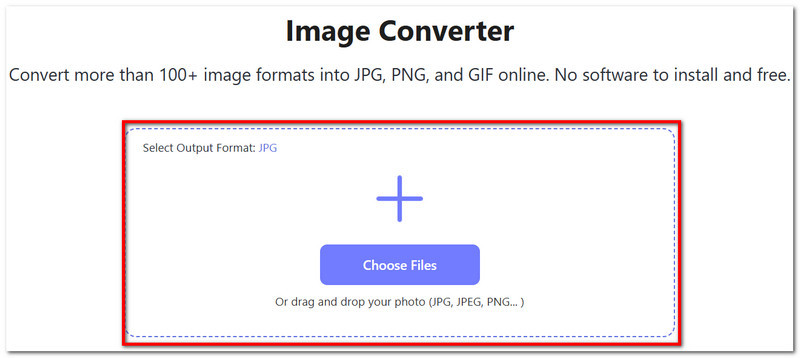
Step 2Upload the RAF file by clicking the Choose Files button. You can also add more files by simply dragging and dropping them into the box.
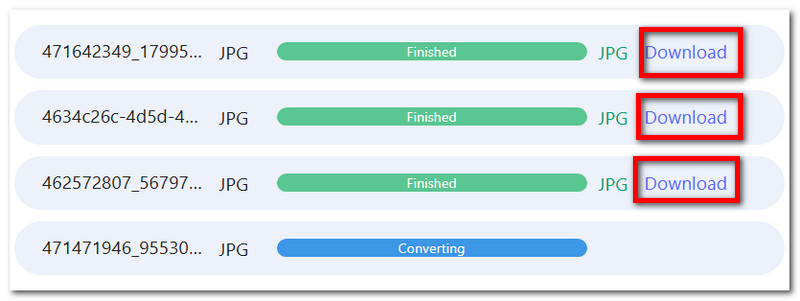
Step 3The process will be quick, and the PNG files are ready to download. You can click the Download button for each file to download it individually.
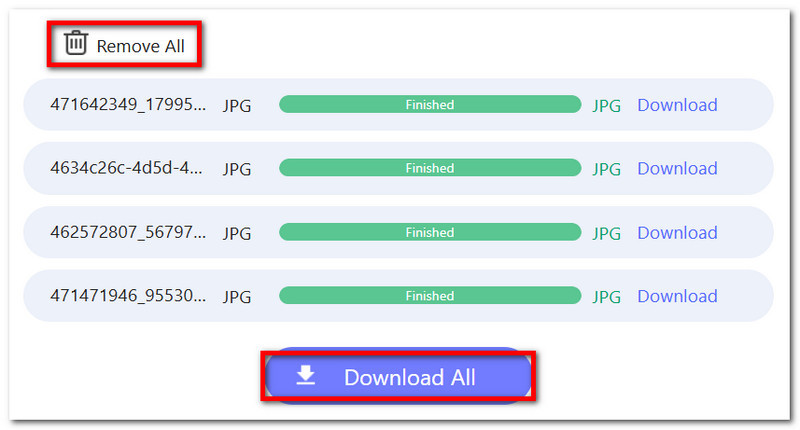
Step 4Once all RAF files are converted to PNG, you can export all at the same time by clicking the Download All button. You can also delete the files manually by clicking the Remove All button.
Part 3: How to Convert RAF to PNG in Adobe Lightroom
Adobe Lightroom is one of the most powerful tools you can use to convert your RAF to professional photos. Unlike Photoshop, Lightroom is developed to help you emphasize your workflow efficiency with the same purpose of providing you with the best result. It is also meant to handle massive volumes of pictures, which is ideal if you are a hobbyist and want to edit captured images seamlessly. On the other hand, converting the RAF roundel PNG will be relatively easy for Lightroom, given that it supports professional file formats for converting, even from SVG to PNG. However, it is worth mentioning that its learning curve is challenging, and it can be hard on your pocket since Lightroom does not come for free. But if you are all set with Adobe Lightroom, follow the steps below to convert RAF files:
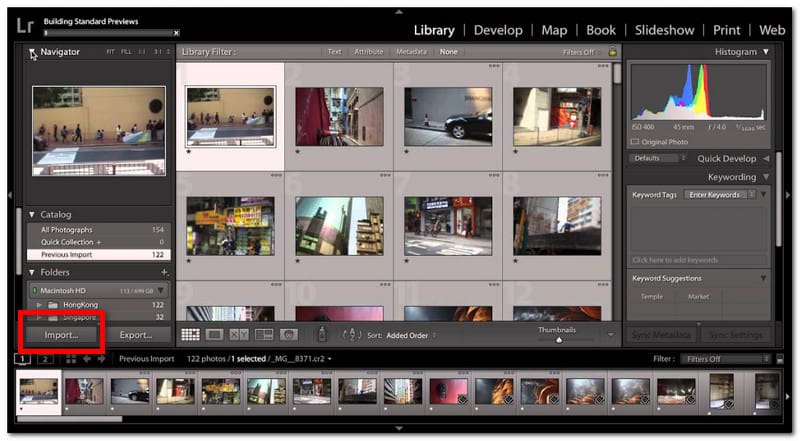
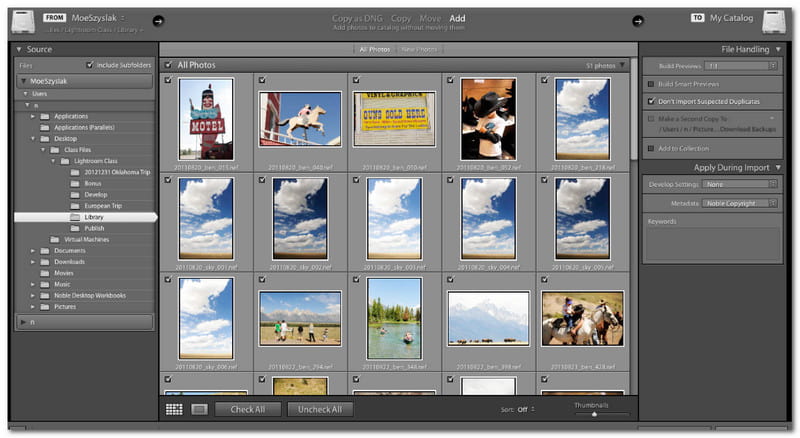
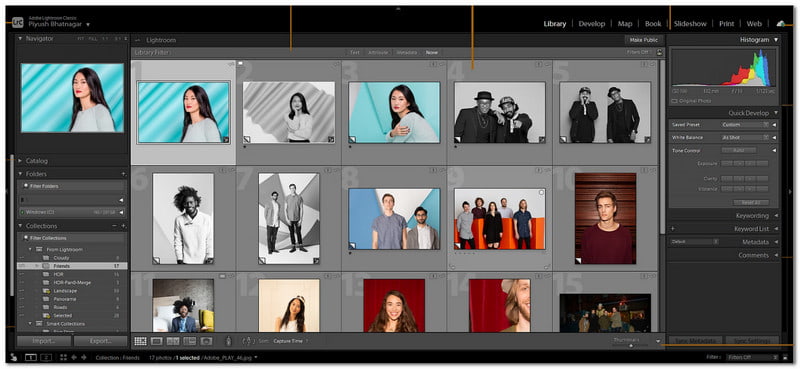
Step 1Open Adobe Lightroom and click Import from the bottom left part of your screen. Upload the RAF file from your folder.
Step 2Optionally, edit the photo using Adobe Lightroom's features. You can adjust the exposure, color, sharpness, highlights, and shadows. Otherwise, the software will keep the default RAW profile once converted to PNG.
Step 3After editing, switch to the Library module. Right-click the uploaded photo, then hover your mouse to Export. Choose Export…
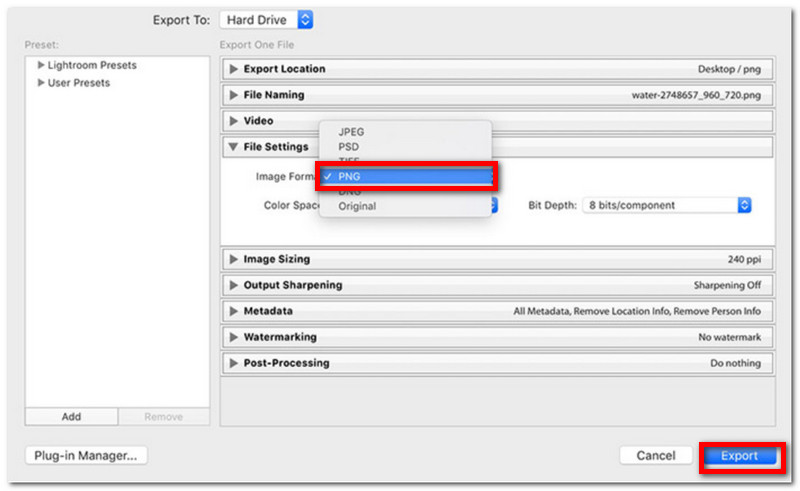
Step 4From the Export window, select PNG as the output format. There are also some options to tweak, such as the color space and bit depth. Once done, specify the folder where you want to store the converted files, then click Export.
Part 4: How to Convert RAF to PNG with RawTherapee
Looking at RawTherapee, it is also a great way to convert your RAF files to PNG. But unlike Adobe, this alternative is free and open-source, meant for developing professional-grade pictures. It is equipped with the best features for editing, such as noise reduction, white balance and color adjuster, and even supports batch-processing of multiple files. On the other hand, RawTherapee supports image formats from other digital cameras like ARW (Sony), CR2/CR3 (Canon), and NEF (Nikon). It is also best for editing and converting TGA to PNG since edits don't change the original file. Moreover, you can get RawTherapee for free, available on Windows, Linux, and macOS. With that said, here's how to convert RAF to PNG with RawTherapee:
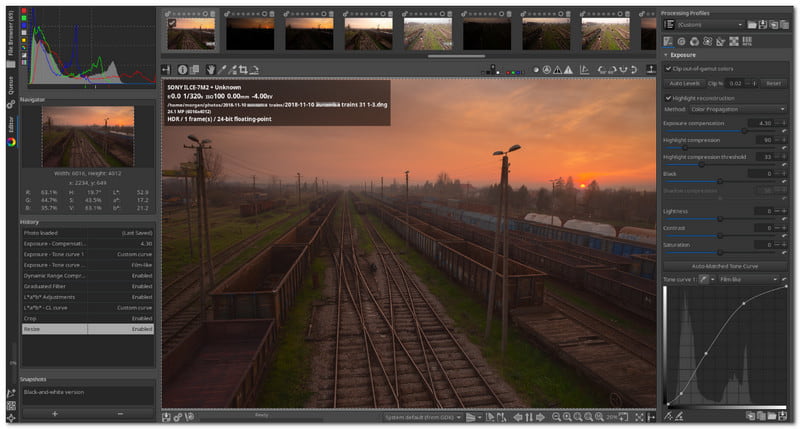
Step 1Download Rawtherapee on your computer. After successfully installing, launch the software and upload the RAF file.
Step 2Since most RAF images look flat, it is recommended to use the tool's editing options to adjust the exposure, highlight, etc.
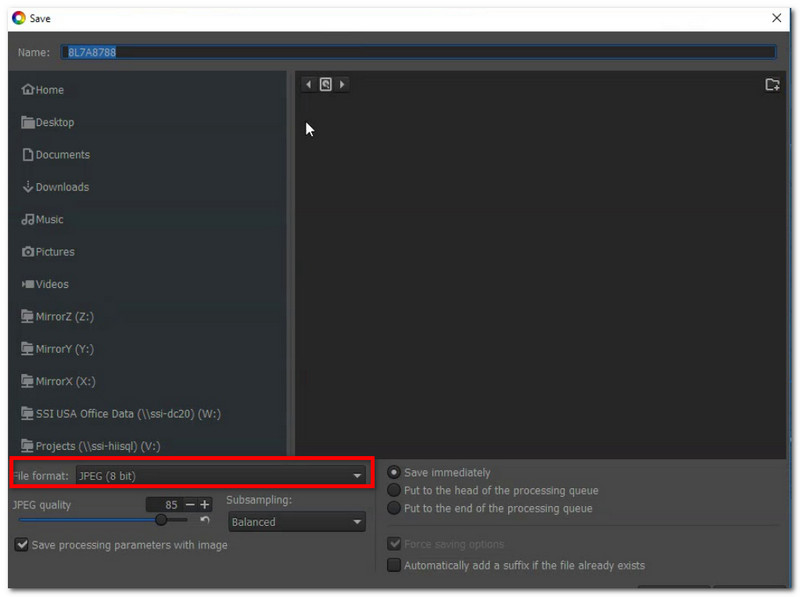
Step 3After editing, click the Save current image button from the disk icon at the bottom part of the screen. From the Save as dialog, choose PNG and the desired Bit depth. Click OK to export.
It is a great deal to convert RAF to PNG, especially if you want your pictures to be of the same quality after processing. That's why this article provides you with the most recommended tools for conversion, to help you change the output format to PNG without worries. With that said, AVAide Image Converter is the ideal converter anyone could ever ask for. Not only is it free and easy to use, but the converter also possesses an outstanding algorithm for lossless image quality. You don't have to bother learning difficult software for conversion. With AVAide, just upload your images and convert them to the desired formats instantly.

You can easily convert your photo from any image format to a popular JPG, PNG, or GIF with no quality loss.
PROCESS NOW