Have you ever captured several beautiful clips on your phone or camera, only to realize they would tell a much better story if they were one single file? Whether you are a budding YouTuber, a social media influencer, or just someone who likes sharing their stories online, knowing how to merge videos is a fundamental skill. A great video merger does more than just join videos together, but it also preserves the resolution, provides lossless quality, and allows for minimal editing upon merging. In this review, we will be reviewing the top ways to do this and help you pick the best video merging software depending on your device and required features.

Part 1. What Is a Video Merger

A video merger, commonly a feature of video editing software, is a specialized function meant to take two or more distinct video files and connect them into one continuous clip. However, a standalone video merger focuses on the sequence and flow of your clips, unlike complex video editors that focus on heavy layering and VFX.

If you're wondering about the best app to merge videos and how it works, the software aligns the data streams of the files. Moreover, if you are also thinking of how to merge MP4 video with audio, a good merger also allows you to layer a separate music track over your combined visuals. This process is essential for creating montages, presentations, or long-form vlogs from shorter content.

Part 2. How to Choose the Best Video Merger

Choosing desktop software or an online video merging tool may feel kind of confusing because there are countless selections out there. Here are some aspects to consider:

  • Lossless Quality: Best internet programs will merge videos online and not re-encode, so the videos are not "pixelated" after you save them.
  • Format Compatibility: Read on specifications, especially if the tool is able to read many formats, including MP4, AVI, or MOV.
  • Speed and Acceleration: To make sure you can merge movies and save a ton of valuable time, look for options like GPU acceleration.

Part 3. Top 10 Video Merger Apps for Your Reference

1. AVAide 視頻轉換器

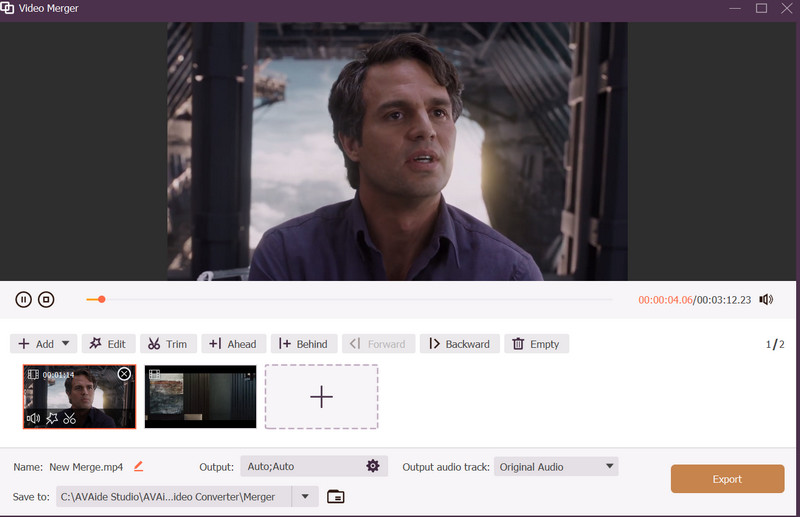
As a reliable video merger, AVAide 視頻轉換 is a premier all-in-one solution suitable for both advanced and new editors. It comes with a cutting-edge GPU acceleration technology for lightning-fast efficiency when merging videos together. Hence, you have more time to produce and less time for waiting for exports. Its ability to combine videos without sacrificing quality is one of its biggest benefits.

And yes, it supports a wide range of file types, including MP4, MOV, and MKV. Aside from that, you don't need to worry about laggy processes as this video merger offers a smooth process for adding background music, text overlays, layering soundtracks, and adjusting volume. Moreover, combining photos will not decrease the quality of the final output. Instead, they will stay sharp even if you are putting together videos from social media platforms.

Video Merger App Review AVAide

2. Adobe Express

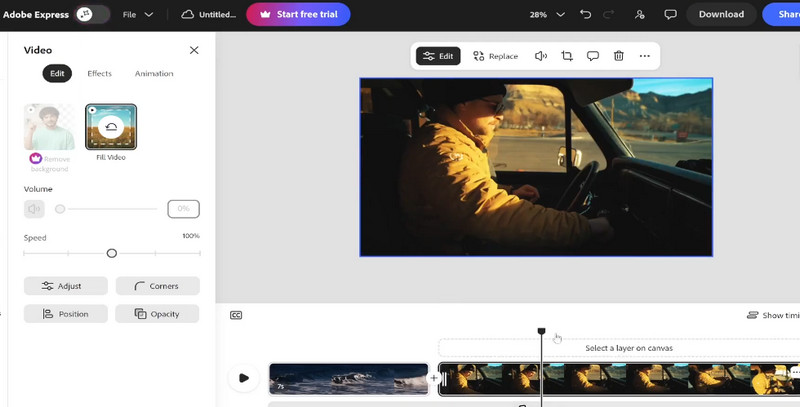
Adobe Express serves as a strong video merger online for free, and it lets people use advanced editing right in the web browser. You are able to merge clips on the internet just by dragging them, so this tool is good for people who do not want to install big programs. The "Fit to Frame" option keeps video parts in the same aspect size, making it good for making videos for social sites.

Adobe Express Combine Videos

3.i電影

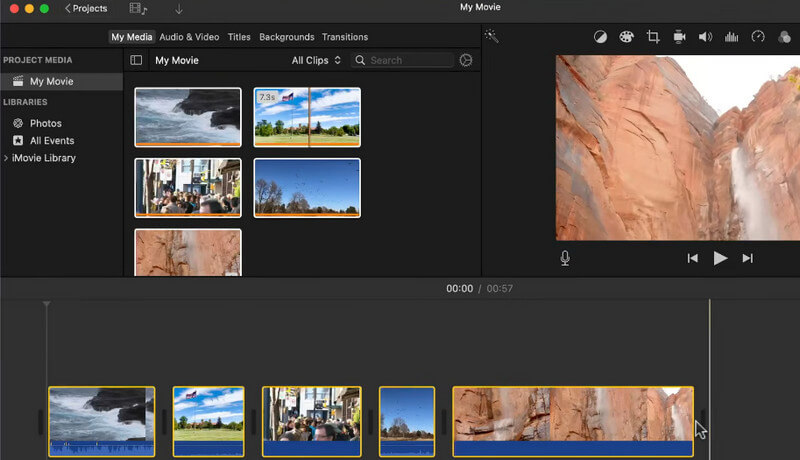
If you spend most of your time with Apple products, iMovie is usually the main app for merging videos, and both Mac and iOS devices get it for no extra money. It is quite simple for users who want to find out about how to merge videos on iPhone, including tools such as "Magic Movie," which makes clips join together automatically in a stylish way. You can use this app for 4K, so the finished result looks high-quality on the screens.

iMovie Merge Videos

4.畫布

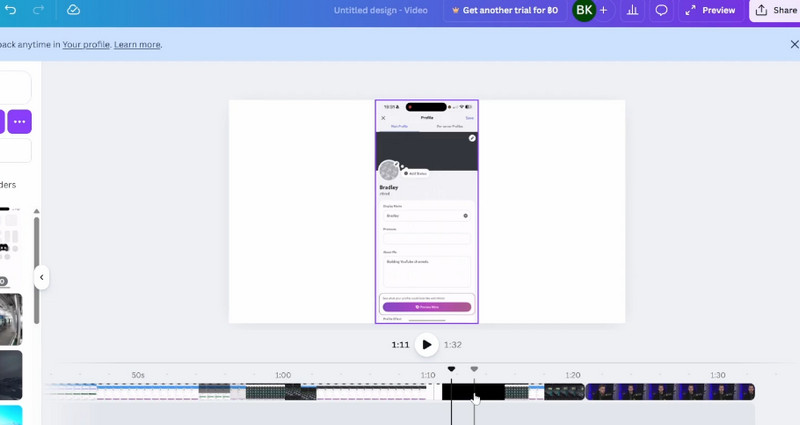
Known for its design prowess, Canva has become a top-tier online video merger. It is a great choice when you need to merge videos online for free and add branding elements like logos and text. The platform features "Beat Sync," which helps you merge videos and automatically align transitions to your chosen audio track, making it a highly creative merger for video with audio as well. And since it supports the aspect ratio for social media platforms, you can make a video collage for Instagram using this solution.

Canva Merge Videos

5. CapCut

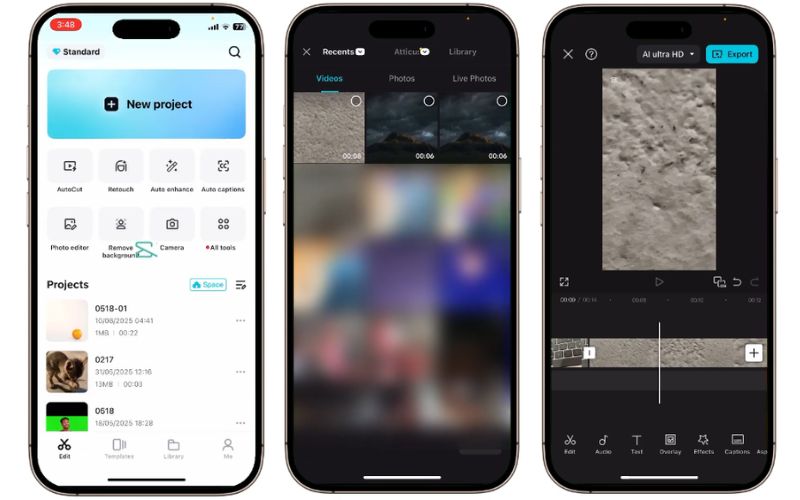
CapCut is a trendy video merger designed for the mobile-first creator. If you want to know how to merge iPhone videos for viral success, this tool provides an intuitive layered timeline and a library of transitions. It allows you to merge videos together while adding unique AI effects, making it a top choice for those looking for versatility.

CapCut Merge Videos

6. PowerDirector

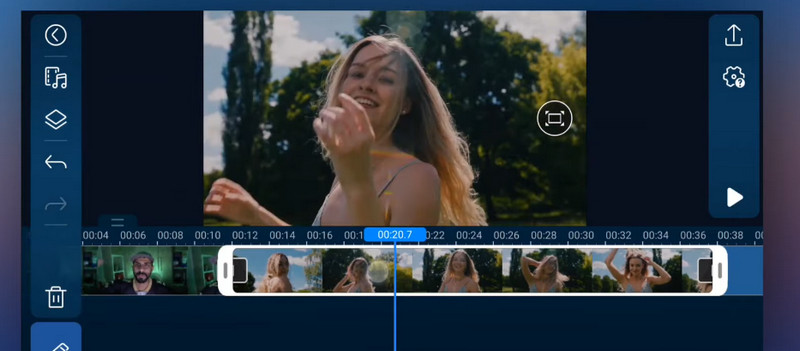
PowerDirector offers a professional environment with advanced controls. This video merger app features a magnetic timeline and video stabilization, making it perfect for combining action-packed clips. It is a reliable video merger for both Windows and mobile users who need a high-quality, lossless export for their merged files.

PowerDirector Joining Videos

7. VEED.IO

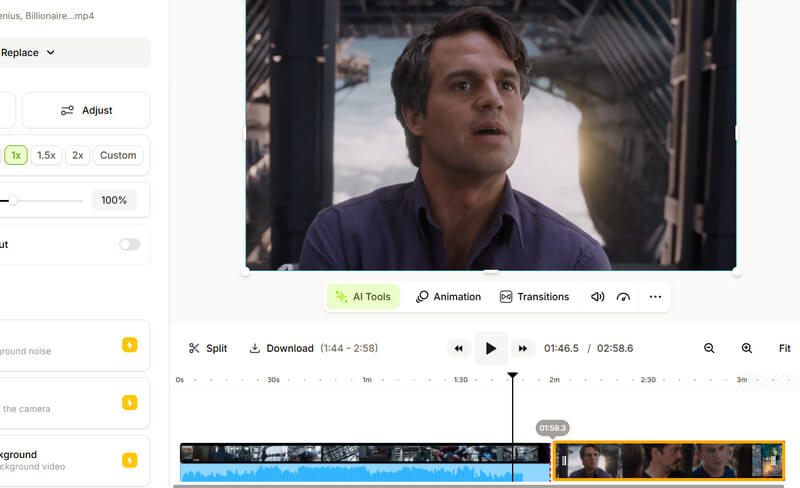
VEED.IO is an excellent video merger online free platform that operates entirely in the cloud. It's the perfect answer for those who want to merge videos without wanting to wait for a download. This online merger also includes AI tools to generate subtitles and clean background noise, making it highly efficient.

VEED.IO Merge Videos

8. Wondershare Filmora

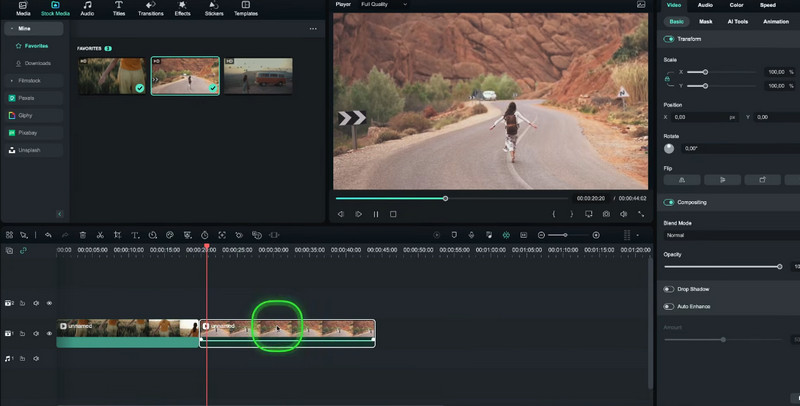
Filmora is a versatile app to merge videos that bridge the gap between basic and pro editors. It allows you to merge videos together with hundreds of artistic transitions and specialized effects. For those wanting a specific look, it offers color grading tools and a mobile version for editing while traveling.

Filmora Merge Videos

9. InShot

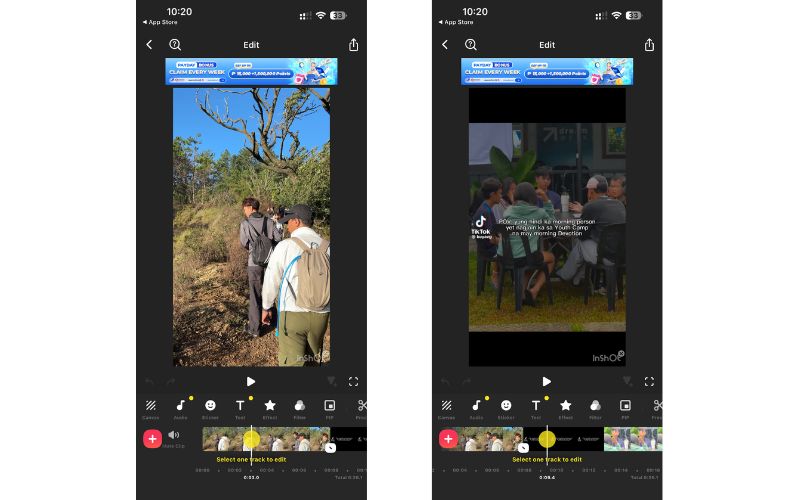
InShot is a user-friendly merger that is popular and renowned for being fully capable on mobile devices. The merging capability is simplified by its straightforward plus button on the timeline to help you join clips in no time. In fact, users prefer this tool because they can resize the canvas for different social media platforms where they typically post. Indeed, you can combine videos on an iPhone and Android using this program.

InShot Merge Videos

10. Clideo

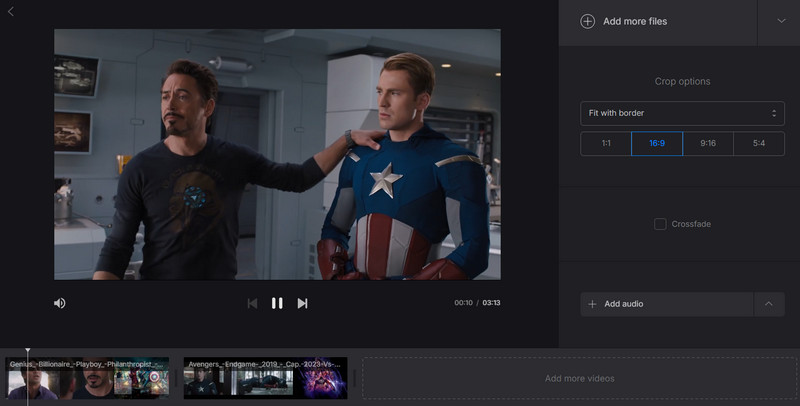
For maximum simplicity, Clideo can fully meet your expectations as a dedicated video merger app. The program features a single-purpose interface, allowing you to directly and instantly merge videos without extra steps. With that in mind, this tool is ideal if you are a user who wants to merge videos without getting lost in complex menus.

Clideo Merge Videos

Part 4. Comparison of the Video Mergers at a Glance

With all the amazing video merger options listed above, it can be tough to choose the best one for you. Luckily, we have that covered, as you can see in the table below, the performance of each software for different criteria.

工具 平台 無損質量 處理速度 使用方便
AVAide 視頻轉換 視窗/蘋果機 出色的 Ultra-Fast (GPU) 高的
Adobe Express 在線的 高的 Fast (Cloud) Very High
電影 iOS/Mac 高的 快速地 高的
卡普切 Mobile/PC 高的 快速地 Very High
帆布 在線的 緩和 緩和 Very High
威力導演 視窗/蘋果機 高的 快速地 緩和
InShot Mobile 緩和 快速地 Very High
VEED.IO 在線的 緩和 快速地 高的
菲爾莫拉 視窗/蘋果機 高的 快速地 緩和
克萊迪奧 在線的 基本的 緩和 Very High
結論

學習 how to merge videos is not always a very hard thing to do with technology. You can use a dedicated video merger app, and you can also use some kind of flexible video merger, but what matters is the story and not making your original clips look worse. If people want the right combination of fast use, easy workflow, plus professional stuff, AVAide Video Converter is a very good choice to merge videos and, in just a few minutes, get impressive results. Favor the tools that keep lossless merge and use GPU so videos stay clear for any place to show, you know.

經過 本·卡特 on 6 月 03, 2026

關於作者

本·卡特
本·卡特

本·卡特是一位資深多媒體編輯,擁有超過十年的影片剪輯和音訊後製經驗,專注於數位學習和行銷內容。他曾為多個發布平台剪輯教學、宣傳影片和結構化訓練教材。他的工作幫助創作者匯出適用於不同設備和傳播管道的高品質內容。

相關文章