想找一款可以直接在瀏覽器中運作的最佳免費錄音軟體嗎?你來對地方了。
本指南揭示了評分最高的 線上錄音機 將於 2026 年上市。為了幫助您找到完美的工具,我們根據五個關鍵因素測試了數十個平台:用戶友好的設計、清晰的音訊品質、內建編輯功能、跨裝置相容性和資料安全性。
無論你需要快速錄製語音筆記、錄製播客,還是保存線上會議,這7款基於網路的錄音工具都能立即幫你搞定。最棒的是,它們無需安裝任何軟體,完全免費,而且可以在任何連網裝置上完美運作。
第一部分:線上錄音筆的選擇要點
選擇合適的線上錄音工具完全取決於您的需求。無論您是錄製簡短的商務會議、播客節目還是保存講座,在點擊錄音之前,您必須考慮以下 5 個關鍵因素:
高音頻品質: 支援 MP3(檔案大小小)和 WAV(無損音質)等清晰格式,並具有高位元率。
100% 隱私與安全: 音訊處理在瀏覽器本地進行,因此您的私人語音資料永遠不會上傳到雲端伺服器。
無需安裝: 無需下載,即可在所有瀏覽器(Chrome、Safari、Edge)和裝置(PC、Mac、iPhone、Android)上立即使用。
內建編輯工具: 包含簡單易用的免費功能,可一鍵剪下靜音部分、調整音量或消除背景雜訊。
無隱藏限制: 提供無限錄音時間和免費下載,且不添加煩人的浮水印或音訊標籤。
第二部分:七大線上錄音工具概覽
您可以簡要地了解我們測試過的7款優秀的線上錄音軟體的資訊。您可以在這裡選擇您想要的軟體。
| 錄音機 | 簡潔的使用者介面 | 高音頻品質 | 內建編輯 | 完全相容 | 重點亮點 |
| Rev 在線錄音機 | 是的 | 是的 | 不 | 是的 | 高級語音轉文本轉錄預覽。 |
| 沃卡羅 | 是的 | 基本的 | 不 | 是的 | 透過直接連結或二維碼即時分享。 |
| Apowersoft 線上錄音機 | 是的 | 是的 | 不 | 是的 | 同時錄製麥克風音訊和系統音訊。 |
| BearRecord | 不 | 是的 | 是的 | 是的 | 保存前進行現場音訊剪切和編輯。 |
| Veed.io | 是的 | 是的 | 是的 | 是的 | 高級人工智慧編輯和轉錄(付費功能)。 |
| 說話管道 | 是的 | 是的 | 不 | 是的 | 一鍵式連結分享小工具。 |
| 快樂抄寫員 | 是的 | 是的 | 不 | 是的 | 快速、多語言自動轉錄。 |
第三部分:7 款最佳線上錄音機的詳細評測
現在,讓我們深入了解這7款優秀的線上錄音工具。
第一名:Rev線上錄音機
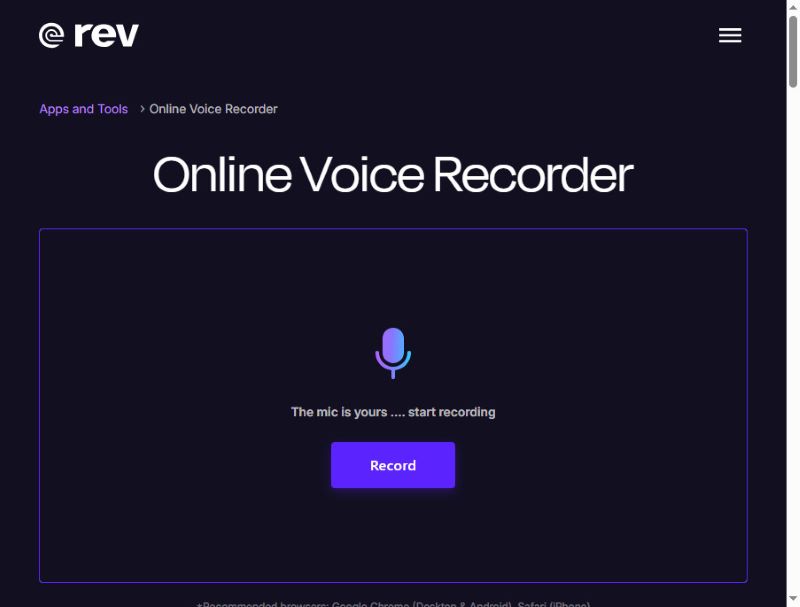
Rev Online Voice Recorder 是一款外觀時尚的線上錄音軟體,擁有現代感十足的黑紫色介面。它能錄製高品質音訊並保存為 WAV 格式。更重要的是,您的錄音僅保存在本地,不會上傳到伺服器。
獨特之處: Rev Online Voice Recorder 可以在錄音過程中將您的聲音轉錄成字幕——不過這項服務是付費的。儘管如此,這款瀏覽器錄音機作為免費錄音工具仍然非常出色。
- 優點
- Rev擁有清晰的介面和簡單的工作流程。
- 您可以預覽您的錄音。
- 這款線上錄音機無需登入即可開始錄音。
- 缺點
- 音訊編輯功能相當有限。
- 轉錄服務並非免費。
前兩名:Vocaroo
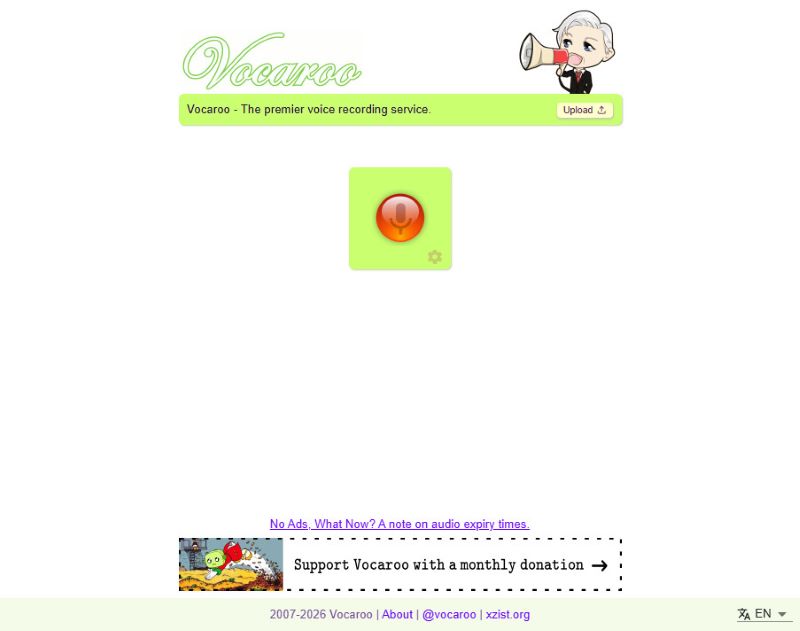
Vocaroo 是一款免費的線上錄音工具,以其簡潔易用而聞名。點擊中間的紅色按鈕即可開始錄音,再次點擊即可停止。當然,簡單易用也有缺點,例如你無法在網站上進行任何編輯。
獨特之處: 錄音完成後,您可以將聲音直接分享到您的社交媒體,既可以直接分享,也可以透過產生的連結和二維碼分享。
- 優點
- 這款瀏覽器錄音機使用起來極為簡單。
- 它在大多數瀏覽器中都能流暢運作。
- 您可以直接分享您的錄音。
- 它支援多語言轉錄。
- 缺點
- 這款線上麥克風錄音工具沒有編輯功能。
前三名:Apowersoft 線上錄音機
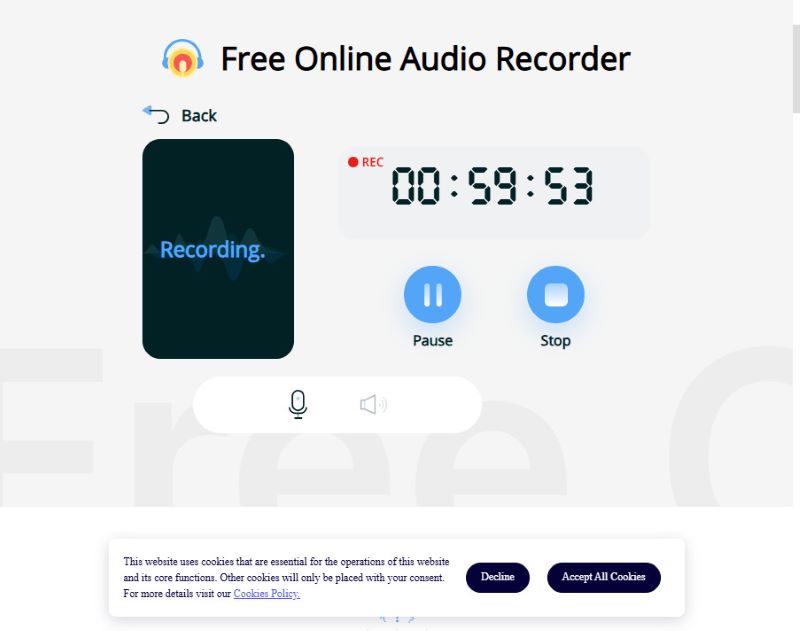
Apowersoft 可以同時錄製您的聲音和系統音頻,適合錄製直播或旁白。但這款線上錄音機的許多高級功能需要註冊或在應用程式中使用。雖然免費線上版只能錄製不到 1 小時,但對大多數用戶來說已經足夠了。
如果錄製時間有限不是問題,因為你只需要一次快速錄製,那麼 Apowersoft 就是你的理想選擇。
獨特之處: Apowersoft 線上錄音機支援麥克風和系統音訊錄製。
- 優點
- 這款線上錄音機可以錄製麥克風和系統聲音。
- 輸出音訊錄音的音質非常高。
- 免費線上版本的使用時間限制非常合理。
- 缺點
- 您需要註冊帳號並登入才能分享您的錄音。
前四名:BearRecord
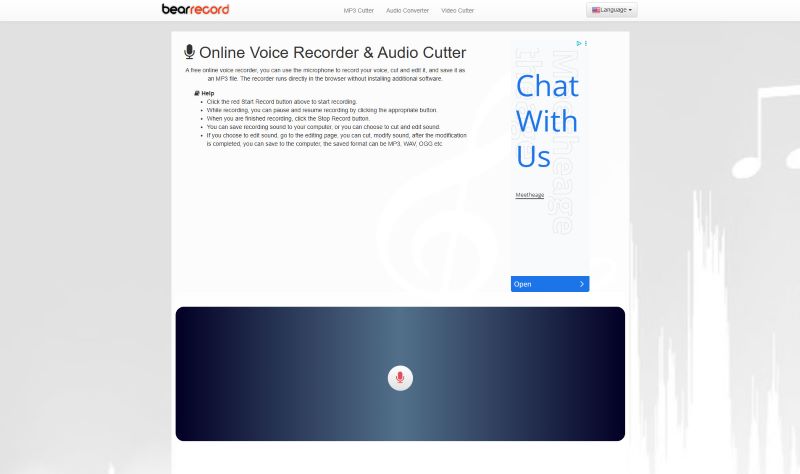
BearRecord 是一款免費的線上錄音工具,它提供基於瀏覽器的工具,讓您在儲存錄音之前進行簡單的編輯。它的介面非常簡潔,可以幫助您快速開始和完成錄音。然而,這款線上錄音工具有一個明顯的缺點:網頁上會顯示固定廣告。
獨特之處: 您可以直接在網站上調整音調和音量、套用淡入淡出效果或變更儲存格式,無需安裝任何軟體。
- 優點
- 這款線上錄音工具提供基本的編輯工具。
- 它作為一款免費錄音機,可以提供高品質的音訊。
- 無需登入。
- 缺點
- 網頁上有廣告彈跳窗。
前五名:Veed.io
Veed 是免費的線上錄音工具,內建多種瀏覽器編輯工具,適合休閒和專業用途。您可以無限次重錄音訊。您可以選擇僅錄製音訊(系統音訊或麥克風音訊),也可以同時錄製桌面螢幕。疊加效果非常流暢,沒有延遲。但是,這款線上錄音工具不支援將錄音匯出為 MP3 或 WAV 等音訊格式。您只能獲得一個包含錄音和黑屏的影片。
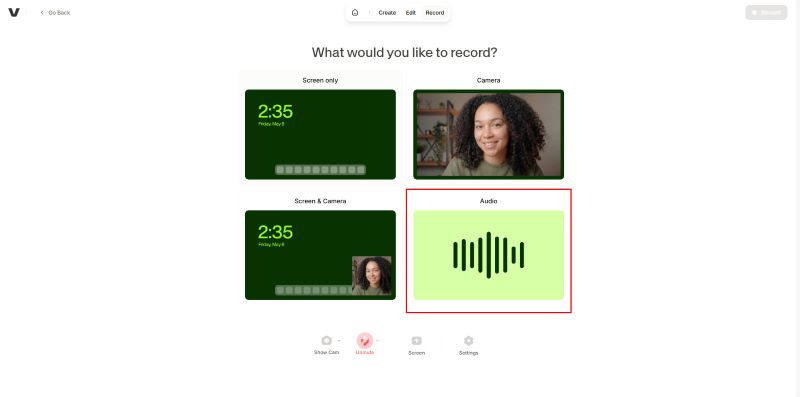
獨特之處: Veed是一款免費的線上錄音機,提供AI轉錄和AI編輯的免費試用版。但要使用更高級的功能,您需要付費訂閱。
- 優點
- 這款線上錄音工具擁有用戶友善的介面。
- 它提供了許多內建的編輯工具。
- 您可以嘗試它的AI轉錄功能。
- 缺點
- 雖然你可以只錄製音頻,但這樣會強制你導出為黑屏視頻。
- 部分編輯功能需要登入。
前六名:SpeakPipe
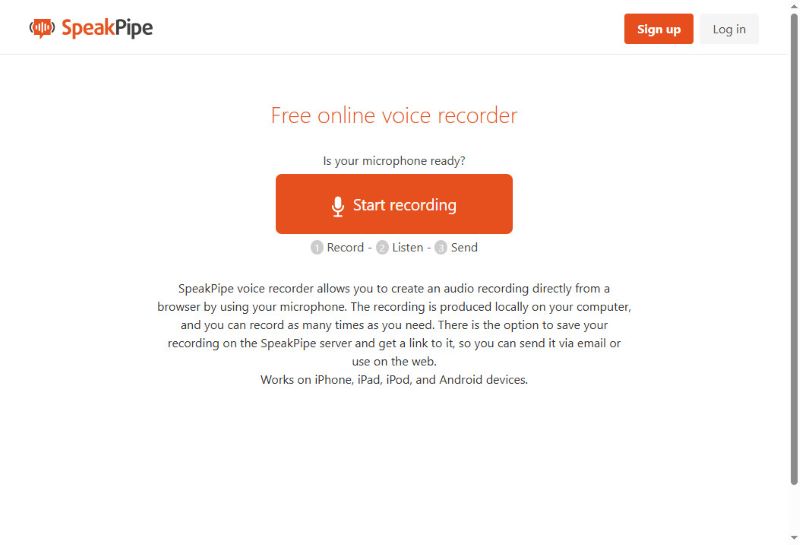
SpeakPipe 是一款基於瀏覽器的語音錄製工具,專為快速、無限的語音留言而設計。這款線上語音錄製工具在流暢的語音錄製和即時分享方面也表現出色。您可以將錄音儲存到雲端,或直接分享到社群媒體。您甚至可以建立一個獨立的個人化頁面,作為公共語音信箱,供客戶、學生或聽眾留言。
獨特之處: 使用這款線上錄音機錄音後,您可以將音訊檔案儲存到伺服器,並透過產生的連結輕鬆發送。對於想要錄製短音訊與他人分享的用戶來說,這是一個不錯的選擇。
- 優點
- 您可以輕鬆地分享您的錄音。
- 這款線上錄音工具可在所有裝置和瀏覽器上運作。
- 無需登入即可立即錄音。
- 缺點
- 它的編輯功能非常有限。
前7名:HappyScribe
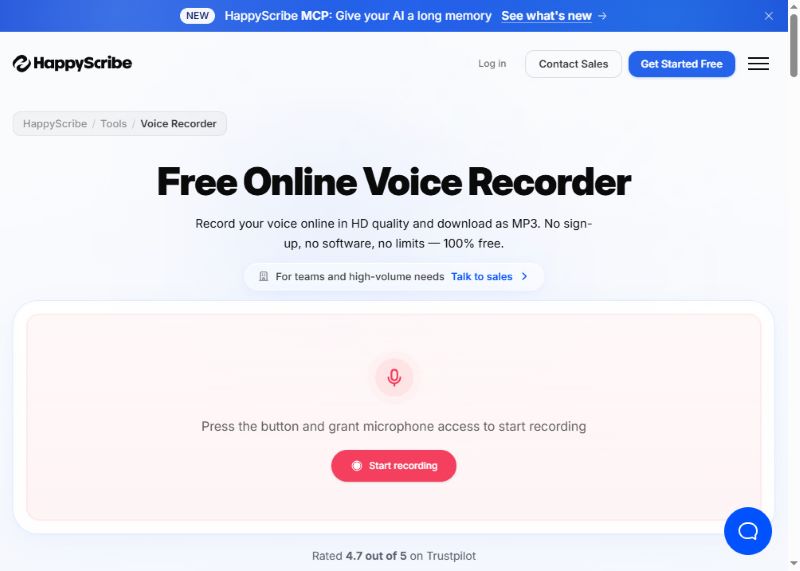
HappyScribe 是一款簡單易用的線上錄音工具,可高品質錄製語音並儲存為 MP3 檔案。它還提供多種語言的自動轉錄功能。最讓我印象深刻的是它的筆記功能。假設您正在錄製會議,這款線上錄音工具可以幫助您自動記錄筆記。之後,您可以將錄音文件和文件文件一起匯出。
獨特之處: 你的聲音將以高清音質錄製,並以極快的速度保存。它還可以將你的錄音轉錄成文字;這對於記筆記或快速記錄想法非常有用。
- 優點
- 它擁有簡潔的使用者介面,但卻具備許多強大的高級功能。
- AI轉錄功能非常強大,可以匯出文件檔案。
- 它更像是一款人工智慧錄音助理。
- 缺點
- 許多功能需要登入。
第四部分:最佳離線錄音軟體推薦
雖然線上錄音機快速又便捷,但通常編輯工具有限,而且有潛在的隱私問題,因為它們可能會將您的錄音檔案保存在伺服器上。為了獲得更安全、更豐富的錄音體驗,我們更推薦使用離線獨立錄音機。以下是一些適用於不同設備的優秀離線錄音機。
1. AVAide 螢幕錄影機(Windows 和 Mac)
音訊錄製模式 AVAide 屏幕錄像 它功能全面且易於使用。此錄音機支援系統音訊和麥克風輸入,錄音品質遠高於線上工具。
步驟1下載並安裝軟體。

 安全下載
安全下載
若要使用此模式,請點選 屏幕錄像 點擊左上角的按鈕並選擇 錄音機 在選單中。
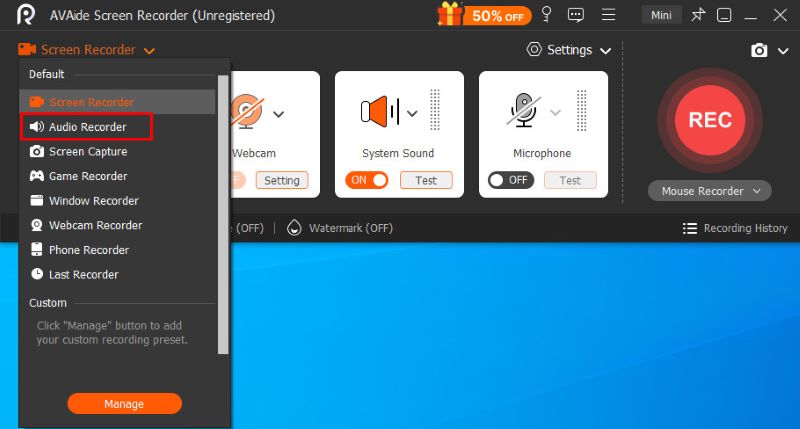
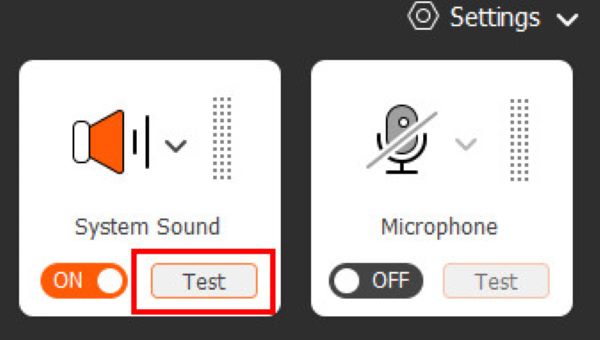
第2步在正式開始錄製之前,您可以點擊這兩個按鈕。 系統聲音 和 麥克風 在右側更改音訊設置,並在左側查看可視化的音量,確保一切運作正常。
第 3 步點擊 錄音 點擊按鈕開始錄製。錄製過程中,您可以隨時暫停,或使用浮動控制列設定定時自動錄製。錄製完成後,點選… 紅方格 結束目前操作並開啟預覽視窗。
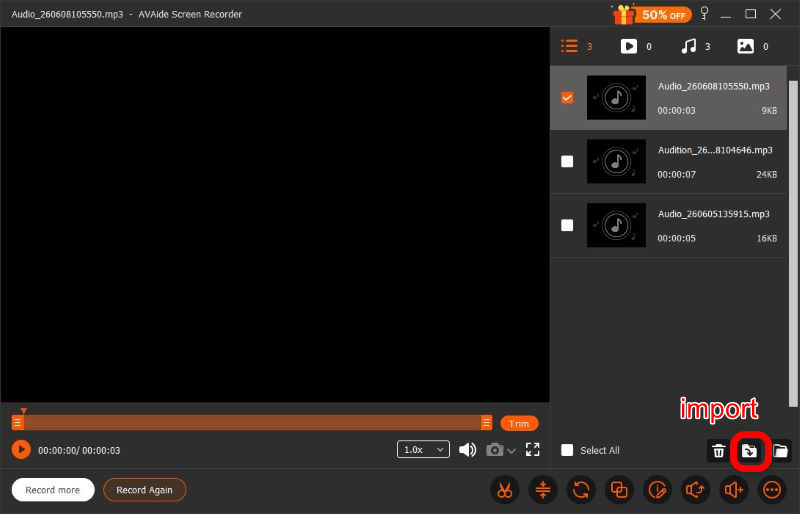
步驟4錄製完成後,您可以在預覽視窗中進行一系列調整,包括剪輯、壓縮、合併等。 編輯錄音點擊之前 進口 點擊右下角,即可下載您需要的任何格式的檔案。 AVAide 螢幕錄影機旨在滿足您的所有需求,值得一試。
- 優點
- 簡潔明了的使用者介面
- 頂級音質
- 私密且安全
- 強大的編輯功能
- 系統和麥克風支援
- 缺點
- 進階編輯功能需要訂閱
2. Audacity(Linux 版)
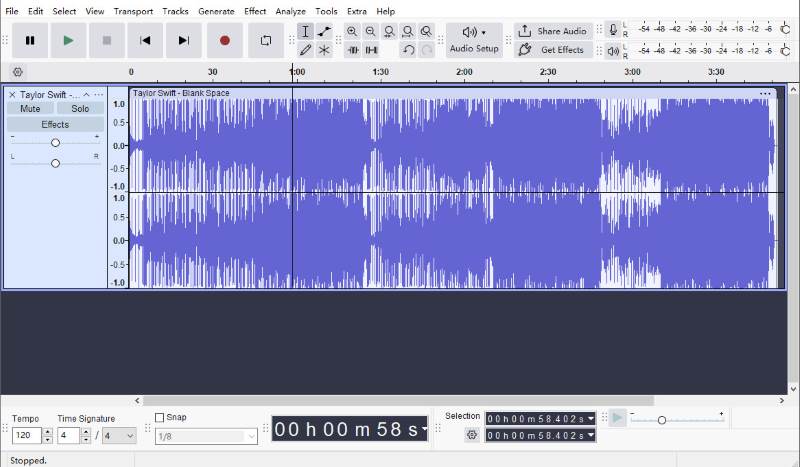
Audacity是Linux系統上最受歡迎的開源音訊錄製和編輯軟體之一。它提供的錄製和編輯功能遠遠超出大多數線上工具,而且完全免費。
您可以剪輯錄音, 去除背景噪音您可以新增音訊效果,並將檔案儲存為多種格式。由於所有操作都在本地進行,因此您的錄音始終保持私密,並完全由您掌控。最新版本還支援透過連結快速分享音訊。
然而,由於 Audacity 的功能眾多,其使用者介面比其他軟體的使用者介面要複雜一些,這意味著你可能需要一些時間才能習慣它。
- 優點
- 強大的編輯功能
- 完全免費
- 私密且安全
- 易於分享
- 缺點
- 複雜使用者介面
3. 簡易錄音機(行動裝置)
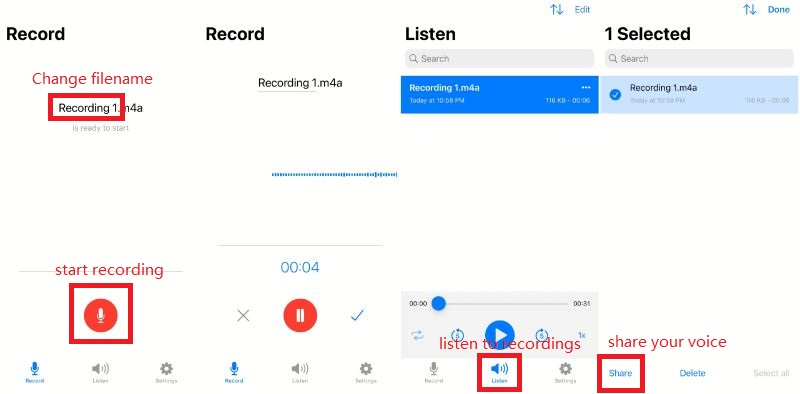
如其名,Easy Voice Recorder 是一款簡單易用的錄音軟體,旨在清晰、無時長限制地錄製會議、個人筆記和課堂內容,並支援 AAC、PCM 和 AMR 等多種音訊格式,以兼顧音質和檔案大小。該軟體同時支援 iOS 和 Android 系統。
- 優點
- 簡潔快速的使用者介面
- 高品質
- 易於分享
- 私密且安全
- 缺點
- 高級功能需要付費套餐
在7個 線上錄音機此外,還有 3 款離線工具可供選擇。找到合適的工具取決於您的優先考慮因素:易用性、音訊品質、編輯功能和瀏覽器相容性。以上介紹的工具是 2026 年最佳選擇之一,可協助您輕鬆快速地錄製音訊。
關於作者

在您的計算機上錄製屏幕、音頻、網絡攝像頭、遊戲、在線會議以及 iPhone/Android 屏幕。