A typical identity for many users is to just download the screen recorder extension they come across, only to later wonder after recording, 'Why is there a lag?' or 'Why is the file size so large?' The best video recording involves frame rate, permissions, codec, support, and easy user controls. Knowing that, you won't need to do any editing later. In the sections we highlighted here, you will learn how to evaluate and choose the best tools for your browser.

Quick Comparison: Best Screen Recorder Extensions by Browser

浏览器 Top Pick 最适合
铬合金 织机 It is best for fast tutorials, team communication, and instant video sharing through links.
Firefox Awesom Screenshot & Screen Recorder It is best for capturing screenshots with annotation tools and for quick, browser-based recording.
Safari ScreenApp It is best for simple browser-based recording with instant capture and audio support on Mac.
Opera Scre.io Screen Recorder It is best for lightweight screen recording with microphone audio for quick demos and walkthroughs.

Part 1. Best Screen Recorder Extensions for Chrome

织机 is a popular Chrome extension for quick screen recording and video sharing. You can record your browser tab, whole screen, webcam, or mic with this tool. It creates a shareable link after recording that facilitates quick communication, idea sharing, and collaboration. It is commonly used in workplaces and education because it reduces the need for large video file transfers, making it a reliable Chrome screen recorder. As a browser screen recorder, Loom is valued for its speed, simplicity, and team-friendly workflow.

织机
优点
Quick one-click recording in Chrome
Records the screen, webcam, and microphone together
Instant shareable video links
简洁易用的界面
Good for team communication and tutorials
缺点
The free plan has feature limitations
Requires internet for sharing and cloud access
Advanced editing tools are behind a paywall
Cloud storage may not suit privacy-focused users

Part 2. Best Screen Recorder Extensions for Firefox

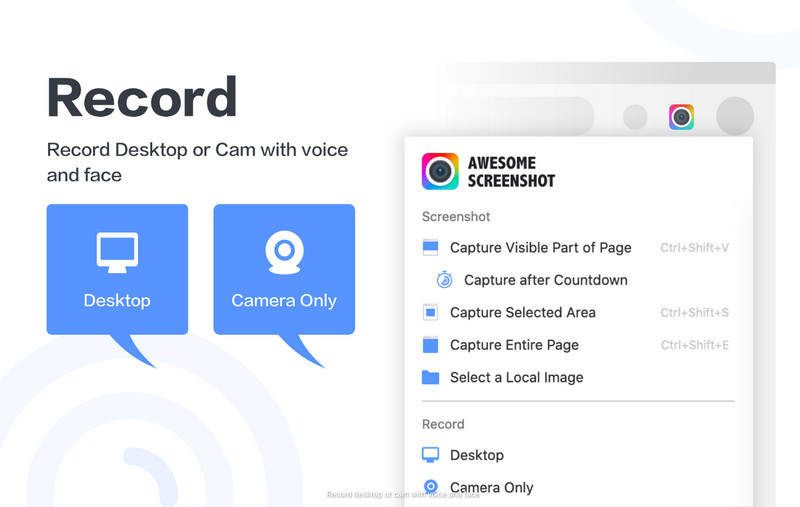
Firefox users looking for a single extension to take screenshots and record videos should consider Awesome Screenshot & Screen Recorder. You can record your browser tab, desktop, or webcam, so it's great for sharing tutorials, updates, work projects, product demos, and customer support. It also has screenshot and note-taking capabilities, allowing you to snap an image and add comments without downloading another browser extension. As a Firefox screen recorder, it stands out for combining multiple tools into a simple, efficient workflow.

Awesome Screenshot
优点
Records tab, desktop screen, and webcam
Includes screenshot and annotation tools
Easy sharing options after recording
Good for tutorials and remote work
Simple interface for beginners
缺点
Some advanced features require a paid plan
May request broad browser permissions
Performance can vary on older devices
Cloud storage may not suit privacy-focused users

Part 3. Best Screen Recorder Extensions for Safari

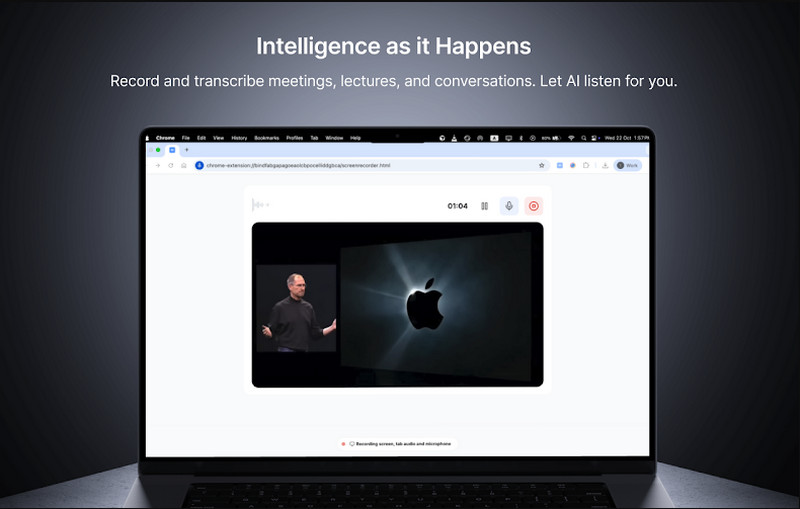
ScreenApp is a browser-based application that integrates with Safari and doesn't require any installation. Users can capture their browser tabs, windows, and system sounds in a single interface, making it ideal for creating tutorials, online lessons, and documenting processes. It uses the browser to run the recording tool, with options for immediate download for sharing or sharing to social media. As a Safari screen recorder, it is designed for users who want quick capture without relying on additional desktop software.

ScreenApp
优点
Works directly in Safari without full installation
Records browser tabs and system audio
Simple one-click recording workflow
Supports instant MP4 download
Suitable for tutorials and online learning
缺点
有限的高级编辑功能
Requires stable internet for best performance
The free plan may have usage limits
Less flexible than full desktop screen recorders

Part 4. Best Screen Recorder Extensions for Opera

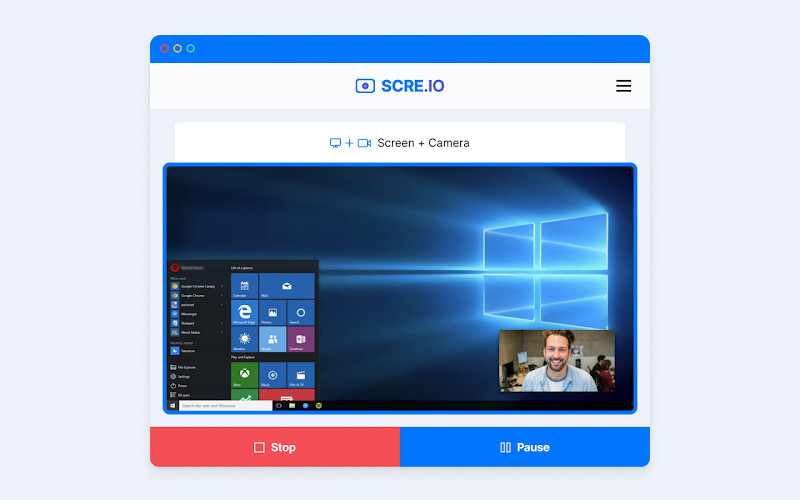
Screen Recorder for Opera 或者 Scre.io is an extension that lets you quickly record your screen in Opera. Users can easily record Opera tabs, the entire desktop, and even webcam feed without needing any special configuration. This software is often used to create tutorials, presentations, and product demos because it's fast and easy to use. As a screen record extension with audio, it supports microphone input so users can add clear voice narration while recording on-screen actions.

Scre.io
优点
Simple one-click recording in Opera
Records screen, tab, and webcam
Supports microphone audio recording
No complex installation or setup
Useful for tutorials and quick walkthroughs
缺点
有限的高级编辑功能
Requires browser permissions to function
The free version may include restrictions
Performance can vary on lower-end devices

Bonus: Best Screen Recorder for All Browsers

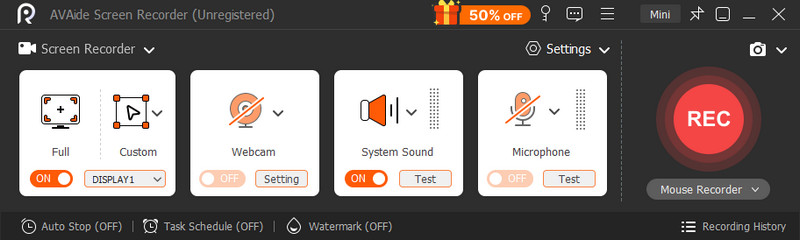
AVAide 屏幕录像 is a standalone desktop application that supports all major web browsers, such as Chrome, Firefox, Opera, and Safari. It captures audio and video from your computer without using browser extensions or permissions. This ensures it's more reliable, versatile, and capable for extended or sophisticated recordings of tutorials, meetings, gaming, and presentations.

Extending your browser is great, but it comes with trade-offs, such as time limits on recordings, reduced quality, or a slower browser. This type of tool, comparable to 屏幕录制, is a standalone app that avoids these problems. It allows simultaneous full-screen, window, region, system audio, microphone, and webcam recording. It also offers greater customization of the video's format and quality, which is essential for commercial purposes.

AVAide 屏幕录像
优点
Works on all browsers without separate extensions
No browser restrictions or permission issues
More stable for long recordings and high resolution
Records system audio, microphone, and webcam together
Better performance control and output quality options
Suitable for professional tutorials, meetings, and content creation
缺点
Requires installation on your device
Slightly heavier than quick one-click browser tools
May take more setup time initially
结论

There are many reasons to record, and a browser recording tool is typically chosen for its convenience and efficiency when recording a simple tutorial, demonstration, or guide. A browser screen recorder is convenient for simple tasks, as it is readily accessible with no software to install, but it may also have limitations in terms of performance, duration, or functionality.
But if greater stability, quality, and control are desired in longer technical recordings, a standalone screen recorder such as AVAide 屏幕录像 provides a more effective alternative. Ultimately, it comes down to whether you're meeting an immediate need to record in the browser or need advanced recording tools and features.

经过 艾莎·约翰逊 on 5 月 19, 2026

关于作者

艾莎·约翰逊
艾莎·约翰逊

艾莎·约翰逊是一位多媒体制作技术员,专长于屏幕录制和音频采集工作流程。她曾帮助教育工作者、培训师和播客团队搭建稳定的录制环境,并解决常见的硬件和配置问题。她的实践经验能够帮助创作者提升录制清晰度,制作出更可靠的内容。

相关文章