Bạn đang tìm kiếm một công cụ hỗ trợ ghi hình màn hình? Hãy đến với Apowersoft.
Trong bài viết này, bạn sẽ tìm hiểu thêm về Phần mềm ghi màn hình ApowersoftChúng ta sẽ xem xét công cụ trực tuyến của nó, các phiên bản dành cho Windows và Mac, cũng như các tùy chọn dành cho iPhone và Android. Mỗi phiên bản sẽ được đánh giá rõ ràng!
- Phần 1. Tổng quan về hệ sinh thái sản phẩm của Apowersoft
- Phần 2. Đánh giá phần mềm ghi màn hình trực tuyến miễn phí Apowersoft.
- Phần 3. Apowersoft Screen Recorder Pro dành cho Windows & Mac
- Phần 4. Ứng dụng ghi âm Apowersoft dành cho iPhone/iPad.
- Phần 5. Ứng dụng ghi màn hình Apowersoft dành cho Android
- Phần 6. Giá cả & Gói dịch vụ
- Phần 7. Các lựa chọn thay thế cho Apowersoft
Phần 1. Tổng quan về hệ sinh thái sản phẩm của Apowersoft
Apowersoft cung cấp nhiều công cụ để ghi màn hình, chỉnh sửa, xử lý ảnh và quản lý tập tin. Mỗi sản phẩm được xây dựng cho một nhiệm vụ cụ thể. Cùng nhau, chúng tạo thành một bộ công cụ kỹ thuật số hoàn chỉnh đáp ứng nhiều nhu cầu khác nhau.
| Sản phẩm | Nền tảng | Tốt nhất cho |
| ApowerREC | Windows, Mac, iOS và Android. | Phần mềm ghi màn hình chuyên nghiệp với công cụ chú thích. |
| ApowerMirror | Windows, Mac, iOS và Android. | Truyền và điều khiển màn hình điện thoại trực tiếp trên máy tính. |
| PicWish | Windows, Mac, iOS và Android. | Chỉnh sửa ảnh và xóa phông nền bằng AI. |
| LightPDF | Web, Windows, Mac, iOS và Android. | Các công cụ chỉnh sửa, chuyển đổi PDF và tài liệu AI. |
| GitMind | Windows, Mac, iOS và Android. | Lập bản đồ tư duy và hợp tác nhóm bằng AI. |
| Trình chỉnh sửa video | Windows và Mac. | Tạo và chỉnh sửa video chuyên nghiệp. |
| ApowerManager | Web, Windows, Mac, iOS và Android. | Quản lý và chuyển dữ liệu điện thoại. |
| Trình ghi màn hình trực tuyến | Chỉ có trên web. | Ghi lại màn hình nhanh chóng và miễn phí ngay trên trình duyệt. |
| ApowerRescue | Windows và Mac. | Khôi phục dữ liệu đã xóa từ thiết bị iOS. |
| Apowersoft Unlimited | Có sẵn trên nhiều nền tảng. | Một gói đăng ký duy nhất cho phép truy cập đầy đủ vào tất cả các công cụ của Apowersoft. |
Phần 2. Đánh giá phần mềm ghi màn hình trực tuyến miễn phí Apowersoft.
Nó là gì?
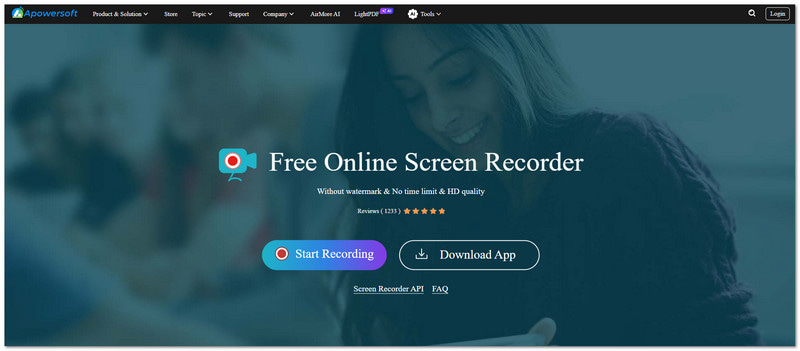
Apowersoft Free Online Screen Recorder cho phép người dùng ghi lại hoạt động trên màn hình. Ứng dụng hoạt động trực tuyến, không cần tải xuống và không cần cài đặt.
Các tính năng chính
- Thời gian ghi âm không giới hạn.
- Video không có hình mờ.
- Ghi hình màn hình, thu âm micro và ghi âm hệ thống.
- Chế độ ghi hình trong hình ảnh.
Hạn chế
Ứng dụng này hoạt động hoàn toàn phụ thuộc vào kết nối internet ổn định. Nó không cung cấp các công cụ chỉnh sửa video nâng cao. Ứng dụng cũng có thể trở nên không ổn định khi sử dụng trong thời gian ghi hình dài.
Máy ghi âm trực tuyến miễn phí
Apowersoft Free Online Audio Recorder là một nền tảng trực tuyến riêng biệt, được thiết kế để ghi âm. Nó có thể thu âm thanh hệ thống, âm thanh từ micro hoặc âm thanh trực tuyến. Để dễ sử dụng, nó có thể lưu tệp ở định dạng MP3, OGG hoặc AAC.
Phán quyết
Apowersoft Free Online Screen Recorder là lựa chọn tốt nhất cho các tác vụ ghi màn hình nhanh chóng và đơn giản. Nó hoạt động tốt cho người dùng thông thường. Tuy nhiên, nó không đủ mạnh cho việc chỉnh sửa chuyên nghiệp hoặc sản xuất nâng cao.
Phần 3. Apowersoft Screen Recorder Pro dành cho Windows & Mac
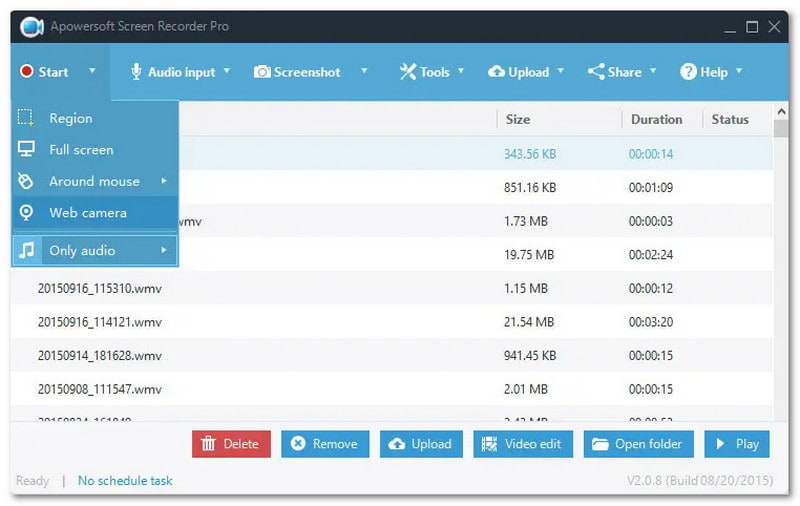
Nó là gì?
Một chương trình ghi màn hình máy tính chuyên nghiệp dành cho Windows và Mac, hỗ trợ các chức năng ghi hình, chỉnh sửa và chụp màn hình nâng cao.
Các tính năng chính
- Chỉnh sửa trực tiếp trong quá trình ghi hình.
- Các tác vụ ghi âm theo lịch trình.
- Xuất video độ phân giải cao.
- Nhiều chế độ ghi hình, như chơi game, webcam và khu vực tùy chỉnh.
Ưu & Nhược điểm
Công cụ này mang lại hiệu năng mạnh mẽ. Nó hỗ trợ ghi âm dài và ổn định. Giao diện đơn giản. Nó cũng bao gồm các công cụ cắt ghép tích hợp. Tuy nhiên, phiên bản miễn phí có những hạn chế và hiển thị thông báo nâng cấp. Phiên bản dành cho Mac cũng có ít tính năng chỉnh sửa hơn so với phiên bản Windows.
Phán quyết
Apowersoft Screen Recorder Pro là lựa chọn tốt nhất dành cho các chuyên gia và người sáng tạo nội dung. Nó cung cấp khả năng ghi hình ổn định, chất lượng cao với hỗ trợ chỉnh sửa.
Phần 4. Ứng dụng ghi âm Apowersoft dành cho iPhone/iPad.
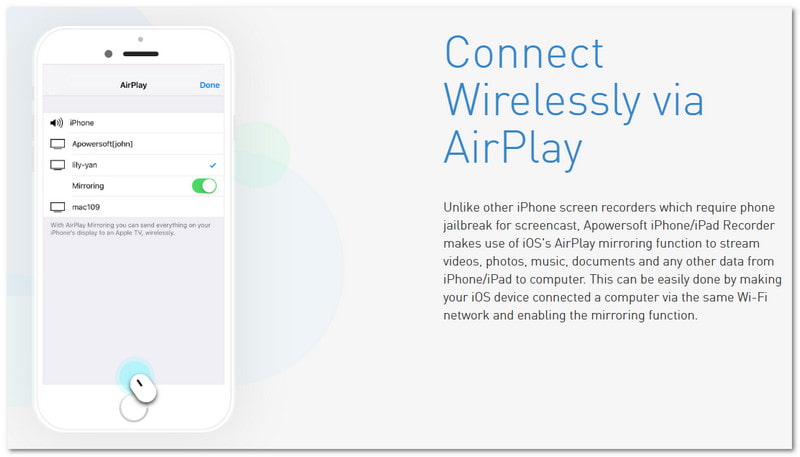
Nó là gì?
Một ứng dụng dành cho máy tính để bàn sử dụng AirPlay để phản chiếu màn hình iPhone hoặc iPad lên máy tính Windows hoặc Mac. Ứng dụng này cũng ghi lại màn hình trong khi đang hiển thị.
Các tính năng chính
- Ghi hình màn hình không dây dựa trên AirPlay.
- Chất lượng ghi âm và ghi hình vượt trội.
- Phát trực tiếp từ iOS lên máy tính.
Hạn chế
Ứng dụng ghi âm Apowersoft dành cho iPhone/iPad yêu cầu cả hai thiết bị phải kết nối cùng một mạng Wi-Fi. Ứng dụng này phụ thuộc rất nhiều vào tốc độ internet và độ ổn định của mạng, điều này có thể ảnh hưởng đến quá trình ghi âm mượt mà.
Các trường hợp sử dụng
- Ghi hình trò chơi trên điện thoại di động.
- Trình diễn ứng dụng.
- Hướng dẫn tạo bài giảng về iOS.
Phán quyết
Apowersoft iPhone/iPad Recorder là một lựa chọn đáng tin cậy. Ứng dụng này được thiết kế dành cho người dùng iOS, cho phép ghi lại màn hình mà không cần bẻ khóa (jailbreak).
Phần 5. Ứng dụng ghi màn hình Apowersoft dành cho Android
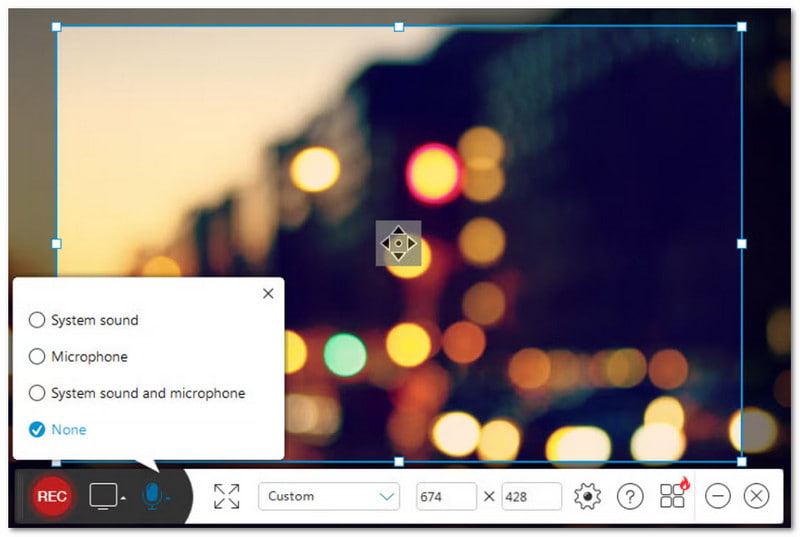
Nó là gì?
Đây là một ứng dụng Android gốc. Ứng dụng cho phép người dùng ghi lại hoạt động màn hình. Nó cũng ghi âm và bao gồm các tính năng ghi khác.
Các tính năng chính
- Ghi hình màn hình có hỗ trợ âm thanh.
- Lớp phủ Facecam (camera trước).
- Các thiết lập độ phân giải và tốc độ bit có thể điều chỉnh.
- Các tùy chọn lưu trữ đám mây.
Ưu & Nhược điểm
Phần mềm này dễ sử dụng và không yêu cầu quyền root. Nó cũng cung cấp các cài đặt âm thanh linh hoạt cho các nhu cầu ghi âm khác nhau. Tuy nhiên, một số tính năng nâng cao có thể yêu cầu phiên bản trả phí để mở khóa.
Phán quyết
Apowersoft Screen Recorder for Android là một công cụ mạnh mẽ và thân thiện với người dùng. Nó được thiết kế dành riêng cho người dùng Android. Ứng dụng này hoạt động tốt để ghi lại quá trình chơi game và hướng dẫn sử dụng ứng dụng.
Phần 6. Giá cả & Gói dịch vụ
| Kế hoạch | Giá bán |
| Cả đời | $69.95 |
| Hàng năm | $49.95 |
| hàng tháng | $19.95 |
Phần 7. Các lựa chọn thay thế cho Apowersoft
1. AVAide Screen Recorder
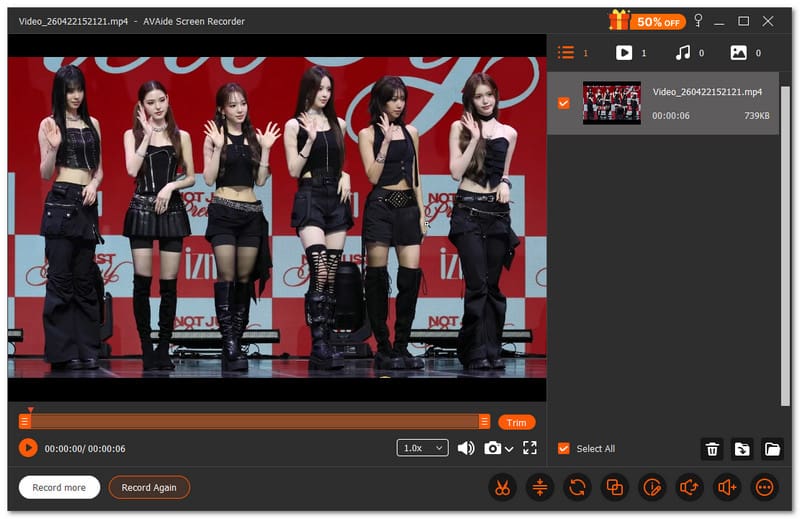
Đầu tiên trong danh sách các phần mềm thay thế cho Apowersoft Screen Recorder là AVAide Screen RecorderNó cung cấp chức năng ghi màn hình, ghi âm, ghi game, ghi webcam và thậm chí cả ghi âm điện thoại. Bạn có thể dễ dàng chọn nội dung cần ghi lại. Nó cũng cho phép bạn thiết lập thời điểm bắt đầu và kết thúc ghi. Điều này giúp tiết kiệm thời gian và tránh các bước thừa.

TẢI VỀ MIỄN PHÍ Đối với Windows 7 trở lên
 An toàn tải
TẢI VỀ MIỄN PHÍ Dành cho Mac OS X 10.13 trở lên
An toàn tảiBạn cần chỉnh sửa video ngay sau khi quay? AVAide Screen Recorder cho phép bạn chỉnh sửa ngay lập tức. Bạn có thể cắt, ghép, nén và chuyển đổi tệp tin tại một nơi duy nhất. Bạn cũng có thể trích xuất hoặc tăng âm lượng. Không cần công cụ bổ sung; mọi thứ đã sẵn sàng trong chương trình này.
- Những điều hiệu quả:
- Ghi lại toàn màn hình, cửa sổ được chọn hoặc khu vực tùy chỉnh.
- Hỗ trợ các định dạng âm thanh như MP3, WMA, M4A, FLAC và OGG.
- Hỗ trợ các định dạng video như MP4, MOV, AVI, MKV và WMV.
- Ghi lại quá trình chơi game ở độ phân giải Full HD với tốc độ lên đến 60 khung hình/giây.
- Cho phép thêm chú thích trong quá trình ghi âm.
- Điều không đúng:
- Để có quyền truy cập đầy đủ, bạn cần nâng cấp lên phiên bản trả phí để có thời gian ghi hình không giới hạn.
2. Khung dệt
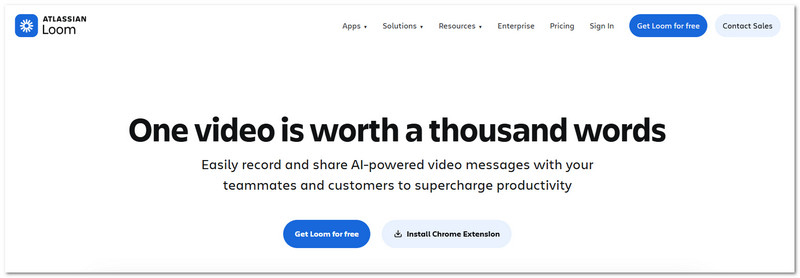
Loom là một phần mềm ghi màn hình hiện đại. Nó được sử dụng như một lựa chọn thay thế cho trình ghi video Apowersoft. Nó thường được coi là một trong những phần mềm tốt nhất hiện nay. các phần mềm quay màn hình tốt nhất cho ChromeĐó là vì nó hoạt động như cả tiện ích mở rộng trình duyệt và ứng dụng máy tính để bàn.
Ứng dụng này cho phép bạn ghi lại màn hình, giọng nói và webcam cùng lúc. Sau khi ghi xong, nó sẽ tạo ngay một liên kết chia sẻ. Điều này giúp việc gửi video trở nên đơn giản và nhanh chóng mà không cần phải tải tệp lên thủ công.
- Những điều hiệu quả:
- Hỗ trợ ghi hình màn hình, micro và webcam.
- Chế độ ghi hình trình duyệt và màn hình máy tính.
- Chia sẻ liên kết ngay lập tức sau khi ghi hình.
- Video không có hình mờ.
- Giao diện đơn giản và dễ sử dụng.
- Điều không đúng:
- Phiên bản dành cho máy tính để bàn có thể có lỗi.
- Phiên bản miễn phí có giới hạn số lượng bản ghi âm.
- Cần có kết nối Internet.
- Giới hạn thời gian ghi âm trên gói miễn phí.
3. Phần mềm Bandicam
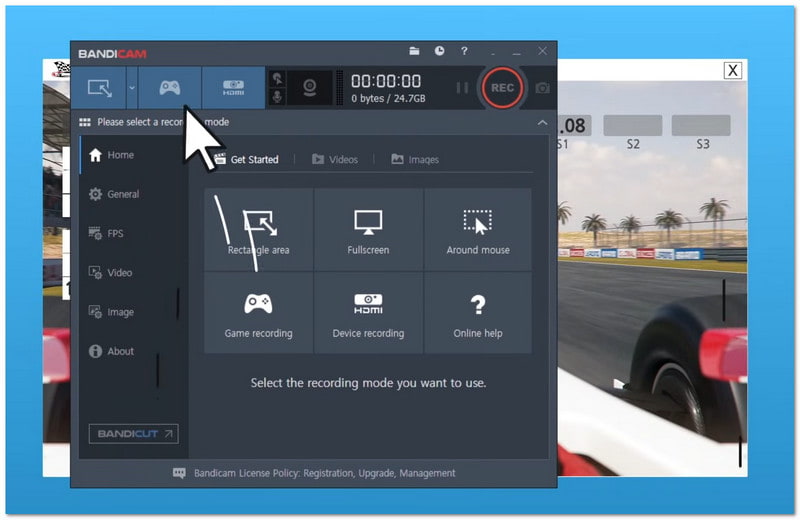
Cuối cùng nhưng không kém phần quan trọng, Bandicam thường được xem là... máy ghi âm trò chơi tốt nhấtNó rất tuyệt vời để chơi game. Nó cũng hỗ trợ quay video độ nét cao. Ứng dụng được thiết kế dành cho người dùng Windows và hỗ trợ nhiều chế độ ghi khác nhau, bao gồm toàn màn hình, ghi vùng và ghi trò chơi.
Nhiều người dùng lựa chọn ứng dụng này để ghi lại quá trình chơi game dài và tạo video hướng dẫn. Nó cũng hỗ trợ chụp màn hình thiết bị và các công cụ vẽ màn hình thời gian thực.
- Những điều hiệu quả:
- Quay video 4K độ nét cao.
- Mức sử dụng CPU rất thấp.
- Kích thước tệp đầu ra nhỏ.
- Có nhiều chế độ ghi âm khác nhau.
- Bao gồm các công cụ vẽ trên màn hình.
- Điều không đúng:
- Một số tính năng yêu cầu phiên bản trả phí.
- Phiên bản miễn phí sẽ thêm hình mờ.
- Chỉ có sẵn trên Windows.
- Có nguy cơ xảy ra sự cố về tập tin trong một số trường hợp hiếm gặp.
Tóm lại, Apowersoft cung cấp nhiều công cụ để ghi màn hình. Nó không chỉ là... Apowersoft Free Online Screen RecorderNó cũng bao gồm các công cụ hoạt động trên Windows, Mac và các thiết bị di động.
Nhưng nếu bạn muốn một chương trình đơn giản, bạn có thể thử AVAide Screen RecorderỨng dụng này có thể ghi lại màn hình, âm thanh, hình ảnh từ webcam và điện thoại. Nó dễ sử dụng và hoạt động tốt cho mọi người dùng, dù là người mới bắt đầu hay người dùng chuyên nghiệp.
GIỚI THIỆU VỀ TÁC GIẢ

Ghi lại khoảnh khắc đẹp nhất với AVAide Screen Recorder. Screencast, tùy chỉnh và chia sẻ trong vài giây.