H.265, Yüksek Verimlilikli Video Kodlama veya HEVC olarak bilinir. Mükemmel video kalitesini korurken daha iyi sıkıştırma sunan en popüler modern video kodeklerinden biridir. Bu sayede 8K HD videolara kadar destek sağlayabilir. Ancak, tüm bilgisayarlar veya telefonlar bu kodeği içeren videoları (MP4, MKV, MOV gibi) doğrudan açamayabilir; bunun nedeni muhtemelen eski olmaları veya HEVC desteğini bırakmış olmalarıdır. Bu durumda, en hızlı çözümünüz hepsi bir arada bir cihaza sahip olmaktır. HEVC oynatıcıBu tür bir oynatıcı, telif hakkı endişesi duymadan HEVC kodeğini kullanan her tür videoyu kolayca açabilir.
Bu yazıda, Windows, Mac, Linux, Android ve iOS işletim sistemlerinde kullanılabilen 5 güvenilir HEVC video oynatıcısı derlenmiştir. İstediğinizi seçip videolarınızın veya filmlerinizin keyfini çıkarmaya başlayabilirsiniz.
Bölüm 1. HEVC Codec'ini Tanıtıyoruz
HEVC, daha yüksek görsel kaliteyi korurken H.264 ve MPEG-4'e göre daha yüksek sıkıştırma oranına sahiptir. iPhone'da 1080p/4K 60 FPS MP4/MOV gibi modern yüksek kaliteli videolar, video yayınları ve oyun kayıtları için yaygın olarak kullanılmaktadır.
Günümüzde, bir bilgisayarın veya cep telefonunun bu kodekteki videoları doğrudan oynatması yaygın değildir. Ancak endişelenmeyin; ilk yardımınız HEVC'yi destekleyen bir video oynatıcıya sahip olmaktır. Bu nedenle, aşağıda tanıtacağımız H.265/HEVC video oynatıcılarını inceleyebilirsiniz.
Bölüm 2. 2026 Yılının En İyi 5 HEVC Video Oynatıcısı
Öncelikle en iyi 5 HEVC video oynatıcısının kısa bir değerlendirmesine bakalım:
| oyuncu | Desteklenen işletim sistemi | Desteklenen Format | Her Türlü Reklam | Altyazı Yönetimi | Oynatma Hatası |
| AVAide Blu-ray Oynatıcı | Windows ve macOS | MP4, MOV, M4V, MKV, WebM, TS, AVI, ASF, vb. | Numara | Altyazı parçalarını değiştirin ve yenilerini ekleyin. | Hata yok |
| VLC medya oynatıcı | Windows, macOS, Linux, Android, iOS | MP4, MOV, M4V, MKV, TS | Numara | Altyazı dosyalarını değiştirin ve ekleyin. | Yüksek bit çözünürlüklü videolar açılamıyor. |
| DivX Oynatıcısı | Windows ve macOS | MP4, MKV, MOV, AVI | Boşta bekleme ekranındaki reklamlar düzeltildi. | Videodaki altyazıları değiştirin; harici altyazı dosyaları eklenemez. | Ücretsiz sürümde 4K ve yüksek bit çözünürlüklü HEVC videolar oynatılamıyor. |
| KMPlayer | Windows, macOS, Android, iOS | MP4, MOV, MKV | Farklı işletim sistemi sürümleri için reklamlar | Çevrimiçi altyazı arayın | Büyük boyutlu 4K HEVC videoları oynatırken gecikmeler yaşanabilir veya oyun çökebilir. |
| Pot Oyuncusu | Yalnızca Windows | MP4, MKV, WebM, AVI | Reklam yok | Çok zengin altyazı özellikleri | Büyük boyutlu videolar oynatılırken gecikmeler yaşanabilir. |
1. AVAide Blu-ray Oynatıcı
İçin en iyisi: HEVC, H.264, AV1 ve diğer modern kodeklerle tüm video formatlarını oynatın.
Değerlendirme: 5/5
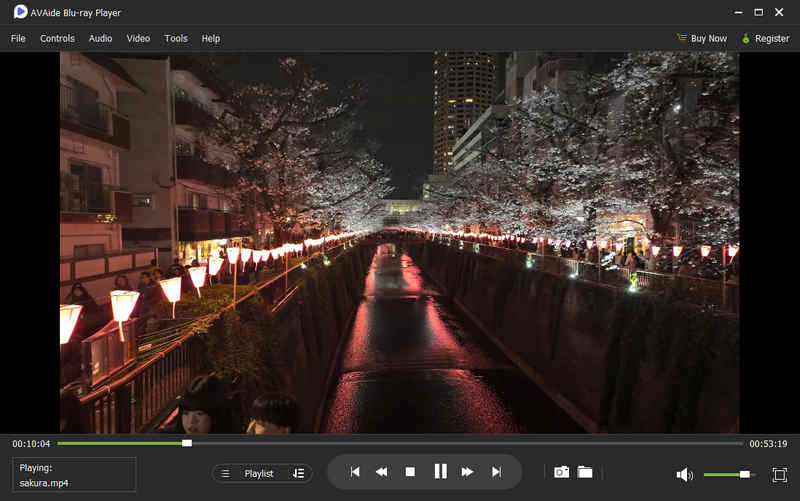
Videolar MP4, MKV ve MOV gibi farklı formatlarda olabilir. Desteklenen tüm formatlarda HEVC/H.265 codec'ini doğrudan açabilen hepsi bir arada bir video oynatıcı istiyorsanız, AVAide Blu-ray Oynatıcı Bu, en iyi seçiminiz. Bu H.265 oynatıcı, kod çözme için seviye 3 donanım hızlandırması sayesinde herhangi bir videoyu sorunsuz ve hızlı bir şekilde açabilir. Yüksek kaliteli 4K UHD oynatma listenizin keyfini zahmetsizce çıkarmanıza yardımcı olabilir! Bu ücretsiz HEVC oynatıcının şık bir arayüzü olmasa da, bir oynatıcının yapması gerekeni yapıyor: en yüksek kaliteyi ve en akıcı oynatmayı sağlıyor.
- Artıları
- Büyük videoları kolayca açın, bunlar arasında şunlar da bulunur: 8K çözünürlük.
- Test ettiğimiz tüm video formatlarında HEVC codec'ini desteklemektedir.
- Oynatma listesi özelliğini kullanarak kendi yüksek kaliteli video oynatma listenizi oluşturabilirsiniz.
- Videonun parlaklığını, doygunluğunu, kontrastını ve tonunu ayarlayabilirsiniz.
- Eksileri
- İnternetten altyazı indiremiyor.
2. VLC Medya Oynatıcı
İçin en iyisi: Ortalama bir hepsi bir arada medya oynatıcısına ihtiyaç duyan kullanıcılar
Değerlendirme: 4/5
Güvenilir ve ücretsiz, uyumluluk sorunlarıyla karşılaşmanıza izin vermeyecek bir HEVC oynatıcısı istiyorsanız, size şunu öneririz: VLC medya oynatıcıBu açık kaynaklı multimedya oynatıcı sayesinde, H.265 içerikle çalışırken sorunsuz oynatma sağlayabilirsiniz. Bu video oynatıcı, ileri sarma, geri sarma, durdurma ve devam ettirme gibi işlemleri alışkanlıklarınıza uygun şekilde yapabilmeniz için yaygın ve kullanıcı dostu tuş kontrolleri sunar.
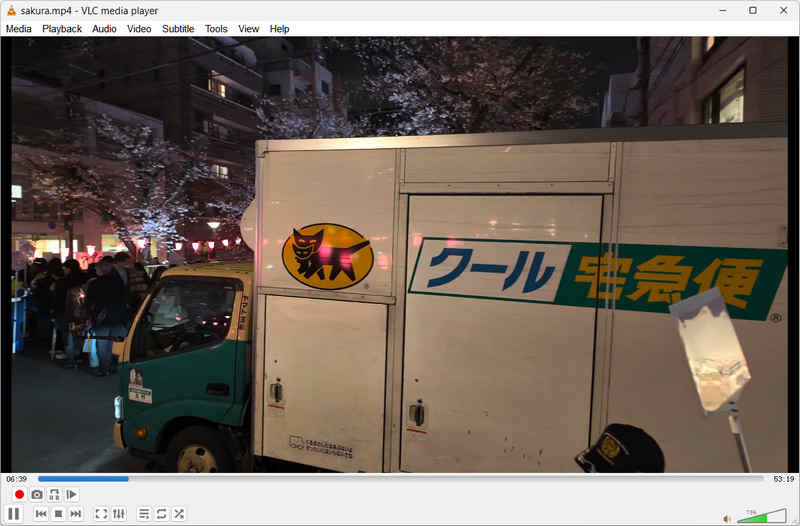
Yaptığımız testlere göre, VLC Media Player basit HEVC kod çözme ve donanım hızlandırma desteğine sahip olmakla birlikte, video döndürme, 3D efektler ve renk düzenleme gibi birçok ilginç oynatma efekti de sunuyor. Yeni izleme deneyimleri denemek istiyorsanız, VLC oynatıcı sizin tercihiniz olabilir. Ancak onu sadece basit bir HEVC oynatıcı olarak da kullanabilirsiniz.
- Artıları
- Bu, açık kaynaklı ve ücretsiz bir HEVC oynatıcısıdır.
- Birçok ücretsiz ve güzel video efekti sunuyor.
- Hafif bir yapıya sahip ve ortalama kod çözme yetenekleri sunuyor.
- Fiziksel, dijital ve URL videoları için hepsi bir arada oynatıcı olarak kullanabilirsiniz.
- Eksileri
- VLC'de oynatma listesi özelliği yok.
- Zaman çizelgesi çubuğu fareyle kontrol edilemeyecek kadar küçük.
3. DivX Oynatıcı
İçin en iyisi: Medya oynatma listesi oluşturmak isteyen kullanıcılar.
Değerlendirme: 5/5
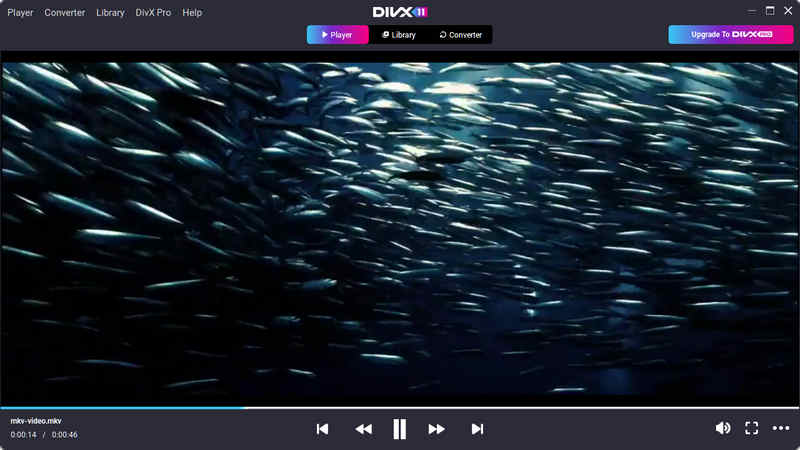
DivX Player, Yüksek Verimlilikli Video Kodlama (HEVC/H.265) için resmi ve özel destek sunan ilk ana akım medya oynatıcılarından biriydi. Sistem verimliliğini korurken ultra yüksek çözünürlüklü içeriğin yüksek kaliteli oynatımını sağlamak üzere tasarlanmıştır.
DivX Player, GPU hızlandırmalı kod çözme (Intel Quick Sync, NVIDIA NVENC ve AMD teknolojilerini destekler) kullanır. Bu, HEVC kod çözme işleminin ağır hesaplama yükünü CPU'dan alır. Bu nedenle, DivX'i büyük dosyaları oynatmak için kullandığınızda, HEVC Videoları izlerken bile oynatmanın oldukça akıcı olduğunu ve sistem gecikmeleriyle karşılaşmadan diğer işlerinizi yapabileceğinizi göreceksiniz.
DivX Player, yerel videolarınızı ve indirdiğiniz videoları yönetmenizi sağlayan çok yönlü bir oynatma listesi özelliğine sahiptir. Sabit diskinizdeki farklı klasörlerden istediğiniz videoları manuel olarak ekleyebilirsiniz. Windows ve macOS kullanıcıları için çok şık ve güçlü bir HEVC oynatıcısıdır.
- Artıları
- Güçlü GPU kod çözme yeteneklerine sahiptir.
- DivX Player şık bir arayüze ve modern özelleştirme seçeneklerine sahip.
- Videonun farklı bölümlerini analiz edebilir ve seçmenize olanak tanır.
- Eksileri
- Doğrudan video ekleyip oynatmak karmaşık bir işlemdir.
- Arayüzde birçok reklam görebilirsiniz.
4. KMPlayer
İçin en iyisi: URL üzerinden açılan videoları otomatik olarak altyazılı olarak buluyor.
Değerlendirme: 4/5
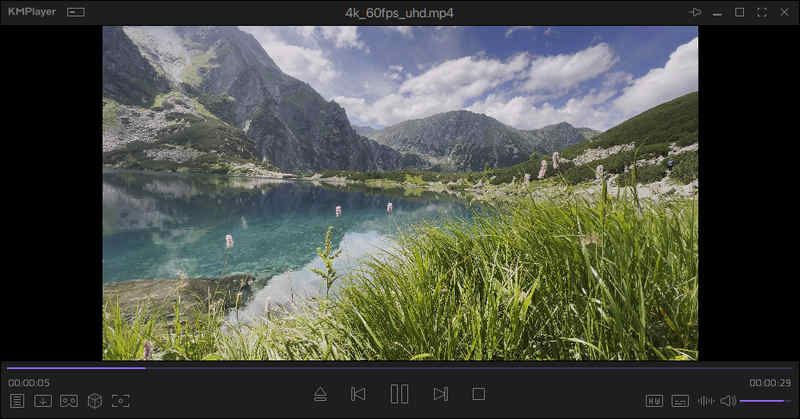
KMPlayer, hepsi bir arada mimarisiyle geniş çapta tanınmaktadır. Yüksek bit hızına sahip, ultra yüksek çözünürlüklü HEVC dosyalarını harici codec paketlerinin kurulumuna gerek kalmadan doğrudan oynatabilmesini sağlayan dahili kod çözücülerle birlikte gelir.
Yaptığımız testlerde, KMPlayer'ın HEVC kodeğinde 4K UHD 60 FPS videoları hızlı bir şekilde açabildiğini gördük. Güçlü kod çözme yetenekleri sayesinde büyük ve yüksek kaliteli medya dosyalarını işleyebiliyor. Beni en çok etkileyen şey ise çevrimiçi altyazı arama özelliği. Altyazı listelerinden doğrudan bir altyazı dosyası seçebiliyorsunuz.
- Artıları
- Altyazı arama özelliği bulunmaktadır.
- Video yükleme hızı çok hızlı.
- En üst düzey görsel kaliteyi kontrol edebilirsiniz.
- Eksileri
- Arayüzde doğrudan video açma seçeneğini bulmak çok zor.
- Düğmeler ve menü çubuğu zor görünüyor.
5. PotPlayer
İçin en iyisi: Yerel videoları yönetme ve altyazıları ayarlama.
Değerlendirme: 4/5
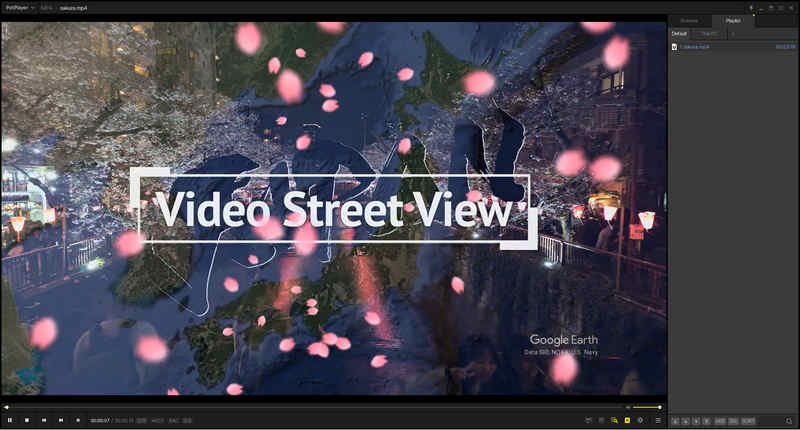
PotPlayer, çok güçlü ve çok yönlü bir H.265 video oynatıcısıdır. MP4 ve MKV gibi her türlü video formatında HEVC codec'ini oynatabilir. Ayrıca birçok başka video codec'ini de destekler. Bu HEVC codec oynatıcısını harika kılan şey, bir video dosyasını yerel olarak açamadığında daha fazla codec indirebilmesidir.
Üstelik PotPlayer, klasik minimalist oynatıcıların hafif ve ultra hızlı başlatma özelliklerini, baş döndürücü düzeyde arka uç yapılandırmasıyla birleştiriyor. Windows 11/10 için bu ücretsiz H.265 oynatıcı, yüksek bit hızına sahip H.265 akışlarının sıfır kayıpla, kare kare mükemmel şekilde yeniden üretilmesini sağlarken, mümkün olan en düşük sistem yükünü elde etmek için tasarlanmıştır.
- Artıları
- PotPlayer, çok güçlü ve çok yönlü altyazı yönetim özelliklerine sahiptir.
- Her tür HEVC videosunu hızlıca açabilir.
- Doğrudan sabit diskinize göz atarak oynatmak istediğiniz videoyu seçmenize olanak tanır.
- Eksileri
- İşlemler ve kontrol mantığı, standart kullanıcı alışkanlıklarına aykırıdır.
- Video oynatmadığınız zamanlarda bile genellikle kasma yaşanıyor.
Bölüm 3. HEVC Video Oynatıcılarını Nasıl Test Ettik
HEVC oynatıcılarına ilişkin değerlendirmemiz tamamen bağımsız ve sponsorlu değildir. Bahsedilen yazılım geliştiricileriyle hiçbir finansal bağımız veya ortaklığımız bulunmamaktadır. Tüm testler, aynı koşullar altında tarafsız bir şekilde gerçekleştirilmiş olup, sonuçlarımız performans ve gerçek dünya kullanıcı deneyimine dayanmaktadır.
- Test Ortamı: Windows 11 ve NVIDIA GeForce RTX 3060; Apple M4 işlemcili MacBook; iPhone 16 Pro, Samsung Galaxy S23.
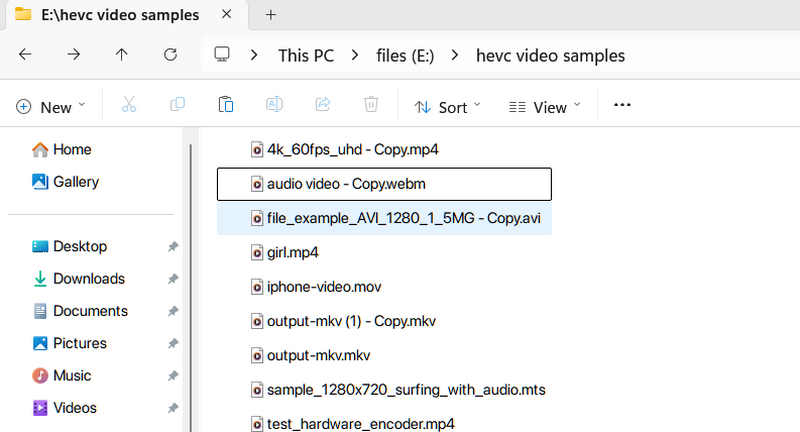
- Test Edilen Dosyalar: Oynatılmak üzere 14 adet HEVC video dosyası hazırlıyoruz. Bunlar 1080p 25 FPS videolardan 4K 120 FPS videolara kadar çeşitlilik gösteriyor.
- Değerlendirme Kriterlerimiz: HEVC oynatıcısının düşük CPU kullanımı (4K dosyalarda 10%'nin altında), renk kaybı olmaması, oynatmanın neredeyse kusursuz ve akıcı olması gerektiğini sağlamamız gerekiyor.
Bölüm 4. HEVC Oynatıcısının Soruları
En iyi H.265 medya oynatıcısı hangisidir?
En iyi H.265 codec oynatıcısı şudur: AVAide Blu-ray OynatıcıHEVC/H.265 codec'ini kullanan neredeyse tüm video formatlarını açabilir. Güçlü donanım kod çözme yetenekleri sayesinde büyük 4K ve hatta 8K videoları kolayca oynatabilir.
HEVC formatındaki videom neden soluk görünüyor?
Bu durum, videonun HDR (Yüksek Dinamik Aralık) olarak kodlanmış olmasına rağmen monitörünüzün standart SDR olması veya oynatıcınızın HDR'den SDR'ye Ton Eşleme özelliğini desteklememesinden kaynaklanmaktadır. Bunu düzeltmek için, zengin renkleri korumak amacıyla HDR meta verilerini otomatik olarak SDR ekranlara doğru şekilde eşleyen PotPlayer veya AVAide Blu-ray Player gibi gelişmiş bir oynatıcı kullanın.
4K HEVC izlerken işlemci kullanımım neden 100%'ye çıkıyor?
Oynatıcınız büyük olasılıkla Donanım Hızlandırması yerine Yazılım Kod Çözme (tüm ağır matematiksel işlemleri CPU'nuzun yapmasına neden olur) kullanıyor. Oynatıcınızda GPU kod çözmenin (DXVA, D3D11 veya Intel/NVIDIA/AMD donanım hızlandırması) etkinleştirildiğinden emin olun; bu, işlem yükünü grafik kartınıza aktararak CPU kullanımını anında düşürür.
Aslında, HEVC codec video oynatıcıları H.265 dosyalarını başarıyla oynatmada önemli bir rol oynar. Bu makalede tanıtılan on programın hepsini sorunsuz ve kusursuz video oynatma için kullanmanızı öneririz. Ayrıca, size üst düzey video kalitesi sağlayacak en iyi ve en güçlü multimedya oynatıcısını istiyorsanız, şunları kullanmanızı öneririz: AVAide Blu-ray OynatıcıHatta ihtiyaç duyulan tüm özellikleri sunarak harika bir izleme deneyimi sunabilir.
YAZAR HAKKINDA

Blu-ray, DVD, 4K UHD ve diğer video/ses dosyalarını oynatmak için tam özellikli multimedya oynatıcı.

 Güvenli indirme