Вам предстоит создать свой первый видеоурок на тему, которая вас действительно увлекает, но в наши дни стандартная запись экрана не может оправдать ожиданий зрителя. Видео должно быть представлено профессионально, избегая комментариев типа: «Куда вы кликнули?» или «Я запутался в шагах, потому что курсор движется слишком быстро». Поэтому вам необходимо дополнить запись экрана видеоуроком. запись мышиИ вы попали в нужную статью, поскольку мы обсудим лучшие варианты, соответствующие вашим потребностям.
Часть 1. Разбираемся в работе программ для записи действий мыши, прежде чем сделать выбор.
Прибор для записи движений мыши можно найти где угодно. Более того, можно приобрести инструмент, позволяющий записывать движения курсора мыши совершенно бесплатно. Однако важно понимать, какой именно инструмент вам нужен.
Что же такое программа для записи действий мыши?
Программа для записи движений мыши может отличаться от того, что вы себе представляете. Но этот инструмент действительно специализируется на захвате или выделении движения курсора мыши во время записи экрана. Тем не менее, программа для записи движений мыши может быть и другим инструментом. Чтобы лучше понять это, ознакомьтесь с приведенным ниже описанием:
Различные типы устройств для записи действий мыши
1. Чистые мышиные рекордеры
Программа для записи движений мыши специализируется на записи ваших действий и щелчков мыши. После записи она преобразует эти действия в макрос или скрипт, создавая бесконечное автоматизированное воспроизведение. Это также означает, что она избавляет от повторяющихся задач, таких как фарминг в играх-симуляторах, без необходимости написания кода для создания автоматизации.
2. Устройства записи с мыши и клавиатуры
Этот тип программы для записи действий мыши отслеживает курсор мыши и нажатия клавиш. Дополнительная функция подсвечивает набираемый текст, что позволяет полностью автоматизировать работу. Программа для записи действий мыши и клавиатуры может помочь в заполнении повторяющихся форм и вводе горячих клавиш.
3. Программы для записи экрана с отслеживанием движения мыши
Большинство видеомагнитофоны На рынке есть устройства с функцией отслеживания курсора мыши, позволяющей подсвечивать курсор во время записи, и это, пожалуй, первое, что приходит на ум при слове «запись движения мыши». Но в отличие от первых двух типов устройств для записи движения мыши, эта опция предназначена не для автоматизации, а исключительно для того, чтобы зрители могли видеть движение курсора в видео.
Типичные сценарии использования
Для простоты понимания, вы можете различать три типа по их применению:
- Pure Mouse Recorders — лучшие программы для записи монотонных действий, помогающие завершить задачи, даже когда вы находитесь вдали от рабочего стола.
- Программа для записи действий мыши и клавиатуры — автоматически заполняет предсказуемые поля ввода для контроля качества. Также может использоваться для заполнения сложных многостраничных веб-приложений.
- Программы для записи экрана с отслеживанием мыши — улучшают качество записи экрана, отслеживая движение курсора, что помогает потенциальным зрителям не упускать его из виду.
Часть 2. Топ-5 программ для записи движений мыши – обзоры и рейтинги.
1. Pulover's Macro Creator – Лучший бесплатный инструмент для записи действий мыши в целом.
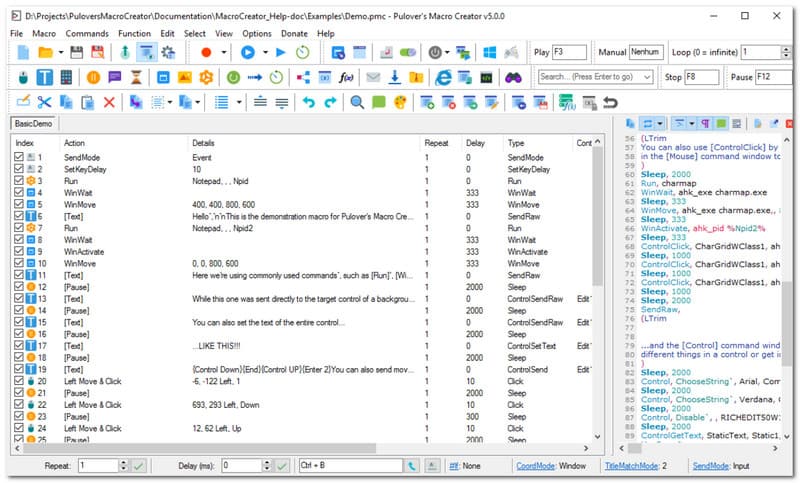
Нужна бесплатная программа для записи действий мыши? Pulover's Macro Creator (PMC) — это инструмент автоматизации для Windows, позволяющий записывать макросы и писать скрипты для AutoHotkey без написания кода. Рекомендуется благодаря точному захвату действий, позволяющему пользователям преобразовывать их в редактируемые команды на основе кода. Также стоит отметить функцию Control Click, которая напрямую воздействует на элементы пользовательского интерфейса, такие как текст и кнопки. К сожалению, эта программа известна риском загрузки Adaware Web Companion, которая является встроенным и очень навязчивым программным обеспечением.
Рейтинг: 3.5
Платформа: Окна
Цены: Бесплатно
Ключевая особенность:
- Включает встроенный макрорекордер.
- Эффективно для автоматизации повторяющихся рабочих задач.
- Плюсы
- Программирование не требуется
- Совершенно бесплатно
- Минусы
- Устанавливает нежелательные программы на устройство пользователя.
- Отслеживание активности пользователей без разрешения.
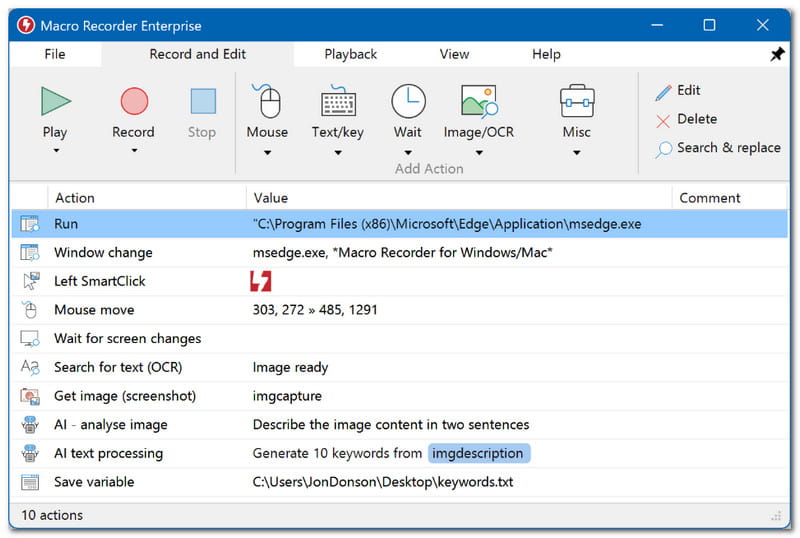
2. Макрорекордер (от Jitbit) – лучший инструмент для автоматизации офисной работы.
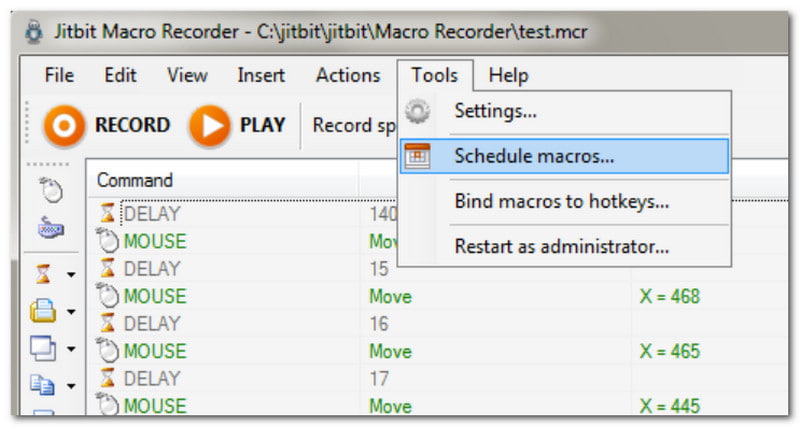
Программа для записи действий мыши, которая отличается простотой освоения для начинающих. Это значит, что вы можете использовать Macro Recorder, просто нажав кнопку «Запись», и затем сосредоточиться на своей работе в интернете. Но что отличает этот вариант от других, так это возможность конвертировать макросы в автономные исполняемые файлы. Более того, автоматизация может быть нарушена на любом компьютере с Windows, даже если программа там не установлена.
Рейтинг: 3.3
Платформа: Окна
Цены: $50
Ключевая особенность:
- Автоматизируйте повторяющиеся действия без программирования.
- Подходит в качестве визуального редактора скриптов.
- Плюсы
- У него есть бесплатная пробная версия.
- Включает функцию распознавания изображений для автоматического выполнения следующей задачи.
- Минусы
- Не поддерживается Mac.
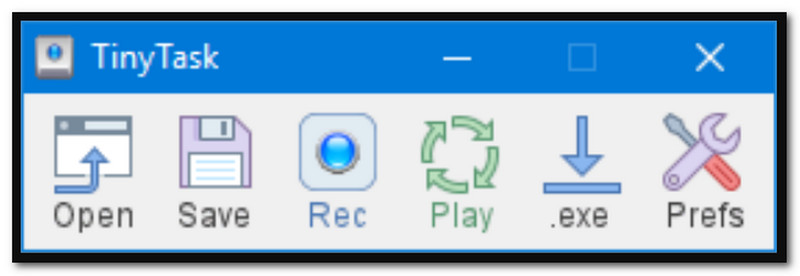
3. TinyTask – Лучший легкий и портативный диктофон для мыши.
Как следует из названия, TinyTask — это минималистичный диктофон, автоматически записывающий контент с экрана. В недавнем обновлении добавлена возможность настройки скорости воспроизведения и сочетаний клавиш для повторной записи всего несколькими касаниями. Эта альтернатива — хороший выбор, если вы следите за объемом памяти вашего устройства, поскольку она занимает всего 36 КБ.
Рейтинг: 4
Платформа: Окна
Цены: Бесплатно
Ключевая особенность:
- Простая запись одним щелчком мыши
- Легкий и занимает мало места при хранении.
- Хорошо работает в более поздних версиях ОС Windows.
- Плюсы
- Небольшой размер файла
- Простой процесс обучения
- Минусы
- Недоступно на Mac
4. MacroLoop – Лучшая программа для записи движений мыши на Mac
MacroLoop — это программа для записи экрана с помощью мыши и клавиатуры, которая автоматически фиксирует всё содержимое экрана. Она специализируется на записи с возможностью планирования и повторяющимися циклами. Это также хороший инструмент автоматизации, поскольку он может запускать рабочие процессы в определённое время и позволять длительным задачам продолжаться, даже если вы находитесь вдали от компьютера. MacroLoop — один из немногих вариантов для Mac.
Рейтинг: 4.1
Платформа: Mac
Цены: $4.99
Ключевая особенность:
- Автоматическая и запланированная запись
- Автоматизация задач в течение 24 часов
- Плюсы
- Подходит для длительных записей.
- Минусы
- Пользователи могут столкнуться с неполадками и задержками.
5. AVAide Screen Recorder — лучшая программа для записи экрана с отслеживанием движения мыши.
Программа записи экрана AVAide AVAide Screen Recorder — отличный выбор для записи экрана на Windows и Mac. Он предназначен для захвата действий на экране, включая курсор мыши, с возможностью записи щелчков мыши, нажатий клавиш и областей. Он даже позволяет пользователям записывать звук щелчков мыши, что делает видеозапись более привлекательной для зрителей. Конечно, программа для записи экрана гарантирует наилучшее качество записей, сохраняя их в различных форматах, таких как MP4, WMV и AVI, и в разрешении до 4K. Хотя AVAide Screen Recorder предлагает профессиональное решение, вы можете рассчитывать на простоту освоения, поэтому это лучший выбор для записи движений мыши.

БЕСПЛАТНАЯ ЗАГРУЗКА Для Windows 7 или новее
 Безопасная загрузка
БЕСПЛАТНАЯ ЗАГРУЗКА Для Mac OS X 10.13 или более поздней версии
Безопасная загрузка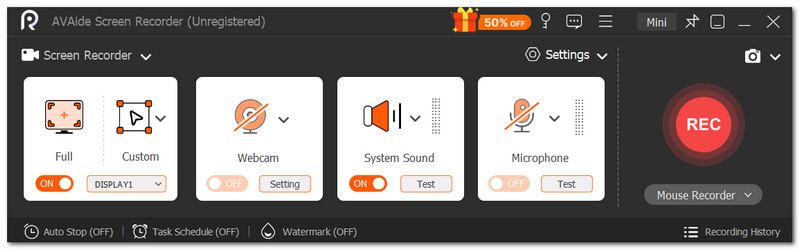
Рейтинг: 4.8
Платформа: Windows и Mac
Цены: $59
Ключевая особенность:
- Удобный для начинающих пользовательский интерфейс
- Высококачественные видеозаписи
- Плюсы
- Идеально подходит для всех типов записей.
- Минусы
- Бесплатная версия ограничивает время записи.
Часть 3. Сравнительная таблица и как сделать выбор.
Ниже представлен краткий обзор лучших программ для записи движений мыши для Windows и Mac.
| Мышиные записывающие устройства | Бесплатно | Поддерживаемая платформа | Требуется программирование. |
| Создатель макросов Пуловера | Да | Окна | Нет |
| Макрорекордер (от Jitbit) | Нет | Окна | Нет |
| TinyTask | Да | Окна | Нет |
| Макроцикл | Нет | Mac | Нет |
| Программа записи экрана AVAide | Нет | Windows, Мак | Нет |
Часть 4. Часто задаваемые вопросы о Mouse Recorder
Безопасно ли скачивать программы для записи действий мыши?
Это зависит от веб-сайта, с которого вы скачиваете программное обеспечение. Просто убедитесь, что сайт является легитимным и заслуживающим доверия, чтобы не подвергать свой компьютер воздействию вредоносных программ.
Почему курсор мыши исчезает во время записи?
Некоторые видеорекордеры автоматически убирают курсор мыши, чтобы видео оставалось чистым. Попробуйте проверить настройки, чтобы курсор отображался во время записи.
В чём разница между обычным видеорегистратором и видеорегистратором, снимающим мышью?
Видеорегистратор часто записывает действия на экране с функцией подсветки курсора мыши во время записи. В то же время, видеорегистратор мыши можно отличить от макрорекордера, который создает сценарий на основе реальных щелчков мыши. Это обычно используется для автоматизации повторяющихся задач, таких как заполнение форм.
Вы руководствовались данной статьей, содержащей лучшие материалы. записывающие устройства для мыши и клавиатурыЗная о различных типах программ, которые можно найти на онлайн-рынке, можно выделить AVAide Screen Recorder. Среди рассмотренных лучших инструментов AVAide Screen Recorder — лучший выбор благодаря интуитивно понятным функциям записи экрана с отслеживанием курсора. Он также помогает записывать вебинары и встречи в режиме реального времени с возможностью аннотирования и рисования. С AVAide вам не нужно искать дальше профессиональный инструмент для записи экрана, поскольку он гарантирует превосходные результаты. Нажмите кнопку «Бесплатная загрузка», чтобы попробовать его на Windows и Mac.
ОБ АВТОРЕ

Записывайте действия на экране со звуком, онлайн-встречами, игровыми видео, музыкой, веб-камерой и т. д.