画面録画に役立つツールをお探しですか?それならApowersoftにお任せください。
この記事では、 Apowersoftスクリーンレコーダーオンラインツール、Windows版とMac版、そしてiPhone版とAndroid版についても見ていきます。それぞれを詳しくレビューします!
パート1:Apowersoft製品エコシステムの概要
Apowersoftは、画面録画、編集、写真編集、ファイル管理など、さまざまな用途に対応するツールを提供しています。各製品は特定のタスク向けに設計されており、それらを組み合わせることで、多様なニーズに対応できる包括的なデジタルツールセットが完成します。
| 製品 | プラットホーム | 最適な用途 |
| ApowerREC | Windows、Mac、iOS、Androidに対応。 | 注釈ツールを備えたプロ仕様の画面録画機能。 |
| ApowerMirror | Windows、Mac、iOS、Androidに対応。 | スマートフォンの画面をリアルタイムでパソコンに映し出し、制御する。 |
| ピクウィッシュ | Windows、Mac、iOS、Androidに対応。 | AIによる写真編集と背景除去。 |
| LightPDF | ウェブ、Windows、Mac、iOS、Androidに対応。 | PDF編集、変換、およびAIドキュメントツール。 |
| ギットマインド | Windows、Mac、iOS、Androidに対応。 | AIを活用したマインドマッピングとチームコラボレーション。 |
| 動画編集者 | ウィンドウズとマック。 | プロフェッショナルな動画の制作と編集。 |
| ApowerManager | ウェブ、Windows、Mac、iOS、Androidに対応。 | 電話のデータ管理と転送。 |
| オンラインスクリーンレコーダー | ウェブ限定。 | ブラウザ上で手軽に無料で画面録画ができます。 |
| アパワーレスキュー | ウィンドウズとマック。 | iOSデバイスから削除されたデータを復元する。 |
| アパワーソフト・アンリミテッド | 多くのプラットフォームで利用可能です。 | Apowersoftの全ツールにフルアクセスできるサブスクリプションが1つ必要です。 |
パート2:Apowersoft無料オンラインスクリーンレコーダーのレビュー
それは何なのか
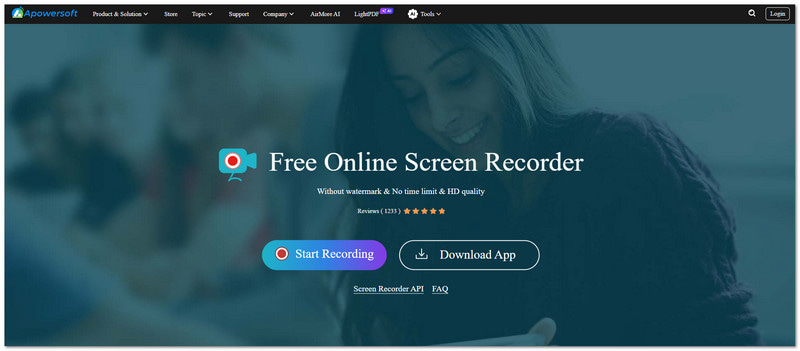
Apowersoftの無料オンラインスクリーンレコーダーは、画面上の操作を録画できるツールです。オンラインで動作するため、ダウンロードやインストールは不要です。
主な機能
- 録音時間は無制限です。
- 動画に透かしは入っていません。
- 画面、マイク、およびシステム音声の録音。
- ピクチャーインピクチャー録画モード。
制限事項
正常に動作するには、安定したインターネット接続が必須です。高度な動画編集ツールは搭載されていません。また、長時間の録画セッションでは動作が不安定になる場合があります。
無料オンライン音声録音機
Apowersoft Free Online Audio Recorderは、独立したオンラインプラットフォームです。音声録音専用に設計されており、システムサウンド、マイク入力、ストリーミングオーディオを録音できます。使いやすさを考慮し、MP3、OGG、AAC形式でファイルを保存できます。
評決
Apowersoft Free Online Screen Recorderは、手軽で簡単な録画作業に最適です。一般ユーザーには十分な機能を提供しますが、プロの編集や高度な制作には力不足です。
パート3:WindowsおよびMac版Apowersoft Screen Recorder Pro
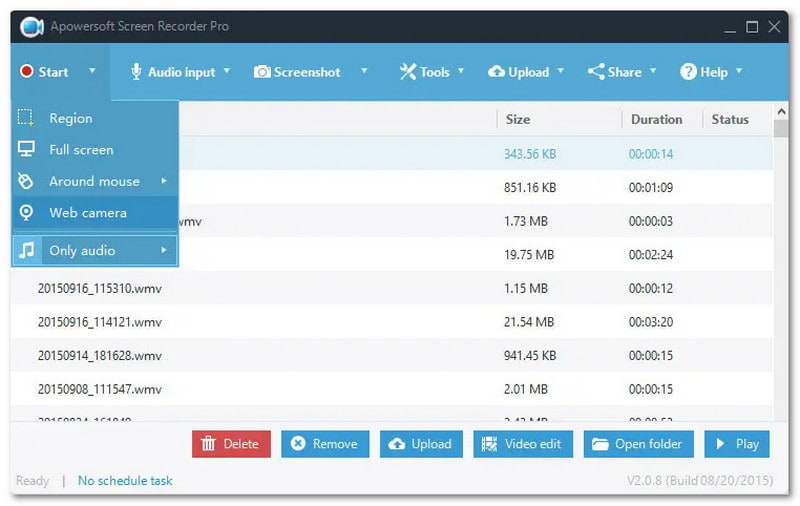
それは何なのか
WindowsとMacに対応した、高度な録画、編集、画面キャプチャ機能をサポートするプロ仕様のデスクトップ画面録画プログラム。
主な機能
- 録画中のリアルタイム編集。
- スケジュールされた録画タスク。
- 高解像度ビデオ出力。
- ゲーム、ウェブカメラ、カスタムエリアなど、多くの録画モードがあります。
長所短所
このツールは優れたパフォーマンスを発揮します。長時間の安定した録画に対応し、シンプルなインターフェースを備えています。また、トリミングツールも内蔵されています。ただし、無料版には制限があり、アップグレードを促すメッセージが表示されます。Mac版はWindows版に比べて編集機能が少なくなっています。
評決
Apowersoft Screen Recorder Proは、プロフェッショナルやコンテンツクリエイターに最適です。安定した高品質な録画機能に加え、編集機能も備えています。
パート4. Apowersoft iPhone/iPad Recorder
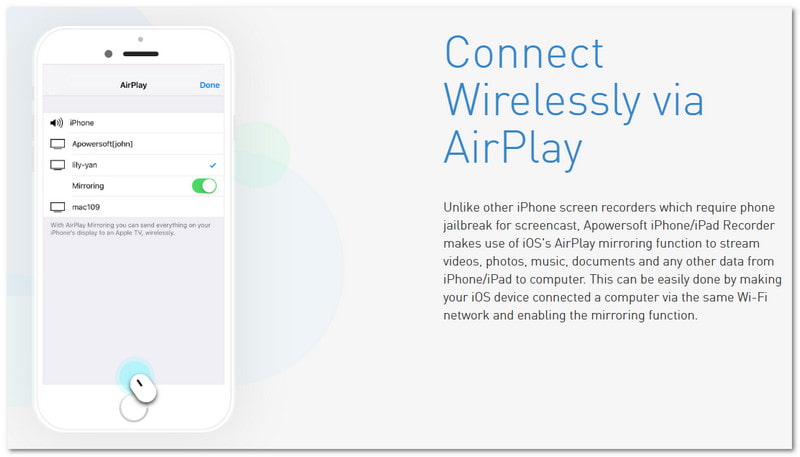
それは何なのか
AirPlayを使用してiPhoneまたはiPadの画面をWindowsまたはMacにミラーリングするデスクトップアプリケーション。画面表示中に画面を録画することもできます。
主な機能
- AirPlayを利用したワイヤレス画面録画。
- 優れた音声・映像録画機能。
- iOSデバイスからコンピュータへのライブストリーミング。
制限事項
Apowersoft iPhone/iPad Recorderは、両方のデバイスが同じWi-Fiネットワークに接続されている必要があります。インターネット接続とネットワークの安定性に大きく依存するため、スムーズな録音に影響が出る可能性があります。
ユースケース
- モバイルゲームの録画。
- アプリのデモ。
- iOSチュートリアルの作成。
評決
Apowersoft iPhone/iPad Recorderは信頼できる選択肢です。iOSユーザー向けに作られており、画面録画が可能で、脱獄(ジェイルブレイク)は不要です。
パート5. Android用Apowersoftスクリーンレコーダー
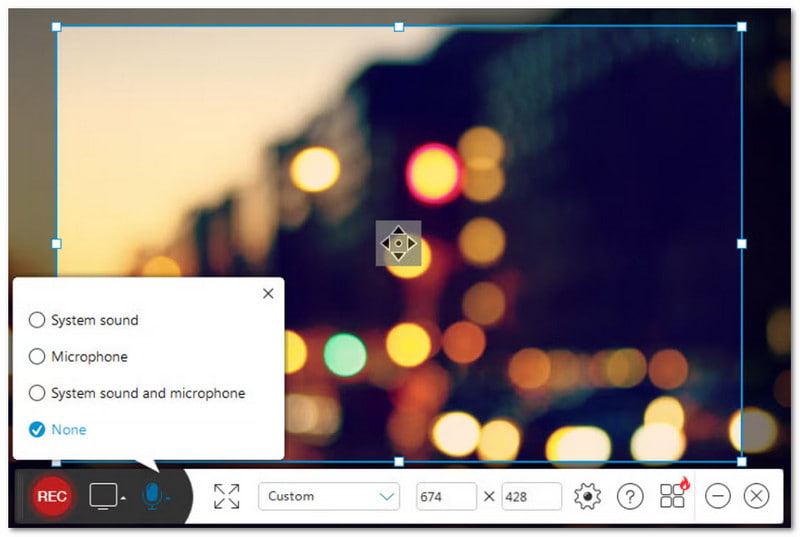
それは何なのか
Androidネイティブアプリケーションです。画面操作を録画できます。音声録音機能やその他の録画機能も備えています。
主な機能
- 音声対応の画面録画機能。
- フェイスカム(前面カメラ)のオーバーレイ。
- 解像度とビットレートの設定を調整できます。
- クラウドストレージの選択肢。
長所短所
使い方は簡単で、ルートアクセスも不要です。また、さまざまな録音ニーズに対応できる柔軟なオーディオ設定も備えています。ただし、一部の高度な機能を利用するには、有料版へのアップグレードが必要となる場合があります。
評決
Apowersoft Screen Recorder for Androidは、強力で使いやすいツールです。Androidユーザー向けに開発されており、ゲームプレイの録画やアプリのチュートリアル作成に最適です。
第6部 料金とプラン
| プラン | 価格 |
| 一生 | $69.95 |
| 年間 | $49.95 |
| 毎月 | $19.95 |
第7部 Apowersoftの代替品
1.AVAideスクリーンレコーダー
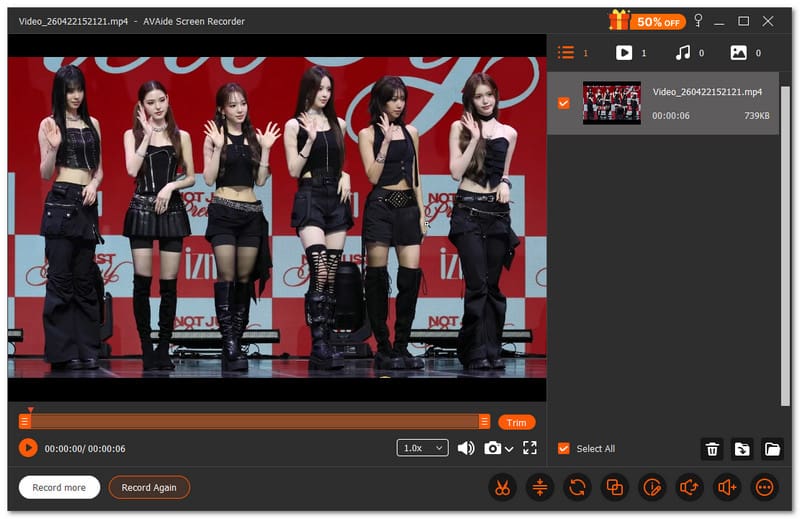
Apowersoft Screen Recorderの代替ソフトリストの最初に挙げられるのは AVAideスクリーンレコーダー画面録画、音声録画、ゲーム録画、ウェブカメラ録画、さらにはスマートフォン録画機能も備えています。録画したいものを簡単に選択でき、録画の開始と停止も設定できます。時間と手間を省き、無駄な手順を省くことができます。

 安全なダウンロード
録画直後に動画を修正する必要がありますか?AVAide Screen Recorderなら、すぐに編集できます。トリミング、結合、圧縮、ファイル変換など、すべてを1か所で行えます。音声の抽出や強調も可能です。特別なツールは必要ありません。このプログラムにすべてが揃っています。
- 効果的な方法:
- 全画面、選択したウィンドウ、またはカスタム領域を録画します。
- MP3、WMA、M4A、FLAC、OGGなどのオーディオフォーマットに対応しています。
- MP4、MOV、AVI、MKV、WMVなどのビデオフォーマットに対応しています。
- フルHD画質で最大60fpsのゲームプレイをキャプチャします。
- 録画中に注釈を追加できます。
- 含まれないもの:
- フルアクセスには、無制限録画機能へのアップグレードが必要です。
2. 織機
Loomは最新の画面録画オプションです。Apowersoftビデオレコーダーの代替として使用されています。 Chrome向けの最高のスクリーンレコーダーなぜなら、ブラウザ拡張機能としてもデスクトップアプリとしても動作するからです。
画面、音声、ウェブカメラの映像を同時に録画できます。録画後、すぐに共有可能なリンクが作成されます。手動でファイルをアップロードすることなく、動画を簡単かつ迅速に送信できます。
- 効果的な方法:
- 画面、マイク、ウェブカメラの録画に対応しています。
- ブラウザおよびデスクトップでの録画モード。
- 録画後すぐにリンクを共有できます。
- 動画に透かしは入っていません。
- シンプルで使いやすいインターフェース。
- 含まれないもの:
- デスクトップ版にはバグがある可能性があります。
- 無料版では録音回数に制限があります。
- インターネット接続が必要です。
- 無料プランにおける録画時間制限。
3. バンディカム
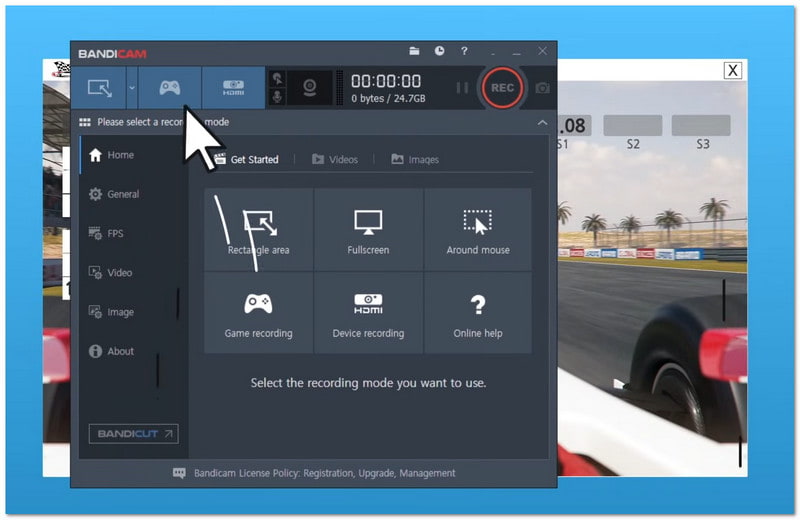
最後に、Bandicamはしばしば 最高のゲームレコーダーゲームに最適です。高画質ビデオキャプチャにも対応しています。Windowsユーザー向けに設計されており、様々な録画モードをサポートしています。フルスクリーン、エリアキャプチャ、ゲーム録画などが含まれます。
多くのユーザーが、長時間のゲームプレイ録画やチュートリアル作成のためにこのアプリを選んでいます。また、デバイスキャプチャやリアルタイム画面描画ツールにも対応しています。
- 効果的な方法:
- 高画質4K動画撮影。
- CPU使用率が非常に低い。
- ファイルサイズが小さい出力。
- 様々な録画モードが利用可能です。
- 画面描画ツールが含まれています。
- 含まれないもの:
- 一部の機能は有料版が必要です。
- 無料版には透かしが入ります。
- Windows でのみ利用可能です。
- まれにファイルの問題が発生するリスクがあります。
結論として、Apowersoftは画面録画のための多くのツールを提供しています。 Apowersoft無料オンラインスクリーンレコーダーまた、Windows、Mac、モバイルデバイスで動作するツールも含まれています。
しかし、シンプルなプログラムを1つだけ試したい場合は、 AVAideスクリーンレコーダー画面録画が可能です。音声、ウェブカメラ、電話の録画にも対応しています。初心者から上級者まで、誰でも簡単に使用できます。
著者について

AVAide ScreenRecorderで最高の瞬間をキャプチャします。スクリーンキャスト、カスタマイズ、共有を数秒で。