Pour de nombreux utilisateurs, l'identité typique consiste simplement à télécharger le extension d'enregistreur d'écran Ils découvrent le logiciel, puis se demandent après l'enregistrement : « Pourquoi y a-t-il un décalage ? » ou « Pourquoi le fichier est-il si volumineux ? » Un enregistrement vidéo optimal repose sur une fréquence d'images adéquate, des autorisations appropriées, un codec compatible et une interface utilisateur intuitive. Grâce à ces informations, vous n'aurez plus besoin de faire de montage. Dans les sections présentées ici, vous apprendrez à évaluer et à choisir les meilleurs outils pour votre navigateur.
- Comparatif rapide : Meilleur enregistreur d’écran
- Partie 1. Les meilleures extensions d'enregistrement d'écran pour Chrome
- Partie 2. Les meilleures extensions d'enregistrement d'écran pour Firefox
- Partie 3. Les meilleures extensions d'enregistrement d'écran pour Safari
- Partie 4. Les meilleures extensions d'enregistrement d'écran pour Opera
- Bonus : Le meilleur enregistreur d’écran pour tous les navigateurs
Comparatif rapide : Meilleures extensions d’enregistrement d’écran par navigateur
| Navigateur | Meilleur choix | Meilleur pour |
| Chrome | Métier à tisser | Il est idéal pour les tutoriels rapides, la communication d'équipe et le partage instantané de vidéos via des liens. |
| Firefox | Capture d'écran et enregistreur d'écran géniaux | Il est idéal pour capturer des captures d'écran avec des outils d'annotation et pour un enregistrement rapide via navigateur. |
| Safari | ScreenApp | Il est idéal pour l'enregistrement simple via navigateur, avec capture instantanée et prise en charge audio sur Mac. |
| Opéra | Enregistreur d'écran Scre.io | Il est idéal pour l'enregistrement d'écran léger avec audio microphone pour des démonstrations et des présentations rapides. |
Partie 1. Les meilleures extensions d'enregistrement d'écran pour Chrome
Métier à tisser est une extension Chrome populaire pour l'enregistrement d'écran rapide et le partage de vidéos. Vous pouvez enregistrer un onglet de votre navigateur, l'écran entier, votre webcam ou votre micro. Après l'enregistrement, un lien de partage est généré, facilitant la communication, le partage d'idées et la collaboration. Fréquemment utilisée en entreprise et dans l'éducation, elle réduit le besoin de transférer des fichiers vidéo volumineux, ce qui en fait une solution fiable. Enregistreur d'écran ChromeEn tant qu'enregistreur d'écran pour navigateur, Loom est apprécié pour sa rapidité, sa simplicité et son flux de travail convivial pour les équipes.

- Avantages
- Enregistrement rapide en un clic dans Chrome
- Enregistre simultanément l'écran, la webcam et le microphone.
- Liens vidéo partageables instantanément
- Interface claire et facile à utiliser
- Idéal pour la communication d'équipe et les tutoriels
- Les inconvénients
- Le forfait gratuit comporte des limitations de fonctionnalités.
- Nécessite une connexion internet pour le partage et l'accès au cloud.
- Les outils d'édition avancés sont payants.
- Le stockage en nuage peut ne pas convenir aux utilisateurs soucieux de leur vie privée
Partie 2. Les meilleures extensions d'enregistrement d'écran pour Firefox
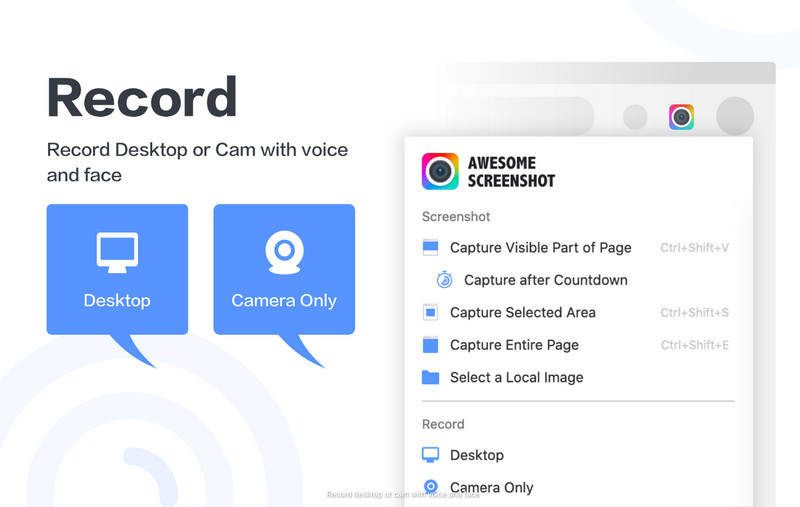
Les utilisateurs de Firefox à la recherche d'une extension unique pour prendre des captures d'écran et enregistrer des vidéos devraient considérer Awesome Screenshot & Screen Recorder. Vous pouvez enregistrer votre onglet de navigateur, votre bureau ou votre webcam ; c'est donc idéal pour partager des tutoriels, des mises à jour, des projets professionnels, des démonstrations de produits et pour le support client. Cette extension offre également des fonctionnalités de capture d'écran et de prise de notes, vous permettant de capturer une image et d'ajouter des commentaires sans télécharger d'extension supplémentaire. En tant qu'enregistreur d'écran pour Firefox, elle se distingue par sa capacité à combiner plusieurs outils dans un flux de travail simple et efficace.
- Avantages
- Onglet Enregistrements, écran du bureau et webcam
- Comprend des outils de capture d'écran et d'annotation
- Options de partage faciles après l'enregistrement
- Idéal pour les tutoriels et le travail à distance
- Interface simple pour les débutants
- Les inconvénients
- Certaines fonctionnalités avancées nécessitent un abonnement payant.
- Peut demander des autorisations étendues du navigateur
- Les performances peuvent varier sur les appareils plus anciens
- Le stockage en nuage peut ne pas convenir aux utilisateurs soucieux de leur vie privée
Partie 3. Les meilleures extensions d'enregistrement d'écran pour Safari
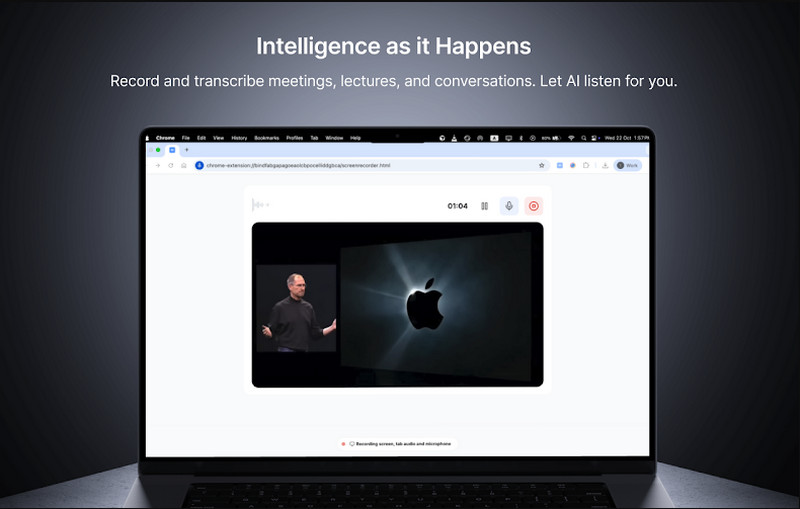
ScreenApp est une application web qui s'intègre à Safari et ne nécessite aucune installation. Elle permet de capturer les onglets, les fenêtres et les sons du navigateur depuis une interface unique, idéale pour créer des tutoriels, des cours en ligne et documenter des processus. L'outil d'enregistrement s'exécute directement depuis le navigateur et offre des options de téléchargement immédiat pour le partage, y compris sur les réseaux sociaux. Conçue pour Safari, cette application d'enregistrement d'écran est parfaite pour les utilisateurs souhaitant une capture rapide sans logiciel supplémentaire.
- Avantages
- Fonctionne directement dans Safari sans installation complète
- Enregistre les onglets du navigateur et l'audio du système
- Flux de travail d'enregistrement simple en un clic
- Prise en charge du téléchargement instantané MP4
- Adapté aux tutoriels et à l'apprentissage en ligne
- Les inconvénients
- Fonctionnalités d'édition avancées limitées
- Une connexion internet stable est nécessaire pour des performances optimales.
- Le forfait gratuit peut comporter des limites d'utilisation.
- Moins flexible que les enregistreurs d'écran de bureau complets
Partie 4. Les meilleures extensions d'enregistrement d'écran pour Opera
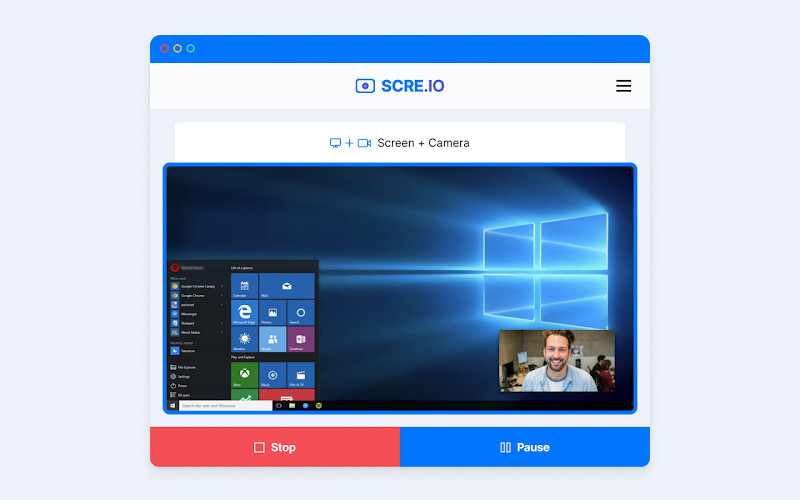
Enregistreur d'écran pour Opera ou Scre.io Cette extension permet d'enregistrer rapidement son écran dans Opera. Les utilisateurs peuvent ainsi enregistrer facilement les onglets Opera, l'intégralité du bureau et même le flux de leur webcam, sans aucune configuration particulière. Ce logiciel est souvent utilisé pour créer des tutoriels, des présentations et des démonstrations de produits grâce à sa rapidité et sa simplicité d'utilisation. En tant qu'extension d'enregistrement d'écran avec audio, elle prend en charge l'entrée microphone, permettant ainsi d'ajouter une narration vocale claire pendant l'enregistrement.
- Avantages
- Enregistrement simple en un clic dans Opera
- Enregistrement de l'écran, de l'onglet et de la webcam
- Prise en charge de l'enregistrement audio du microphone
- Aucune installation ni configuration complexe
- Utile pour les tutoriels et les présentations rapides
- Les inconvénients
- Fonctionnalités d'édition avancées limitées
- Nécessite des autorisations du navigateur pour fonctionner
- La version gratuite peut comporter des restrictions
- Les performances peuvent varier sur les appareils d'entrée de gamme.
Bonus : Le meilleur enregistreur d’écran pour tous les navigateurs
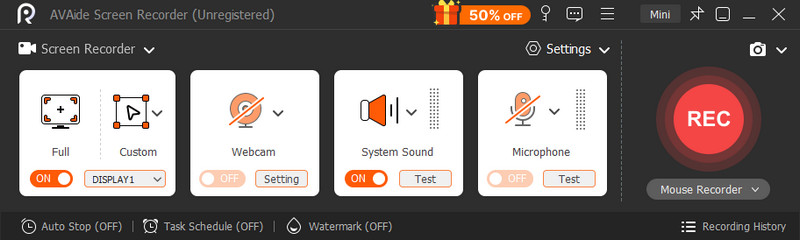
AVAide Enregistreur d'écran Il s'agit d'une application de bureau autonome compatible avec tous les principaux navigateurs web, tels que Chrome, Firefox, Opera et Safari. Elle capture l'audio et la vidéo de votre ordinateur sans nécessiter d'extensions ni d'autorisations de navigateur. Elle est ainsi plus fiable, polyvalente et performante pour les enregistrements longs ou complexes de tutoriels, réunions, sessions de jeu et présentations.

TÉLÉCHARGEMENT GRATUIT Pour Windows 7 ou version ultérieure
 Téléchargement sécurisé
TÉLÉCHARGEMENT GRATUIT Pour Mac OS X 10.13 ou version ultérieure
Téléchargement sécuriséÉtendre les fonctionnalités de votre navigateur est une excellente chose, mais cela implique des compromis, comme des limites de temps pour les enregistrements, une qualité réduite ou un navigateur plus lent. Ce type d'outil, comparable à ScreenRecCette application autonome permet de contourner ces problèmes. Elle autorise l'enregistrement simultané en plein écran, en fenêtre, par zone, ainsi que l'audio système, le microphone et la webcam. Elle offre également une personnalisation plus poussée du format et de la qualité vidéo, essentielle pour un usage commercial.
- Avantages
- Fonctionne sur tous les navigateurs sans extensions supplémentaires
- Aucune restriction de navigateur ni problème d'autorisation
- Plus stable pour les enregistrements longs et en haute résolution
- Enregistre simultanément le son du système, du microphone et de la webcam.
- Meilleures options de contrôle des performances et de qualité de sortie
- Adapté aux tutoriels professionnels, aux réunions et à la création de contenu
- Les inconvénients
- Nécessite une installation sur votre appareil
- Légèrement plus lourd que les outils de navigation rapide en un clic
- Cela peut prendre plus de temps au départ.
Il existe de nombreuses raisons d'enregistrer, et un outil d'enregistrement de navigateur est généralement choisi pour sa commodité et son efficacité lors de l'enregistrement d'un tutoriel, d'une démonstration ou d'un guide simple. enregistreur d'écran du navigateur Elle est pratique pour les tâches simples, car elle est facilement accessible sans installation de logiciel, mais elle peut également présenter des limitations en termes de performances, de durée ou de fonctionnalités.
Mais si une plus grande stabilité, qualité et contrôle sont souhaités pour des enregistrements techniques plus longs, un enregistreur d'écran autonome tel que AVAide Enregistreur d'écran offre une alternative plus efficace. En fin de compte, tout dépend de si vous avez un besoin immédiat d'enregistrer dans le navigateur ou si vous avez besoin d'outils et de fonctionnalités d'enregistrement avancés.
À PROPOS DE L'AUTEUR

Capturez les activités de l'écran avec de l'audio, des réunions en ligne, des vidéos de jeu, de la musique, une webcam, etc.
Enregistrement d'écran
- Enregistrement d'écran sous Windows
- Enregistrer un live sur Instagram
- Extraire des vidéos de Tubi
- Convertir des vidéos YouTube en MP3
- Téléchargez des vidéos depuis Fansly
- Téléchargement de vidéos JW Player
- Télécharger les vidéos Bilibili
- Télécharger des vidéos Patreon
- Télécharger les vidéos SpankBang
- Télécharger des vidéos Discord
- Télécharger la vidéo DoodSream