Vous devez créer votre premier tutoriel vidéo sur un sujet qui vous passionne, mais de nos jours, un simple enregistrement d'écran ne suffit plus. Vous devez présenter votre vidéo de manière professionnelle, en évitant les commentaires du genre : « Où avez-vous cliqué ? » ou « Je me suis perdu dans les étapes car le curseur bouge trop vite. » Il vous faut donc accompagner votre enregistrement d'écran d'une… enregistreur de sourisVous êtes au bon endroit, car nous allons vous présenter les meilleures solutions pour vos besoins.
Partie 1. Comprendre les enregistreurs de souris avant de faire votre choix
Vous pouvez trouver des enregistreurs de souris partout. En fait, il existe des outils gratuits pour enregistrer votre curseur. Toutefois, il est important de bien choisir l'outil qui vous convient.
Qu'est-ce qu'un enregistreur de souris exactement ?
Un enregistreur de souris peut être différent de ce que vous imaginez. Cet outil est en effet spécialisé dans la capture ou la mise en évidence des mouvements du curseur de votre souris pendant l'enregistrement d'écran. Cependant, un enregistreur de souris peut aussi être un autre outil. Pour mieux comprendre, consultez la description ci-dessous :
Différents types d'enregistreurs de souris
1. Enregistreurs Pure Mouse
Un enregistreur de souris pur est spécialisé dans l'enregistrement des mouvements et clics de votre souris. Une fois enregistrés, il convertit ces actions en macro ou script, créant ainsi une lecture automatisée infinie. Cela permet également de supprimer les tâches répétitives comme l'agriculture dans les jeux inactifs, sans avoir à programmer pour créer des automatisations.
2. Enregistreurs de souris et de clavier
Ce type d'enregistreur de souris suit votre curseur et vos frappes au clavier. La fonction supplémentaire met en évidence le texte saisi, permettant une automatisation complète des tâches. Un enregistreur de souris et de clavier peut faciliter le remplissage de formulaires répétitifs et l'enregistrement de raccourcis clavier.
3. Enregistreurs d'écran avec suivi de la souris
La plupart enregistreurs vidéo Certains enregistreurs de souris disponibles sur le marché proposent une fonction de suivi du curseur permettant de le mettre en évidence pendant l'enregistrement ; c'est probablement la première chose qui vient à l'esprit lorsqu'on entend le terme « enregistreur de souris ». Mais contrairement aux deux premiers types d'enregistreurs de souris, cette option n'est pas destinée à l'automatisation, mais uniquement à permettre aux spectateurs de suivre le mouvement du curseur dans la vidéo.
Cas d'utilisation typiques
Pour faciliter la compréhension, vous pouvez différencier les trois types selon leur utilisation :
- Enregistreurs de souris purs - Idéal pour enregistrer les routines monotones, vous aidant à terminer vos tâches même lorsque vous êtes loin de votre ordinateur.
- Enregistreur de souris et de clavier : remplit automatiquement les champs prédéfinis à des fins d’assurance qualité. Peut également servir à remplir des applications web complexes à plusieurs pages.
- Enregistreurs d'écran avec suivi de la souris - Améliorent l'enregistrement d'écran en suivant les mouvements du curseur, ce qui permet aux spectateurs potentiels de ne pas le perdre de vue.
Partie 2. Les 5 meilleurs logiciels d'enregistrement de l'activité de la souris : avis et évaluations
1. Pulover's Macro Creator – Meilleur enregistreur de souris gratuit toutes catégories confondues
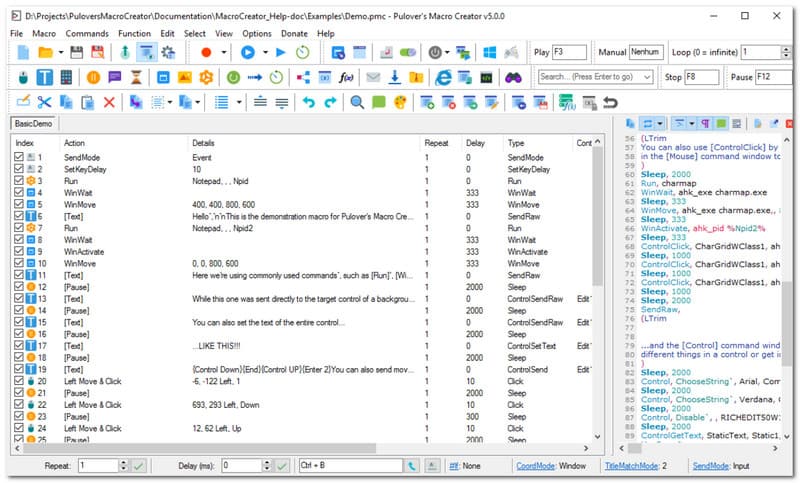
Besoin d'un logiciel gratuit d'enregistrement de la souris ? Pulover's Macro Creator (PMC) est un outil d'automatisation pour Windows permettant l'enregistrement de macros sans code et la création de scripts pour AutoHotkey. Il est recommandé pour sa capture précise des actions, tout en permettant aux utilisateurs de les convertir en commandes modifiables. Il met également en avant le clic avec contrôle, ciblant directement les éléments d'interface utilisateur tels que le texte et les boutons. Malheureusement, ce logiciel est connu pour le risque de téléchargement d'Adaware Web Companion, un logiciel intégré très intrusif.
Notation: 3.5
Plate-forme: les fenêtres
Tarification : Libérer
Principales caractéristiques:
- Inclut un enregistreur de macros natif
- Efficace pour automatiser les tâches répétitives au travail
- Avantages
- Aucun codage nécessaire
- Entièrement gratuit
- Les inconvénients
- Installer des programmes indésirables sur l'appareil de l'utilisateur
- Suivre l'activité des utilisateurs sans leur autorisation.
2. Macro Recorder (par Jitbit) – Idéal pour l'automatisation bureautique
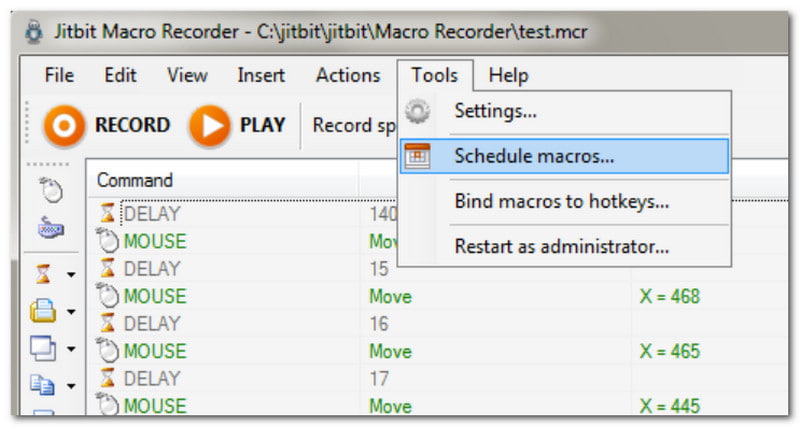
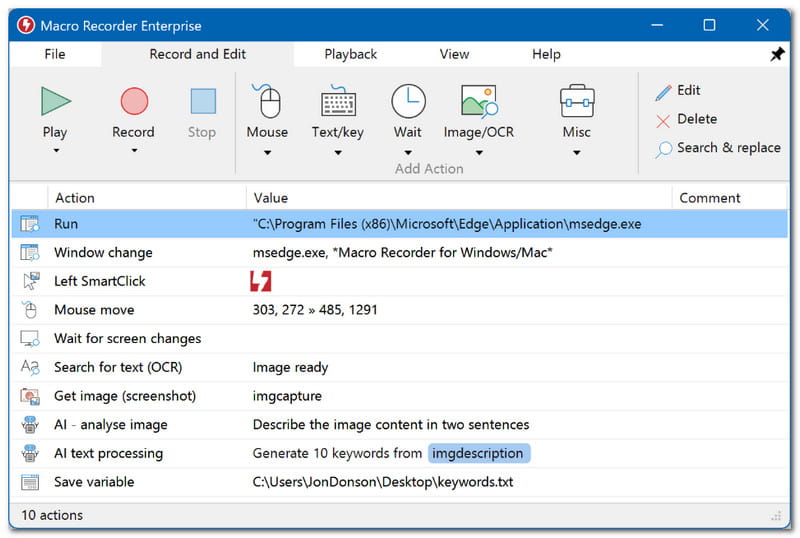
Un enregistreur de souris facile à prendre en main, même pour les débutants. Il suffit d'un clic sur le bouton Enregistrer pour utiliser Macro Recorder et se concentrer ensuite sur ses activités en ligne. Sa particularité ? La possibilité de convertir les macros en fichiers exécutables autonomes. De plus, l'automatisation fonctionne sur n'importe quel ordinateur Windows, même sans le logiciel installé.
Notation: 3.3
Plate-forme: les fenêtres
Tarification : $50
Principales caractéristiques:
- Automatisez les tâches répétitives sans coder.
- Convient comme éditeur de script visuel
- Avantages
- Il existe une version d'essai gratuite
- Inclut la reconnaissance d'images pour exécuter automatiquement la tâche suivante.
- Les inconvénients
- Non compatible avec Mac
3. TinyTask – Le meilleur enregistreur de souris léger et portable
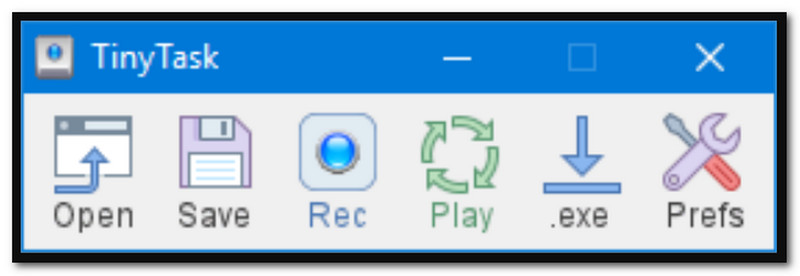
Comme son nom l'indique, TinyTask est un enregistreur de clics de souris minimaliste qui capture facilement le contenu de votre écran. Sa dernière mise à jour propose désormais une vitesse de lecture personnalisable et des raccourcis clavier pour répéter l'enregistrement en quelques clics. Cette application est idéale si vous souhaitez économiser de l'espace sur votre appareil, car elle ne pèse que 36 Ko.
Notation: 4
Plate-forme: les fenêtres
Tarification : Libérer
Principales caractéristiques:
- Enregistrement facile en un clic
- Léger et peu encombrant
- Fonctionne parfaitement avec les versions récentes de Windows.
- Avantages
- Taille de fichier réduite
- Courbe d'apprentissage facile
- Les inconvénients
- Non disponible sur Mac
4. MacroLoop – Meilleur enregistreur de souris pour Mac
MacroLoop est un enregistreur de souris et de clavier qui capture automatiquement tout le contenu de l'écran. Il est particulièrement performant pour l'enregistrement programmé et les boucles répétables. C'est également un excellent outil d'automatisation, capable de déclencher des flux de travail à une heure précise et de permettre aux tâches de longue durée de se poursuivre même en votre absence. MacroLoop est l'une des rares solutions disponibles pour Mac.
Notation: 4.1
Plate-forme: Mac
Tarification : $4.99
Principales caractéristiques:
- Enregistrements automatiques et programmés
- Automatisation des tâches 24 heures sur 24
- Avantages
- Convient aux longs enregistrements
- Les inconvénients
- Les utilisateurs peuvent rencontrer des bugs et des ralentissements.
5. AVAide Screen Recorder - Le meilleur enregistreur d'écran avec suivi de la souris
AVAide Enregistreur d'écran AVAide Screen Recorder est un excellent choix pour l'enregistrement d'écran sous Windows et Mac. Il est conçu pour capturer les activités à l'écran, y compris le curseur de la souris, avec des options permettant d'enregistrer les clics, les frappes au clavier et les zones surveillées. Il permet même d'enregistrer le son des clics, ce qui rend l'enregistrement vidéo plus interactif. Bien entendu, l'enregistreur garantit des enregistrements de qualité optimale, disponibles dans différents formats tels que MP4, WMV et AVI, et en résolution jusqu'à 4K. Bien qu'AVAide Screen Recorder offre une solution professionnelle, sa prise en main est très simple, ce qui en fait le choix idéal pour enregistrer les mouvements de la souris.

TÉLÉCHARGEMENT GRATUIT Pour Windows 7 ou version ultérieure
 Téléchargement sécurisé
TÉLÉCHARGEMENT GRATUIT Pour Mac OS X 10.13 ou version ultérieure
Téléchargement sécurisé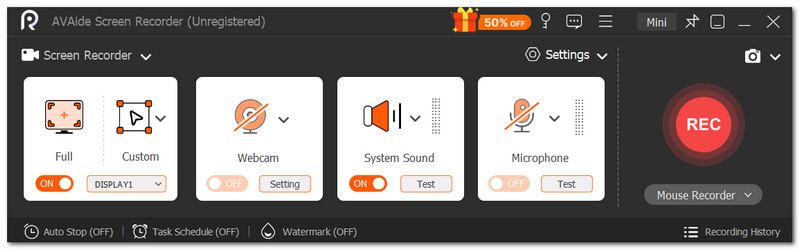
Notation: 4.8
Plate-forme: Windows et Mac
Tarification : $59
Principales caractéristiques:
- Interface utilisateur conviviale pour les débutants
- Enregistrements vidéo de haute qualité
- Avantages
- Idéal pour tous types d'enregistrements
- Les inconvénients
- La version gratuite limite la durée d'enregistrement.
Partie 3. Tableau comparatif et guide de choix
Voici un résumé des meilleurs logiciels d'enregistrement de souris pour Windows et Mac.
| Enregistreurs de souris | Libérer | Plateforme prise en charge | Programmation requise |
| Créateur de macros de Pulover | Oui | les fenêtres | Non |
| Enregistreur de macros (par Jitbit) | Non | les fenêtres | Non |
| Petite tâche | Oui | les fenêtres | Non |
| MacroLoop | Non | Mac | Non |
| AVAide Enregistreur d'écran | Non | Windows, Mac | Non |
Partie 4. FAQ sur l'enregistreur de souris
Est-il sûr de télécharger des enregistreurs de souris ?
Cela dépend du site web sur lequel vous téléchargez le logiciel. Assurez-vous simplement que le site est légitime et fiable afin de ne pas exposer votre ordinateur à des logiciels malveillants.
Pourquoi le curseur de la souris disparaît-il lorsque j'enregistre ?
Certains enregistreurs vidéo suppriment automatiquement le curseur de la souris pour une vidéo plus nette. Essayez de vérifier les paramètres pour que votre curseur apparaisse pendant l'enregistrement.
Quelle est la différence entre un enregistreur vidéo classique et un enregistreur à souris ?
Un enregistreur vidéo capture souvent les activités à l'écran et propose une fonction permettant de mettre en évidence le curseur de la souris pendant l'enregistrement. Un enregistreur de souris, quant à lui, peut être qualifié d'enregistreur de macros : il crée un script à partir des clics de souris. Cette fonction est couramment utilisée pour automatiser les tâches répétitives, comme le remplissage de formulaires.
Vous avez été guidé par cet article contenant les informations essentielles. Enregistreurs de souris et de clavierGrâce à la connaissance des différents types disponibles sur le marché en ligne, parmi les meilleurs outils testés, AVAide Screen Recorder se distingue par ses fonctionnalités intuitives d'enregistrement d'écran avec suivi du curseur. Il est également très utile. enregistrer des webinaires Organisez des réunions en temps réel, avec annotations et dessins. Avec AVAide, inutile de chercher ailleurs un enregistreur d'écran professionnel : il vous garantit des résultats exceptionnels. Cliquez sur le bouton « Téléchargement gratuit » pour l'essayer sur Windows et Mac.
À PROPOS DE L'AUTEUR

Capturez les activités de l'écran avec de l'audio, des réunions en ligne, des vidéos de jeu, de la musique, une webcam, etc.
Enregistrement d'écran
- Enregistrement d'écran sous Windows
- Enregistrer un live sur Instagram
- Extraire des vidéos de Tubi
- Convertir des vidéos YouTube en MP3
- Téléchargez des vidéos depuis Fansly
- Téléchargement de vidéos JW Player
- Télécharger les vidéos Bilibili
- Télécharger des vidéos Patreon
- Télécharger les vidéos SpankBang
- Télécharger des vidéos Discord
- Télécharger la vidéo DoodSream