Vous est-il déjà arrivé d'être tellement absorbé par le tournage d'une vidéo qu'elle s'est retrouvée inversée ou dans une orientation incorrecte ? Avec les appareils et applications modernes d'enregistrement vidéo, il est facile de se retrouver avec des vidéos inversées. TikTok, par exemple, est une application populaire pour enregistrer du contenu, mais elle a la fâcheuse tendance à retourner automatiquement les vidéos. C'est pourquoi il est recommandé d'utiliser un… application vidéo flipCet outil vous permet d'inverser une vidéo horizontalement ou verticalement. Cet article présente les meilleures applications pour inverser des vidéos sur PC, Android ou iPhone. Sans plus attendre, commençons.
Partie 1. Meilleure application Flip Video pour Windows/Mac
Ce qui facilite le retournement d'une vidéo, c'est d'utiliser AVAide Convertisseur vidéo Pour Windows et Mac, ce logiciel est un véritable atout. Il offre une multitude d'outils pour répondre à tous vos besoins, comme la conversion, la compression et même l'inversion vidéo. C'est l'application idéale pour retourner vos vidéos sur PC : son interface élégante et intuitive la rend facile à utiliser, et elle prend en charge un large éventail de formats vidéo. Vous n'aurez donc aucun souci de compatibilité, car ce convertisseur vidéo peut facilement éditer les formats MP4, VOB, MOV, WMV et bien d'autres. De plus, il propose de nombreuses options d'édition, notamment pour ajouter de l'audio, des filtres ou du texte. Son principal avantage ? Un résultat impeccable : vos vidéos sont éditées sans perte de qualité d'origine. Sans aucun doute, AVAide Video Converter est le choix idéal pour retourner vos vidéos en un clic.
Étape 1 Clique le Téléchargement Gratuit Cliquez sur le bouton pour obtenir AVAide Video Converter sur votre PC. Installez le logiciel et lancez-le pour commencer.

TÉLÉCHARGEMENT GRATUIT Pour Windows 7 ou version ultérieure
 Téléchargement sécurisé
TÉLÉCHARGEMENT GRATUIT Pour Mac OS X 10.13 ou version ultérieure
Téléchargement sécuriséÉtape 2Du Boîte à outils onglet, choisissez l'onglet Rotateur vidéo Option. Téléchargez la vidéo que vous souhaitez modifier.
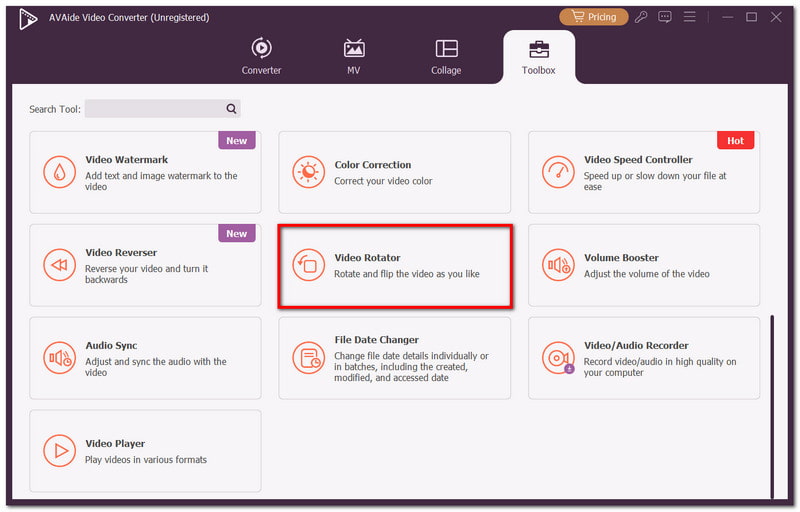
Étape 3Cliquez sur l'un des Rotation Vous pouvez choisir les options souhaitées. La deuxième vidéo en partant de la droite vous permettra de prévisualiser les modifications.
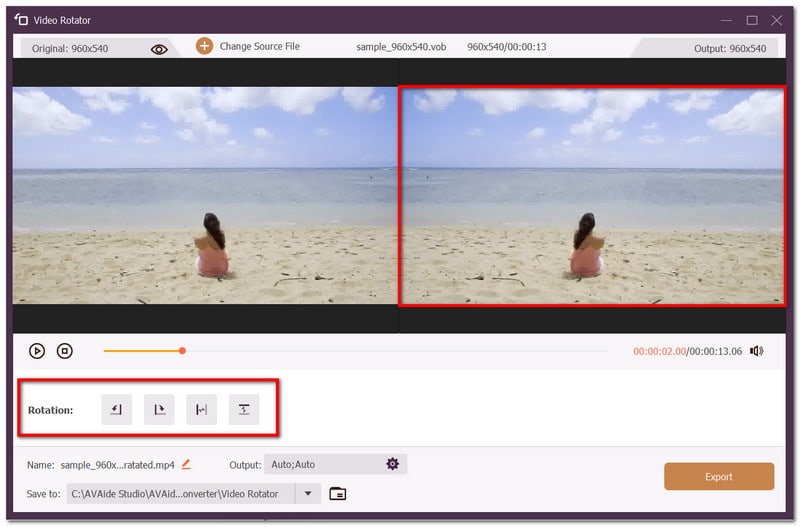
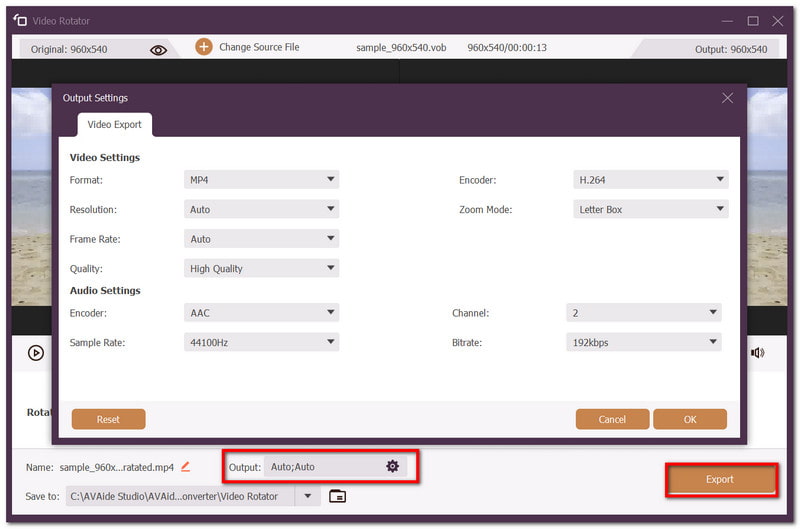
Étape 4Vous pouvez également modifier les paramètres de sortie, tels que le format, l'encodeur, etc. Prévisualisez votre travail et, une fois terminé, cliquez sur Exportation bouton pour enregistrer la vidéo inversée.
Partie 2. Les 3 meilleures applications pour retourner des vidéos sur iPhone
1. Éditeur de recadrage vidéo carré
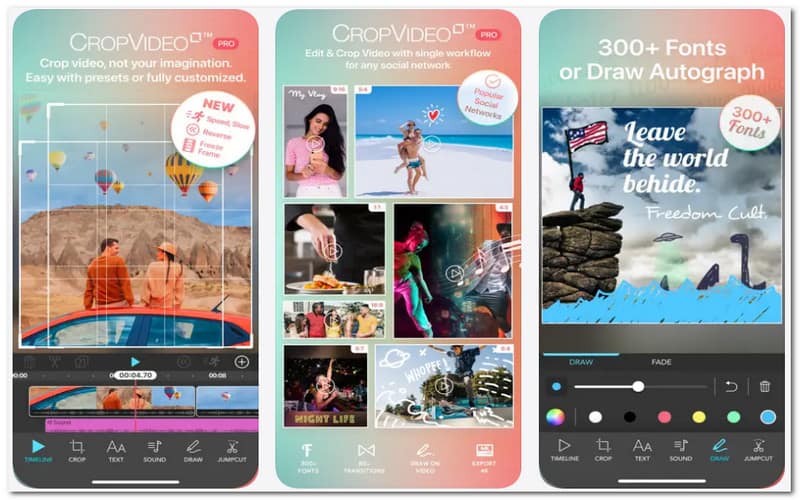
Crop Video Square Editor est l'une des applications les plus exclusives pour retourner une vidéo sur iOS. Elle rend le retournement de vidéos très facile, et propose d'autres options de montage comme le fractionnement et le recadrage. Son interface est également intuitive : pincer, zoomer et recadrer ne posera aucun problème. vidéos de la caméra frontale des rétroviseursQue ce soit verticalement ou horizontalement. Le seul inconvénient est que cette application ne propose pas ses fonctionnalités gratuitement ; il vous faudra donc les acheter au sein de l’application.
2. Photos d'Apple
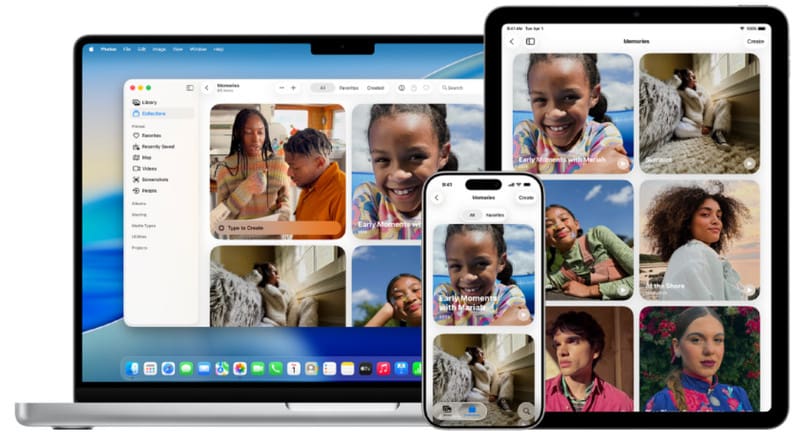
Si vous cherchez une application gratuite pour retourner des vidéos sur iPhone, l'application Photos d'Apple est faite pour vous. Préinstallée sur tous les appareils iOS, elle vous permet de conserver vos vidéos directement depuis votre galerie, sans avoir à les importer. Photos propose des outils de montage basiques, comme le retournement vidéo et le réglage de la luminosité. C'est l'outil le plus recommandé pour préserver la qualité de vos vidéos. Cependant, si vous recherchez des fonctionnalités de montage avancées, ce n'est pas l'application idéale. Néanmoins, cet outil natif d'iOS vous permettra de réaliser rapidement et facilement des retouches.
3. iMovie
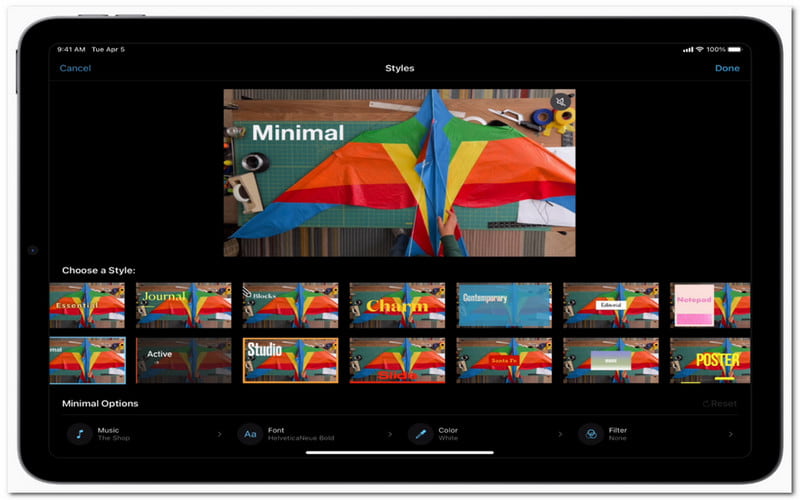
L'application Photos d'Apple étant limitée pour le montage vidéo, iOS propose iMovie gratuitement comme application de montage vidéo. Elle offre des outils plus performants, comme la rotation, la symétrie, le réglage de la vitesse et bien d'autres. Son principal atout ? Importer facilement des vidéos depuis différents appareils iOS et les exporter sans altérer leur qualité d'origine. Si vous êtes débutant, iMovie peut paraître complexe au premier abord ; il vous faudra un peu de temps pour vous familiariser avec l'application. De plus, iOS 17 est requis, les versions antérieures pouvant être incompatibles. Cependant, c'est le moment idéal pour l'essayer, car vous pourrez ensuite… faire un film sur iMovie.
Partie 3. Les 3 meilleures applications de flip video pour Android
1. PowerDirecteur
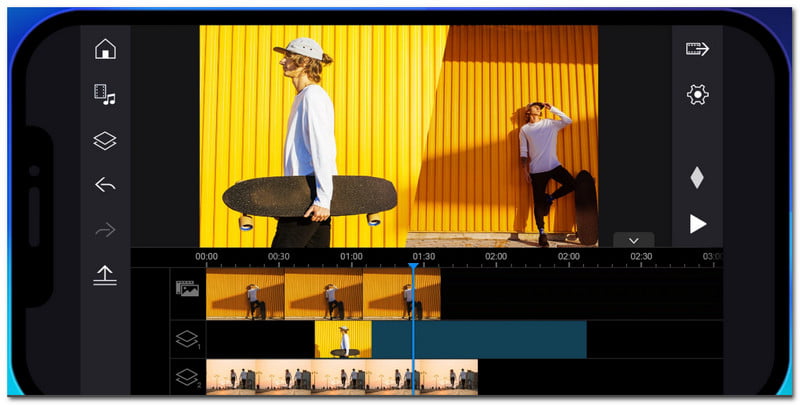
PowerDirector n'est pas qu'une simple application pour retourner des vidéos ; elle est conçue pour répondre à tous vos besoins en montage vidéo. Que vous soyez débutant ou professionnel, l'application offre un contrôle et des fonctionnalités flexibles pour la rotation, le réglage des couleurs et l'amélioration de vos vidéos. Disponible sur Android, elle pallie le manque d'outils de montage sur votre téléphone et vous permet de monter vos vidéos sans aucune limitation. Elle deviendra ainsi votre alliée idéale pour la création de contenu pour les réseaux sociaux. Cependant, de nombreuses fonctionnalités sont réservées aux abonnés. Investir dans PowerDirector représente un excellent choix à long terme, mais si vous recherchez un montage rapide, d'autres alternatives existent.
2. Google Photos
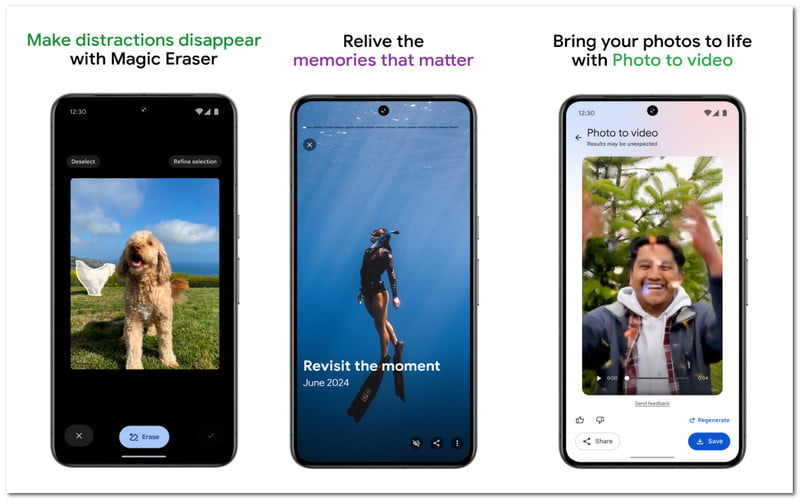
Tout comme l'iPhone, Android propose des options de montage basiques pour vos vidéos et photos. Google Photos, avec ses 15 Go de stockage et sa fonction d'organisation automatique, est une application simple pour retourner une vidéo. Cependant, la seule façon de retourner une vidéo est de la faire pivoter ; l'inversion ou la mise en miroir ne sont pas disponibles dans Google Photos. Pour faire pivoter une vidéo, ouvrez-la dans Google Photos. Appuyez sur le bouton Modifier, puis sur Recadrer. Vous y trouverez l'option Rotation, qui permet de faire pivoter la vidéo de 90 degrés. Appuyez sur Enregistrer une copie pour conserver l'original.
3. Effets vidéo Flip
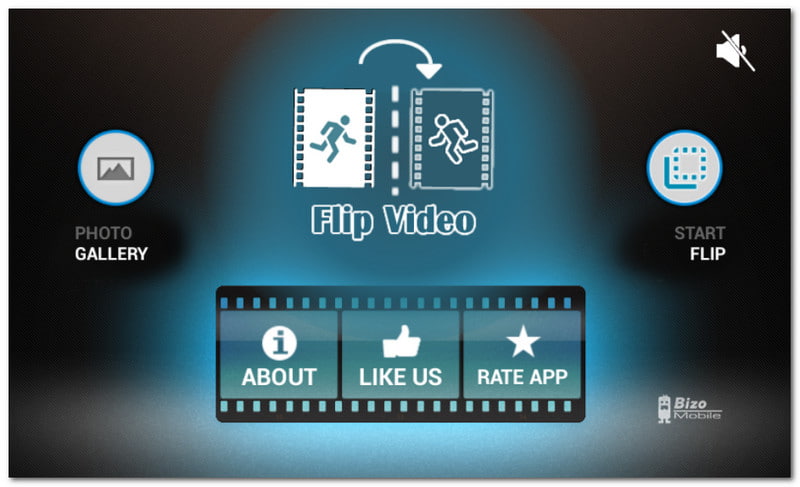
Flip Video FX est une application dédiée à l'inversion vidéo sur Android. Son unique but est de mettre en miroir, faire pivoter ou inverser les vidéos de votre téléphone. Elle intègre une fonction d'enregistrement vidéo, vous permettant de filmer en temps réel si vous n'avez pas encore de vidéos à inverser. Son interface est très intuitive et la navigation dans l'application ne prend que quelques minutes. De plus, sa légèreté garantit des performances rapides et un traitement vidéo performant. Contrairement à de nombreuses applications de montage qui nécessitent un abonnement, Flip Video FX est gratuite. Cependant, ses fonctionnalités étant limitées, elle ne convient pas aux montages plus complexes.
Partie 4. Comparaison côte à côte des applications
Pour vous aider à choisir le programme le plus adapté à vos besoins, ce tableau comparatif peut vous être utile :
| Outil | Retourner/Rotation | Plus de fonctionnalités d'édition | Libérer | Systèmes d'exploitation pris en charge |
| AVAide Convertisseur vidéo | Oui | Oui | Non | Windows, Mac |
| Éditeur de recadrage vidéo carré | Oui | Oui | Non | iOS |
| Photos d'Apple | Oui | Non | Oui | iOS |
| iMovie | Oui | Oui | Oui | iOS |
| PowerDirector | Oui | Oui | Non | Android, iOS |
| Google Photos | Oui | Non | Oui | Android, iOS |
| Flip Video FX | Oui | Non | Oui | Android |
Grâce à cet article, vous avez découvert applications pour retourner les vidéos Pour PC, Android et iPhone. La plupart des applications de montage permettent de corriger l'inversion des vidéos, mais il existe aussi des applications dédiées uniquement à cette fonction. Par ailleurs, vous pouvez vous fier à… AVAide Convertisseur vidéo Grâce à sa simplicité d'utilisation et à ses nombreuses fonctionnalités, il s'impose comme le choix idéal pour un montage rapide et professionnel, qu'il s'agisse de convertir, compresser ou inverser des vidéos. Téléchargez gratuitement le logiciel et découvrez par vous-même toute sa puissance.
À PROPOS DE L'AUTEUR

Le convertisseur multimédia le plus complet pour convertir la vidéo et l'audio sans perte de qualité.
Éditer vidéo
- Vidéo IA haut de gamme
- Supprimer le filigrane de la vidéo
- Supprimer le texte de la vidéo
- Réduction de 4K à 1080p/720p
- Supprimer le bruit de fond de la vidéo
- Éditeur de métadonnées MP4
- Améliorer la qualité vidéo
- Vidéo inversée
- Correction d'une vidéo de mauvaise qualité
- Supprimer les métadonnées de la vidéo/audio
- Miroir/Désmiroir vidéo de la caméra frontale