Verkkokokoukset ovat nykyään osa jokapäiväistä elämää. Käytämme niitä työssä, koulussa ja ryhmäkeskusteluissa. Mutta joskus internet-ongelmat, häiriötekijät tai puuttuvat tiedot voivat olla ongelma. Hyvä puoli on, että voit tallentaa kaiken myöhempää käyttöä varten kokoustallentimella. Ja kokouksen tallennin Alla olevat työkalut voivat auttaa sinua tallentamaan kaiken selkeästi!
- Mitä kokoustallenninta valittaessa kannattaa ottaa huomioon
- Osa 1. Alustapohjaiset kokoustallentimet
- Osa 2. Tekoälyyn perustuvat kokoustallentimet ja muistiinpanojen tekijät
- Osa 3. ChatGPT-kokoustallennin
- Osa 4. Ilmaiset kokoustallentimet
- Osa 5. Verkkokokousten tallentimet (ei latausta)
- Osa 6. Kokouksen tallennuslaitteisto
- Osa 7. Parhaiden kokoustallentimien vertailu
Mitä kokoustallenninta valittaessa kannattaa ottaa huomioon
On tärkeää tietää ensin, mitä kokoustallenninta etsiä. Lue siis alla olevat kohdat huolellisesti.
- Transkription tarkkuus - Sen pitäisi muuntaa puhe oikeaksi ja selkeäksi tekstiksi ilman monia virheitä.
- Tekoälyn yhteenvedon laatu - Sen tulisi laatia lyhyet ja selkeät kokousmuistiinpanot, jotka sisältävät keskeiset kohdat ja toimenpide-ehdotukset.
- Tietosuoja ja tietojen hallinta - Sen tulisi suojata tallenteitasi ja antaa hallinta siihen, miten tietoja tallennetaan tai jaetaan.
- Alustan yhteensopivuus - Sen pitäisi toimia hyvin työkalujen, kuten Zoomin, Teamsin tai Google Meetin, kanssa eri laitteilla.
- Hinnoittelumalli - Sen tulisi selvästi näyttää, onko se ilmainen vai maksullinen ja mitä ominaisuuksia saat kussakin paketissa.
Osa 1. Alustapohjaiset kokoustallentimet
Kokoukset eivät ole enää vain puheluita. Vuoteen 2026 mennessä kokousten tallennustyökalut, kuten Zoom, Teams ja Meet, voivat tallentaa kokouksia, kirjoittaa muistiinpanoja ja antaa yhteenvetoja puolestasi.
1. Zoomaus
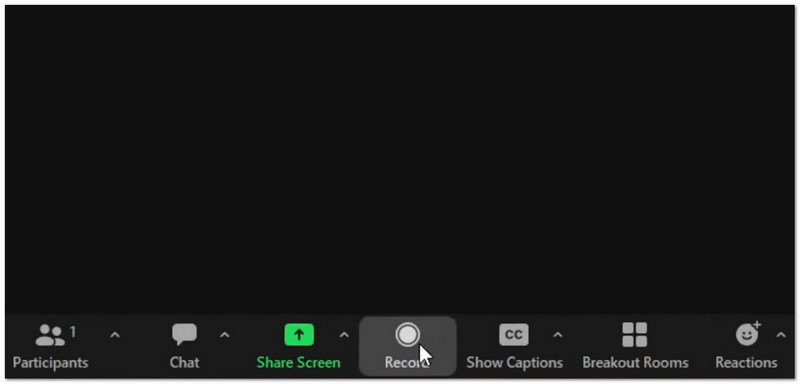
Mitä se tekee: Se tallentaa videota ja ääntä, luo tekoälyllä yhteenvetoja ja älykkäitä lukuja ja voi myös kääntää reaaliajassa AI Companionin avulla tarjoten sekä paikallisia että pilvitallennusvaihtoehtoja.
- Plussat
- Vahva jopa heikolla internetyhteydellä
- Monet työkalut, kuten kyselyt ja valkotaulut
- Älykkäät tekoälymuistiinpanot ja toiminnot
- Haittoja
- Tekoälytyökalut maksavat enemmän
- Pilvitallennustila on rajallinen
Paras:
- Suuret kokoukset
- Webinaarit
- Joukkueet, joilla on huono internetyhteys
Arvosana: ★★★★★★ (5/5)
2. Joukkueet
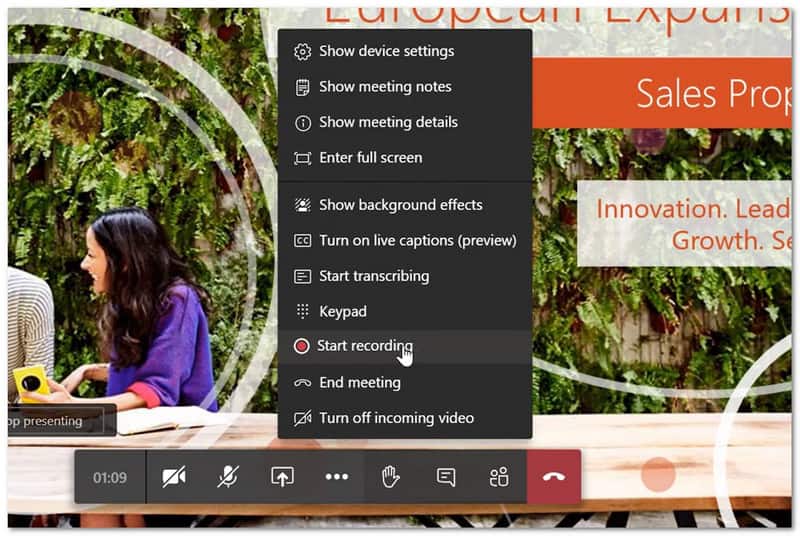
Mitä se tekee: Se tallentaa ja litteroi kokouksia ja käyttää Copilotia älykkäiden yhteenvetojen, toimenpide-esimerkkien ja puhujakohtaisten yhteenvetojen luomiseen samassa paikassa.
- Plussat
- Toimii hyvin Microsoft 365:n kanssa
- Säilyttää tiedostot ja keskustelut yhdessä paikassa
- Voimakas melunvaimennus
- Haittoja
- Voi tuntua hitaalta vanhoilla laitteilla
- Vierailijan pääsyn vaativat asetukset
- Tallenteet vanhenevat 120 päivän kuluttua
Paras:
- Tiimit käyttävät Microsoft 365:tä päivittäin
Arvosana: ★★★★ (4.5/5)
3. Tapaa
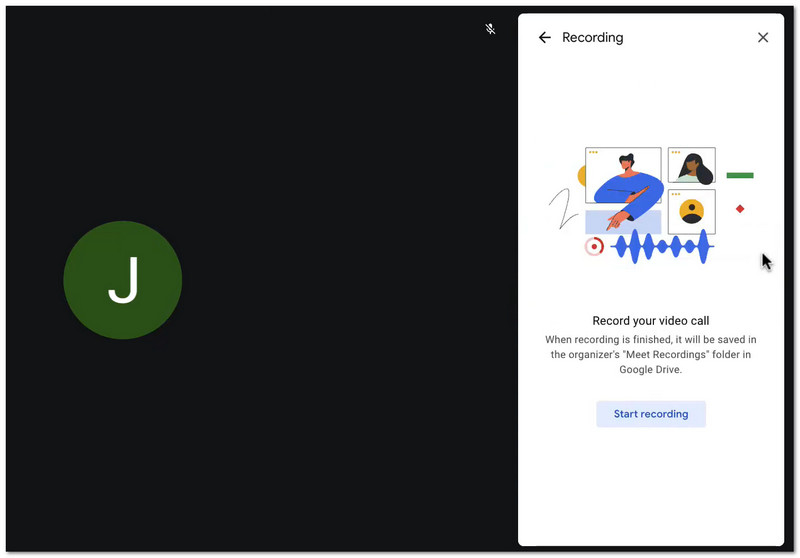
Mitä se tekee: Se tallentaa kokoukset Google Driveen ja käyttää Geminiä automaattisten muistiinpanojen luomiseen. Lisäksi se mahdollistaa käyttäjien liittymisen helposti verkkoselaimen kautta ilman sovellusten asentamista.
- Plussat
- Helppo liittyä
- Nopea asennus
- Yksinkertainen tiedostojen tallennus Drivella
- Haittoja
- Ei perussuunnitelmissa
- Tekoäly on yksinkertaisempi kuin Zoom
Paras:
- Google Workspacen käyttäjät
- Nopeita ja yksinkertaisia tapaamisia
Arvosana: ★★★★ (4/5)
Osa 2. Tekoälyyn perustuvat kokoustallentimet ja muistiinpanojen tekijät
Muistiinpanojen tekeminen kokouksissa voi hidastaa sinua. Onneksi tekoälypohjaiset kokousten tallennustyökalut tekevät nyt tämän työn puolestasi.
1. Syli
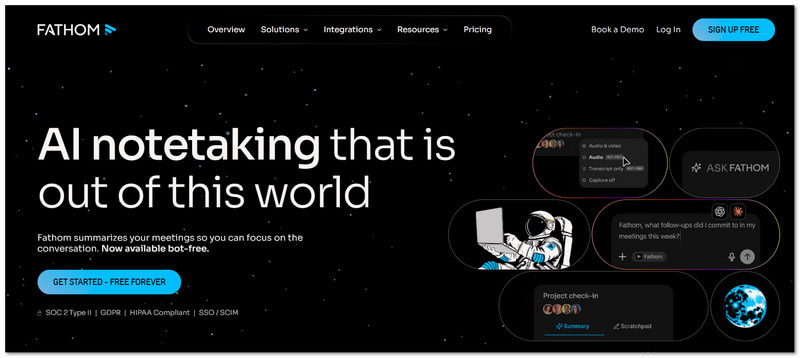
Mitä se tekee: Fathom on ilmainen tekoälytyökalu, joka tallentaa ja yhteenvetää Zoom-, Meet- ja Teams-puhelut.
Avainominaisuudet:
- Rajoittamaton tallennus ja transkriptio
- Pikayhteenvedot
- Kohokohdat
- CRM-synkronointi
- Plussat
- Ilmainen henkilökohtaiseen käyttöön
- Helppokäyttöinen
- Nopeita tuloksia
- Haittoja
- Ilmaisversiossa on vähän edistyneitä työkaluja
- Käyttää bottia kokouksissa
Hinnoittelu:
- Ilmainen suunnitelma
- Maksettu alkaen $19/kk
Paras:
- Yksilöt
- Pienet tiimit
Arvosana: ★★★★ (4.7/5)
2. Saukko
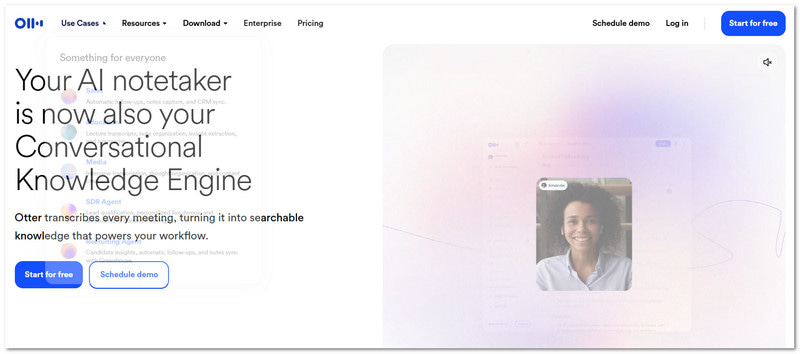
Mitä se tekee: Otter on tunnettu tekoälypohjainen kokoustallennin ja litteroija reaaliaikaiseen litterointiin ja tiimimuistiinpanoihin.
Avainominaisuudet:
- Reaaliaikainen transkriptio
- Tiimikeskustelu
- Kaiuttimen tunnus
- Diakaappaus
- Plussat
- Erinomainen reaaliaikaiseen tiimityöhön
- Luotettu työkalu
- Haittoja
- Muutama minuutti vapaa-aikaa
- Täyteen käyttöön tarvitaan maksullinen liittymä
Hinnoittelu:
- Ilmainen suunnitelma
- Maksettu alkaen $10/kk
Paras:
- Tiimin muistiinpanojen tekeminen
- Live-transkriptio
Arvosana: ★★★★ (4.2/5)
3. Tulikärpäset
Mitä se tekee: Fireflies on tekoälytyökalu, joka tallentaa kokouksia ja seuraa keskusteluja syväintegraatioiden avulla.
Avainominaisuudet:
- Automaattiset kokousmuistiinpanot
- Tunneanalyysi
- Mukautetut mallit
- Yli 90 integraatiota
- Plussat
- Monet ominaisuudet
- Vahva haku
- Hyvä CRM-lokikirjaus
- Haittoja
- Korkeammat kustannukset
- Voi tuntua monimutkaiselta
- Ylimääräiset luottokulut
Hinnoittelu:
- Ilmainen suunnitelma
- Maksettu alkaen $16/kk
Paras:
- Myyntitiimit
- CRM-käyttäjät
Arvosana: ★★★★ (4.5/5)
Osa 3. ChatGPT-kokoustallennin
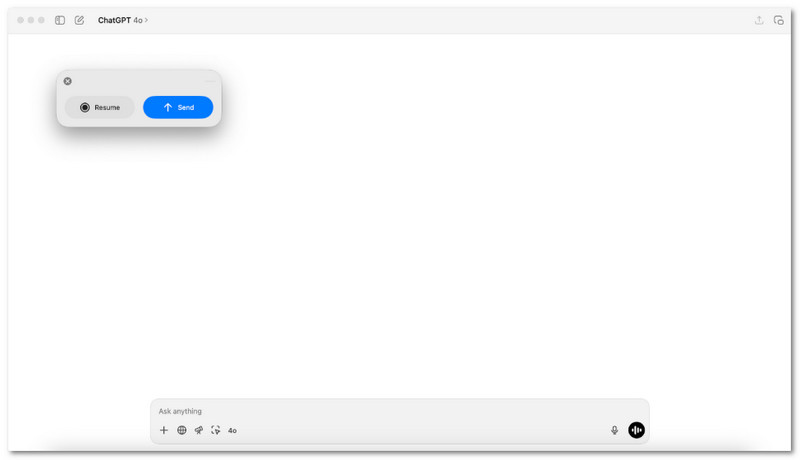
Tarvitsetko yksinkertaisen tavan muuttaa puheet hyödyllisiksi muistiinpanoiksi kokouksen jälkeen?
macOS:ssä ChatGPT Meeting Recorder hoitaa tämän tehtävän. Se tallentaa ääntä ja muuntaa sen selkeiksi yhteenvedoiksi toimintaohjeineen. Se sopii käyttäjille, jotka haluavat nopean tarkastelun, selkeän tulosteen ja eivät halua ylimääräisiä työkaluja kokousten aikana.
Osa 4. Ilmaiset kokoustallentimet
Kokoukset etenevät nopeasti ja yksityiskohdat voivat unohtua. Ilmaiset kokoustallentimet tallentavat jokaisen sanan hiljaa, joten mitään ei jää huomaamatta. Tässä osiossa esittelemme siis alla suositellut sovellukset.
1. AVAide Screen Recorder
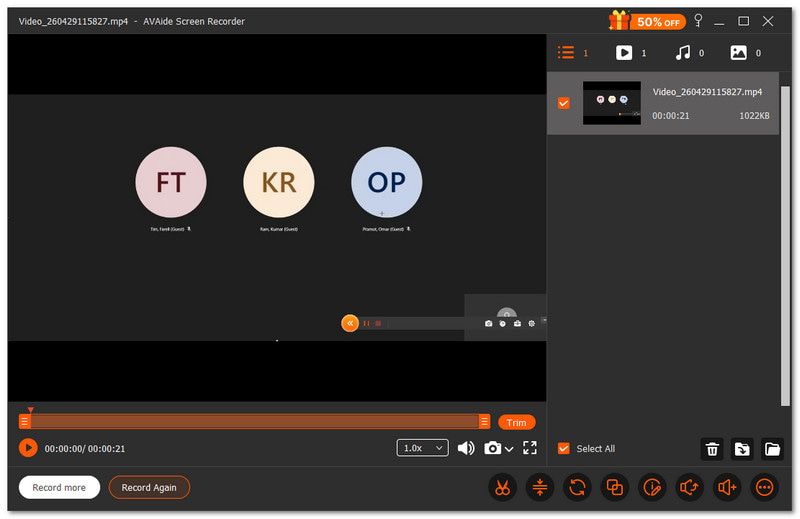
Jos joudut joskus käyttämään merkintätyökaluja, kuten piirtämistä, korostamista tai muistiinpanojen lisäämistä kokouksen tallentamisen aikana, tämä ilmainen kokoustallennin... AVAide Screen Recorder, voi auttaa.
- Tallentaa korkealaatuisesti jopa 1080p- tai 4K-resoluutiolla.
- Sallii kuvakaappausten ottamisen näytön tallennuksen aikana
- Sisältää muokkaustyökalut videoiden leikkaamiseen ja säätämiseen tallennuksen jälkeen.
- Tukee ajastettua tallennusta automaattiselle käynnistykselle ja pysäytykselle.
- Vie videoita eri muodoissa helppoa jakamista varten

 Suojattu lataus
Voit tallentaa koko näytön tai vain tarvitsemasi osan. Tuntuu kuin valitsisit, mitä kokouksessasi "kehystää". Se tallentaa myös järjestelmän äänet ja äänesi samanaikaisesti. Joten mitään ei jää huomaamatta.
2. OBS Studio
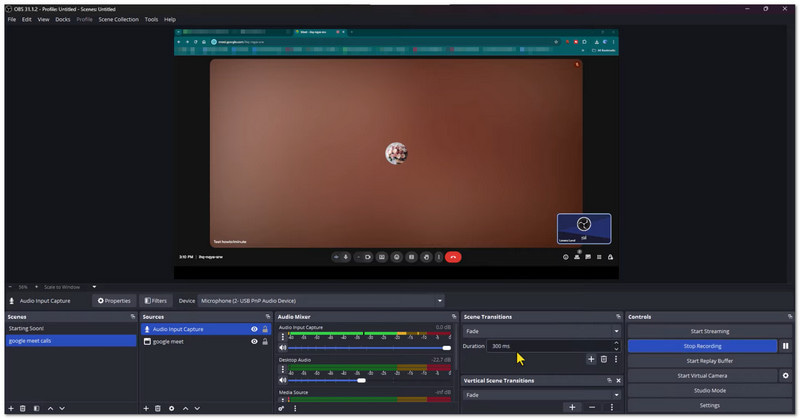
OBS Studio on ilmainen avoimen lähdekoodin kokousten tallennusohjelmisto, jota käytetään kokousten ja näytön toiminnan tallentamiseen. Se pystyy tallentamaan näytön, web-kameran ja mikrofonin samanaikaisesti korkealaatuisesti. Sen avulla käyttäjät voivat myös luoda ja vaihtaa mukautettuja kohtauksia tallennuksen aikana. Se sopii parhaiten käyttäjille, jotka haluavat edistyneitä hallintalaitteita ja ammattimaisia tuloksia.
3. QuickTime-soitin
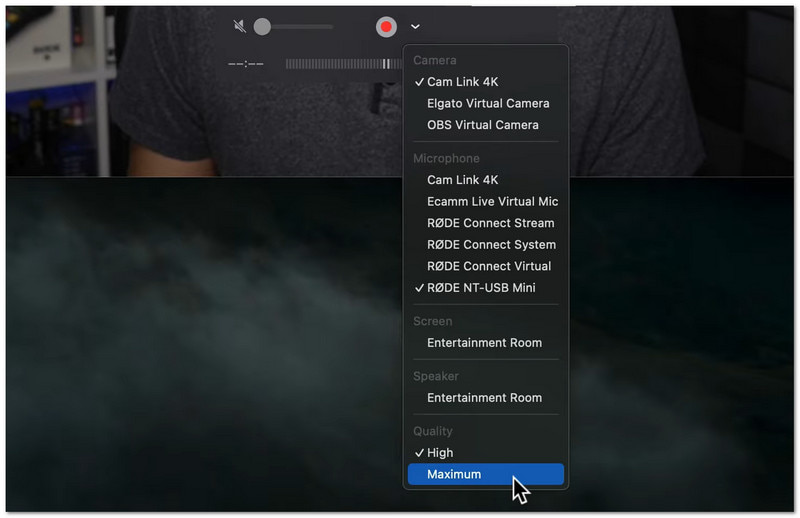
Se on sisäänrakennettu Mac-työkalu yksinkertaiseen näytön ja kokousten tallentamiseen. Se on jo asennettu Macille, joten lataamista ei tarvita. Käyttäjät voivat aloittaa tallennuksen Tiedosto-valikosta muutamassa sekunnissa. Se sopii parhaiten nopeisiin ja helppoihin tallennuksiin perusmuokkauksilla.
Osa 5. Verkkokokousten tallentimet (ei latausta)
Etkö halua ladata mitään? Alla olevat verkkopohjaiset työkalut voivat auttaa sinua tallentamaan kokouksia helposti suoraan selaimessasi.
1. VEED
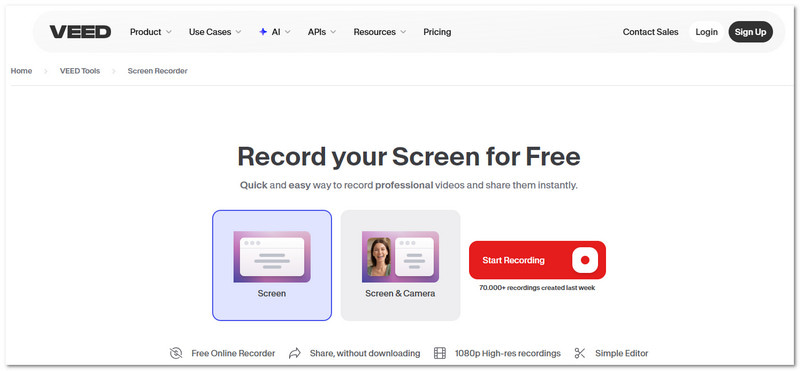
VEED on online-näytön tallennin jota voit käyttää kokouksissa, esityksissä ja opetusohjelmissa. Se tallentaa näytön, kameran ja äänen yhteen paikkaan. Se sisältää myös muokkaustyökaluja, kuten kohinan poiston ja katsekontaktin korjauksen. Se on suunniteltu ihmisille, jotka haluavat tallennettuja kokouksia, jotka näyttävät valmiilta jaettavaksi tai esitettäväksi.
2. Kommodo
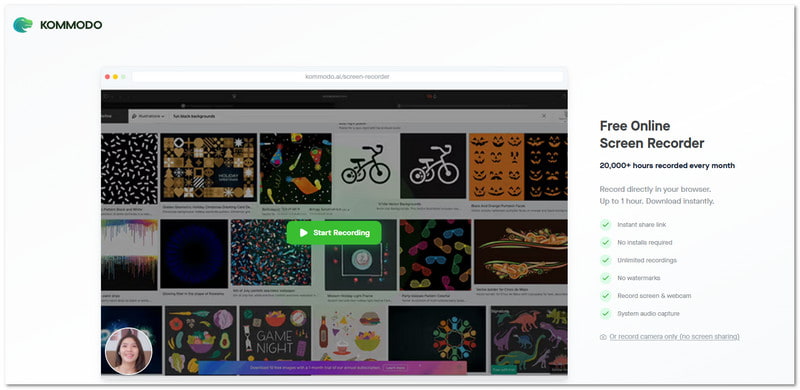
Kevyt kokoustallennin, joka toimii myös ilman asennusta, on Kommodo. Se tallentaa näytön, äänen tai web-kameran suoraan selaimeesi. Voit myös jakaa tallenteita välittömästi yksityisen linkin avulla. Se on paras vaihtoehto, kun sinun tarvitsee vain tallentaa kokouksia ja lähettää ne nopeasti.
Osa 6. Kokouksen tallennuslaitteisto
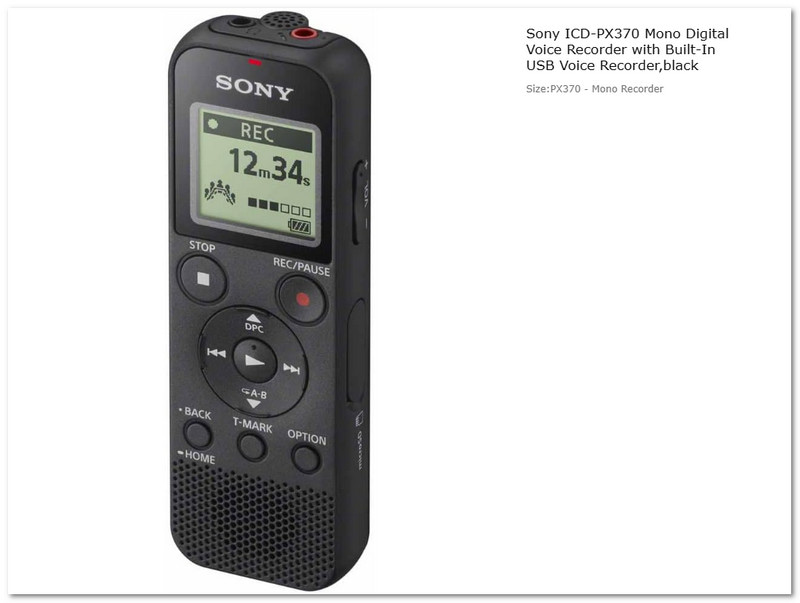
Joskus tarvitset oikean laitteen, etkä kokousten tallennussovellusta. Sony ICD-PX370 Digital Voice Recorder on pieni laitteistotallennin kokouksiin, luentoihin ja haastatteluihin. Se tallentaa selkeää ääntä MP3-muodossa ja tallentaa pitkiä istuntoja. Se on yksinkertainen, kannettava ja rakennettu pitkäaikaiseen käyttöön ilman internetiä tai erillistä ohjelmaa.
Osa 7. Parhaiden kokoustallentimien vertailu
Kokoustallentimia on saatavilla erityyppisiä. Jokaisella tyypillä on selkeä tarkoitus. Jotkut keskittyvät videopuheluihin. Jotkut muistiinpanoihin. Jotkut toimivat ilman internetiä. Alla on yksinkertainen vertailu, joka auttaa sinua valitsemaan:
- Alustapohjaiset kokoustallentimet
Sisäänrakennettu Zoomiin, Teamsiin ja Google Meetiin. Helppo ja turvallinen. Paras säännöllisiin verkkokokouksiin. - Tekoälyllä toimivat kokoustallentimet ja muistiinpanojen tekijät
Hyödynnä tekoälyä luodaksesi yhteenvetoja ja muistiinpanoja kokouksista. Käytä automaattista transkriptiota säästääksesi aikaa. Paras tuottavuuden kannalta. - ChatGPT-kokoustallennin
Luo yhteenvetoja ja tehtäviä kokousten jälkeen. Keskittyy tarkasteluun ja suunnitteluun. Paras tulosten järjestämiseen. - Ilmaisia kokoustallentimia
Nämä ovat ilmainen näytön tallennin joka tarjoaa enemmän kuin vain perustallennuksen. Näihin kuuluvat yksinkertaiset muokkaustyökalut, kuten leikkaus ja kohinan poisto, ajastettu tallennus ja pitkät tallennussessiot, kuten AVAide Screen Recorder. Se tekee niistä hyödyllisiä kokouksissa, luennoilla ja webinaareissa. - Online-kokousten tallentimet (ei latausta)
Työskentele selaimessa ilman asennusta. Nopea tallennus ja jakaminen. Paras nopeisiin tehtäviin. - Kokousten tallennuslaitteisto
Fyysiset laitteet offline-äänitallennukseen. Ei internetyhteyttä tarvita. Paras luennoille ja haastatteluihin.
Kun vaihtoehtoja on niin paljon, on varmaa, että kokouksen tallenne on nyt sinulle helppoa. Jos haluat ilmaisen työkalun, jossa on enemmän ominaisuuksia, kokeile AVAide Screen RecorderSe selviytyy pitkistä kokouksista hyvin ja tarjoaa sujuvan ja luotettavan tallennuksen joka kerta.
TIETOA KIRJOITTAJASTA

Tallenna näyttö, ääni, web-kamera, pelattavuus, online-kokoukset sekä iPhone/Android-näyttö tietokoneellesi.
Näytön tallennus