Etsitkö työkalua, joka voi auttaa sinua näytön tallennustarpeissasi? Voit kääntyä Apowersoftin puoleen.
Tässä postauksessa opit lisää aiheesta Apowersoft-näytön tallenninTarkastelemme sen verkkotyökalua, Windows- ja Mac-versioita sekä iPhone- ja Android-vaihtoehtoja. Jokainen niistä käydään läpi perusteellisesti!
- Osa 1. Apowersoftin tuoteekosysteemin yleiskatsaus
- Osa 2. Apowersoftin ilmaisen online-näytön tallentimen arvostelu
- Osa 3. Apowersoft Screen Recorder Pro Windowsille ja Macille
- Osa 4. Apowersoft iPhone/iPad-tallennin
- Osa 5. Apowersoft-näytön tallennin Androidille
- Osa 6. Hinnoittelu ja paketit
- Osa 7. Apowersoftin vaihtoehdot
Osa 1. Apowersoftin tuoteekosysteemin yleiskatsaus
Apowersoft tarjoaa monia työkaluja näytön tallentamiseen, muokkaamiseen, valokuvaukseen ja tiedostojen hallintaan. Jokainen tuote on rakennettu tiettyä tehtävää varten. Yhdessä ne muodostavat täydellisen digitaalisen työkalupakin erilaisiin tarpeisiin.
| Tuote | Alusta | Paras |
| ApowerREC | Windows, Mac, iOS ja Android. | Ammattimainen näytön tallennus merkintätyökaluilla. |
| ApowerMirror | Windows, Mac, iOS ja Android. | Reaaliaikainen puhelimen näytön suoratoisto ja hallinta tietokoneella. |
| PicWish | Windows, Mac, iOS ja Android. | Tekoälyllä tehty kuvankäsittely ja taustan poisto. |
| LightPDF | Verkko, Windows, Mac, iOS ja Android. | PDF-tiedostojen muokkaus-, muunnos- ja tekoälytyökalut. |
| GitMind | Windows, Mac, iOS ja Android. | Tekoälyllä tehty ajatuskartoitus ja tiimityöskentely. |
| Videoeditori | Windows ja Mac. | Ammattimaisten videoiden luominen ja editointi. |
| ApowerManager | Verkko, Windows, Mac, iOS ja Android. | Puhelintietojen hallinta ja siirto. |
| Online-näytön tallennin | Vain verkossa. | Nopea ja ilmainen näytön tallennus selaimessa. |
| ApowerRescue | Windows ja Mac. | Poistettujen tietojen palauttaminen iOS-laitteista. |
| Apowersoft Rajoittamaton | Saatavilla useilla alustoilla. | Yksi tilaus, jolla saat täyden käyttöoikeuden kaikkiin Apowersoft-työkaluihin |
Osa 2. Apowersoftin ilmaisen online-näytön tallentimen arvostelu
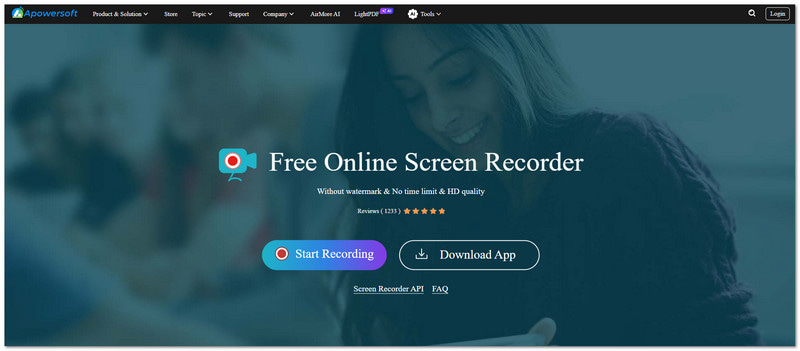
Mikä se on
Apowersoftin ilmainen online-näytöntallennin antaa käyttäjien tallentaa näytön toimintaa. Se toimii verkossa. Se ei vaadi latauksia. Se ei myöskään vaadi asennusta.
Avainominaisuudet
- Rajoittamaton tallennusaika.
- Videoissa ei ole vesileimaa.
- Näytön, mikrofonin ja järjestelmän äänen tallennus.
- Kuva kuvassa -tallennustila.
Rajoitukset
Se toimii täysin vakaan internetyhteyden avulla. Se ei tarjoa edistyneitä videoiden muokkaustyökaluja. Se voi myös muuttua epävakaaksi pitkien tallennussessioiden aikana.
Ilmainen online-äänitallennin
Apowersoft Free Online Audio Recorder on erillinen verkkoalusta. Se on tehty äänen tallentamiseen. Se voi tallentaa järjestelmän ääntä, mikrofonin tuloa tai suoratoistoääntä. Käytön helpottamiseksi se voi tallentaa tiedostoja MP3-, OGG- tai AAC-muodoissa.
Tuomio
Apowersoftin ilmainen online-näytöntallennin on paras nopeisiin ja yksinkertaisiin tallennustehtäviin. Se toimii hyvin satunnaisille käyttäjille. Se ei kuitenkaan ole tarpeeksi tehokas ammattimaiseen editointiin tai edistyneeseen tuotantoon.
Osa 3. Apowersoft Screen Recorder Pro Windowsille ja Macille
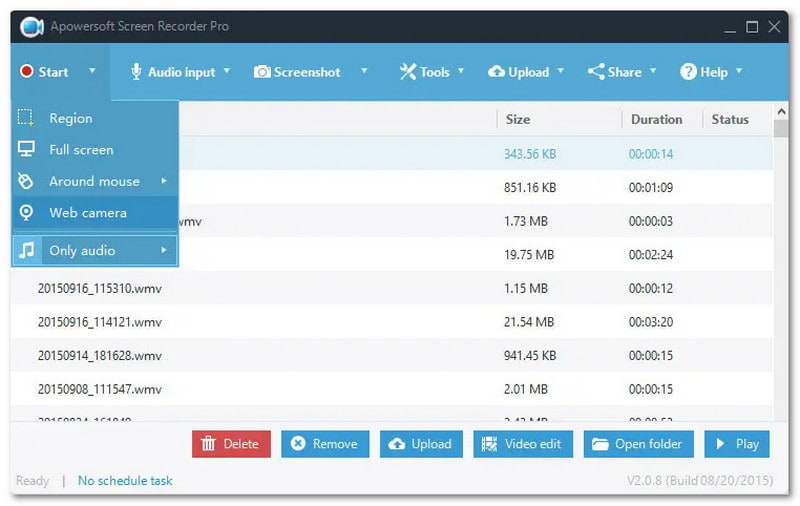
Mikä se on
Ammattimainen työpöydän näytön tallennusohjelma Windowsille ja Macille, joka tukee edistyneitä tallennus-, muokkaus- ja näytönkaappaustoimintoja.
Avainominaisuudet
- Reaaliaikainen editointi tallennuksen aikana.
- Ajoitetut tallennustehtävät.
- Teräväpiirtovideon ulostulo.
- Useita tallennustiloja, kuten peli, web-kamera ja mukautettu alue.
Plussat miinukset
Tämä työkalu tarjoaa vahvan suorituskyvyn. Se tukee pitkiä ja vakaita tallenteita. Siinä on yksinkertainen käyttöliittymä. Se sisältää myös sisäänrakennettuja leikkaustyökaluja. Ilmaisversiossa on kuitenkin rajoituksia ja se näyttää päivityskehotteita. Mac-versiossa on myös vähemmän muokkausominaisuuksia verrattuna Windowsiin.
Tuomio
Apowersoft Screen Recorder Pro on paras valinta ammattilaisille ja sisällöntuottajille. Se tarjoaa vakaita ja korkealaatuisia tallenteita muokkaustuella.
Osa 4. Apowersoft iPhone/iPad-tallennin
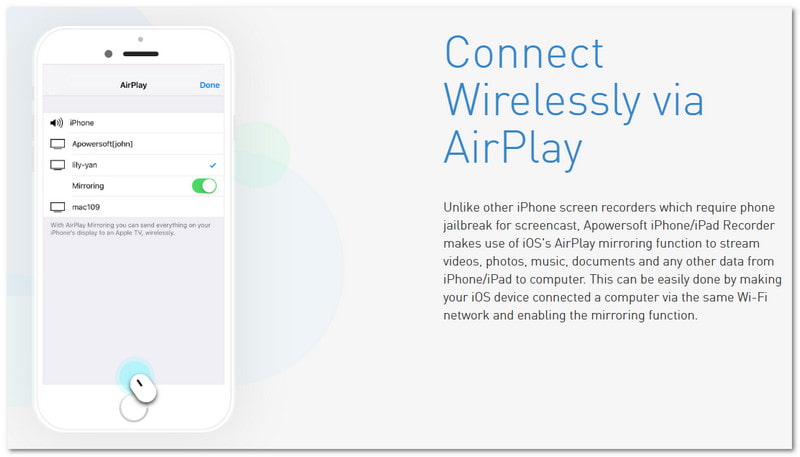
Mikä se on
Työpöytäsovellus, joka peilaa iPhonen tai iPadin näytön Windows- tai Mac-tietokoneelle AirPlayn avulla. Se myös tallentaa näytön sen näyttämisen aikana.
Avainominaisuudet
- AirPlay-pohjainen langaton näytön tallennus.
- Huippuluokan äänen ja videon tallennus.
- Live-suoratoisto iOS:stä tietokoneelle.
Rajoitukset
Apowersoft iPhone/iPad-tallennin vaatii, että molemmat laitteet ovat samassa Wi-Fi-verkossa. Tämä riippuu suuresti internetin ja verkon vakaudesta. Se voi vaikuttaa sujuvaan tallennukseen.
Käyttötapaukset
- Mobiilipelien tallennus.
- Sovellusesittelyt.
- iOS-opetusohjelman luominen.
Tuomio
Apowersoft iPhone/iPad-tallennin on luotettava valinta. Se on tehty iOS-käyttäjille. Sen avulla he voivat tallentaa näytönsä ilman jailbreak-toimintoa.
Osa 5. Apowersoft-näytön tallennin Androidille
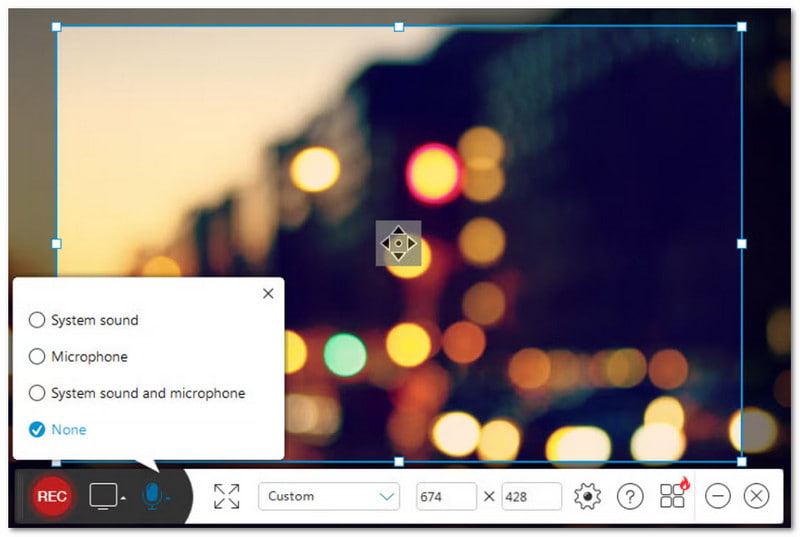
Mikä se on
Natiivi Android-sovellus. Sen avulla käyttäjät voivat tallentaa näytön toimintaa. Se tallentaa myös ääntä ja sisältää muita tallennusominaisuuksia.
Avainominaisuudet
- Näytön tallennus äänen tuella.
- Facecam (etukamera) -peittokuva.
- Säädettävät resoluutio- ja bittinopeusasetukset.
- Pilvitallennusvaihtoehdot.
Plussat miinukset
Se on helppokäyttöinen eikä vaadi pääkäyttäjän oikeuksia. Se tarjoaa myös joustavia ääniasetuksia erilaisiin äänitystarpeisiin. Jotkin edistyneet ominaisuudet saattavat kuitenkin vaatia maksullisen version avaamiseen.
Tuomio
Apowersoft Screen Recorder Androidille on tehokas ja käyttäjäystävällinen työkalu. Se on tehty Android-käyttäjille. Se toimii hyvin pelin tallentamiseen ja sovellusopastuksiin.
Osa 6. Hinnoittelu ja paketit
| Suunnitelma | Hinta |
| Elinikä | $69.95 |
| Vuosittainen | $49.95 |
| Kuukausittain | $19.95 |
Osa 7. Apowersoftin vaihtoehdot
1. AVAide Screen Recorder
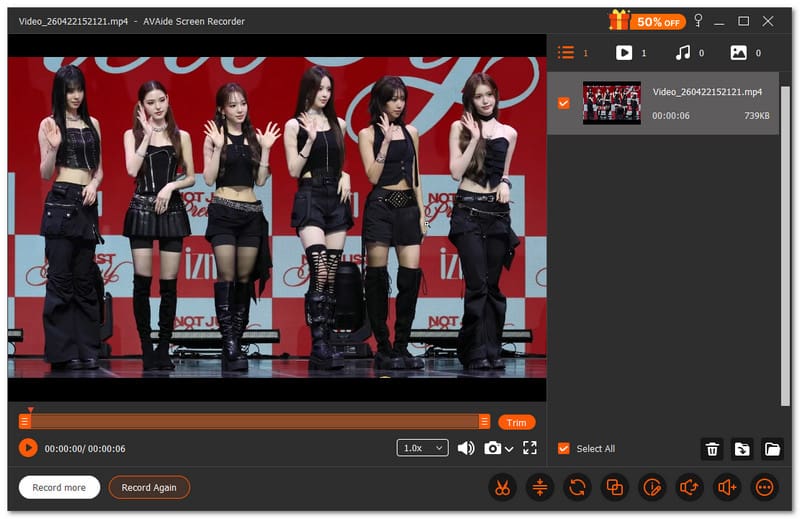
Ensimmäisenä Apowersoft Screen Recorder -vaihtoehtojen listalla on AVAide Screen RecorderSe tarjoaa näytön tallentimen, äänitallentimen, pelitallentimen, web-kameratallentimen ja jopa puhelintallentimen. Voit valita helposti, mitä tallennat. Voit myös asettaa tallennuksen alkamis- ja loppumisajan. Se säästää aikaa ja välttää ylimääräisiä vaiheita.

ILMAINEN LATAAUS Windows 7 tai uudempi
 Suojattu lataus
ILMAINEN LATAAUS Mac OS X 10.13 tai uudempi
Suojattu latausHaluatko korjata videosi heti tallennuksen jälkeen? AVAide Screen Recorder antaa sinun muokata sitä heti. Voit rajata, yhdistää, pakata ja muuntaa tiedostoja yhdessä paikassa. Voit myös poimia tai vahvistaa ääntä. Et tarvitse ylimääräisiä työkaluja; kaikki on valmiina tässä ohjelmassa.
- Mikä toimii hyvin:
- Tallentaa koko näytön, valitun ikkunan tai mukautetun alueen.
- Tukee äänitiedostomuotoja, kuten MP3, WMA, M4A, FLAC ja OGG.
- Tukee videoformaatteja, kuten MP4, MOV, AVI, MKV ja WMV.
- Tallentaa pelitilanteita täydellä HD-laadulla jopa 60 fps:n nopeudella.
- Mahdollistaa merkintöjen lisäämisen tallennuksen aikana.
- Mikä ei:
- Täysi käyttöoikeus edellyttää päivitystä rajoittamattomaan tallennusaikaan.
2. Kangaspuut
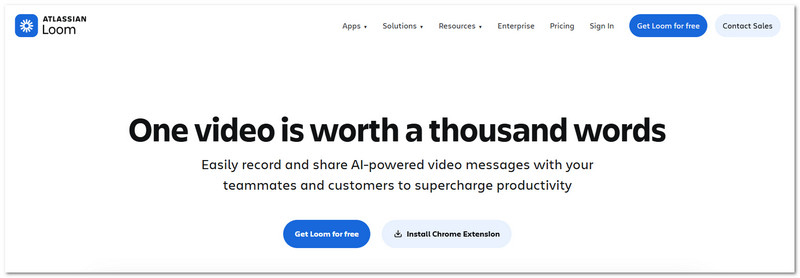
Loom on moderni näytön tallennusvaihtoehto. Sitä käytetään Apowersoft-videonauhurin vaihtoehtona. Sitä pidetään usein yhtenä parhaat näytön tallentimet ChromelleSe johtuu siitä, että se toimii sekä selainlaajennuksena että työpöytäsovelluksena.
Sen avulla voit tallentaa näyttösi, äänesi ja web-kamerasi yhdessä. Tallennuksen jälkeen se luo jaettavan linkin välittömästi. Se tekee videoiden lähettämisestä yksinkertaista ja nopeaa ilman tiedostojen manuaalista lataamista.
- Mikä toimii hyvin:
- Näytön, mikrofonin ja web-kameran tallennustuki.
- Selain- ja työpöytätallennustilat.
- Välitön linkin jakaminen tallennuksen jälkeen.
- Videoissa ei ole vesileimaa.
- Yksinkertainen ja helppo käyttöliittymä.
- Mikä ei:
- Työpöytäversiossa saattaa olla bugeja.
- Ilmainen versio rajoittaa tallennuksia.
- Vaatii internetyhteyden.
- Ilmaisversion aikarajoitusten tallennus.
3. Bandicam
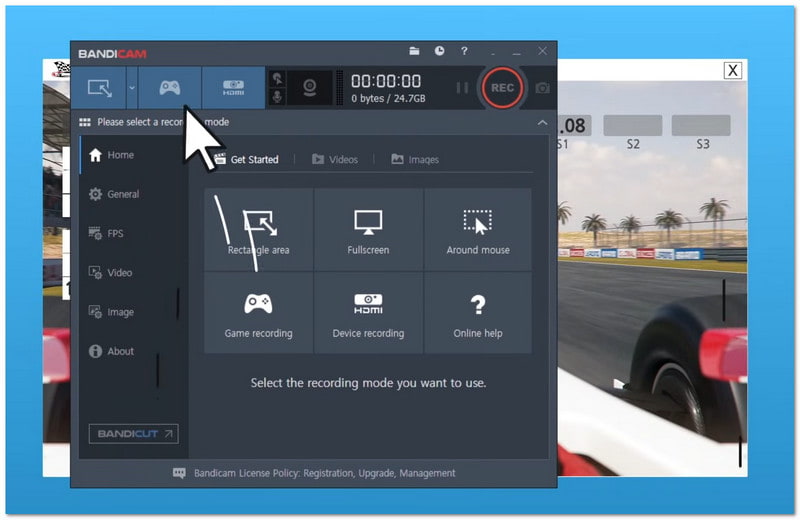
Viimeisenä muttei vähäisimpänä, Bandicamia pidetään usein paras pelitallenninSe on loistava pelaamiseen. Se tukee myös erittäin selkeää videotallennusta. Se on suunniteltu Windows-käyttäjille ja tukee erilaisia tallennustiloja. Se sisältää koko näytön, aluetallennuksen ja pelitallennuksen.
Monet käyttäjät valitsevat sen pitkien pelien tallentamiseen ja tutoriaalien luomiseen. Se tukee myös laitekuvausta ja reaaliaikaisia näytön piirtotyökaluja.
- Mikä toimii hyvin:
- Erittäin selkeä 4K-videotallennus.
- Erittäin alhainen suorittimen käyttö.
- Pieni tiedostokoko.
- Käytettävissä on useita tallennustiloja.
- Mukana näytön piirtotyökalut.
- Mikä ei:
- Jotkin ominaisuudet vaativat maksullisen version.
- Ilmaisversio lisää vesileiman.
- Saatavilla vain Windowsissa.
- Tiedosto-ongelmien riski harvinaisissa tapauksissa.
Yhteenvetona voidaan todeta, että Apowersoft tarjoaa monia työkaluja näytön tallentamiseen. Se ei ole ainoa Apowersoft ilmainen online-näytön tallenninSe sisältää myös työkaluja, jotka toimivat Windowsilla, Macilla ja mobiililaitteilla.
Mutta jos haluat yhden yksinkertaisen ohjelman, voit kokeilla AVAide Screen RecorderSe voi tallentaa näyttösi. Se voi myös tallentaa ääntä, web-kameran ja puhelimen. Se on helppokäyttöinen ja toimii hyvin kaikille käyttäjille, niin aloittelijoille kuin edistyneillekin.
TIETOA KIRJOITTAJASTA

Ikuista parhaat hetket AVAide Screen Recorderilla. Näytä, mukauta ja jaa sekunneissa.
Näytön tallennus