Οι διαδικτυακές συσκέψεις αποτελούν πλέον μέρος της καθημερινής ζωής. Τις χρησιμοποιούμε για την εργασία, το σχολείο και τις ομαδικές συζητήσεις. Αλλά μερικές φορές τα προβλήματα με το διαδίκτυο, οι περισπασμοί ή οι χαμένες λεπτομέρειες μπορεί να αποτελέσουν πρόβλημα. Το καλό είναι ότι μπορείτε να αποθηκεύσετε τα πάντα για αργότερα χρησιμοποιώντας μια συσκευή εγγραφής συσκέψεων. Και το καταγραφέας συσκέψεων Τα παρακάτω εργαλεία μπορούν να σας βοηθήσουν να καταγράψετε τα πάντα με σαφήνεια!
- Τι να αναζητήσετε σε έναν καταγραφέα συσκέψεων
- Μέρος 1. Εγγεγραμμένοι στην πλατφόρμα καταγραφείς συσκέψεων
- Μέρος 2. Συσκευές καταγραφής και λήψης σημειώσεων συσκέψεων με τεχνητή νοημοσύνη
- Μέρος 3. Εγγραφή συσκέψεων ChatGPT
- Μέρος 4. Δωρεάν συσκευές εγγραφής συσκέψεων
- Μέρος 5. Ηλεκτρονικές συσκευές εγγραφής συσκέψεων (Χωρίς λήψη)
- Μέρος 6. Υλικό εγγραφής συσκέψεων
- Μέρος 7. Σύγκριση καλύτερων συσκευών εγγραφής συσκέψεων
Τι να αναζητήσετε σε έναν καταγραφέα συσκέψεων
Είναι σημαντικό να γνωρίζετε τι να αναζητήσετε πρώτα σε μια συσκευή εγγραφής συσκέψεων. Γι' αυτό, διαβάστε προσεκτικά τα παρακάτω σημεία.
- Ακρίβεια μεταγραφής - Θα πρέπει να μετατρέπει την ομιλία σε σωστό και καθαρό κείμενο χωρίς πολλά λάθη.
- Ποιότητα Σύνοψης Τεχνητής Νοημοσύνης - Θα πρέπει να δημιουργεί σύντομες και σαφείς σημειώσεις συνάντησης με βασικά σημεία και στοιχεία δράσης.
- Απόρρητο και έλεγχος δεδομένων - Θα πρέπει να προστατεύει τις ηχογραφήσεις σας και να παρέχει έλεγχο στον τρόπο αποθήκευσης ή κοινής χρήσης των δεδομένων.
- Συμβατότητα πλατφόρμας - Θα πρέπει να λειτουργεί καλά με εργαλεία όπως το Zoom, το Teams ή το Google Meet σε όλες τις συσκευές.
- Μοντέλο τιμολόγησης - Θα πρέπει να φαίνεται ξεκάθαρα αν είναι δωρεάν ή επί πληρωμή και ποιες δυνατότητες έχετε σε κάθε πρόγραμμα.
Μέρος 1. Εγγεγραμμένοι στην πλατφόρμα καταγραφείς συσκέψεων
Οι συσκέψεις δεν θα είναι πλέον απλές κλήσεις. Μέχρι το 2026, εργαλεία καταγραφής συσκέψεων όπως το Zoom, το Teams και το Meet θα μπορούν να καταγράφουν, να γράφουν σημειώσεις και να παρέχουν περιλήψεις για εσάς.
1. Ζουμ
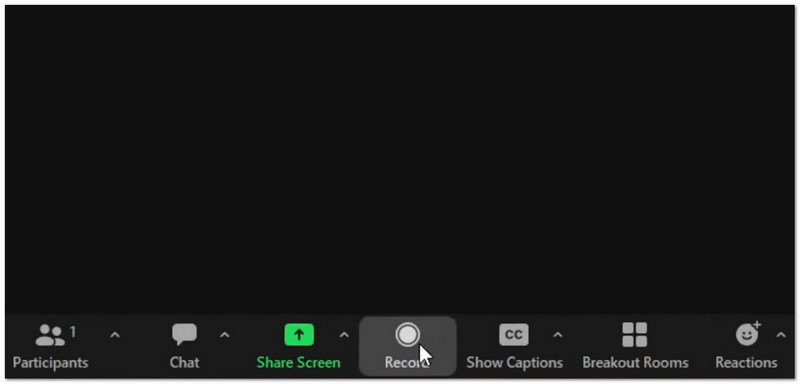
Τι κάνει: Καταγράφει βίντεο και ήχο, δημιουργεί περιλήψεις με τεχνητή νοημοσύνη και έξυπνα κεφάλαια και μπορεί επίσης να μεταφράσει ζωντανά χρησιμοποιώντας το AI Companion, προσφέροντας παράλληλα επιλογές τοπικής εγγραφής και εγγραφής στο cloud.
- Πλεονεκτήματα
- Ισχυρό ακόμα και με αδύναμο διαδίκτυο
- Πολλά εργαλεία, όπως δημοσκοπήσεις και πίνακες
- Έξυπνες σημειώσεις και στοιχεία δράσης με τεχνητή νοημοσύνη
- Μειονεκτήματα
- Τα εργαλεία τεχνητής νοημοσύνης κοστίζουν περισσότερο
- Ο χώρος αποθήκευσης στο cloud είναι περιορισμένος
Το καλύτερο για:
- Μεγάλες συναντήσεις
- Διαδικτυακά σεμινάρια
- Ομάδες με κακό διαδίκτυο
Βαθμολογία: ★★★★★ (5/5)
2. Ομάδες
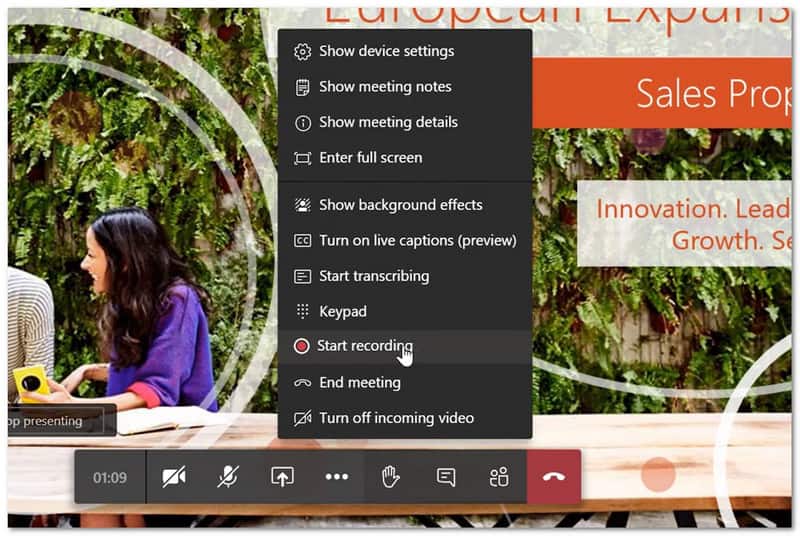
Τι κάνει: Καταγράφει και μεταγράφει συσκέψεις χρησιμοποιώντας το Copilot για να δημιουργεί έξυπνες ανακεφαλαιώσεις, στοιχεία δράσης και περιλήψεις με βάση τους ομιλητές σε ένα μέρος.
- Πλεονεκτήματα
- Λειτουργεί καλά με το Microsoft 365
- Διατηρεί αρχεία και συνομιλίες σε ένα μέρος
- Ισχυρή ακύρωση θορύβου
- Μειονεκτήματα
- Μπορεί να φαίνεται αργό σε παλιές συσκευές
- Σκληρή ρύθμιση για πρόσβαση επισκεπτών
- Οι εγγραφές λήγουν μετά από 120 ημέρες
Το καλύτερο για:
- Ομάδες που χρησιμοποιούν το Microsoft 365 καθημερινά
Βαθμολογία: ★★★★ (4.5/5)
3. Γνωρίστε
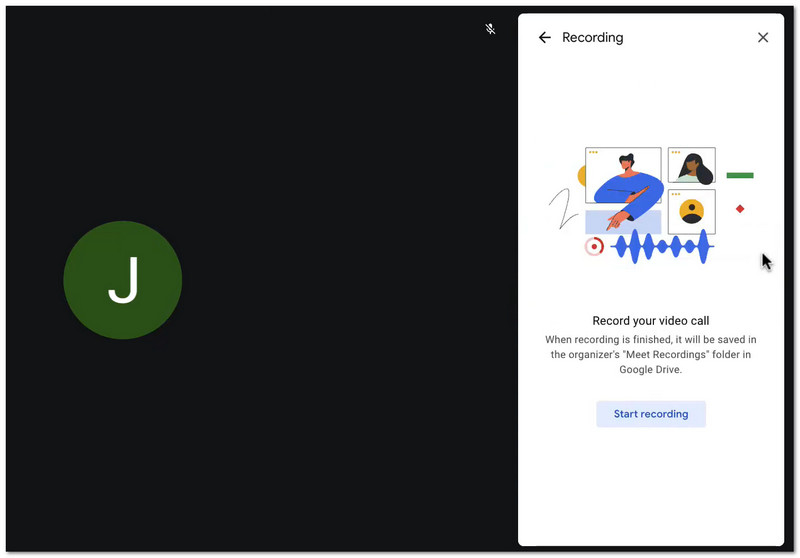
Τι κάνει: Καταγράφει συσκέψεις και τις αποθηκεύει στο Google Drive, ενώ χρησιμοποιεί το Gemini για τη δημιουργία αυτόματων σημειώσεων. Επίσης, επιτρέπει στους χρήστες να συμμετέχουν εύκολα μέσω ενός προγράμματος περιήγησης ιστού χωρίς να χρειάζεται να εγκαταστήσουν εφαρμογές.
- Πλεονεκτήματα
- Εύκολη εγγραφή
- Γρήγορη εγκατάσταση
- Απλή αποθήκευση αρχείων με το Drive
- Μειονεκτήματα
- Δεν περιλαμβάνεται στα βασικά προγράμματα
- Η Τεχνητή Νοημοσύνη είναι πιο απλή από το Zoom
Το καλύτερο για:
- Χρήστες του Google Workspace
- Γρήγορες και απλές συναντήσεις
Βαθμολογία: ★★★★ (4/5)
Μέρος 2. Συσκευές καταγραφής και λήψης σημειώσεων συσκέψεων με τεχνητή νοημοσύνη
Η λήψη σημειώσεων στις συσκέψεις μπορεί να σας καθυστερήσει. Ευτυχώς, τα εργαλεία καταγραφής συσκέψεων με τεχνητή νοημοσύνη κάνουν πλέον αυτή τη δουλειά για εσάς.
1. Φαθώμ
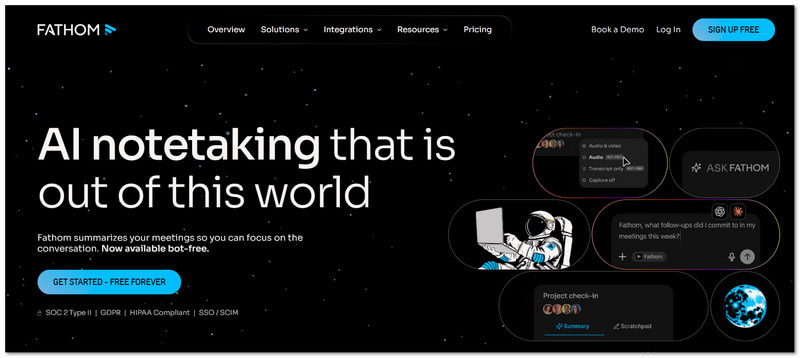
Τι κάνει: Το Fathom είναι ένα δωρεάν εργαλείο τεχνητής νοημοσύνης που καταγράφει και συνοψίζει τις κλήσεις Zoom, Meet και Teams.
Βασικά χαρακτηριστικά:
- Απεριόριστη ηχογράφηση και μεταγραφή
- Άμεσες περιλήψεις
- Αποσπάσματα με τις καλύτερες στιγμές
- Συγχρονισμός CRM
- Πλεονεκτήματα
- Δωρεάν για προσωπική χρήση
- Εύχρηστος
- Γρήγορα αποτελέσματα
- Μειονεκτήματα
- Λίγα προηγμένα εργαλεία στο δωρεάν πρόγραμμα
- Χρησιμοποιεί bot σε συσκέψεις
Τιμολόγηση:
- Δωρεάν σχέδιο
- Η πληρωμή ξεκινά από $19/μήνα
Το καλύτερο για:
- Άτομα
- Μικρές ομάδες
Βαθμολογία: ★★★★ (4.7/5)
2. Βίδρα
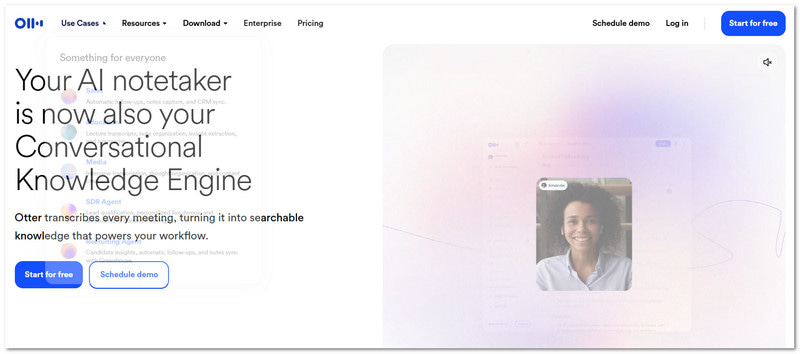
Τι κάνει: Η Otter είναι μια γνωστή συσκευή εγγραφής και μεταγραφής συσκέψεων με τεχνητή νοημοσύνη για ζωντανή μεταγραφή και ομαδικές σημειώσεις.
Βασικά χαρακτηριστικά:
- Μεταγραφή σε πραγματικό χρόνο
- Ομαδική συνομιλία
- Αναγνωριστικό ομιλητή
- Καταγραφή διαφανειών
- Πλεονεκτήματα
- Εξαιρετικό για ομαδική εργασία σε πραγματικό χρόνο
- Αξιόπιστο εργαλείο
- Μειονεκτήματα
- Λίγα λεπτά ελεύθερου χρόνου
- Απαιτείται πρόγραμμα επί πληρωμή για πλήρη χρήση
Τιμολόγηση:
- Δωρεάν σχέδιο
- Η πληρωμή ξεκινά από $10/μήνα
Το καλύτερο για:
- Ομαδική λήψη σημειώσεων
- Ζωντανή μεταγραφή
Βαθμολογία: ★★★★ (4.2/5)
3. Πυγολαμπίδες
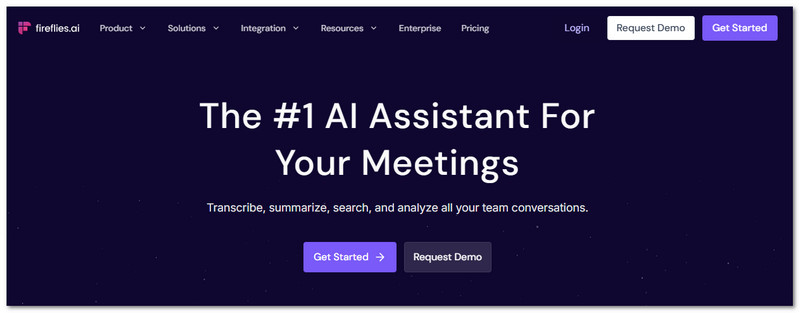
Τι κάνει: Το Fireflies είναι ένα εργαλείο τεχνητής νοημοσύνης που καταγράφει συσκέψεις και παρακολουθεί συνομιλίες με εις βάθος ενσωματώσεις.
Βασικά χαρακτηριστικά:
- Αυτόματες σημειώσεις σύσκεψης
- Ανάλυση συναισθήματος
- Προσαρμοσμένα πρότυπα
- 90+ ενσωματώσεις
- Πλεονεκτήματα
- Πολλά χαρακτηριστικά
- Ισχυρή αναζήτηση
- Καλή καταγραφή CRM
- Μειονεκτήματα
- Υψηλότερο κόστος
- Μπορεί να νιώθεις περίπλοκος/η
- Επιπλέον πιστωτικό κόστος
Τιμολόγηση:
- Δωρεάν σχέδιο
- Η πληρωμή ξεκινά από $16/μήνα
Το καλύτερο για:
- Ομάδες πωλήσεων
- Χρήστες CRM
Βαθμολογία: ★★★★ (4.5/5)
Μέρος 3. Εγγραφή συσκέψεων ChatGPT
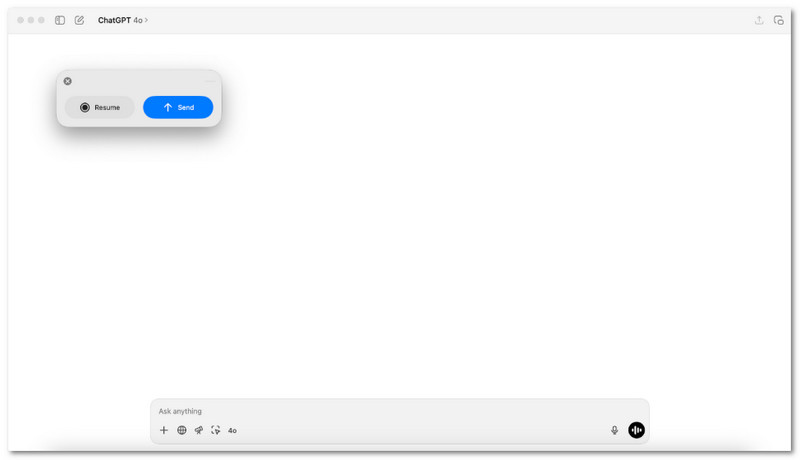
Χρειάζεστε έναν απλό τρόπο για να μετατρέψετε την ομιλία σε χρήσιμες σημειώσεις μετά από μια σύσκεψη;
Σε macOS, το ChatGPT Meeting Recorder κάνει αυτήν τη δουλειά. Καταγράφει ήχο και στη συνέχεια τον μετατρέπει σε σαφείς περιλήψεις με βήματα δράσης. Είναι κατάλληλο για χρήστες που θέλουν γρήγορη ανασκόπηση, καθαρή έξοδο και χωρίς επιπλέον εργαλεία κατά τη διάρκεια των συσκέψεων.
Μέρος 4. Δωρεάν συσκευές εγγραφής συσκέψεων
Οι συσκέψεις προχωρούν γρήγορα και οι λεπτομέρειες μπορεί να ξεφεύγουν. Οι δωρεάν συσκευές εγγραφής συσκέψεων αποθηκεύουν αθόρυβα κάθε λέξη, ώστε να μην χάνεται τίποτα. Έτσι, σε αυτήν την ενότητα, θα σας παρουσιάσουμε παρακάτω τις προτεινόμενες.
1. AVAide Screen Recorder
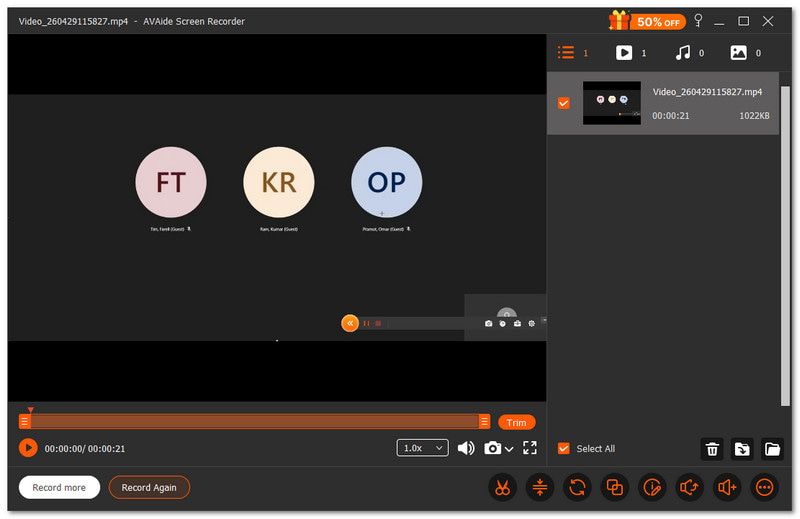
Αν χρειαστεί ποτέ να χρησιμοποιήσετε εργαλεία σχολιασμού όπως σχεδίαση, επισήμανση ή προσθήκη σημειώσεων κατά την ηχογράφηση της συνάντησής σας, τότε αυτή η δωρεάν συσκευή εγγραφής συσκέψεων, Εγγραφή οθόνης AVAide, μπορεί να βοηθήσει.
- Εγγραφές σε υψηλή ποιότητα έως και 1080p ή 4K ανάλυση.
- Επιτρέπει στιγμιότυπα οθόνης κατά την εγγραφή της οθόνης σας
- Περιλαμβάνει εργαλεία επεξεργασίας για περικοπή και προσαρμογή βίντεο μετά την εγγραφή.
- Υποστηρίζει προγραμματισμένη εγγραφή για αυτόματη έναρξη και διακοπή.
- Εξάγει βίντεο σε διαφορετικές μορφές για εύκολη κοινή χρήση

 Ασφαλής λήψη
Μπορείτε να καταγράψετε ολόκληρη την οθόνη σας ή μόνο το μέρος που χρειάζεστε. Είναι σαν να επιλέγετε τι θα "καδράρετε" στη συνάντησή σας. Καταγράφει επίσης τον ήχο του συστήματος και τη φωνή σας ταυτόχρονα. Έτσι, τίποτα δεν χάνεται.
2. OBS Studio
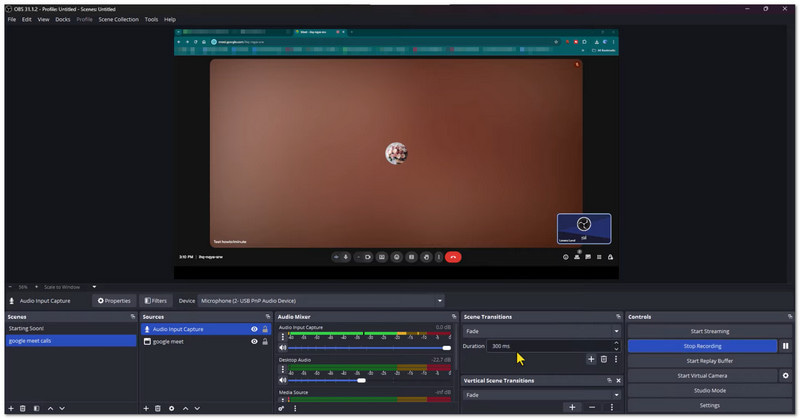
Το OBS Studio είναι ένα δωρεάν λογισμικό εγγραφής συσκέψεων ανοιχτού κώδικα που χρησιμοποιείται για την εγγραφή συσκέψεων και δραστηριότητας στην οθόνη. Μπορεί να καταγράψει την οθόνη, την κάμερα web και το μικρόφωνο ταυτόχρονα σε υψηλή ποιότητα. Επίσης, επιτρέπει στους χρήστες να δημιουργούν και να αλλάζουν προσαρμοσμένες σκηνές κατά την εγγραφή. Είναι ιδανικό για χρήστες που θέλουν προηγμένο έλεγχο και επαγγελματικά αποτελέσματα.
3. QuickTime Player
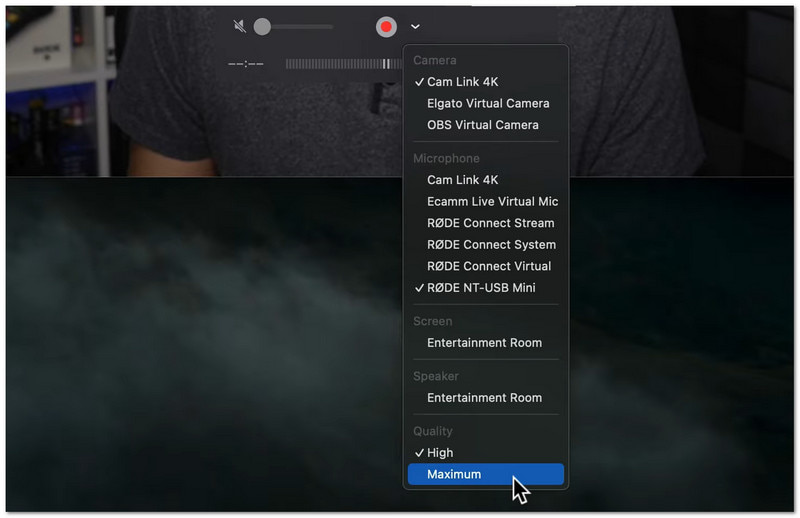
Είναι ένα ενσωματωμένο εργαλείο για Mac για απλή εγγραφή οθόνης και συσκέψεων. Είναι ήδη εγκατεστημένο σε Mac, επομένως δεν απαιτείται λήψη. Οι χρήστες μπορούν να ξεκινήσουν την εγγραφή από το μενού Αρχείο σε δευτερόλεπτα. Είναι ιδανικό για γρήγορες και εύκολες εγγραφές με βασική επεξεργασία.
Μέρος 5. Ηλεκτρονικές συσκευές εγγραφής συσκέψεων (Χωρίς λήψη)
Προτιμάτε να μην κατεβάσετε τίποτα; Τα παρακάτω διαδικτυακά εργαλεία μπορούν να σας βοηθήσουν να καταγράφετε εύκολα συσκέψεις απευθείας στο πρόγραμμα περιήγησής σας.
1. VEED
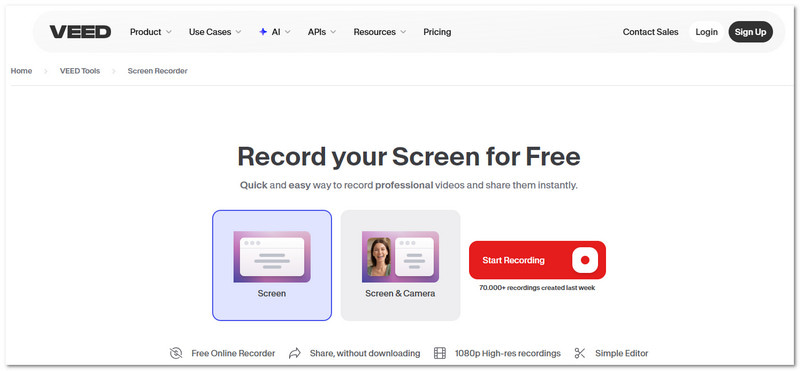
Το VEED είναι ένα διαδικτυακή συσκευή εγγραφής οθόνης που μπορείτε να χρησιμοποιήσετε για συσκέψεις, παρουσιάσεις και εκπαιδευτικά σεμινάρια. Καταγράφει την οθόνη, την κάμερα και τον ήχο σε ένα μέρος. Περιλαμβάνει επίσης εργαλεία επεξεργασίας όπως καθαρισμό θορύβου και διόρθωση οπτικής επαφής. Έχει σχεδιαστεί για άτομα που θέλουν ηχογραφημένες συσκέψεις που φαίνονται έτοιμες για κοινή χρήση ή παρουσίαση.
2. Κομοδό
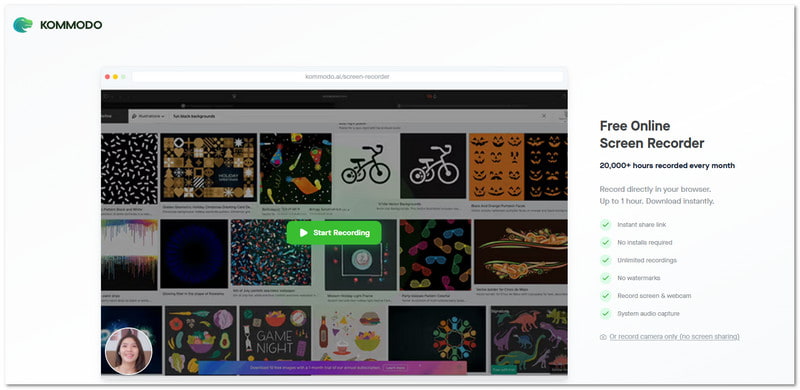
Μια ελαφριά συσκευή εγγραφής συσκέψεων που λειτουργεί επίσης χωρίς εγκατάσταση είναι το Kommodo. Καταγράφει την οθόνη, τη φωνή ή την κάμερα web απευθείας στο πρόγραμμα περιήγησής σας. Μπορείτε επίσης να κοινοποιήσετε άμεσα τις ηχογραφήσεις χρησιμοποιώντας έναν ιδιωτικό σύνδεσμο. Είναι η καλύτερη επιλογή όταν χρειάζεται απλώς να ηχογραφήσετε συσκέψεις και να τις στείλετε γρήγορα.
Μέρος 6. Υλικό εγγραφής συσκέψεων
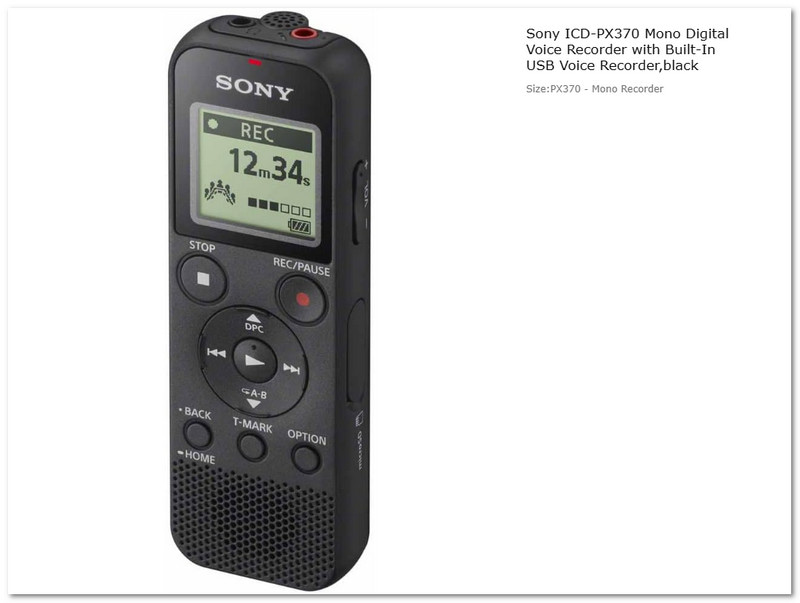
Μερικές φορές, χρειάζεστε μια πραγματική συσκευή, όχι μια εφαρμογή ηχογράφησης συσκέψεων. Η ψηφιακή συσκευή εγγραφής φωνής Sony ICD-PX370 είναι μια μικρή συσκευή εγγραφής υλικού που έχει σχεδιαστεί για συσκέψεις, διαλέξεις και συνεντεύξεις. Καταγράφει καθαρό ήχο σε μορφή MP3 και αποθηκεύει μεγάλες συνεδρίες. Είναι απλή, φορητή και κατασκευασμένη για μακροχρόνια χρήση χωρίς να χρειάζεται internet ή κάποιο πρόγραμμα.
Μέρος 7. Σύγκριση καλύτερων συσκευών εγγραφής συσκέψεων
Οι συσκευές εγγραφής συσκέψεων διατίθενται σε διαφορετικούς τύπους. Κάθε τύπος εξυπηρετεί έναν σαφή σκοπό. Ορισμένες εστιάζουν σε βιντεοκλήσεις. Ορισμένες εστιάζουν σε σημειώσεις. Ορισμένες λειτουργούν χωρίς internet. Παρακάτω ακολουθεί μια απλή σύγκριση που θα σας βοηθήσει να επιλέξετε:
- Εγγεγραμμένες συσκευές εγγραφής συσκέψεων πλατφόρμας
Ενσωματωμένο στο Zoom, το Teams και το Google Meet. Εύκολο και ασφαλές. Ιδανικό για τακτικές διαδικτυακές συσκέψεις. - Συσκευές εγγραφής και λήψης σημειώσεων συσκέψεων με τεχνητή νοημοσύνη
Χρησιμοποιήστε την Τεχνητή Νοημοσύνη για να δημιουργήσετε περιλήψεις και σημειώσεις από συσκέψεις. Χρησιμοποιήστε αυτόματη μεταγραφή για να εξοικονομήσετε χρόνο. Ιδανικό για παραγωγικότητα. - Εγγραφή συσκέψεων ChatGPT
Δημιουργεί περιλήψεις και εργασίες μετά από συσκέψεις. Εστιάζει στην ανασκόπηση και τον προγραμματισμό. Ιδανικό για την οργάνωση των αποτελεσμάτων. - Δωρεάν συσκευές εγγραφής συσκέψεων
Αυτά είναι δωρεάν συσκευή εγγραφής οθόνης που προσφέρει περισσότερα από απλή εγγραφή. Αυτά περιλαμβάνουν απλά εργαλεία επεξεργασίας όπως περικοπή και αφαίρεση θορύβου, υποστηρίζουν προγραμματισμένες εγγραφές και επιτρέπουν μεγάλες περιόδους εγγραφής, όπως το AVAide Screen Recorder. Τα καθιστά χρήσιμα για συσκέψεις, διαλέξεις και διαδικτυακά σεμινάρια. - Ηλεκτρονικές συσκευές εγγραφής συσκέψεων (χωρίς λήψη)
Εργασία σε πρόγραμμα περιήγησης χωρίς εγκατάσταση. Γρήγορη εγγραφή και κοινή χρήση. Ιδανικό για γρήγορες εργασίες. - Υλικό καταγραφής συσκέψεων
Φυσικές συσκευές για ηχογράφηση εκτός σύνδεσης. Δεν απαιτείται διαδίκτυο. Ιδανικό για διαλέξεις και συνεντεύξεις.
Με τόσες πολλές επιλογές παραπάνω, είναι σίγουρο ότι καταγραφή συνάντησης είναι πλέον εύκολο για εσάς. Αν θέλετε ένα δωρεάν εργαλείο με περισσότερες δυνατότητες, δοκιμάστε το Εγγραφή οθόνης AVAideΧειρίζεται καλά τις πολύωρες συσκέψεις και σας προσφέρει μια ομαλή και αξιόπιστη ηχογράφηση κάθε φορά.
ΣΧΕΤΙΚΑ ΜΕ ΤΟΝ ΣΥΓΓΡΑΦΕΑ

Καταγράψτε οθόνη, ήχο, κάμερα web, παιχνίδι, διαδικτυακές συσκέψεις, καθώς και οθόνη iPhone/Android στον υπολογιστή σας.