Οι διαδικτυακές διαλέξεις έχουν πολλές μορφές. Μπορείτε να παρακολουθήσετε μαθήματα Zoom. Μπορείτε να συμμετάσχετε σε μαθήματα Google Meet. Μπορείτε επίσης να παρακολουθήσετε εκπαιδευτικές συνεδρίες ή σχολικές συζητήσεις. Μερικές φορές, δεν θέλετε να χάσετε σημαντικά σημεία. Μερικές φορές, θέλετε να τα επανεξετάσετε αργότερα. Μπορεί επίσης να θέλετε να τα μοιραστείτε με άλλους.
Γι' αυτό θα σας προσφέρουμε τα καλύτερα συσκευή εγγραφής διαλέξεων, μαζί με έναν απλό οδηγό που θα σας βοηθήσει να επιλέξετε το σωστό.
Μέρος 1. Γιατί χρειάζεστε μια ειδική συσκευή εγγραφής διαλέξεων
1. Η υπόθεση για την ηχογράφηση διαλέξεων
Οι διαλέξεις είναι γρήγορες και γεμάτες πληροφορίες. Δεν μπορείτε να γράψετε τα πάντα. Η ηχογράφηση σάς βοηθά να επαναλαμβάνετε τα μαθήματα. Κάνει τη μελέτη ευκολότερη και πιο σαφή. Βοηθά επίσης κατά τη διάρκεια των εξετάσεων και των επαναλήψεων.
2. Αποκλειστική συσκευή εγγραφής έναντι smartphone
Μια ειδική συσκευή εγγραφής παρέχει καλύτερη ποιότητα ήχου και βίντεο. Ηχογραφεί με λιγότερη καθυστέρηση και μεγαλύτερη ομαλότητα. Επιπλέον, διαθέτει εργαλεία εκμάθησης, όπως σημειώσεις και λήψη οθόνης.
Ένα smartphone είναι εύκολο στη χρήση. Αλλά έχει όρια. Μπορεί να σταματήσει κατά τη διάρκεια μιας μεγάλης ηχογράφησης. Μπορεί επίσης να δώσει χαμηλότερη ποιότητα. Δεν είναι φτιαγμένο για ολόκληρες διαλέξεις.
Έτσι, μια ειδική συσκευή εγγραφής είναι πιο αξιόπιστη για σοβαρή μελέτη.
Μέρος 2. Πώς να επιλέξετε την καλύτερη συσκευή εγγραφής διαλέξεων
Φυσικά, θέλουμε να έχετε την καλύτερη συσκευή εγγραφής διαλέξεων. Οι παρακάτω λεπτομέρειες θα σας βοηθήσουν να επιλέξετε τη σωστή.
- Θα πρέπει να υποστηρίζει υψηλή καθαρότητα βίντεο, όπως HD ή 4K, επειδή το καθαρό βίντεο σας βοηθά να βλέπετε κάθε λεπτομέρεια στην τάξη.
- Θα πρέπει να καταγράφει καθαρό ήχο χωρίς καθυστέρηση. Ο ήχος και το βίντεο πρέπει να παραμένουν συγχρονισμένα.
- Θα πρέπει να λειτουργεί ομαλά χωρίς καθυστέρηση, κάτι που βοηθάει κατά τη διάρκεια μεγάλων διαλέξεων.
- Θα πρέπει να διαθέτει χρήσιμα εργαλεία όπως εγγραφή οθόνης, εγγραφή ήχου και εργαλεία σχολιασμού.
- Θα πρέπει να είναι εύκολο στη χρήση, επειδή οι απλοί έλεγχοι εξοικονομούν χρόνο και προσπάθεια.
- Θα πρέπει να λειτουργεί στη συσκευή σας, όπως Windows ή Mac. Να θυμάστε ότι η συμβατότητα είναι σημαντική.
- Θα πρέπει να προσφέρει σταθερή απόδοση για μεγάλες ηχογραφήσεις.
Μέρος 3. Οι 7 καλύτερες συσκευές ηχογράφησης διαλέξεων - Πλήρεις κριτικές
Έχετε ήδη μια ιδέα για το πώς να επιλέξετε την καλύτερη συσκευή εγγραφής διαλέξεων, οπότε τώρα θα απαριθμήσουμε τα εργαλεία που μπορείτε να χρησιμοποιήσετε.
1. Εγγραφή οθόνης
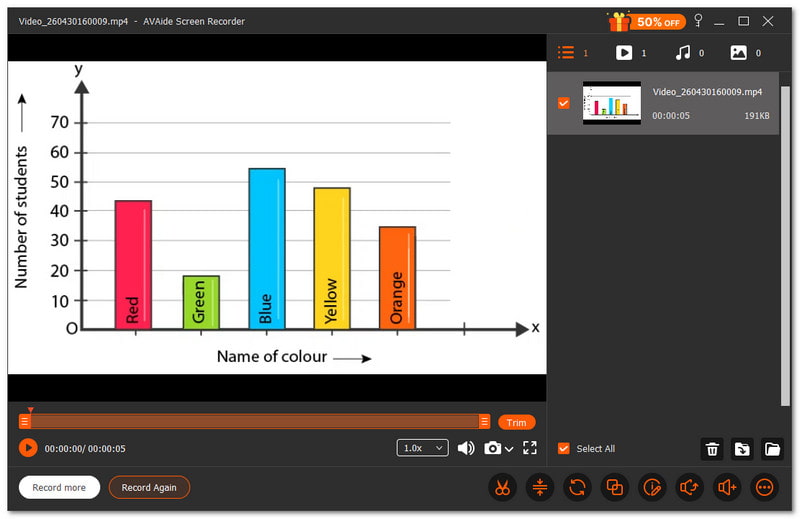
Η καλύτερη συσκευή εγγραφής διαλέξεων βοηθά τους μαθητές και τους καθηγητές να καταγράφουν τα μαθήματα με σαφήνεια. Είναι χρήσιμη για εκπαιδευτικές συνεδρίες, διαλέξεις στο σχολείο και διαδικτυακά μαθήματα. Κάθε λεπτομέρεια θα πρέπει να είναι εύκολο να παρακολουθηθεί και η ηχογράφηση θα πρέπει να είναι απρόσκοπτη.
Εγγραφή οθόνης AVAide είναι ένα από τα καλύτερα προγράμματα εγγραφής διαλέξεων για αυτήν την εργασία. Σας επιτρέπει να καταγράψετε ολόκληρη την οθόνη ή να επιλέξετε μια συγκεκριμένη περιοχή. Επίσης, καταγράφει τη φωνή καθαρά χωρίς καθυστέρηση, κάνοντας το μάθημα εύκολο στην κατανόηση.

ΔΩΡΕΑΝ ΛΗΨΗ Για Windows 7 ή νεότερη έκδοση
 Ασφαλής λήψη
ΔΩΡΕΑΝ ΛΗΨΗ Για Mac OS X 10.13 ή νεότερη έκδοση
Ασφαλής λήψηΜπορείτε επίσης να προσθέσετε κείμενο, πίνακα, εικόνες και εργαλεία εστίασης κατά την εγγραφή, κάτι που σας βοηθά να επισημάνετε σημαντικά μέρη της διάλεξης. Κάνει τη μελέτη και την επανάληψη πολύ πιο εύκολη. Αν ρωτήσετε, μπορεί να εγγράψει βίντεο διαλέξεων με υψηλή καθαρότητα χωρίς καθυστέρηση; Η απάντηση είναι ναι, μπορεί.
- Τι είναι καλό:
- Σας επιτρέπει να τραβάτε στιγμιότυπα οθόνης κατά τη διάρκεια των μαθημάτων.
- Υποστηρίζει αυτόματη διακοπή για ευκολότερο έλεγχο της εγγραφής.
- ΕΝΑ δωρεάν καταγραφή οθόνης χωρίς υδατογράφημα για καθαρή έξοδο.
- Διαθέτει εργαλεία όπως trimmer, συμπιεστή, μετατροπέα και ενισχυτή ήχου.
- Προσφέρει διαφορετικές λειτουργίες όπως εγγραφή οθόνης, ήχου, παιχνιδιών και τηλεφώνου.
- Τι είναι κακό:
- Η δωρεάν έκδοση έχει περιορισμούς, επομένως πρέπει να κάνετε αναβάθμιση για πλήρη πρόσβαση.
Κύριο σημείο πώλησης: Προσφέρει ολοκληρωμένη ηχογράφηση διαλέξεων χωρίς καθυστέρηση και υψηλής ποιότητας έξοδο για ομαλά, καθαρά και εύκολα στην παρακολούθηση μαθήματα.
2. Otter.ai
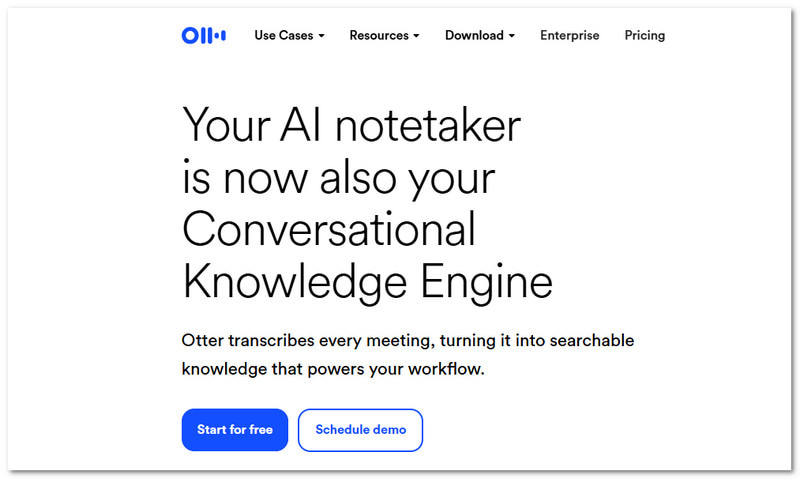
Το Otter.ai σας δίνει την αίσθηση ότι έχετε έναν έξυπνο βοηθό κατά τη διάρκεια του μαθήματος, ειδικά όταν ψάχνετε για την καλύτερη συσκευή εγγραφής φωνής για διαλέξεις. Ακούει, γράφει και οργανώνει τις σημειώσεις της διάλεξής σας. Μετατρέπει την ομιλία σε κείμενο σε πραγματικό χρόνο και δημιουργεί χρήσιμες περιλήψεις που μπορείτε να ανατρέξετε οποιαδήποτε στιγμή.
Τιμολόγηση: $19.99 το μήνα.
- Τι είναι καλό:
- Μεταγράφηκε σε πραγματικό χρόνο.
- Αυτόματες σημειώσεις και περιλήψεις.
- Συμβατό με πολλές εφαρμογές.
- Η αναζήτηση ηχογραφήσεων είναι απλή.
- Τι είναι κακό:
- Χρειάζεται ίντερνετ για να λειτουργήσει καλά.
- Η ακρίβεια μπορεί να διαφέρει ανάλογα με τον θόρυβο.
Κύριο σημείο πώλησης: Καταγράφει διαλέξεις και τις μετατρέπει σε σημειώσεις και περιλήψεις με δυνατότητα αναζήτησης χωρίς επιπλέον προσπάθεια.
3. OBS Studio
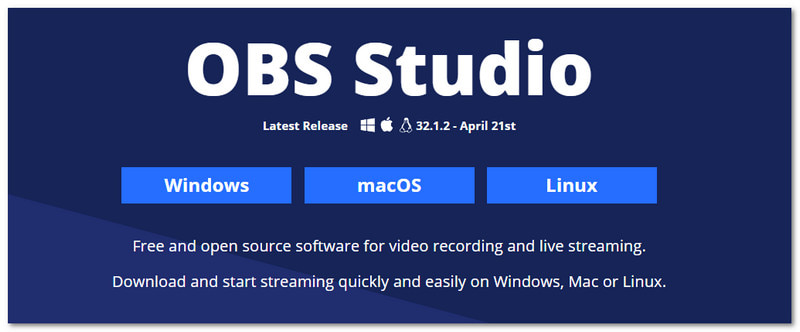
Πολλοί χρήστες επιθυμούν πλήρη έλεγχο κατά την ηχογράφηση διαλέξεων. Αυτή η εφαρμογή ηχογράφησης διαλέξεων, το OBS Studio, σας δίνει αυτόν τον έλεγχο με ισχυρά εργαλεία. Σας επιτρέπει να συνδυάζετε βίντεο, ήχο και σκηνές για να δημιουργήσετε μια πιο λεπτομερή και ευέλικτη ρύθμιση ηχογράφησης διαλέξεων.
Τιμολόγηση: Δωρεάν και ανοιχτού κώδικα.
- Τι είναι καλό:
- Εντελώς δωρεάν στη χρήση.
- Εξαιρετική ποιότητα ηχογράφησης.
- Μοναδικές διατάξεις και σκηνές.
- Ισχυρά χειριστήρια ήχου.
- Τι είναι κακό:
- Δύσκολο για αρχάριους.
- Η εγκατάσταση απαιτεί χρόνο.
Κύριο σημείο πώλησης: Προσφέρει πλήρη έλεγχο και προηγμένες λειτουργίες για χρήστες που επιθυμούν λεπτομερείς και ευέλικτες ηχογραφήσεις διαλέξεων.
4. Αργαλειός
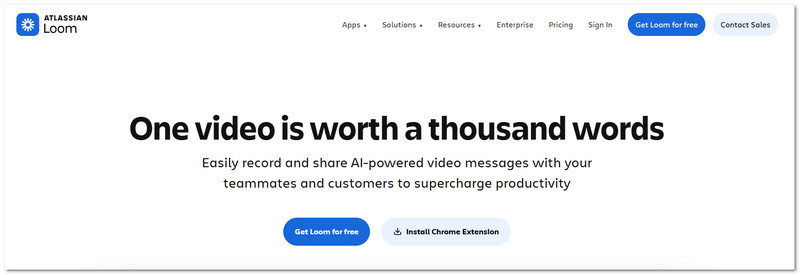
Οι φοιτητές επωφελούνται περισσότερο από διαλέξεις που κοινοποιούνται γρήγορα. Τα βίντεο των διαλέξεων μπορούν να εγγραφούν και να αποσταλούν γρήγορα με το Loom. Μπορείτε να κοινοποιήσετε αμέσως έναν σύνδεσμο για εύκολη προβολή αφού καταγράψετε την οθόνη και την κάμερά σας.
Τιμολόγηση: Μια επαγγελματική συνδρομή ξεκινά από $18 ανά μήνα, ενώ διατίθεται και το δωρεάν πρόγραμμα.
- Τι είναι καλό:
- Γρήγορη εγγραφή και κοινή χρήση.
- Λειτουργεί σε πολλές συσκευές.
- Ενσωματωμένη επεξεργασία βίντεο.
- Εύκολη κοινοποίηση συνδέσμων.
- Τι είναι κακό:
- Περιορισμένες δυνατότητες στο δωρεάν πρόγραμμα.
- Χρειάζεται διαδίκτυο για κοινή χρήση.
Κύριο σημείο πώλησης: Κάνει την ηχογράφηση και την κοινοποίηση διαλέξεων γρήγορη και απλή με λίγα μόνο κλικ.
5. Καμτάσια
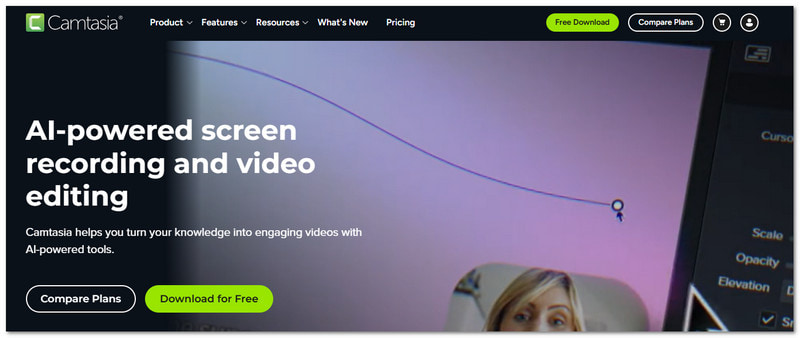
Οι προσεγμένες διαλέξεις βοηθούν τους μαθητές να παραμένουν συγκεντρωμένοι. Το Camtasia προσφέρει τον καλύτερο τρόπο ηχογράφησης διαλέξεων για τους μαθητές, επειδή σας επιτρέπει να ηχογραφείτε και να επεξεργάζεστε διαλέξεις από ένα μέρος. Χρησιμοποιεί επίσης εργαλεία τεχνητής νοημοσύνης για να καθαρίζει τον ήχο και να βελτιώνει το βίντεό σας χωρίς μεγάλη προσπάθεια.
Τιμολόγηση: Υπάρχει διαθέσιμη μια δωρεάν δοκιμαστική περίοδος και τα προγράμματα επί πληρωμή ξεκινούν από $39.00.
- Τι είναι καλό:
- Ενσωματωμένο πρόγραμμα επεξεργασίας βίντεο.
- Επεξεργασία με βάση κείμενο.
- Εργαλεία τεχνητής νοημοσύνης για καθαρισμό.
- Επαγγελματική απόδοση.
- Τι είναι κακό:
- Ακριβό για ορισμένους χρήστες.
- Χρειάζονται καλές προδιαγραφές υπολογιστή.
Κύριο σημείο πώλησης: Συνδυάζει την ηχογράφηση και την επεξεργασία για να δημιουργήσει καθαρά και επαγγελματικά βίντεο διαλέξεων σε ένα εργαλείο.
6. ScreenPal
Απλά εργαλεία μπορούν να κάνουν πολλά. Το ScreenPal σάς βοηθά να ηχογραφείτε, να επεξεργάζεστε και να μοιράζεστε διαλέξεις με ευκολία. Είναι μια από τις εφαρμογές που ηχογραφούν διαλέξεις και λειτουργεί ομαλά για μαθητές και καθηγητές. Προσθέτει επίσης λειτουργίες τεχνητής νοημοσύνης, όπως λεζάντες και μεταφράσεις, για να διευκολύνει την κατανόηση του περιεχομένου σας.
Τιμολόγηση: Διατίθεται δωρεάν πρόγραμμα και η premium πρόσβαση κοστίζει $4.00.
- Τι είναι καλό:
- Εύχρηστος.
- Ενσωματωμένος επεξεργαστής.
- Λεζάντες και περιλήψεις με τεχνητή νοημοσύνη.
- Λειτουργεί σε πολλές συσκευές.
- Τι είναι κακό:
- Ορισμένες λειτουργίες απαιτούν πληρωμή.
- Τα εργαλεία επεξεργασίας είναι βασικά.
Κύριο σημείο πώλησης: Προσφέρει απλή ηχογράφηση με χρήσιμα εργαλεία τεχνητής νοημοσύνης για να κάνει τις διαλέξεις πιο σαφείς και πιο ελκυστικές.
7. Bandicam
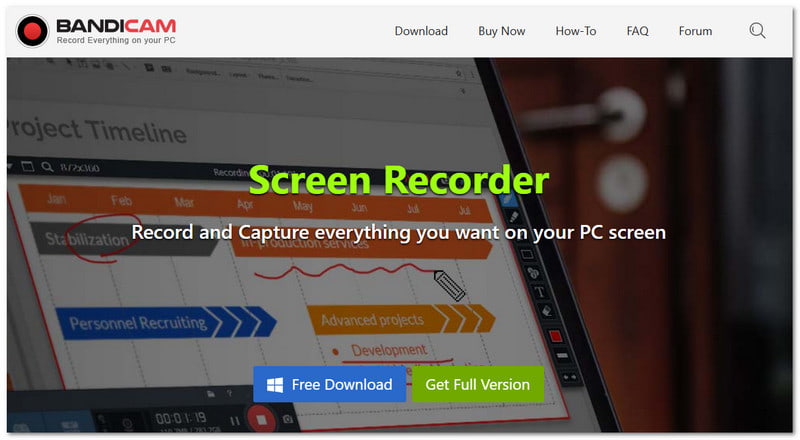
Τα ελαφριά εργαλεία είναι ιδανικά για ομαλή ηχογράφηση, ειδικά προγράμματα εγγραφής οθόνης για Windows όπως το Bandicam, το οποίο καταγράφει διαλέξεις με υψηλή καθαρότητα διατηρώντας παράλληλα μικρό το μέγεθος του αρχείου. Μπορεί επίσης να καταγράψει ταυτόχρονα τον ήχο της κάμερας web και του συστήματος.
Τιμολόγηση: Οι premium συνδρομές ξεκινούν από $2.78 ανά μήνα και υπάρχει μια δωρεάν έκδοση.
- Τι είναι καλό:
- Ηχογράφηση υψηλής ποιότητας.
- Έξοδος μικρού μεγέθους αρχείου.
- Υποστηρίζει επικάλυψη κάμερας web.
- Επιλογή προγραμματισμένης εγγραφής.
- Τι είναι κακό:
- Υδατογράφημα στη δωρεάν έκδοση.
- Εργαλείο εστιασμένο στα Windows.
Κύριο σημείο πώλησης: Προσφέρει υψηλής ποιότητας ηχογράφηση διαλέξεων με χαμηλό μέγεθος αρχείου και σταθερή απόδοση.
Μέρος 4. Σύγκριση σε βάθος
Για να διευκολύνετε την επιλογή σας, ο παρακάτω συγκριτικός πίνακας δείχνει τις βασικές διαφορές μεταξύ κάθε συσκευής εγγραφής διαλέξεων.
| Συσκευές εγγραφής διαλέξεων | Ευκολία στη χρήση | Συμβατότητα | Ποιότητα βίντεο | Ήχος | Καθυστέρηση | Στάθμη ύδατος |
| Εγγραφή οθόνης AVAide | Ανετα | Εκτελείται σε Windows και Mac. | 4Κ | Διαγραφή συγχρονισμένου ήχου. | Χωρίς καθυστέρηση στην απόδοση. | × |
| Otter.ai | Ανετα | Ιστός, iOS και Android. | Δεν υπάρχει εστίαση εγγραφής βίντεο. | Δυνατή μετατροπή ομιλίας σε κείμενο. | Βασισμένο σε cloud. | × |
| OBS Studio | Σκληρά | Εκτελείται σε Windows, Mac και Linux. | 4Κ | Ισχυρός έλεγχος ήχου. | Ομαλό αλλά χρειάζεται ρύθμιση. | × |
| Αργαλειός | Ανετα | Λειτουργεί σε Windows, Mac, Web και Κινητά. | 1080 | Καθαρή καταγραφή ήχου. | Λείο για σύντομη χρήση. | × |
| Καμτάσια | Μεσαίο | Εκτελείται σε Windows και Mac. | 4Κ | Δυνατή ηχογράφηση. | Λείο αλλά βαρύ. | × |
| ScreenPal | Ανετα | Λειτουργεί σε Windows, Mac, Web και Κινητά. | 4Κ | Καθαρός ήχος. | Ομαλή απόδοση. | ✓ |
| Bandicam | Μεσαίο | Εκτελείται μόνο σε Windows. | 4Κ | Υποστήριξη καθαρού ήχου. | Πολύ χαμηλό φόρτο συστήματος. | ✓ |
Μην ανησυχείτε πια μήπως χάσετε σημαντικά μαθήματα. Τώρα μπορείτε ηχογραφημένες διαλέξεις με τη βοήθεια των παραπάνω εργαλείων. Υπάρχουν 7 καλύτερες συσκευές εγγραφής διαλέξεων, συμπεριλαμβανομένων Εγγραφή οθόνης AVAideΛειτουργεί καλά για χρήστες Windows και Mac. Με αυτό, δεν θα χάσετε ποτέ ξανά βασικά σημεία!
ΣΧΕΤΙΚΑ ΜΕ ΤΟΝ ΣΥΓΓΡΑΦΕΑ

Αποτυπώστε την καλύτερη στιγμή με το AVAide Screen Recorder. Προβολή οθόνης, προσαρμογή και κοινή χρήση σε δευτερόλεπτα.