Imagine transferring a massive batch of photos or documents to your computer, only to find their "Date Created" or "Date Modified" fields completely scrambled. Whether it's a backup glitch or a timezone mismatch, incorrect file timestamps can ruin your digital archiving and throw your workflow into chaos.

Fortunately, you don't have to live with the mess. A dedicated 文件日期更改器 gives you absolute control over your metadata, letting you batch-edit file timestamps with just a few clicks. In this guide, we’ve rounded up the 5 best file date changers for Windows and Mac to help you regain control of your digital organization. Let's dive in!

Part 1. Master Review of 5 Best File Date Changers

This section will present the best file date changer you can rely on. Keep reading to find out how these tools can help you achieve your task!

1. AVAide 视频转换器

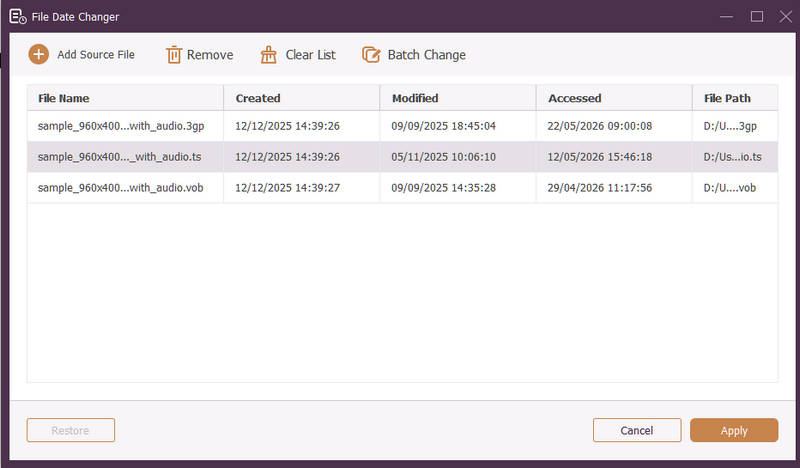
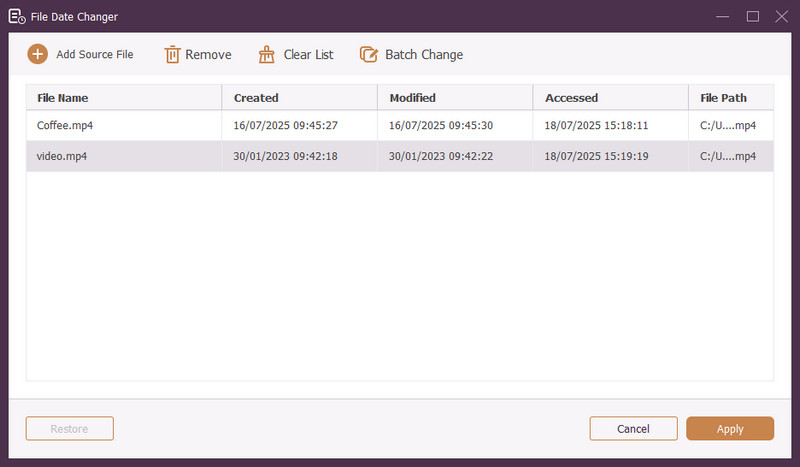
Available for both Windows and Mac, AVAide 视频转换 is a versatile platform equipped with a powerful, built-in File Date Changer. This intuitive feature allows you to effortlessly modify comprehensive timestamp details, including creation, modification, and last-accessed dates.

AVAide File Date Changer Interface
AVAide 视频转换
  • Seamlessly handle many media formats across video, audio, and images.
  • Import and update multiple files simultaneously to save time and streamline your workflow.
  • Feature a clean, user-friendly interface for you to change file date quickly.
  • Keep your file seamless after date changes.

2. 文件日期更改器

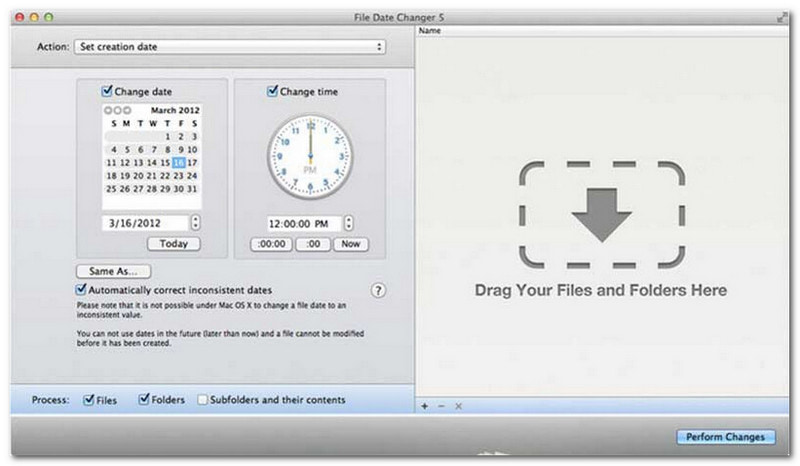
文件日期更改器 最佳文件日期更改器

File Date Changer lives up to its name by offering a dedicated solution to change file creation dates. It provides a simple design, making it accessible to users of all levels. It supports modification for both creation and modification dates. Whether you need to change dates for individual files or entire folders, this file date changer on Mac simplifies the process with its efficient functionality.

While the File Date Changer is a paid tool, its value depends on your specific needs regarding cost and functionality. Some users may find its feature set somewhat basic relative to the price point. However, for those prioritizing efficiency and a seamless workflow, it remains a highly reliable and worthwhile investment for a file date changer.

Key Features of File Date Changer:

  • Modify the creation, modification, and last-accessed dates and times for multiple files.
  • Support adding or subtracting specific days, hours, minutes, or seconds.
  • Change file properties like Read-Only or Hidden, and update EXIF metadata.
  • The file date changer runs instantly and offer a clear interface.

3. ExifTool

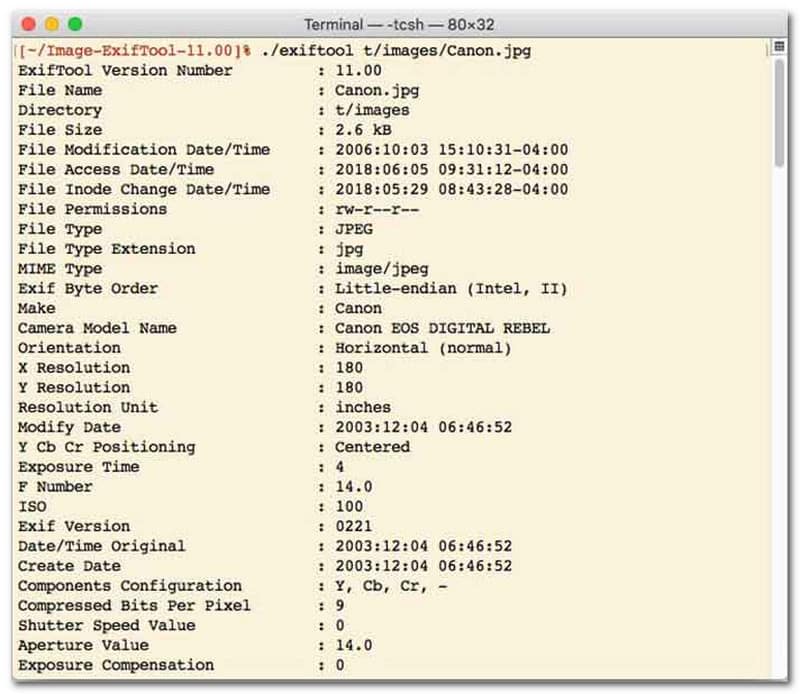
ExifTool 最佳文件日期更改器

For users who prefer a file date changer with command-line interface (CLI), ExifTool is the gold standard for ultra-precise file management. This exceptionally versatile file date changer tool supports a vast range of file types, including photos, videos, documents, and audio. Beyond simply editing creation and modification dates, ExifTool allows you to seamlessly copy timestamp metadata from one file to another, ensuring your entire media library stays perfectly synchronized without hassle.

Key Features of ExifTool:

  • Seamlessly read and modify file-system timestamps.
  • Copy dates between completely different layers of metadata.
  • Support advanced date and time math to help you change file dates in batches.
  • Extract date and media info from all types of files.

4. BulkFileChanger

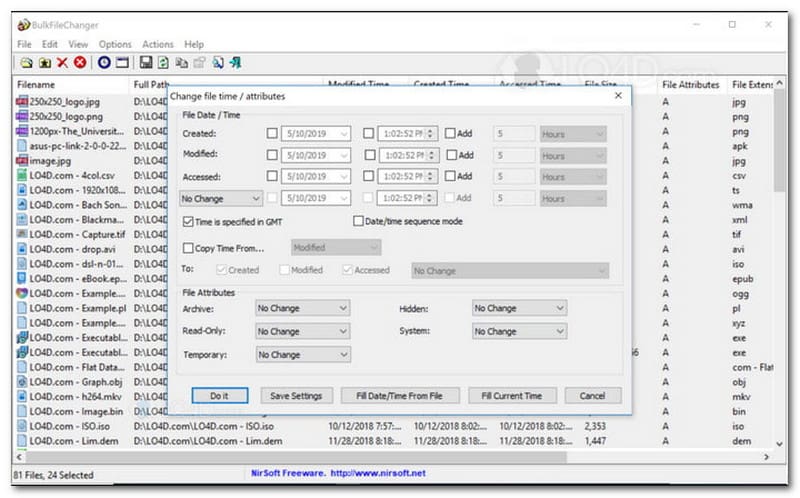
BulkFileChanger 最佳文件日期更改器

BulkFileChanger is a lightweight, high-performance file date changer utility designed for effortless file timestamp management on Windows. It allows users to quickly modify various date and time attributes, including creation, modification, and last-accessed times, across virtually any file type, from documents and images to videos. While its cross-format versatility and speed make it an excellent file date changer for organizing digital archives, its availability is strictly limited to the Windows operating system, meaning macOS and Linux users will need to look elsewhere.

Key Features of BulkFileChanger:

  • Modify file creation, modification, and last-accessed dates.
  • Seamlessly handles almost all file types, including documents, images, and videos.
  • Feature a lightweight design that allows for ultra-fast, bulk metadata updating.
  • Add or extract specific days, hours, minutes, and seconds.

5. AttributeMagic

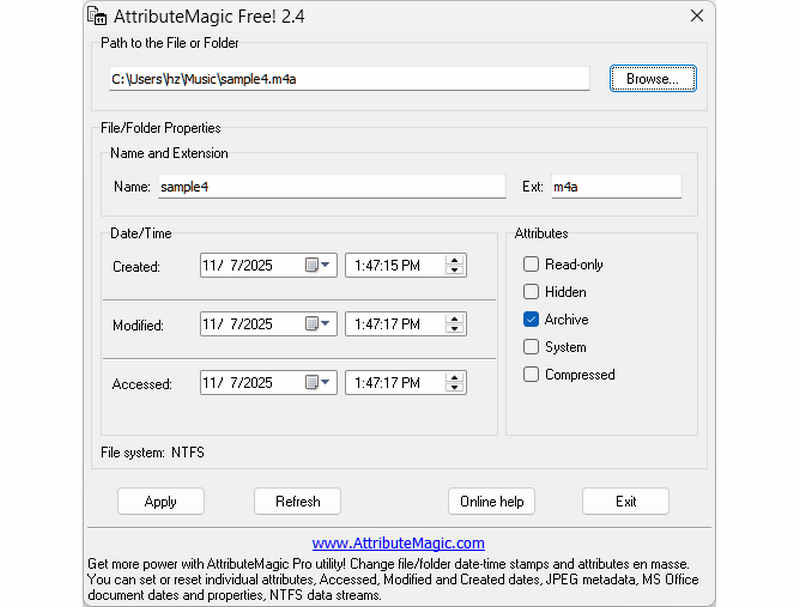
AttributeMagic File Date Changer

AttributeMagic goes far beyond a simple file date changer by offering an advanced solution for managing both folder and file attributes. This comprehensive utility enables precision timestamp modification, allowing users to effortlessly rewrite creation, modification, and last-accessed dates. Beyond its capabilities as a dedicated file date changer, AttributeMagic provides deep customization over file system properties to suit your specific archiving needs. While the free version delivers essential timestamp editing functionality, upgrading to the premium edition unlocks advanced metadata control and powerful automation features.

Key Features of AttributeMagic:

  • Modify or mask creation, modification, and last-accessed timestamps.
  • Change file date for both single file or an entire file folder.
  • Easily increment, decrement, or shift file timestamps forward or backward.
  • set, reset, or invert core file-system attributes such as Read-Only, Hidden, and System.

Part 2. Comparison of the 5 File Date Changers

产品 支持的平台 用户界面 Batch Editing Extra Capabilities
AVAide 视频转换 Windows 和 macOS Modern, Clean & Fluid Yes (Ultra-Fast) Full Suite: 8K Video Conversion, DVD Ripping, Metadata Editing, MV/Slideshow Creation
File Date Changer (NirSoft) 仅限 Mac Outdated (Legacy Web/UI) 有限的 None (Single-purpose)
Exif工具 视窗、macOS、Linux Command-Line Only (No GUI) Yes (Requires complex scripts) Metadata reading/writing only
BulkFileChanger Windows Only Classic Windows Utility 是的 Basic Windows file attribute tweaking
AttributeMagic Windows Only Rigid / Complex 是的 File system flag management only

Part 3. How to Change File Data in AVAide Video Converter

您是否曾需要更改文件的创建日期以更好地组织您的数字文件?您可以使用 AVAide 视频转换!继续阅读以了解如何更改文件创建日期,以帮助您管理文件。

第1步从官方网站下载并安装 AVAide 视频转换器以获得完整访问。

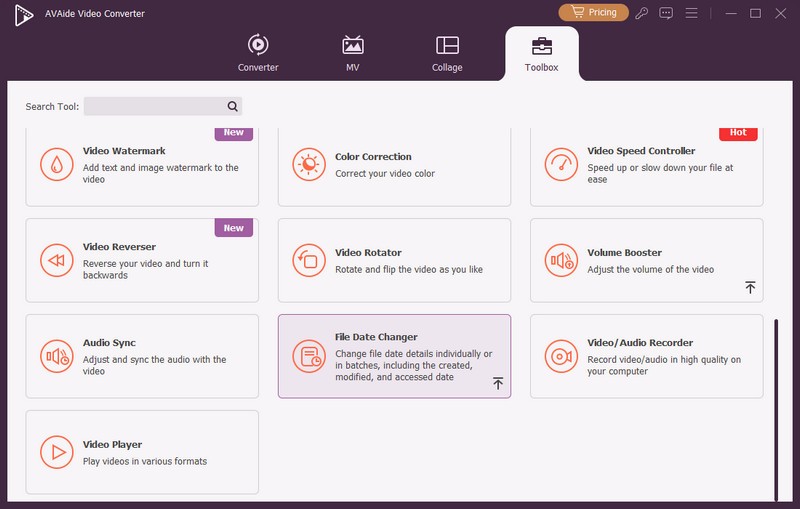
第1步在计算机上打开该程序即可开始使用。前往 工具箱 选项卡可访问多个功能。向下滚动鼠标,查找 文件日期更改器 在选项中,单击它。这是您将用来更改文件日期详细信息的功能。
选择文件日期更改器

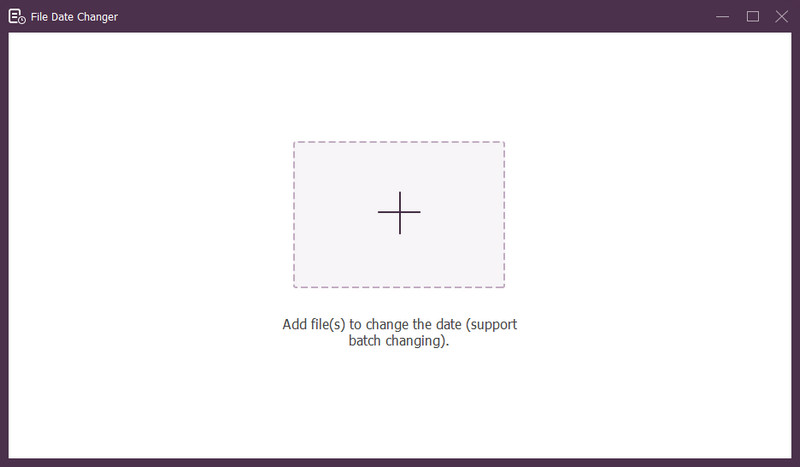
第 3 步按 (+) 按钮导入文件。文件可以是音频、图像和音频文件。您可以导入多个文件以更改文件详细信息。
将文件添加到文件日期更改器

第四步导入所有文件后,您就可以开始更改它们的日期。您可以相应地更改创建、修改和访问日期。为此,请单击项目,直到 出现,表示可供编辑。

文件日期更改器界面

第 5 步编辑完所有文件日期后,点击 申请 按钮确认更改。应用更改后,请检查更新的文件数据详细信息以确保准确性。

Part 4. FAQs about Best File Date Changer

如何查看文件的日期信息?

如果您想检查文件的创建时间或最后修改时间,您可以直接在计算机上进行检查。请找到该文件,右键单击它,然后选择“属性”。然后,您可以看到有关该文件的所有详细信息。其中包括创建和修改日期。

当我更改文件日期时有人会知道吗?

不会!更改文件日期不会留下任何痕迹。所以,没人会知道您何时进行了更改。

日期和时间从文件中消失的原因是什么?

文件中日期和时间消失的原因有多种。当您下载文件时,可能会因为网络连接不佳而丢失一些信息。有时,这是由于您下载文件的网站造成的。

我可以检索文件的修改创建日期吗?

是的!您可以通过手动将其设置回其初始值来恢复原始日期。这是检索文件创建日期的唯一方法。

更改文件日期和时间会影响文件完整性或内容吗?

不会!更改文件的日期和时间不会影响内容或完整性。它只会更改元数据,如创建和修改日期。它不会改变实际文件。

结论

就是这样!你已经学会了 如何更改文件的创建日期,这在很多方面都很有用。为了获得更简化和更适合初学者的体验,请考虑使用 AVAide Video Converter 作为您的首选文件日期转换器。它是管理数字文件的最佳选择。尝试一下并在下面分享您的想法!

经过 布莱恩西蒙兹 on 5 月 22, 2026

关于作者

布莱恩西蒙兹
布莱恩西蒙兹

Bryan Simmonds是一位家庭媒体技术专家,拥有超过9年的光盘系统实操经验。加入编辑团队之前,他曾担任一家消费电子产品制造商的技术支持工程师。他对蓝光/DVD标准、区域播放特性以及适用于家庭媒体设备的实用光盘刻录方案尤为熟悉。

相关文章