Czy zdarzyło Ci się kiedyś nagrać kilka pięknych klipów telefonem lub aparatem, tylko po to, by uświadomić sobie, że gdyby były w jednym pliku, opowiedziałyby o wiele lepszą historię? Niezależnie od tego, czy jesteś początkującym YouTuberem, influencerem w mediach społecznościowych, czy po prostu kimś, kto lubi dzielić się swoimi historiami w internecie, wiedza… jak scalić filmy To podstawowa umiejętność. Skuteczne łączenie filmów to coś więcej niż tylko łączenie ich ze sobą, ale także zachowanie rozdzielczości, bezstratna jakość i minimalna edycja po połączeniu. W tym przeglądzie omówimy najlepsze sposoby na to i pomożemy Ci wybrać najlepsze oprogramowanie do łączenia filmów, w zależności od Twojego urządzenia i wymaganych funkcji.
Część 1. Czym jest łączenie wideo
Łączenie wideo, powszechnie dostępne w oprogramowaniu do edycji wideo, to specjalistyczna funkcja, której celem jest połączenie dwóch lub więcej odrębnych plików wideo w jeden, ciągły klip. Jednak samodzielne łączenie wideo koncentruje się na sekwencji i przepływie klipów, w przeciwieństwie do złożonych edytorów wideo, które koncentrują się na intensywnym nawarstwianiu i efektach wizualnych.
Jeśli zastanawiasz się, jaka aplikacja do scalania filmów jest najlepsza i jak to działa, oprogramowanie wyrównuje strumienie danych plików. Co więcej, jeśli zastanawiasz się również nad scalaniem wideo MP4 z dźwiękiem, dobre scalanie pozwala również na nałożenie osobnej ścieżki muzycznej na połączone materiały wizualne. Ten proces jest niezbędny do tworzenia montaży, prezentacji lub dłuższych vlogów z krótszych treści.
Część 2. Jak wybrać najlepszy program do łączenia wideo
Wybór oprogramowania desktopowego lub narzędzia do łączenia filmów online może wydawać się nieco skomplikowany, ponieważ dostępnych jest mnóstwo opcji. Oto kilka aspektów, które warto wziąć pod uwagę:
- Jakość bezstratna: najlepsze programy internetowe łączą filmy online i nie kodują ich ponownie, dzięki czemu po zapisaniu filmy nie będą „pikselowane”.
- Zgodność formatów: Przeczytaj specyfikacje, zwłaszcza jeśli narzędzie potrafi odczytywać wiele formatów, w tym MP4, AVI lub MOV.
- Prędkość i przyspieszenie: Aby mieć pewność, że możesz łączyć filmy i zaoszczędzić mnóstwo cennego czasu, poszukaj opcji, takich jak przyspieszenie GPU.
Część 3. 10 najlepszych aplikacji do łączenia filmów, które mogą Ci się przydać
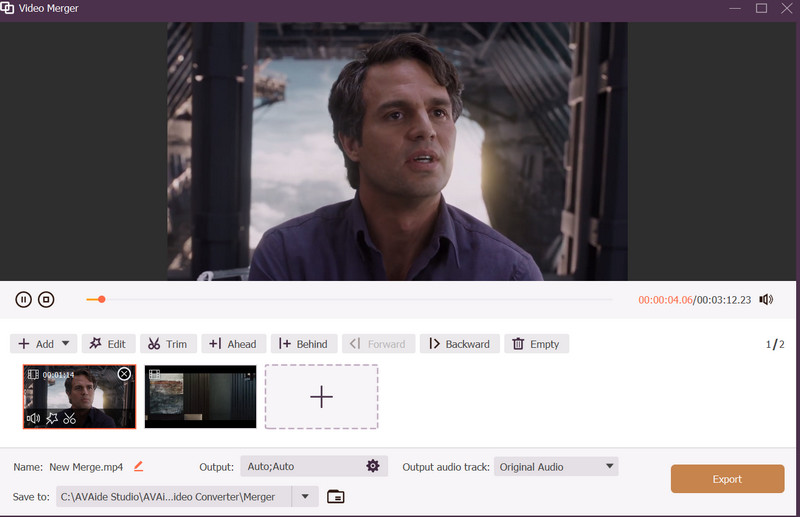
1. Konwerter wideo AVAide
Jako niezawodne narzędzie do łączenia materiałów wideo, Konwerter wideo AVAide To wiodące, kompleksowe rozwiązanie, odpowiednie zarówno dla zaawansowanych, jak i początkujących montażystów. Wyposażone jest w najnowocześniejszą technologię akceleracji GPU, zapewniającą błyskawiczną wydajność podczas łączenia filmów. Dzięki temu masz więcej czasu na produkcję i mniej na oczekiwanie na eksport. Możliwość łączenia filmów bez utraty jakości to jedna z jego największych zalet.

BEZPŁATNE POBIERANIE W systemie Windows 7 lub nowszym
 Bezpieczne pobieranie
BEZPŁATNE POBIERANIE Dla systemu Mac OS X 10.13 i nowszych
Bezpieczne pobieranieI tak, obsługuje szeroką gamę formatów plików, w tym MP4, MOV i MKV. Poza tym nie musisz martwić się o opóźnienia, ponieważ to narzędzie do łączenia wideo oferuje płynny proces dodawania muzyki w tle, nakładek tekstowych, nakładania ścieżek dźwiękowych i regulacji głośności. Co więcej, łączenie zdjęć nie obniża jakości końcowego obrazu. Wręcz przeciwnie, pozostaną one ostre, nawet jeśli łączysz filmy z mediów społecznościowych.
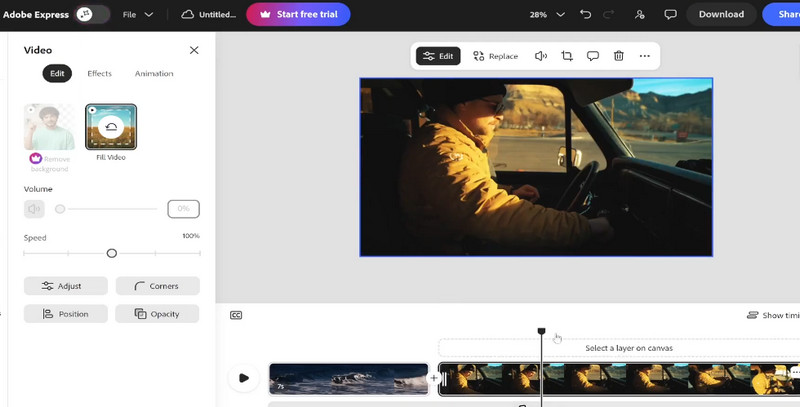
2. Adobe Express
Adobe Express to darmowe i skuteczne narzędzie do łączenia filmów online, które pozwala na korzystanie z zaawansowanych funkcji edycji bezpośrednio w przeglądarce internetowej. Można scalać klipy w internecie, po prostu je przeciągając, więc to narzędzie jest idealne dla osób, które nie chcą instalować dużych programów. Opcja „Dopasuj do klatki” pozwala zachować ten sam rozmiar fragmentów wideo, co sprawdza się przy tworzeniu filmów do serwisów społecznościowych.
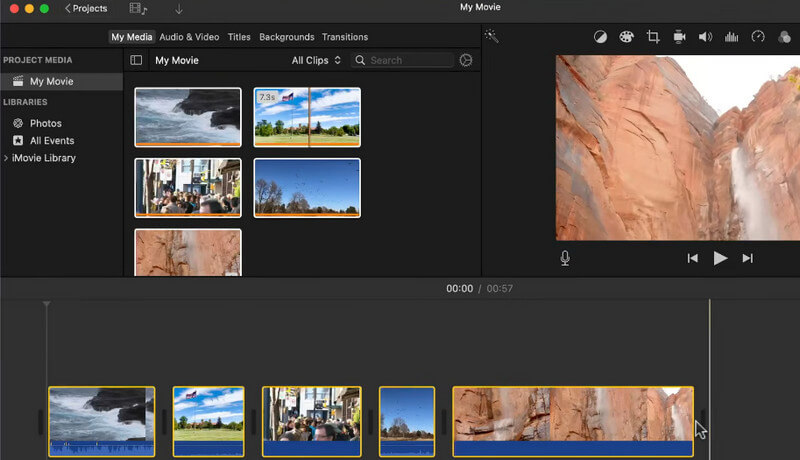
3. iMovie
Jeśli spędzasz większość czasu z produktami Apple, iMovie jest zazwyczaj główną aplikacją do łączenia filmów, dostępną zarówno na komputerach Mac, jak i urządzeniach z systemem iOS, bez dodatkowych opłat. Jest to dość proste rozwiązanie dla użytkowników, którzy chcą dowiedzieć się, jak łączyć filmy na iPhonie, w tym narzędzia takie jak „Magic Movie”, które automatycznie i stylowo łączy klipy. Aplikacji można używać w rozdzielczości 4K, dzięki czemu efekt końcowy prezentuje się na ekranach w wysokiej jakości.
4. Płótno
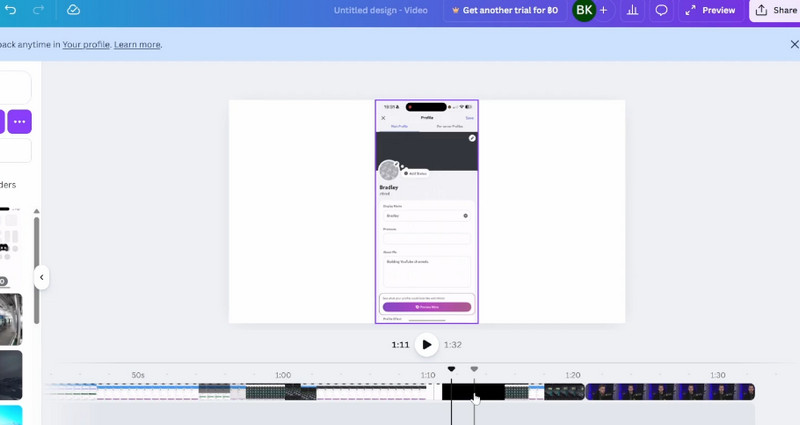
Znana ze swoich możliwości projektowych, Canva stała się czołowym narzędziem do łączenia filmów online. To doskonały wybór, gdy chcesz bezpłatnie łączyć filmy online i dodawać elementy brandingowe, takie jak logo i tekst. Platforma oferuje funkcję „Beat Sync”, która pomaga łączyć filmy i automatycznie dopasowuje przejścia do wybranej ścieżki audio, co czyni ją niezwykle kreatywnym narzędziem do łączenia wideo z dźwiękiem. A ponieważ obsługuje format obrazu odpowiedni dla platform mediów społecznościowych, możesz… zrób kolaż wideo na Instagram korzystając z tego rozwiązania.
5. CapCut
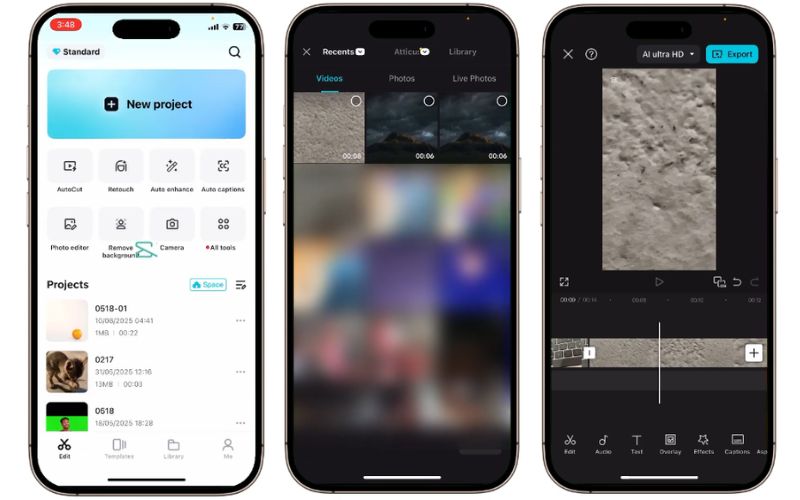
CapCut to modne narzędzie do łączenia filmów, stworzone z myślą o twórcach mobilnych. Jeśli chcesz dowiedzieć się, jak łączyć filmy z iPhone'a, aby odnieść sukces w sieci, to narzędzie oferuje intuicyjną, warstwową oś czasu i bibliotekę przejść. Umożliwia łączenie filmów, dodając jednocześnie unikalne efekty AI, co czyni je doskonałym wyborem dla osób poszukujących wszechstronności.
6. PowerDirector
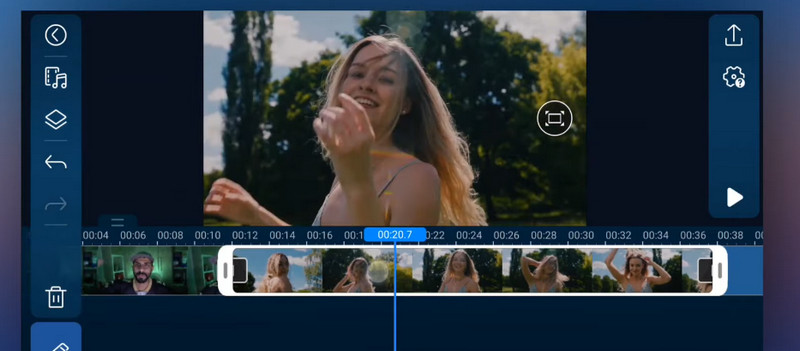
PowerDirector oferuje profesjonalne środowisko z zaawansowanymi funkcjami sterowania. Ta aplikacja do łączenia wideo oferuje magnetyczną oś czasu i stabilizację obrazu, dzięki czemu idealnie nadaje się do łączenia klipów pełnych akcji. To niezawodne narzędzie do łączenia wideo zarówno dla użytkowników systemu Windows, jak i urządzeń mobilnych, którzy potrzebują wysokiej jakości, bezstratnego eksportu scalonych plików.
7. VEED.IO
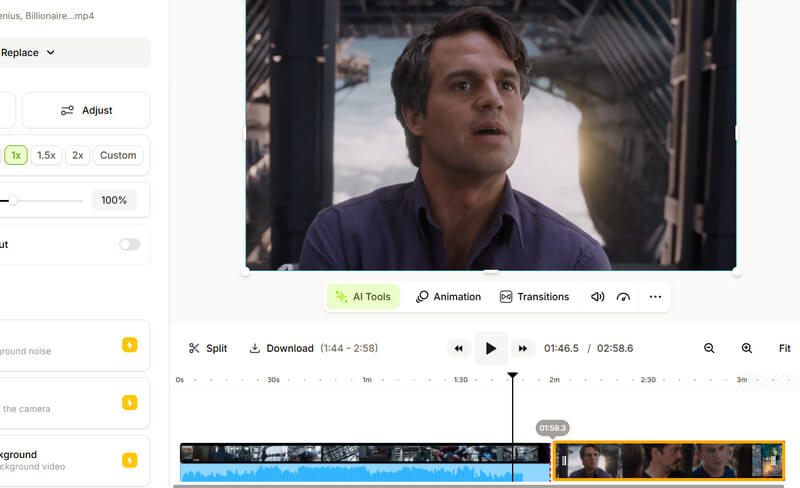
VEED.IO to doskonała, darmowa platforma do łączenia filmów online, działająca w całości w chmurze. To idealne rozwiązanie dla tych, którzy chcą łączyć filmy bez czekania na pobranie. Ta internetowa platforma do łączenia zawiera również narzędzia AI do generowania napisów i usuwania szumów tła, co czyni ją niezwykle wydajną.
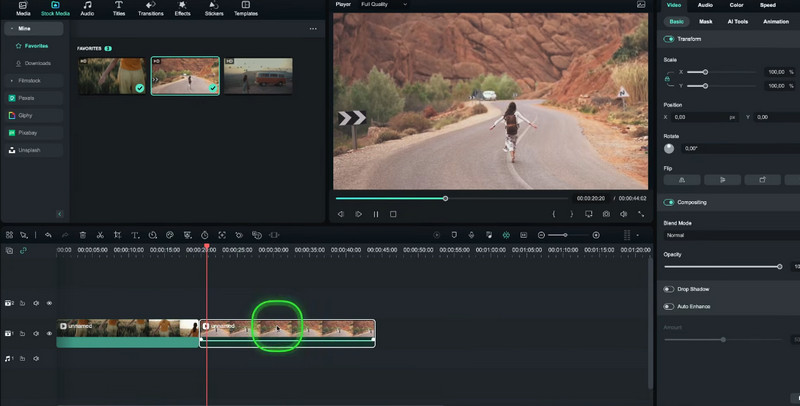
8. Wondershare Filmora
Filmora to wszechstronna aplikacja do łączenia filmów, która łączy w sobie podstawowe i profesjonalne edytory. Umożliwia łączenie filmów z setkami artystycznych przejść i specjalistycznych efektów. Dla osób poszukujących konkretnego efektu, oferuje narzędzia do gradacji kolorów oraz wersję mobilną do edycji w podróży.
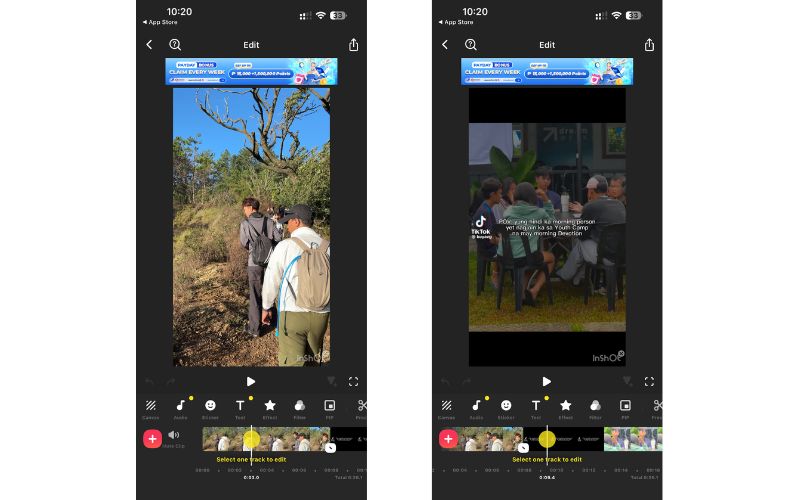
9. InShot
InShot to przyjazny dla użytkownika program do łączenia, popularny i ceniony za pełną funkcjonalność na urządzeniach mobilnych. Funkcja łączenia jest uproszczona dzięki prostemu przyciskowi plus na osi czasu, który pozwala błyskawicznie łączyć klipy. Użytkownicy preferują to narzędzie, ponieważ mogą zmieniać rozmiar obszaru roboczego w zależności od platformy mediów społecznościowych, na której zazwyczaj publikują. łączenie filmów na iPhonie i Androida korzystającego z tego programu.
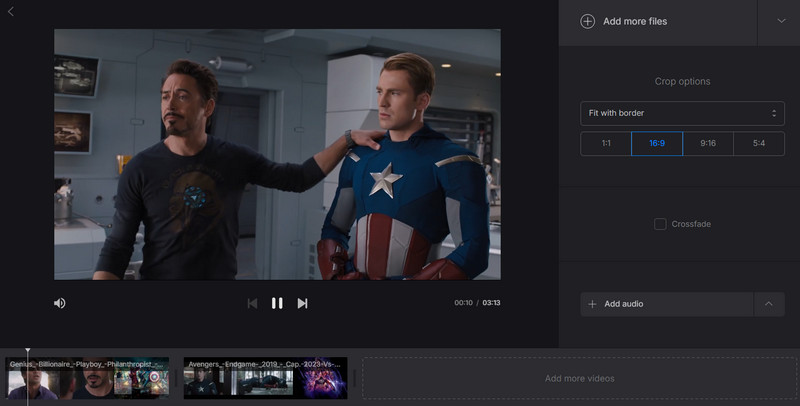
10. Klif
Aby zapewnić maksymalną prostotę, Clideo w pełni spełni Twoje oczekiwania jako dedykowana aplikacja do łączenia filmów. Program oferuje jednofunkcyjny interfejs, umożliwiający bezpośrednie i natychmiastowe łączenie filmów bez dodatkowych czynności. Mając to na uwadze, to narzędzie jest idealne dla użytkowników, którzy chcą łączyć filmy bez gubienia się w skomplikowanych menu.
Część 4. Porównanie fuzji wideo w skrócie
Przy tak wielu niesamowitych opcjach łączenia wideo wymienionych powyżej, wybór najlepszego rozwiązania może być trudny. Na szczęście mamy to zapewnione, jak widać w poniższej tabeli, przedstawiającej wydajność każdego oprogramowania w różnych kryteriach.
| Narzędzie | Platforma | Bezstratna jakość | Szybkość przetwarzania | Łatwość użycia |
| Konwerter wideo AVAide | Windows/Mac | Doskonały | Ultraszybki (GPU) | Wysoka |
| Adobe Express | online | Wysoka | Szybko (chmura) | Bardzo wysoki |
| iMovie | iOS/Mac | Wysoka | Szybko | Wysoka |
| Cięcie czapki | Mobilny/PC | Wysoka | Szybko | Bardzo wysoki |
| Canva | online | Umiarkowany | Umiarkowany | Bardzo wysoki |
| PowerDirector | Windows/Mac | Wysoka | Szybko | Umiarkowany |
| WShot | Przenośny | Umiarkowany | Szybko | Bardzo wysoki |
| VEED.IO | online | Umiarkowany | Szybko | Wysoka |
| Filmora | Windows/Mac | Wysoka | Szybko | Umiarkowany |
| Clideo | online | Podstawowy | Umiarkowany | Bardzo wysoki |
Uczenie się jak scalić filmy Łączenie filmów nie zawsze jest trudne w przypadku technologii. Możesz skorzystać ze specjalnej aplikacji do łączenia filmów, a także z elastycznego narzędzia do łączenia filmów, ale liczy się przede wszystkim historia i to, by oryginalne klipy nie wyglądały gorzej. Jeśli zależy Ci na połączeniu szybkości obsługi, łatwego przepływu pracy i profesjonalnych funkcji, AVAide Video Converter to doskonały wybór do łączenia filmów i uzyskiwania imponujących rezultatów w zaledwie kilka minut. Wybierz narzędzia, które zapewniają bezstratne łączenie i wykorzystują GPU, dzięki czemu filmy pozostają wyraźne w każdym miejscu, które chcesz pokazać.
O AUTORZE

Twój kompletny zestaw narzędzi wideo, który obsługuje ponad 350 formatów do konwersji w bezstratnej jakości.
Edytuj wideo
- Ekskluzywne wideo AI
- Usuń znak wodny z wideo
- Usuń tekst z wideo
- Zmniejszanie rozdzielczości 4K do 1080p/720p
- Usuń szum tła z wideo
- Edytor metadanych MP4
- Wyostrz jakość wideo
- Odwróć wideo
- Napraw wideo o złej jakości
- Usuń metadane z wideo/audio
- Odbicie lustrzane/odbicie lustrzane obrazu z przedniej kamery