Anda perlu mencipta tutorial video pertama anda tentang sesuatu yang anda minati, tetapi pada masa kini, rakaman skrin standard tidak dapat memenuhi jangkaan penonton. Anda harus mempersembahkan video anda secara profesional, mengelakkan komen yang mungkin seperti, "Di mana anda klik?" atau "Saya tersesat dalam langkah kerana kursor bergerak terlalu pantas." Jadi, apa yang anda perlukan ialah mengiringi rakaman skrin anda dengan perakam tetikus, dan anda berada di artikel yang betul, kerana kami akan membincangkan yang terbaik untuk keperluan anda.
Bahagian 1. Memahami Perakam Tetikus Sebelum Anda Memilih
Anda boleh menemui perakam tetikus di mana-mana sahaja. Malah, anda boleh mendapatkan alat yang menawarkan rakaman kursor tetikus anda tanpa sebarang kos. Walau bagaimanapun, terdapat pemahaman yang lebih baik tentang alat yang anda cari.
Apakah Sebenarnya Perakam Tetikus?
Perakam tetikus mungkin berbeza daripada apa yang anda fikirkan. Tetapi alat ini sememangnya pakar dalam merakam atau menonjolkan pergerakan kursor tetikus anda semasa rakaman skrin. Namun begitu, perakam tetikus boleh menjadi alat lain. Untuk mendapatkan gambaran yang lebih baik, semak pecahan di bawah:
Jenis-jenis Perakam Tetikus yang Berbeza
1. Perakam Tetikus Tulen
Perakam tetikus tulen pakar dalam merakam pergerakan dan klik tetikus anda. Setelah dirakam, ia akan menukar tindakan ini kepada makro atau skrip, menghasilkan main balik automatik tanpa had. Ini juga bermakna ia mengalih keluar tugasan berulang seperti farming dalam permainan terbiar, tanpa pengekodan untuk membina automasi.
2. Perakam Tetikus & Papan Kekunci
Perakam tetikus jenis ini menjejaki kursor dan ketukan kekunci tetikus anda. Ciri tambahan ini menyerlahkan teks yang sedang ditaip pada papan kekunci, membolehkan automasi kerja penuh. Perakam tetikus dan papan kekunci boleh membantu mengisi borang berulang dan memasukkan kekunci pintas.
3. Perakam Skrin dengan Penjejakan Tetikus
Kebanyakan perakam video di pasaran mempunyai ciri penjejakan tetikus untuk menyerlahkan kursor semasa merakam, dan ini mungkin fikiran pertama yang terlintas di fikiran apabila anda mendengar perkataan 'perakam tetikus'. Tetapi tidak seperti dua jenis perakam tetikus yang pertama, pilihan ini bukan untuk automasi tetapi semata-mata untuk penonton melihat pergerakan kursor dalam video.
Kes Penggunaan Lazim
Untuk memudahkan pemahaman, anda boleh membezakan ketiga-tiga jenis ini mengikut penggunaannya:
- Perakam Tetikus Tulen - Terbaik untuk merakam rutin yang membosankan, membantu anda menyelesaikan tugas walaupun anda berada jauh dari desktop.
- Perakam Tetikus & Papan Kekunci - Mengisi input yang boleh diramal secara automatik untuk Jaminan Kualiti. Ia juga boleh digunakan untuk mengisi aplikasi web berbilang halaman yang kompleks.
- Perakam Skrin dengan Penjejakan Tetikus - Menggilap rakaman skrin dengan menjejaki pergerakan kursor, yang membantu bakal penonton agar tidak terlepas pandang.
Bahagian 2. 5 Perisian Perakam Tetikus Terbaik – Ulasan & Penilaian
1. Pencipta Makro Pulover – Perakam Tetikus Percuma Terbaik Keseluruhan
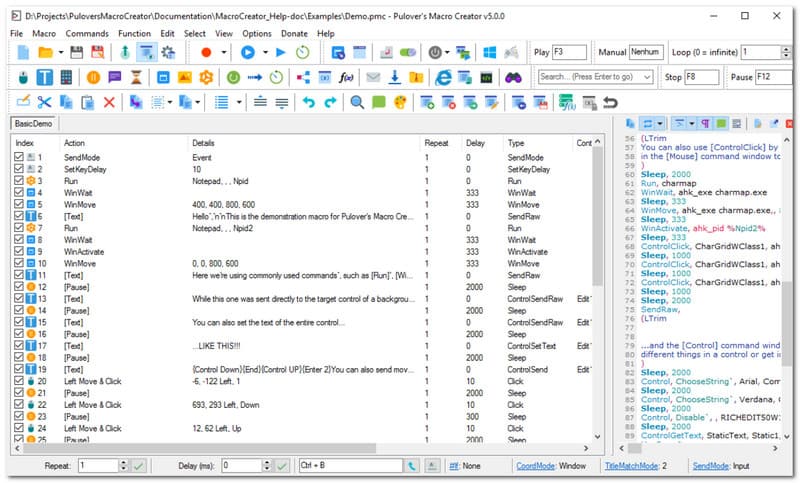
Perlukan perisian perakam tetikus percuma? Macro Creator atau PMC Pulover ialah alat automasi untuk Windows yang boleh melakukan rakaman makro tanpa kod dan penulisan skrip untuk AutoHotkey. Ia disyorkan kerana rakaman tindakannya yang tepat, sambil membolehkan pengguna menukarnya kepada arahan berasaskan kod yang boleh diedit. Ia juga mengetengahkan Control Clicking kerana ia menyasarkan elemen UI seperti teks dan butang secara langsung. Malangnya, perisian ini dikenali kerana risiko memuat turun Adaware Web Companion, iaitu perisian pakej yang sangat mengganggu.
Penilaian: 3.5
Platform: Windows
harga: Percuma
Ciri-ciri utama:
- Termasuk perakam makro asli
- Berkesan untuk mengautomasikan tugas tempat kerja yang berulang
- Kebaikan
- Tiada pengekodan diperlukan
- Percuma sepenuhnya
- Keburukan
- Pasang program yang tidak diingini pada peranti pengguna
- Jejaki aktiviti pengguna tanpa kebenaran.
2. Perakam Makro (oleh Jitbit) – Terbaik untuk Automasi Pejabat
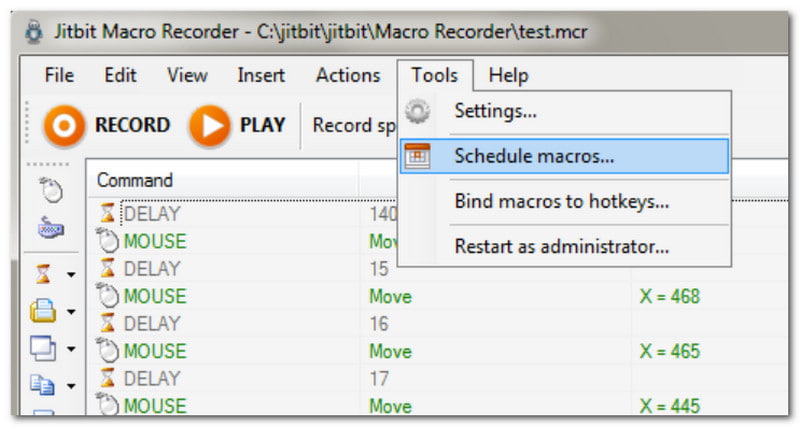
Perakam tetikus yang menawarkan lengkung pembelajaran mesra pemula. Ini bermakna anda boleh menggunakan Perakam Makro dengan hanya mengklik butang Rakam, dan kemudian anda boleh fokus pada aktiviti dalam talian anda. Tetapi apa yang membezakan pilihan ini daripada yang lain ialah ia membolehkan anda menukar makro kepada fail boleh laku yang berdiri sendiri. Selain itu, automasi boleh terjejas pada mana-mana komputer Windows, walaupun perisian tidak dipasang di sana.
Penilaian: 3.3
Platform: Windows
harga: $50
Ciri-ciri utama:
- Automasikan tindakan berulang tanpa pengekodan
- Sesuai sebagai editor skrip visual
- Kebaikan
- Ia mempunyai versi percubaan percuma
- Termasuk pengecaman imej untuk melaksanakan tugas seterusnya secara automatik
- Keburukan
- Tidak disokong oleh Mac
3. TinyTask – Perakam Tetikus Ringan dan Mudah Alih Terbaik
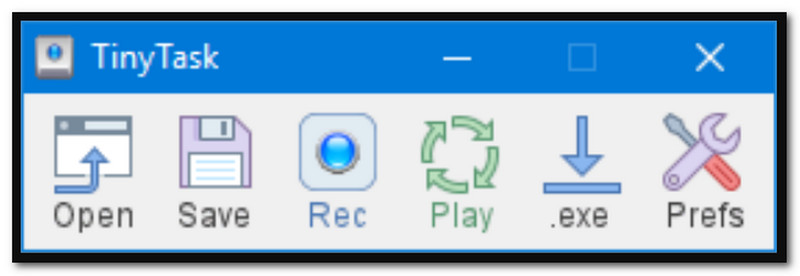
Seperti namanya, TinyTask ialah perakam klik tetikus automatik minimalis yang merakam kandungan pada skrin anda dengan mudah. Kemas kini terbarunya telah menambah kelajuan main balik tersuai dan pintasan papan kekunci untuk mengulangi rakaman hanya dalam beberapa ketikan. Alternatif ini merupakan pilihan yang baik jika anda mengawasi storan peranti anda, kerana ia hanya menempati ruang serendah 36KB.
Penilaian: 4
Platform: Windows
harga: Percuma
Ciri-ciri utama:
- Rekod satu klik yang mudah
- Ringan dan hanya mengambil ruang simpanan yang kecil
- Berfungsi dengan baik dalam OS Windows yang lebih baru
- Kebaikan
- Saiz fail kecil
- Keluk pembelajaran mudah
- Keburukan
- Tidak tersedia pada Mac
4. MacroLoop – Perakam Tetikus Terbaik untuk Mac
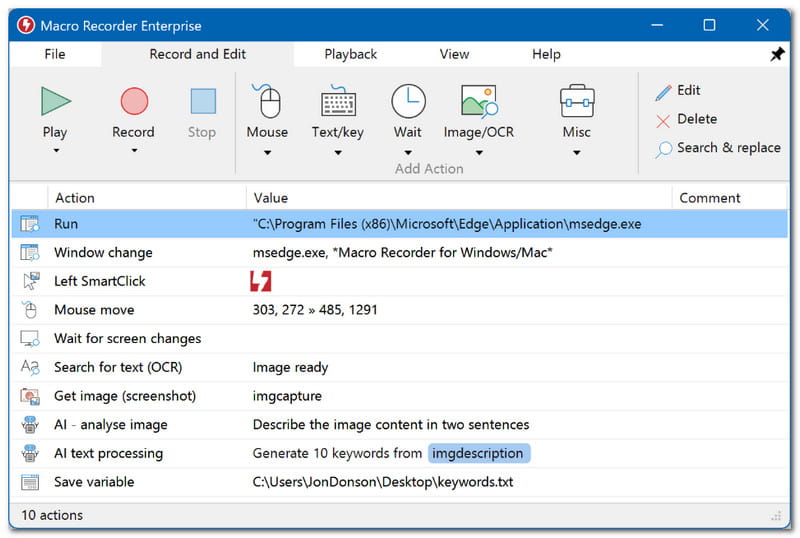
MacroLoop ialah perakam tetikus dan papan kekunci yang merakam semua kandungan pada skrin secara automatik. Ia pakar dalam rakaman dengan ciri jadual dan gelung yang boleh diulang. Ia juga merupakan alat automasi yang baik kerana ia boleh mencetuskan aliran kerja pada masa tertentu dan membolehkan tugasan yang lama diteruskan walaupun anda berada jauh dari PC anda. MacroLoop ialah salah satu daripada beberapa pilihan untuk Mac.
Penilaian: 4.1
Platform: Mac
harga: $4.99
Ciri-ciri utama:
- Rakaman automatik dan berjadual
- Automasi tugas 24 jam
- Kebaikan
- Sesuai untuk rakaman panjang
- Keburukan
- Pengguna mungkin mengalami gangguan dan kelewatan
5. Perakam Skrin AVAide - Perakam Skrin Terbaik dengan Penjejakan Tetikus
Perakam Skrin AVAide merupakan pilihan terbaik untuk rakaman skrin pada Windows dan Mac. Ia direka bentuk untuk merakam aktiviti pada skrin, termasuk kursor tetikus, dengan pilihan untuk merakam klik tetikus, ketukan kekunci dan kawasan. Ia juga membolehkan pengguna merakam bunyi klik tetikus, yang membantu menjadikan rakaman video lebih menarik untuk penonton. Sudah tentu, perakam skrin memastikan rakaman adalah berkualiti terbaik, menyimpannya dalam pelbagai format seperti MP4, WMV dan AVI serta dalam resolusi sehingga 4K. Walaupun Perakam Skrin AVAide menawarkan penyelesaian gred profesional, anda boleh menjangkakan lengkung pembelajarannya mudah, itulah sebabnya ia merupakan pilihan terbaik sebagai perakam pergerakan tetikus.

MUAT TURUN PERCUMA Untuk Windows 7 atau lebih baru
 Muat Turun Selamat
MUAT TURUN PERCUMA Untuk Mac OS X 10.13 atau lebih baru
Muat Turun Selamat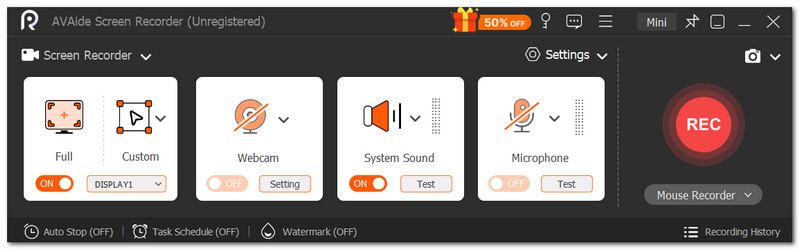
Penilaian: 4.8
Platform: Windows dan Mac
harga: $59
Ciri-ciri utama:
- UI mesra pemula
- Rakaman video berkualiti tinggi
- Kebaikan
- Terbaik untuk semua jenis rakaman
- Keburukan
- Versi percuma mengehadkan masa rakaman
Bahagian 3. Jadual Perbandingan & Cara Memilih
Berikut ialah ringkasan perisian rakaman tetikus terbaik untuk Windows dan Mac.
| Perakam Tetikus | Percuma | Platform Disokong | Pengekodan Diperlukan |
| Pencipta Makro Pulover | ya | Windows | Tidak |
| Perakam Makro (oleh Jitbit) | Tidak | Windows | Tidak |
| Tugasan Kecil | ya | Windows | Tidak |
| Gelung Makro | Tidak | Mac | Tidak |
| Perakam Skrin AVAide | Tidak | Windows, Mac | Tidak |
Bahagian 4. Soalan Lazim tentang Perakam Tetikus
Adakah selamat untuk memuat turun perakam tetikus?
Ia bergantung pada laman web tempat anda memuat turun perisian tersebut. Pastikan sahaja laman web tersebut sah dan boleh dipercayai, supaya anda tidak mendedahkan PC anda kepada perisian hasad.
Mengapa kursor tetikus hilang semasa saya merakam?
Sesetengah perakam video akan mengalih keluar kursor tetikus secara automatik untuk memastikan video bersih. Cuba semak tetapan untuk memaparkan kursor anda semasa rakaman.
Apakah perbezaan antara perakam video biasa dan perakam tetikus?
Perakam video selalunya merakam aktiviti pada skrin dengan ciri untuk menyerlahkan kursor tetikus semasa rakaman. Sementara itu, perakam tetikus boleh dibezakan sebagai perakam makro, yang mencipta skrip melalui klik sebenar. Ini biasanya digunakan untuk mengautomasikan tugas berulang seperti mengisi borang.
Anda telah dibimbing oleh artikel ini dengan bahagian atas perakam tetikus dan papan kekunci, dengan pengetahuan tentang pelbagai jenis yang boleh anda temui di pasaran dalam talian. Antara alat terbaik yang diulas, Perakam Skrin AVAide adalah pilihan terbaik kerana ciri intuitif rakaman skrin dengan penjejakan kursor. Ia juga membantu rekod webinar dan mesyuarat masa nyata, dengan anotasi dan lukisan. Dengan AVAide, anda tidak perlu mencari perakam skrin profesional lagi, kerana ia menjanjikan hasil yang luar biasa. Klik butang Muat Turun Percuma untuk mencubanya pada Windows dan Mac.
TENTANG PENGARANG

Tangkap aktiviti skrin dengan audio, mesyuarat dalam talian, video permainan, muzik, kamera web, dsb.
Rakaman Skrin