While Android devices come with pre-installed voice recorders, they often lack the advanced features and stability required for professional use. For capturing spontaneous interviews or critical lectures, a reliable tool is essential; nothing ruins a recording like sudden crashes or excessive background hiss. To help you find the perfect balance of fidelity and performance, we have curated and reviewed the top 10 Android voice recorder apps that professionals trust.
Part 1: What Is a Good Android Voice Recorder App?
Selecting the right sound recording app on Android is important; it is about ensuring data integrity and acoustic precision. To distinguish a professional utility from a generic pre-installed app, you can consider the five benchmarks below:
Crystal-Clear Audio: It’s not just about recording; it’s about clarity. A great app should capture high-fidelity sound while intelligently filtering out background hiss and environmental noise to keep the focus on the voice.
Flexible Export Options: You shouldn't be stuck with just one file type. Look for an Android voice recorder app that supports multiple formats, like WAV for maximum quality, or MP3 and AAC for saving space, ensuring your files work perfectly on any device.
Instant Sharing: Speed matters. You should be able to send your recordings to email, cloud storage, or social media platforms directly from the app without any extra steps.
Intuitive Design: When a conversation starts unexpectedly, every second counts. The interface should be clean and distraction-free, allowing you to start recording with a single tap and no learning curve.
Smart Transcription: Manually typing out notes is a thing of the past. The best Android voice recorder tools now include built-in AI that converts your audio into accurate text quickly, saving you hours of playback time.
Part 2: Review of Top 10 Audio Recorders for Android
Top 1. Smart Voice Recorder
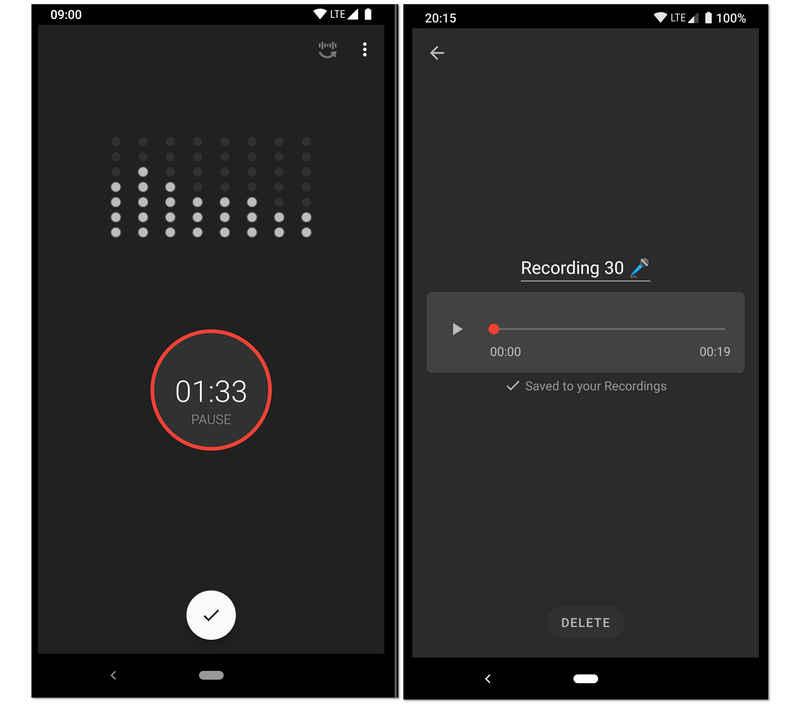
Designed for high-fidelity, long-duration recording, this audio recorder for Android is a favorite for students and researchers. Its standout feature is the "Skip Silence" mode, which uses a live decibel sensitivity analyzer to automatically pause recording during quiet moments. This makes this Android voice recorder an ideal choice for recording university lectures, business meetings, or even tracking sleep talk without having to manually edit out hours of dead air later.
- Vorteile
- The silence-skipping algorithm effectively saves storage space and reduces post-recording review time.
- Features a live audio spectrum analyzer that provides visual feedback on recording levels.
- Calibration tools allow you to adjust the microphone gain to suit different environments, from quiet rooms to loud halls.
- Nachteile
- The interface design lacks the modern, minimalist aesthetic found in newer productivity apps.
- It does not support recording phone calls due to Android system limitations.
- Background noise can sometimes trigger the silence-skipping feature if not calibrated correctly.
Top 2. Easy Voice Recorder Pro
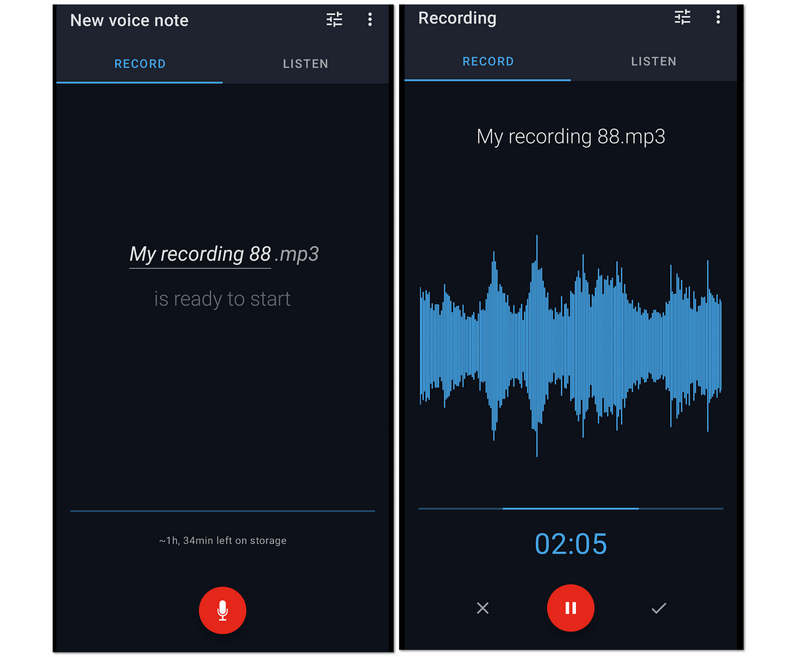
Zweitens auf der Liste ist dieser Easy Voice Recorder Pro. Es ist eine fantastische Diktiergerät-App für Android, da es Benutzern unbegrenzte Aufnahmesitzungen bietet. Aus diesem Grund können lange Vorlesungen, Besprechungen und andere lange Gespräche problemlos erfasst und in kleinere Dateien komprimiert werden. Trotzdem ermöglicht dieser Easy Voice Recorder Pro den Benutzern, die Qualität der Aufnahme zu verbessern, indem sie ihr High-End-Mikrofon an die Aufnahme anschließen können.
- Vorteile
- Es ermöglicht Benutzern, ihre Aufnahmen als Klingelton zu machen.
- Es bietet eine breite Unterstützung für verschiedene Audioformate.
- Es ermöglicht Stereoaufnahmen.
- Verwendet eine einfach zu bedienende Oberfläche.
- Nachteile
- Die Bearbeitungswerkzeuge sind begrenzt.
- Es ist nicht frei von Werbung.
Top 3. Hi-Q MP3 Voice Recorder
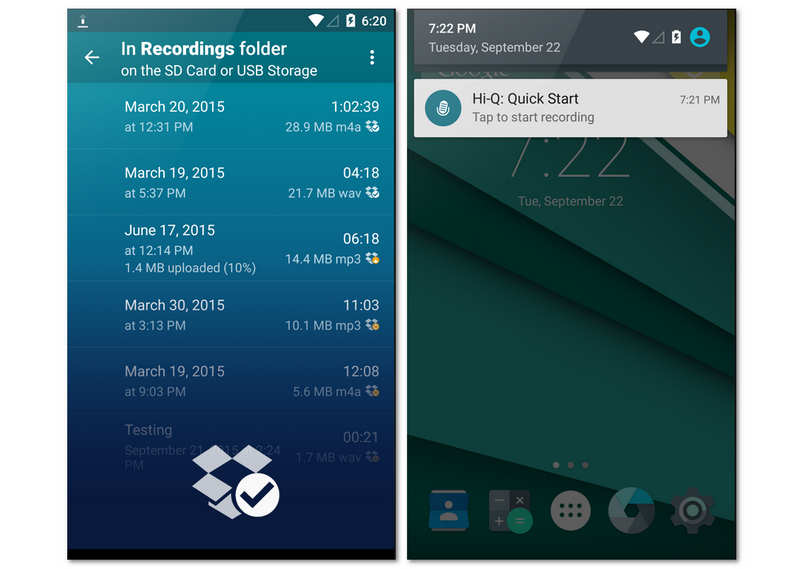
Hi-Q is built for users who demand studio-quality audio in a mobile format. By recording in 320kbps MP3, this Android voice recorder app balances high fidelity with universal file compatibility. One of its most unique features is the "Shuttle" control, which lets you recapture up to 20 seconds of audio from before you even hit the record button. This feature can let you find unexpected surprises in your voice recordings.
- Vorteile
- Supports high-bitrate MP3 recording that is compatible with almost every playback device and software.
- Allows you to switch between front and back microphones to optimize directional sound capture.
- Automatic synchronization with Dropbox or Google Drive ensures your data is backed up the moment you stop recording.
- Nachteile
- The free version of this Android voice recorder is strictly limited to 10-minute recording sessions, forcing a paid upgrade for long-form use.
- The noise reduction filter can sometimes make the recorded voice sound slightly "robotic" or over-processed.
- It lacks advanced multi-track editing features found in more specialized audio workstations.
Top 4. Neutron Audio Recorder
Neutron Audio Recorder has made everything perfect in recording audio while maintaining its professional-like atmosphere. This voice recorder for Android offers basic recording enhancements, tools, and powerful features such as the 60-band equalizer, DSP filter, silence detector, metadata editor, configurable digital filter, direct access to USB, and more. However, it is pretty confusing for newbies based on the kind of interface.
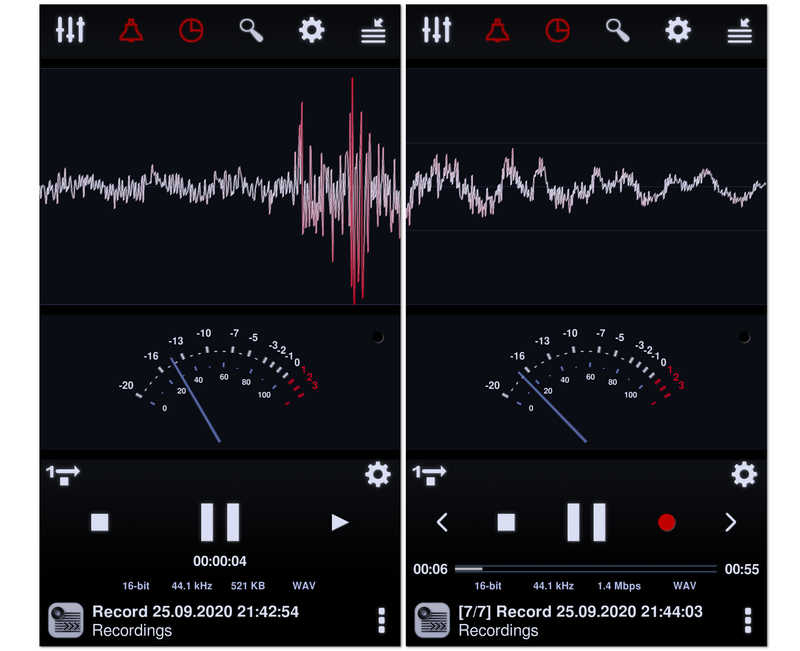
Stemming from the famous Neutron Music Player, this is the audiophile's choice for recording. This audio recorder for Android utilizes a sophisticated 32/64-bit audio engine to provide bit-perfect recording. With a massive 60-band parametric equalizer and professional filters, it gives you more technical control over the final sound profile than any other app on this list.
- Vorteile
- The audiophile-grade engine ensures no loss in audio quality during the encoding process.
- Advanced DSP features like Automatic Gain Control (AGC) help normalize volume in unpredictable environments.
- Includes a highly customizable visual interface with spectrum, RMS, and waveform analyzers.
- Nachteile
- The user interface is incredibly dense and can be intimidating for casual users.
- Consumes significantly more battery and CPU resources compared to simpler recording apps.
- The setup process for high-res audio drivers can be technically challenging for non-experts.
Top 5. Voice Recorder
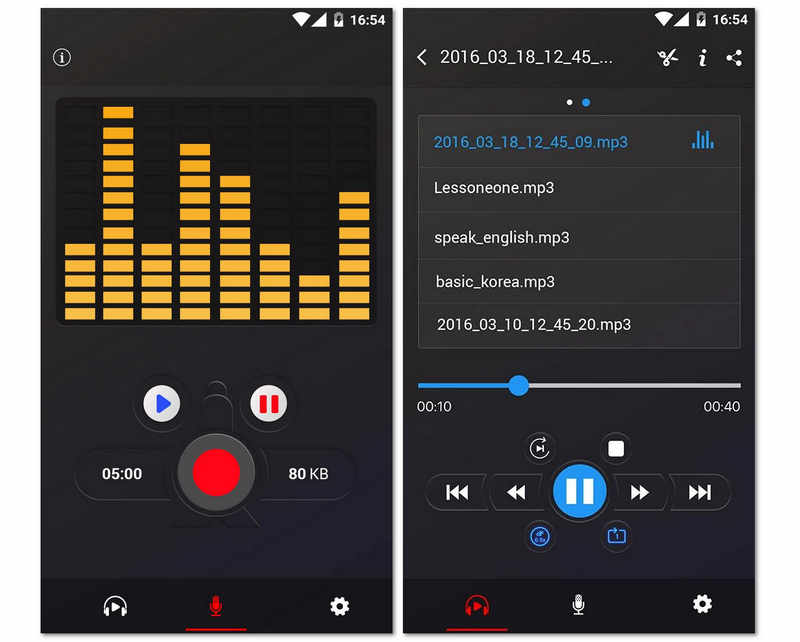
Next in line is this free Voice Recorder that amazingly performs without any restrictions. Moreover, this free Android voice recorder app offers an audio spectrum analyzer that works to visualize the sound freely. Not to mention its power to preserve your Android phone's battery by resuming the recording even when your screen is off. It is one of the best voice recorder apps for Android 16/15/14, yes, but since it's a free tool, you would find it bugged by many ads. Nevertheless, many are still hooked by this due to its additional sharing capabilities, which makes the users easily send their recordings to their friends.
- Vorteile
- Minimalist design makes it accessible for users of all ages with zero learning curve.
- Extremely small app size that won't clutter your phone’s internal storage.
- Excellent background stability, ensuring the recording isn't killed by the Android system's task manager.
- Nachteile
- Lacks the ability to export to professional lossless formats like WAV or FLAC.
- No built-in transcription or advanced AI features to help organize audio data.
- Basic file management makes it difficult to sort through hundreds of recordings quickly.
Top 6. RecForge II Audio Recorder
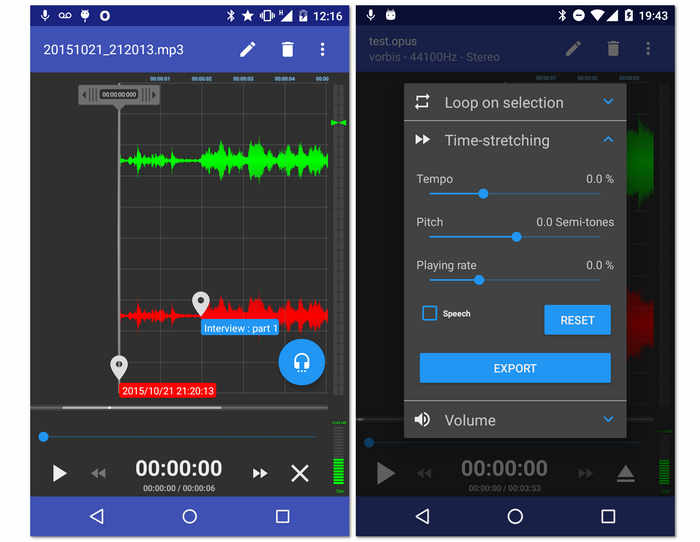
Ein weiterer kostenloser Recorder für Ihr Android ist dieser RecForge II Audio Recorder. Ja, dieses Tool ist eine kostenlose App, mit der Sie im Stereo- oder Monomodus aufnehmen können, abgesehen davon, dass Sie Zugriff auf verschiedene Arten von externen Mikrofonen haben. Darüber hinaus verfügt diese Diktiergerät-App für Android über wichtige Tools, mit denen Tempo, Tonhöhe und Wiedergabegeschwindigkeit der aufgezeichneten Dateien bearbeitet werden können. Ganz zu schweigen von seiner Fähigkeit, auch bei gleichzeitiger Verwendung anderer Apps Leistung zu erbringen. Da es sich jedoch um ein kostenloses Tool handelt, sollten Sie davon ausgehen, dass es irgendwann mit Anzeigen ausgeführt wird.
- Vorteile
- Es bietet Audio-Enhancer.
- Mit breiter Unterstützung für verschiedene Audioformate.
- Die Werkzeuge sind vielseitig.
- Es ermöglicht die Online-Freigabe der Ausgänge.
- Nachteile
- Verwirrend für Anfänger.
- Einige Dateiformate haben eine begrenzte Dauer.
- Viele Anzeigen tauchen auf.
Top 7. Music Maker Jam
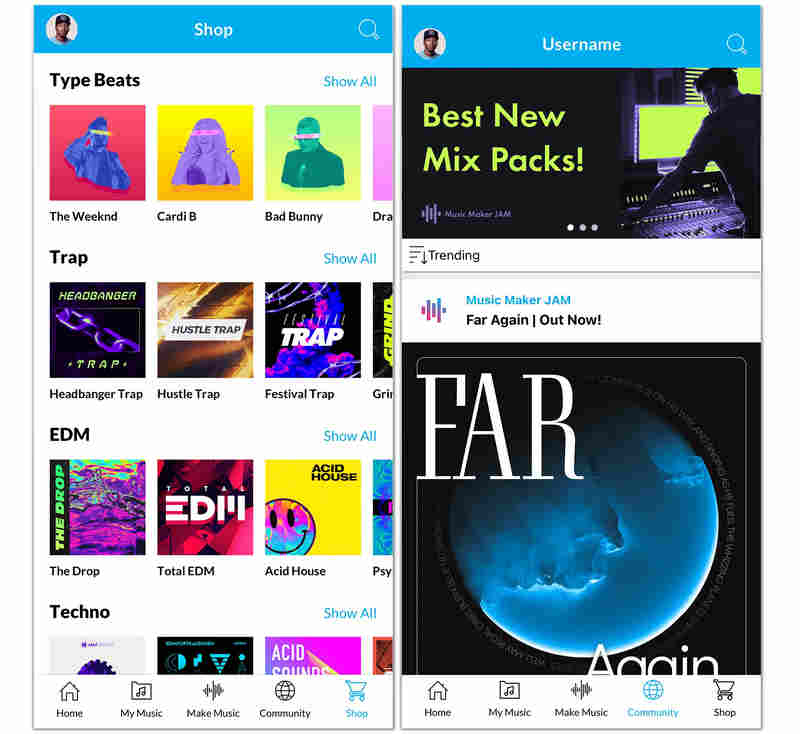
Unlike traditional Android voice recorders, Music Maker Jam is a creative playground. It allows you to record your voice or instruments over professionally produced loops and beats. You can mix your vocals with eight different audio channels, apply real-time studio effects, and share your creation with a global community of creators. It's the best choice for anyone looking to record more than just speech.
- Vorteile
- Access to a massive library of thousands of studio-quality loops across multiple genres.
- Real-time 8-channel mixer allows you to perfectly balance your vocals with background music.
- Native community features make it easy to collaborate with other artists or get feedback on your work.
- Nachteile
- The Android voice recorder app is very heavy and requires a modern device to run smoothly without lag.
- Not suitable for professional business dictation or simple lecture recording.
- Relies heavily on a freemium model where many sound packs and features require in-app purchases.
Top 8. ASR Voice Recorder
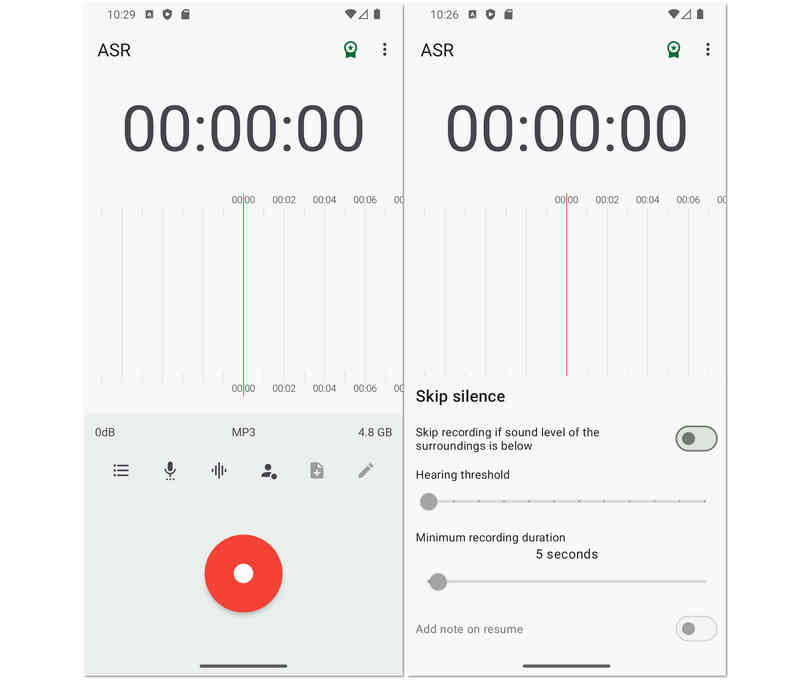
Als nächstes auf der Liste steht dieser flexible ASR Voice Recorder, der reich an Bearbeitungswerkzeugen für Ihre aufgenommenen Dateien ist. Wenn Sie erfahren möchten, wie man professionell Sprache auf Android aufzeichnet, kann der ASR Voice Recorder eine gute Wahl sein. Darüber hinaus können Sie Ihre Aufnahmen bearbeiten, um ihre Wiedergabegeschwindigkeit zu steuern, ihre Stille zu überspringen, ihnen Notizen hinzuzufügen und sie mehr neu zu arrangieren. Darüber hinaus kann es mit externen Geräten wie Mikrofonen und Headsets verbunden werden, um ein persönlicheres und qualitativ hochwertigeres Erlebnis zu erzielen.
- Vorteile
- Ein kostenloses Tool mit großartigen Aufnahmeoptionen.
- Unterstützt mehrere Audiodateiformate.
- Mit einer einfachen Freigabefunktion.
- Es ermöglicht verschiedene Uploads von verschiedenen Laufwerken.
- Nachteile
- Es ist nicht werbefrei.
- Es hat keine Audiotranskriptionsauswahl.
Top 9. OtterAI Transcribe Voice Notes
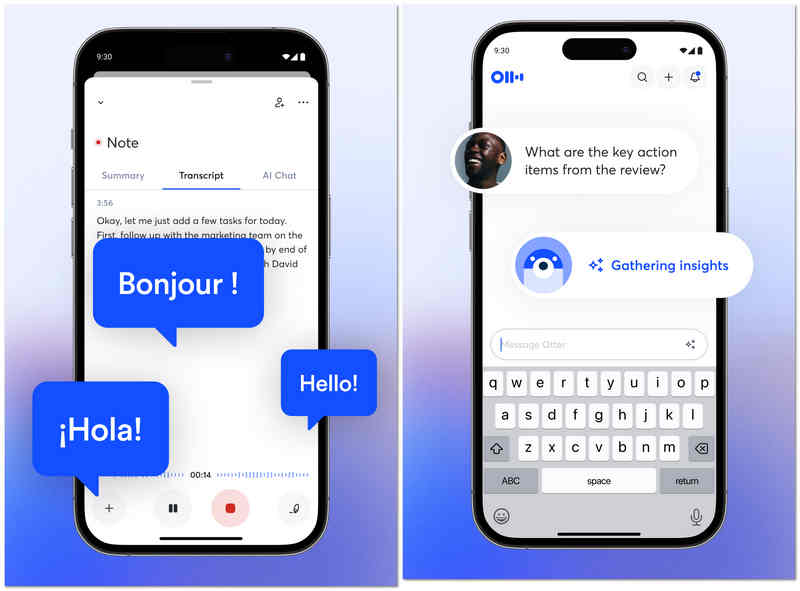
OtterAI is the industry leader for AI-driven transcription. Instead of just recording sound on Android, it captures a live transcript that you can read while the speaker is talking. This audio recorder for Android uses advanced machine learning to distinguish between different speakers and can even generate an automated summary of the conversation, making it a "must-have" for journalists and corporate professionals.
- Vorteile
- Highly accurate real-time transcription that handles different accents and technical vocabulary well.
- Automatic speaker identification makes it easy to follow multi-person interviews or meetings.
- Searchable transcripts allow you to find specific words or topics across hours of audio instantly.
- Nachteile
- The free tier is quite restrictive with monthly transcription limits.
- The app requires a constant internet connection for the best transcription results.
- Privacy-conscious users may have concerns about their audio being processed on Otter’s servers.
Top 10. Tape-a-Talk Voice Recorder
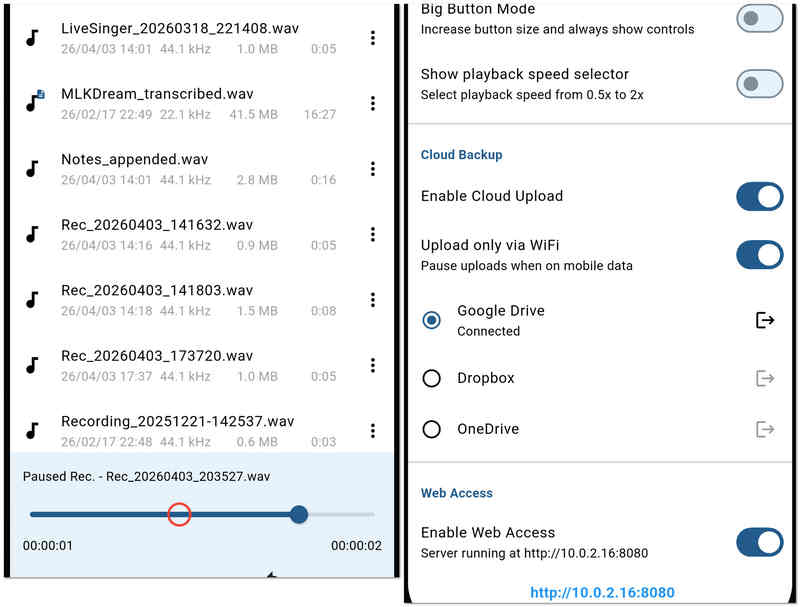
Tape-a-Talk is a reliable dictaphone app that focuses on high stability and ease of use. It's particularly well-suited for field work where you need a recorder that won't crash and offers simple one-touch widgets for your home screen. This audio recorder for Android also provides basic editing functions, allowing you to repair or trim recordings on the fly.
- Vorteile
- Extremely stable recording performance that rarely fails, even during low-memory situations.
- Provides powerful home-screen widgets for starting and stopping recordings without opening the app.
- Supports high-quality uncompressed WAV recording for archival purposes.
- Nachteile
- The free version is heavily ad-supported, which can hinder the user experience.
- It lacks the "smart" AI features like noise cancellation or auto-transcription found in competitors.
Bonus: The Best Audio and Screen Reorder for Windows and Mac
While mobile apps are great for quick memos, professional projects often require the power of a desktop solution. If you need to capture high-quality video alongside your audio, AVAide Screen Recorder is the premier choice for both Windows and Mac users.
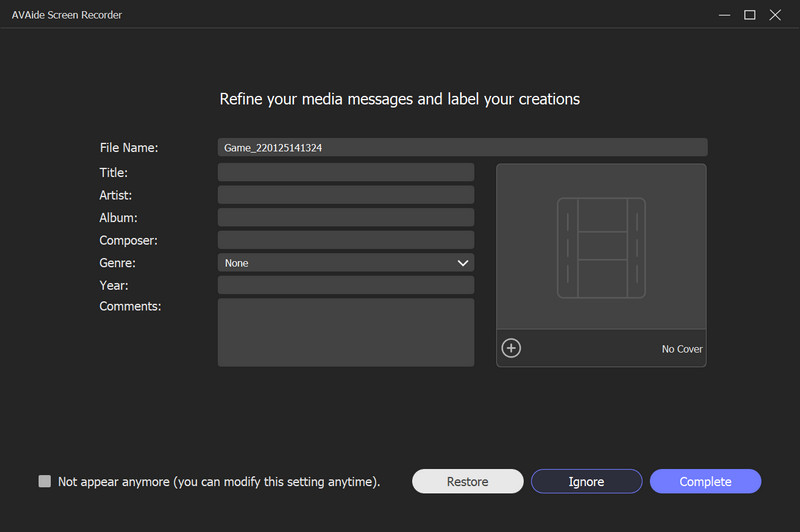
Why Choose AVAide Screen Recorder?
AVAide goes beyond simple screen capture by offering a suite of professional tools designed for clarity and ease of use. Whether you are recording a high-stakes webinar, a detailed software tutorial, or intense gameplay, it ensures every frame and every sound byte is preserved in crystal-clear quality.
- Choose to record your entire screen, a specific window, or a custom-selected region.
- Let you do webcam overlay to record a tutorial or "reaction video".
- Add text, arrows, lines, and shapes while you record to highlight important info.
- Record long-duration video with low CPU usage and without lag or stutter.

 Sicherer Download
Part 3: Side-by-Side Comparison of the 10 Android Voice Recorders
| App Name | Primärer Anwendungsfall | Hauptmerkmal | Audioformate | Beste für |
| Smart Voice Recorder | Efficiency | Skip Silence Mode | WAV | Lectures & Long meetings |
| Easy Voice Recorder Pro | Daily Productivity | Wear OS Support | PCM, AAC, FLAC | Daily memos & Students |
| Hi-Q MP3 Voice Recorder | Audio Qualität | 320kbps High Fidelity | MP3, WAV, OGG | High-quality interviews |
| Neutron Audio Recorder | Professional Engineering | 60-band Equalizer | PCM, WAV, FLAC | Audiophiles & Tech-pros |
| Diktiergerät | Simplicity | One-tap Recording | MP3, WAV | Casual users & Seniors |
| RecForge II | Erweiterte Bearbeitung | Real-time Monitoring | MP3, OGG, OPUS | Journalists & Podcasters |
| Music Maker Jam | Creative Production | 8-Channel Mixer | App-specific / MP3 | Musicians & Beatmakers |
| ASR Voice Recorder | General Utility | Cloud Integration | FLAC, WAV, MP4 | Power users on a budget |
| OtterAI | Smart Transcription | Real-time AI Text | MP3, WAV | Corporate meetings |
| Tape-a-Talk | Stabilität | Backend Reliability | WAV, OGG | Field work & Dictation |
Part 4: FAQs of Audio Recorder for Android
Wie heißt der eingebaute Sprachrekorder für Android?
Der eingebaute Sprachrekorder Ihres Androids wird benannt Recorder. Wenn Sie es in den Tools nicht finden können, versuchen Sie, in Ihren Apps danach zu suchen.
What is the best free audio recorder?
The best free voice recorders include Audacity on Windows and Mac, ASR Voice Recorder for Android, and Voice Record Pro for iOS.
Kann ich meine Telefonate mit meinem Android aufzeichnen?
Ja. Die meisten der neuesten Android-Telefone verfügen über einen integrierten Telefonrecorder. Sie finden es, sobald der Anruf läuft.
There you have it, the ten most reliable audio recorders for Android in 2026. Each offers a unique balance of clarity, stability, and professional features to suit any recording environment. While mobile apps provide unmatched portability, professional-grade projects often require the precision of a desktop suite. For those who need a unified solution across Windows, Mac, and even iPhone, AVAide Screen Recorder remains our top recommendation. From capturing high-fidelity system audio to recording FaceTime calls and microphone input with ease, it is the ultimate tool for users who refuse to compromise on quality.
ÜBER DEN AUTOR

Erfassen Sie Bildschirmaktivitäten mit Audio, Online-Meetings, Gameplay-Videos, Musik, Webcam usw.
Video- und Audiorecorder-Überprüfung
- Überprüfung des AirShou Screen Recorders
- Bester Open-Source-Bildschirmrecorder
- Action Screen Recorder Review
- Bester kostenloser Bildschirmrekorder
- Bester Bildschirmrekorder für Chrome
- Bester GIF-Rekorder
- Bester Webcam-Recorder
- Bester Bildschirmrekorder für Windows
- Beste Bildschirmrekorder für Android
- Überprüfung von Chrome Audio Capture
- Beste Audioaufnahme-Software
- Bester Sprachrekorder für Android
- Die 8 besten Online-Bildschirmrekorder des Jahres
- 7 ausgezeichnete kostenlose Bildschirmrekorder ohne Wasserzeichen
- Eine Liste von 8 erstaunlichen Desktop-Rekordern des Jahres
- 12 Hot Picks von Bildschirmrekordern für Mac [Online & Offline]
- Die 8 besten Spielerekorder für Windows und Mac
- Die 10 herausragendsten MP3-Rekorder für Windows und Mac
- Die 5 besten Anrufaufzeichnungs-Apps für Android, die es wert sind, verwendet zu werden
- Die 6 besten Sprachaufzeichnungs-Apps für iPhone und Android